
1. Uvod
The SinoTrack V529 OBD2 Scanner is a professional diagnostic tool designed to provide comprehensive vehicle health reports. It offers a range of functions including reading and clearing diagnostic trouble codes, live data streaming, battery health tests, I/M readiness checks, and performance testing for gasoline vehicles. This manual provides detailed instructions for setting up and operating your V529 scanner.
1.1 Sadržaj paketa
- V529 OBD2 Diagnostic Scanner
- PU Waterproof Bag
- Uputstvo za upotrebu
1.2 Ključne karakteristike
- Čitanje i brisanje kodova: Access and clear diagnostic trouble codes (DTCs) across multiple vehicle systems.
- Prijenos podataka uživo: View real-time data from various sensors, including oxygen sensor tests, with graphing capabilities.
- Battery Test & Voltage Monitoring: Izmjerite zapreminu baterijetage and cranking health to prevent unexpected breakdowns.
- Status spremnosti I/M: Provjerite status monitora povezanih s emisijom kako biste utvrdili je li vozilo spremno za pregled/održavanje.
- Mode 6 & Mode 8 (EVAP Test): Utilize advanced emissions monitoring and EVAP system tests.
- Testovi performansi: Conduct acceleration, braking, and distance tests to evaluate vehicle safety and performance.
- DTC Library & Repair Guidance: Access an extensive built-in database of over 40,000 fault codes with definitions and troubleshooting guides.
- Dizajn prilagođen korisniku: Features a 2.8-inch color screen, quick search function, data replay, and a smart indicator light.
- Višejezična podrška: Supports 12 languages including English, German, French, Spanish, Japanese, and Russian.
2. Sigurnosne informacije
Please read and understand all safety instructions before using the SinoTrack V529 OBD2 Scanner. Failure to follow these instructions may result in injury or damage to the device or vehicle.
- Testiranje automobila uvijek obavljajte u sigurnom okruženju.
- Do not wear loose clothing or jewelry when working on a vehicle.
- Keep the scanner away from hot engine parts or moving components.
- Osigurajte da je vozilo parkirano na ravnoj površini sa aktiviranom ručnom kočnicom.
- Never connect or disconnect the scanner while the ignition is on or the engine is running, unless specifically instructed by a diagnostic procedure.
- Use appropriate eye protection and gloves when necessary.
- The V529 is designed for gasoline vehicles and does not support advanced functions like ABS, SRS, TPMS, transmission temperature, service resets, or MS-CAN connections.
3. Podešavanje
The SinoTrack V529 scanner is designed for easy plug-and-play operation. It draws power directly from your vehicle's OBD-II port.
3.1 Locating the OBD-II Port
The OBD-II (On-Board Diagnostics II) port is typically located under the dashboard on the driver's side of the vehicle. In some vehicles, it may be found in the center console area or near the passenger side. Refer to your vehicle's owner's manual if you have difficulty locating it.
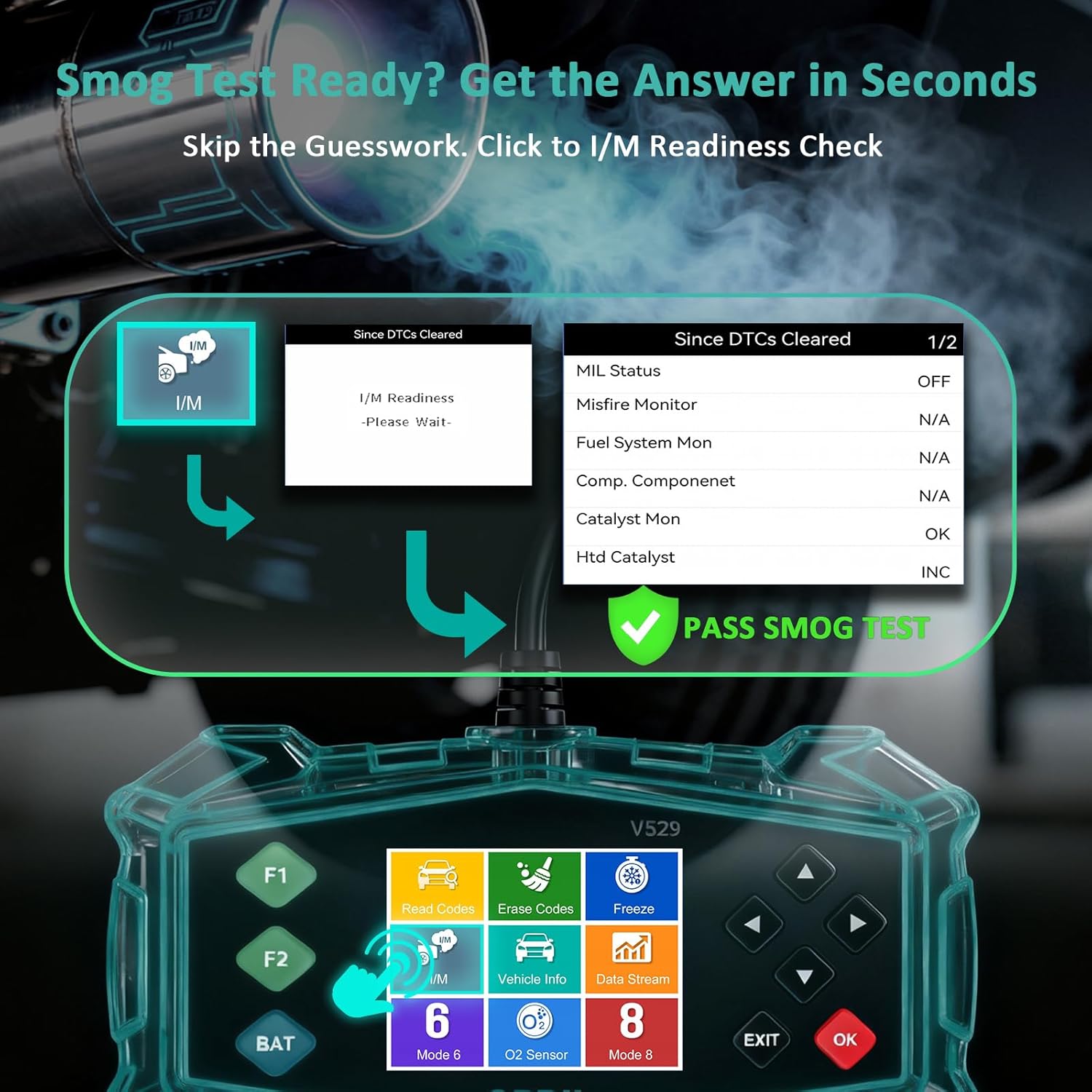
Figure 3.1: Universal Compatibility and OBD-II Port Location
3.2 Povezivanje skenera
- Provjerite da li je paljenje vozila ISKLJUČENO.
- Plug the V529 scanner's OBD-II connector firmly into the vehicle's OBD-II port.
- Turn the vehicle's ignition to the ON position (engine can be off or running, depending on the test). The scanner will power on automatically.
4. Uputstvo za upotrebu
The V529 features a user-friendly interface with a 2.8-inch color screen and intuitive navigation buttons.
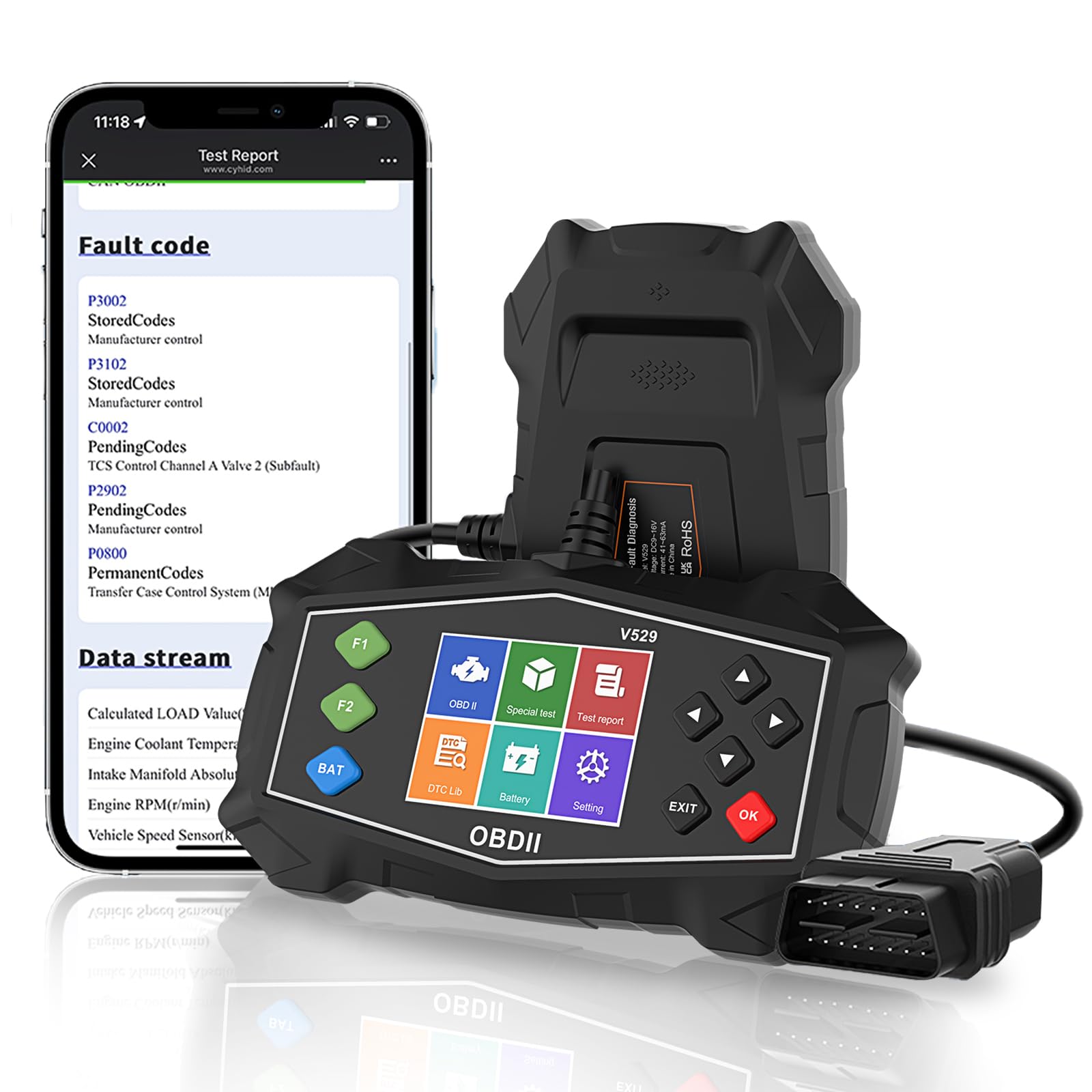
Figure 4.1: SinoTrack V529 Main Interface Overview
4.1 Osnovna navigacija
- Koristite GORE/DOLJE tipke sa strelicama za listanje kroz opcije menija.
- Koristite LIJEVO/DESNO arrow buttons to navigate between screens or adjust values.
- Pritisnite OK button to confirm a selection or enter a menu.
- Pritisnite IZLAZ dugme za povratak na prethodni ekran ili izlazak iz funkcije.
4.2 Čitanje i brisanje dijagnostičkih kodova grešaka (DTC)
This function allows you to retrieve and clear fault codes that illuminate the Check Engine Light (MIL).

Figure 4.2: Core Diagnostic Functions
- Iz glavnog menija izaberite Pročitajte kodove to view trenutni, neriješeni i trajni DTC-ovi.
- Skener će prikazati kodove i njihove definicije.
- Da biste izbrisali kodove, odaberite Izbrišite kodove from the main menu. Confirm your selection when prompted.
- Note: Clearing codes will turn off the Check Engine Light, but if the underlying issue is not resolved, the light will reappear.
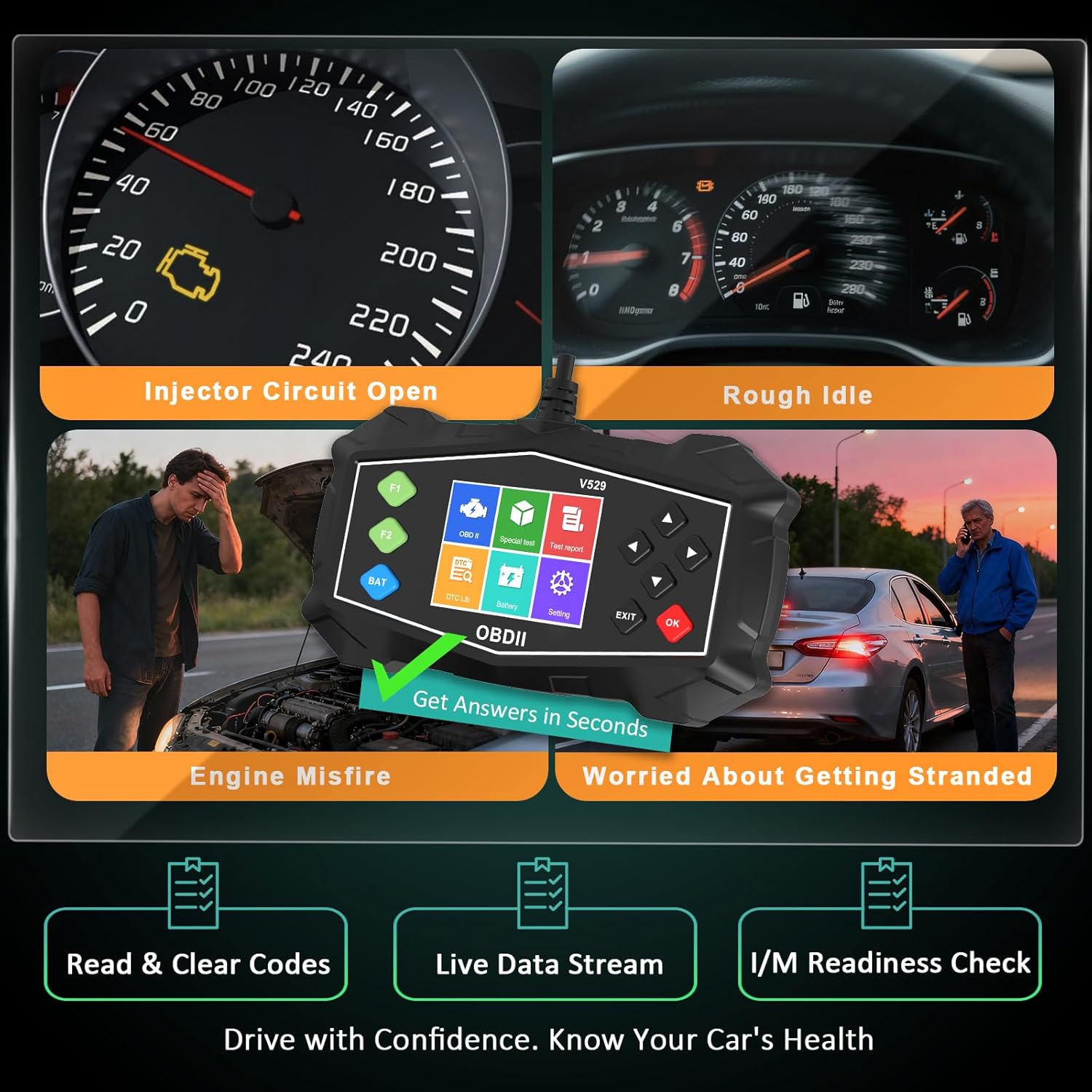
Figure 4.3: Identifying Common Vehicle Issues
4.3 Pretraživanje DTC-a
The V529 includes an extensive built-in library to define DTCs.
- Iz glavnog menija izaberite DTC biblioteka.
- Enter the 5-character DTC using the arrow buttons and OK dugme.
- The scanner will display the definition and potential causes for the code.

Figure 4.4: Instant DTC Definitions
4.4 Prijenos podataka uživo
Monitor real-time sensor data to observe vehicle performance and diagnose intermittent issues.
- Iz glavnog menija izaberite Live Data.
- Izaberi da view data in list format or graphical format.
- Scroll through the various parameters such as engine RPM, coolant temperature, fuel trim, and oxygen sensor readings.
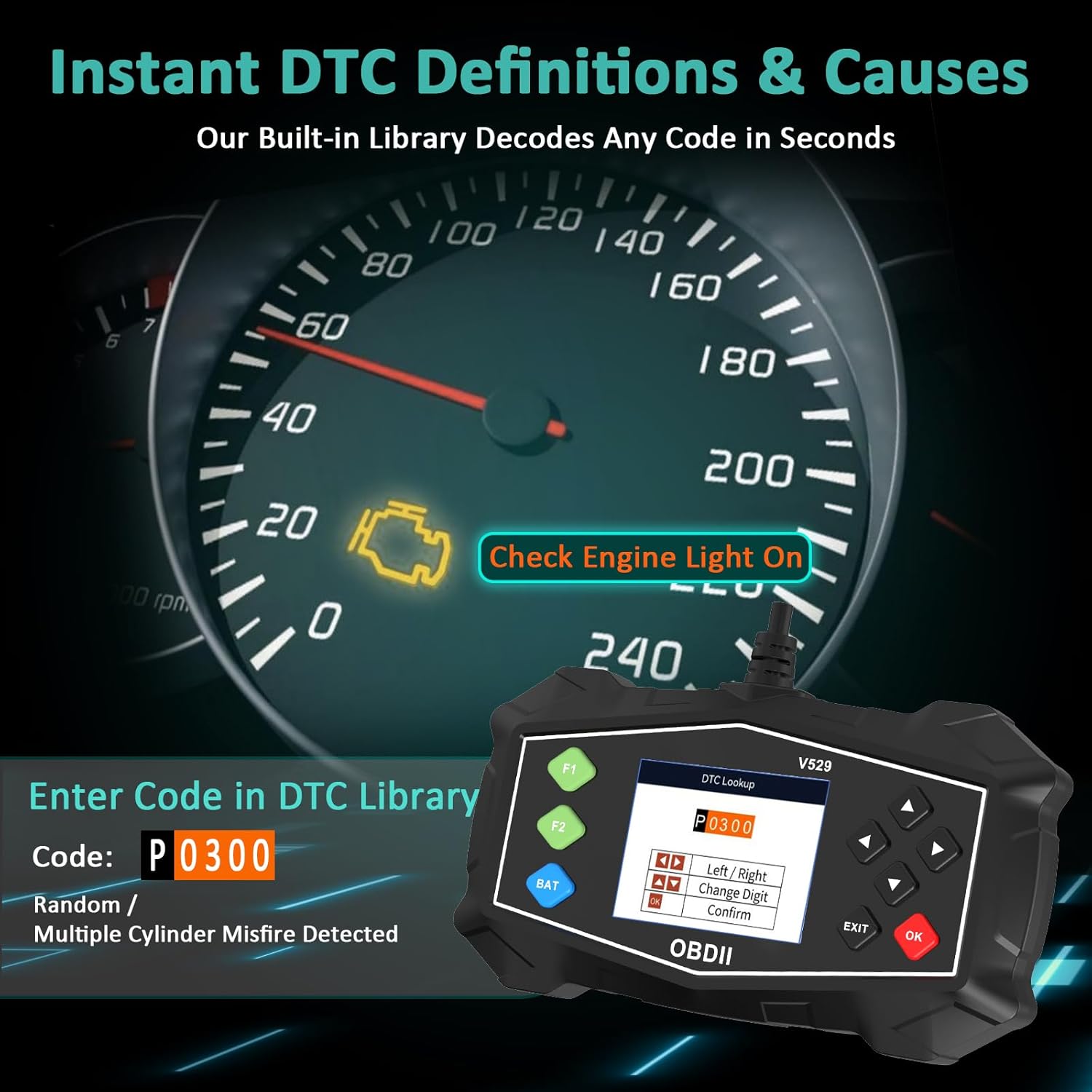
Figure 4.5: Live Data Stream Interface
4.5 Provjera spremnosti I/M-a
This function checks the status of the vehicle's emission-related monitoring systems.
- Iz glavnog menija izaberite I/M Readiness.
- The scanner will display the status of various monitors (e.g., Misfire Monitor, Fuel System Monitor, O2 Sensor Monitor).
- A 'Ready' status indicates the monitor has completed its diagnostic cycle. 'Not Ready' means the cycle is incomplete.

Figure 4.6: I/M Readiness Status
4.6 Test baterije
Perform a quick test to assess the vehicle's battery voltage and cranking health.
- Iz glavnog menija izaberite Test baterije.
- Follow the on-screen prompts to perform the test.
- The scanner will display the battery voltage and a health assessment.
4.7 Mode 6 & Mode 8 (EVAP Test)
These advanced functions provide access to non-continuous monitor test results and allow for control of the EVAP system leak test.
- Režim 6: Retrieves test results for continuously and non-continuously monitored systems.
- Mode 8 (EVAP Test): Pokreće test sistema za kontrolu isparavanja goriva (EVAP) kako bi se provjerilo da li ima curenja.
4.8 Performance Tests
Evaluate your vehicle's acceleration, braking, and distance performance.
- Iz glavnog menija izaberite Test performansi.
- Choose the desired test (Acceleration, Braking, or Distance).
- Follow the on-screen instructions carefully to perform the test safely.
5. Održavanje
Proper maintenance ensures the longevity and reliable operation of your SinoTrack V529 scanner.
- čišćenje: Koristite meku, damp krpu za čišćenje vanjštine skenera. Ne koristite abrazivna sredstva za čišćenje ili rastvarače.
- Skladištenje: Store the scanner in its protective PU waterproof bag when not in use. Keep it in a dry, cool place away from direct sunlight and extreme temperatures.
- Održavanje kablova: Avoid bending or crimping the OBD-II cable excessively. Always grasp the connector when plugging or unplugging, not the cable itself.
- Ažuriranja softvera: Check the SinoTrack official webperiodično provjeravajte stranicu za sva dostupna ažuriranja softvera kako biste osigurali optimalne performanse i kompatibilnost.
6. Otkrivanje problema
If you encounter issues while using your SinoTrack V529 scanner, refer to the following common problems and solutions:
| Problem | Mogući uzrok | Rješenje |
|---|---|---|
| Skener se ne uključuje. | Loose connection; vehicle ignition off; blown fuse in vehicle's OBD-II circuit. | Ensure the scanner is firmly connected. Turn vehicle ignition to ON. Check vehicle's fuse box for a blown fuse related to the OBD-II port. |
| Poruka "Greška veze" ili "Greška u komunikaciji". | Incorrect protocol; vehicle not OBD-II compliant; faulty connection. | Verify your vehicle is OBD-II compliant (most vehicles 1996 and newer). Ensure the connection is secure. Try on another OBD-II compliant vehicle if possible. |
| Ne mogu obrisati DTC-ove. | Ignition not in ON position; underlying fault still present. | Ensure ignition is ON (engine off). If the fault is still active, the code cannot be cleared until the issue is repaired. |
| Ekran je zamrznut ili ne reaguje. | Privremeni softverski kvar. | Disconnect the scanner from the vehicle, wait a few seconds, then reconnect. If the issue persists, contact customer support. |
7. Specifikacije
| Feature | Detalj |
|---|---|
| Brand | SinoTrack |
| Model | V529 |
| Veličina ekrana | 2.8 inča |
| Izvor napajanja | Corded Electric (via OBD-II port) |
| Operativni sistem | Android 4.0 (Internal System) |
| Automotive Fit Type | Universal Fit (for OBD-II compliant gasoline vehicles) |
| Podržani OBDII protokoli | SAE J1850 PWM, SAE J1850 VPW, ISO9141-2, ISO14230-4 KWP (5 baud init), ISO14230-4 KWP (brza init), ISO15765-4 CAN (11-bitni ID, 500 Kbaud), ISO15765-4 CAN (29-bitni ID, 500 Kbaud), ISO15765-4 CAN (11-bitni ID, 250 Kbaud), ISO15765-4 CAN (29-bitni ID, 250 Kbaud) |
| Težina artikla | 15.5 unce |
| Dimenzije paketa | 8.7 x 5.08 x 1.93 inča |
8. Garancija i podrška
SinoTrack products are designed for reliability and performance. For warranty information, technical support, or service inquiries, please refer to the contact information provided in your product packaging or visit the official SinoTrack website. Sačuvajte račun o kupovini za reklamacije.
Za dodatne resurse i često postavljana pitanja, možete posjetiti SinoTrack Store on Amazon.