
Uvod
The DNT Optics QDM150 is a multi-functional quick detach mount designed for shooters requiring speed, accuracy, and adaptability. Featuring a 1.5-inch height, it is optimized for perfect eye alignment with compatible optics. This quick-release mount allows for rapid detachment and secure reattachment of your optic while maintaining zero, ensuring your setup is always mission-ready.
Sigurnosne informacije
Please read and understand all instructions before installation and use. Improper installation or use can lead to equipment damage or personal injury.
- Always ensure the mount is securely attached to the rail and the optic is securely attached to the mount before use.
- Do not overtighten screws beyond the recommended torque specifications.
- Keep fingers clear of moving parts during attachment and detachment.
- Store the mount and optic in a safe, dry place when not in use.
Sadržaj paketa
- DNT Optics QDM150 Quick Detach Mount
- Mounting Screws (pre-installed or included separately)
Postavljanje i instalacija
Follow these steps to properly install your DNT Optics QDM150 mount and attach your optic.
1. Mounting the QDM150 to a Picatinny Rail
- Otpustite zavrtnje: Using the appropriate tool, slightly loosen the two screws on the side of the QDM150 mount. This allows the clamping mechanism to open sufficiently for rail attachment.
- Align and Fit: Position the QDM150 mount onto your Picatinny rail. Ensure the mount's cross-slot keys align with the rail's slots.
- Zategnite zavrtnje: Once aligned, tighten the two screws evenly until snug. The recommended torque specification is 30 in-lbs. Nemojte previše zategnuti.
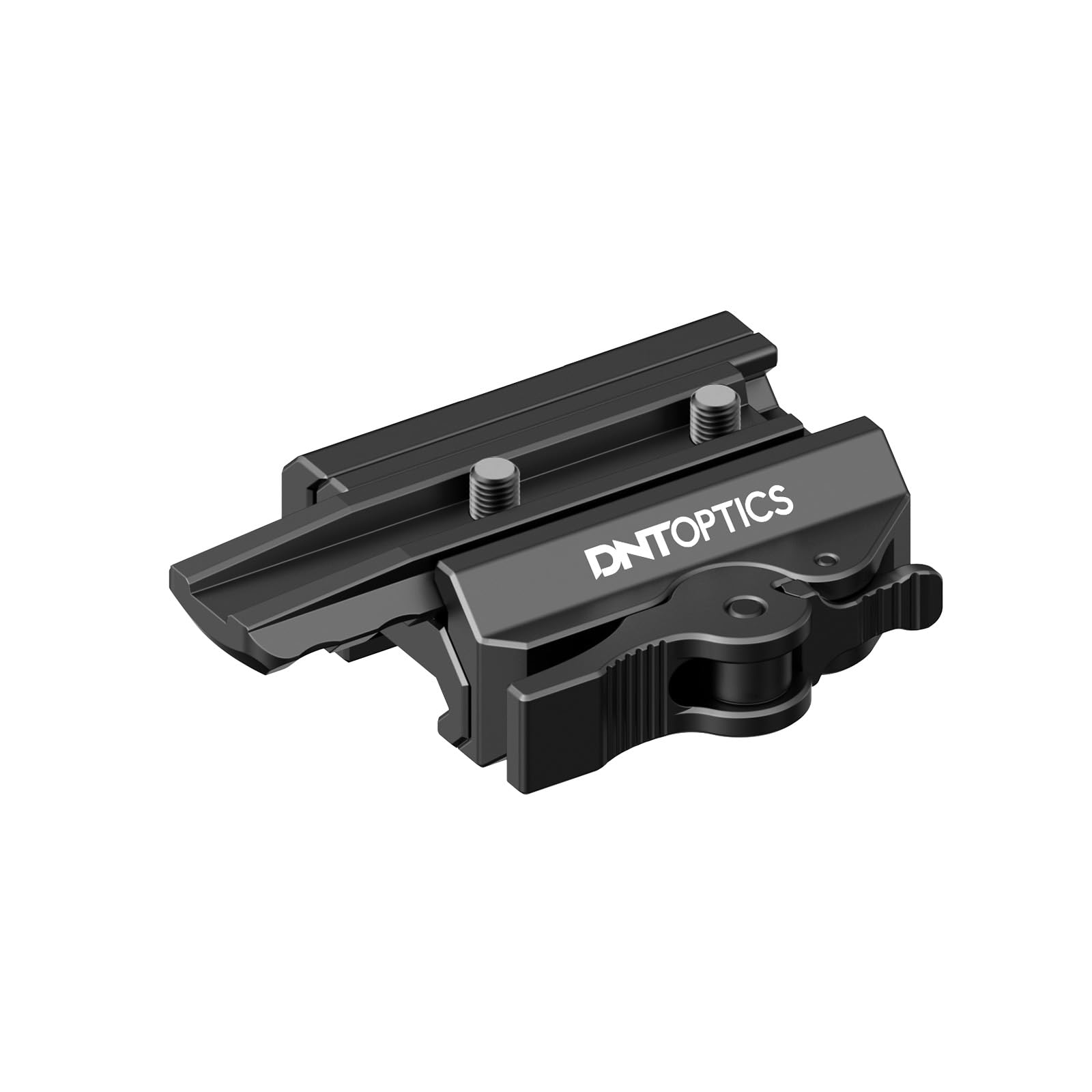
Slika: Front view of the QDM150 mount, indicating the 30 in-lbs torque specification.

Slika: Sa strane view of the QDM150 mount, showing the screws used for securing it to a Picatinny rail.
2. Attaching an Optic to the QDM150
- Prepare Optic: Ensure your optic (e.g., HYDRA, ThermNight, Zulus HD) has the appropriate mounting base for the QDM150.
- Poluga za otpuštanje: Press the small latch on the quick-detach lever and flip the lever to the open position.
- Align Optic: Carefully align the optic's mounting base with the top platform of the QDM150 mount.
- Secure Optic: Once aligned, push the quick-detach lever back into the closed position. You should hear a confident click as the dependable locking latch mechanism automatically secures the lever.

Image: The QDM150 mount shown separated from a Picatinny rail, illustrating its modular design.

Image: The QDM150 mount positioned next to an optic's base, demonstrating how the optic attaches.
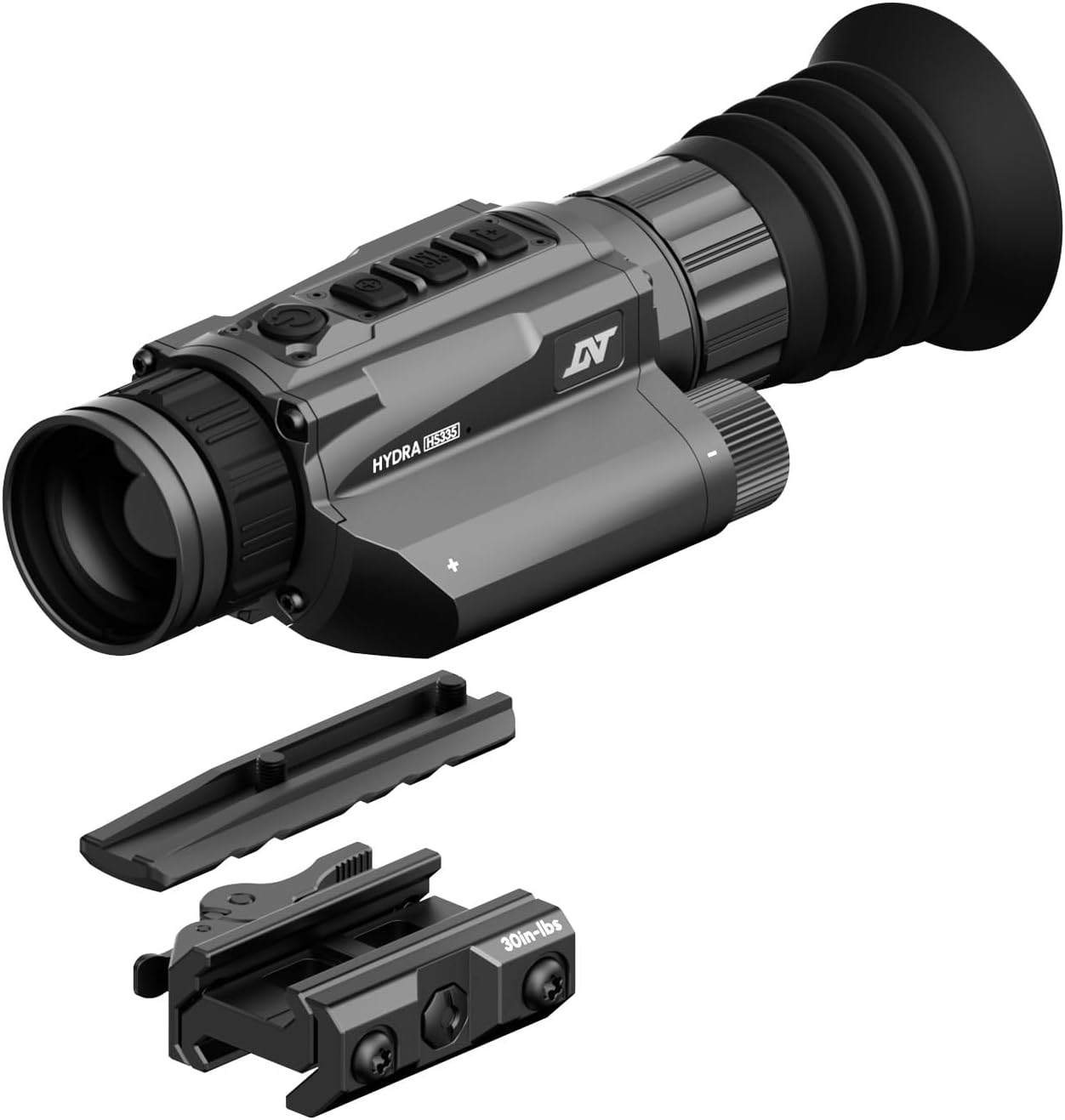
Image: An optic fully assembled and secured onto the QDM150 quick detach mount.
Video vodič za instalaciju
Video: Official DNT Optics guide on 'How to Use QDM150 Multi-Functional Quick Detach Mount'. This video demonstrates the loosening of screws, aligning and fitting the mount to a rail, tightening screws, releasing the lever, aligning the scope, and locking the lever.
Operacija
The QDM150 features a two-way quick detach system for efficient transitions between rifle-mounted and handheld use.
Quick Detach/Attach Mechanism
- Odvojiti: Locate the quick-detach lever. Press the small latch button on the lever and then flip the lever to the open position. The optic and mount can now be removed from the rail.
- Za prilaganje: Align the mount with the Picatinny rail slots. Push the quick-detach lever firmly into the closed position until you hear a click. The locking latch will automatically engage, securing the mount.
Kompatibilnost
The QDM150 is specifically designed for seamless integration with the HYDRA series, enabling effortless switching between thermal clip-on, handheld monocular, and standalone scope operations. It also works with ThermNight and ZULUS HD optics.
The QDM150 is compatible with optics from other brands that share matching mounting specifications. Please refer to the specification table for details and ensure your optic has a 'Tapered Base' for compatibility with new DNT Optics mounts.

Image: Compatibility diagram showing the difference between square and tapered mounting bases for optics. The QDM150 requires a tapered base for proper fit.
Održavanje
Proper maintenance ensures the longevity and reliable performance of your QDM150 mount.
- čišćenje: Wipe down the mount with a clean, dry cloth after each use to remove dirt, dust, and moisture. For stubborn grime, use a slightly damp krpom i dobro osušite. Izbjegavajte jake hemikalije ili abrazivne materijale.
- inspekcija: Periodically inspect all screws and the quick-detach mechanism for any signs of wear, damage, or loosening. Ensure the lever operates smoothly and locks securely.
- podmazivanje: Lightly lubricate the pivot points of the quick-detach lever with a small amount of gun oil or a similar lubricant if movement becomes stiff.
Rješavanje problema
If you encounter issues with your QDM150 mount, refer to the following common problems and solutions:
- Mount is loose on the rail: Ensure the two side screws are tightened to the recommended 30 in-lbs. Check for any debris in the rail slots or on the mount's clamping površina.
- Optic is loose on the mount: Verify that the quick-detach lever is fully closed and locked. If the lever does not lock, check for obstructions or damage to the locking mechanism.
- Lever is difficult to operate: Ensure the latch button is fully depressed when opening the lever. Clean and lightly lubricate the pivot points if necessary.
- Mount does not fit rail: Confirm that your rail is a standard Picatinny rail. Ensure the mount's cross-slot keys are properly aligned with the rail's slots.
Specifikacije
| Feature | Specifikacija |
|---|---|
| Brand | DNT Optics |
| Naziv modela | QDM150 |
| Materijal | 6063 Aircraft-Grade Aluminum |
| Boja | Crna |
| Dimenzije proizvoda (D x Š x V) | 2.17" x 2.26" x 0.88" |
| Težina artikla | 3.88 unce |
| Vrsta montaže | Picatinny Mount |
| Kompatibilni uređaji | Rifle, Shotgun (with Picatinny rail) |
| Compatible Optics | HYDRA series, ThermNight, ZULUS HD (and others with matching mounting specifications) |
| Height (measured with HYDRA) | 1.5 inča |
Garancija i podrška
For warranty information or technical support, please refer to the official DNT Optics webweb-mjesto ili direktno kontaktirajte njihovu korisničku službu. Sačuvajte račun za eventualne reklamacije u slučaju garancije.


