
1. Uvod
The OUKITEL P1000E Plus is a versatile portable power station designed to provide reliable power for various applications, from outdoor adventures and camping to emergency home backup. Featuring a 1024Wh LiFePO4 battery, 1800W AC output, and multiple charging options, it ensures your devices stay powered wherever you are. This manual provides essential information for safe operation, setup, maintenance, and troubleshooting.
2. Sigurnosna uputstva
- Ne rastavljajte, ne popravljajte niti modificirajte uređaj. Nepravilno sastavljanje može uzrokovati požar ili ozljede.
- Ne izlažite uređaj vatri ili visokim temperaturama.
- Ne koristite niti skladištite uređaj na direktnoj sunčevoj svjetlosti ili u vrućim okruženjima.
- Ne koristite niti skladištite uređaj u kupatilu ili na mjestima izloženim vodi ili kiši.
- Koristite samo originalnu ili certificiranu dodatnu opremu.
- Držite uređaj dalje od djece i kućnih ljubimaca.
- Osigurajte odgovarajuću ventilaciju tokom upotrebe kako biste spriječili pregrijavanje.
- Izbjegavajte padove, jake udarce ili jake vibracije.
- If the unit emits unusual odors, heat, or other abnormalities, stop using it immediately and contact customer support.
3. Sadržaj paketa
Provjerite da li su svi artikli uključeni u vaš paket:
- OUKITEL P1000E PLUS unit x1
- AC kabl za punjenje x1
- MC4 to XT60 cable x1
- Uputstvo za upotrebu x1

Slika 3.1: Included Components. This image illustrates the OUKITEL P1000E Plus power station alongside its standard accessories, including the AC charging cable, MC4 to XT60 cable for solar connection, and the user manual.
4. Karakteristike proizvoda i višeview
Ključne karakteristike
- 11-u-1 priključci: Features 4 AC 1800W outputs (3600W peak), 2 PD100W Type-C outputs, 2 USB-A 18W outputs, 2 DC5521 outputs, and a 12V cigarette lighter port for comprehensive device compatibility.
- Reliable and Durable LiFePO4 Battery: Offers up to 4000 charge cycles for daily use, ensuring a lifespan of up to 10 years.
- 1200W Fast Charging Function: Achieves 100% power in just 70 minutes via AC. Combined AC and solar charging can fully charge the unit in 40 minutes. 500W solar charging alone completes a full charge in 2.1 hours.
- 10ms Seamless Power Switching (UPS): Automatically switches to UPS mode in less than 10 milliseconds during a power outage, ensuring continuous operation for critical connected devices.
- Kontrola pametne aplikacije: Manage the power station with the OUKITEL app, allowing seamless switching between charging modes, flexible adjustment of charging speed, and real-time statistics. Enjoy quiet operation with noise levels ≤ 29 dB.
Output Ports Overview

Slika 4.1: Front Panel Layout. This image displays the front panel of the OUKITEL P1000E Plus, highlighting the locations of the AC outlets, DC ports, USB-A ports, USB-C ports, and the cigarette lighter port, along with the main display and control buttons.

Slika 4.2: Multiple Device Charging. The power station is shown actively charging a laptop, a smartphone, and powering a fan, demonstrating its multi-device capability and various output types.
5. Podešavanje i punjenje
Initial Setup
Before first use, fully charge your OUKITEL P1000E Plus. This ensures optimal battery performance and calibration.
Metode punjenja
The P1000E Plus supports multiple charging methods:
- AC zidno punjenje: Connect the AC charging cable to the unit and a standard wall outlet. The 1200W fast charging can fully charge the unit in approximately 70 minutes.

Slika 5.1: AC Wall Charging. The power station is connected to a standard wall socket for rapid AC charging, illustrating the quick charge capability.
- Solarno punjenje: Connect compatible solar panels (up to 500W) to the unit using the MC4 to XT60 cable. A full charge via 500W solar input takes approximately 2.1 hours.
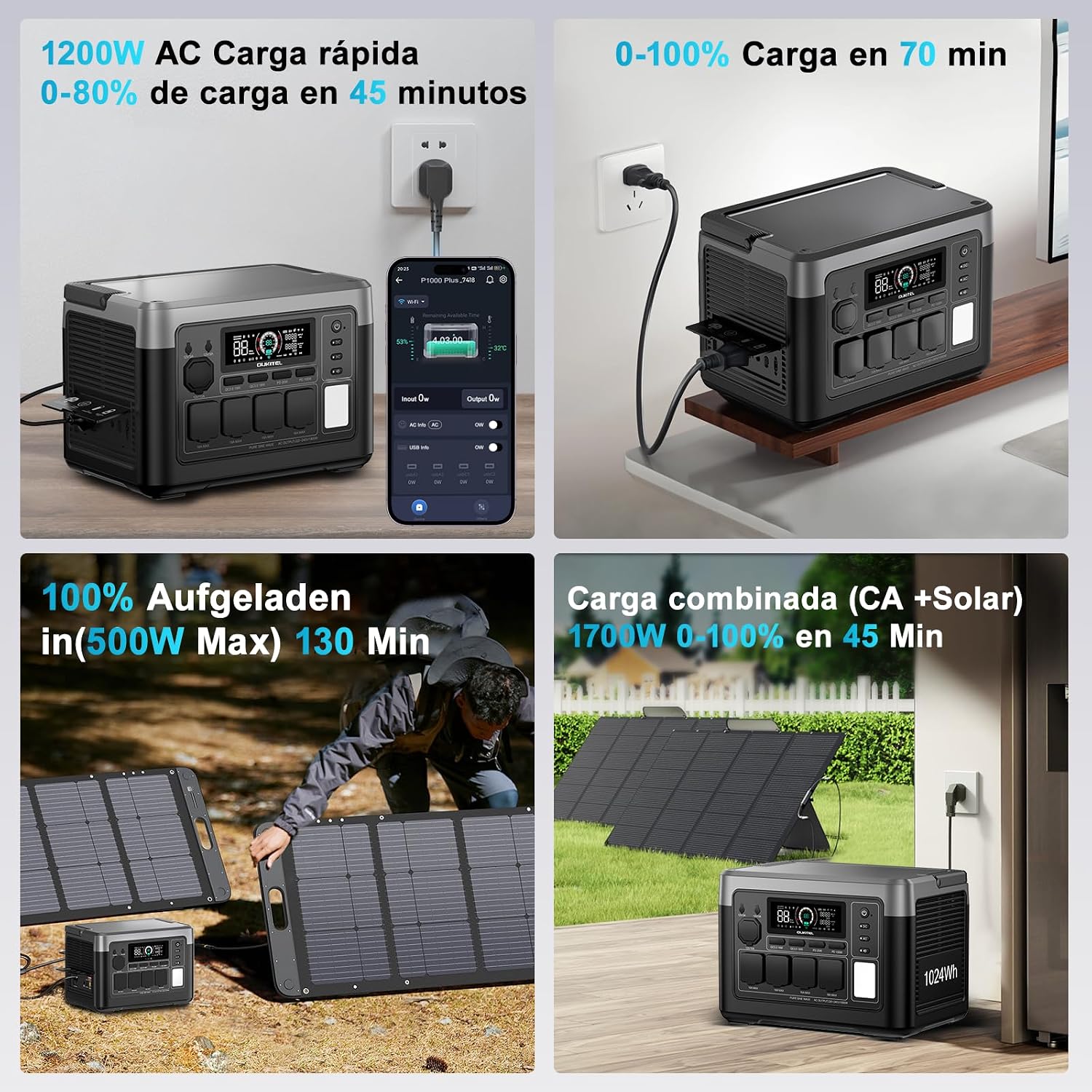
Slika 5.2: Solar Charging. The power station is shown connected to foldable solar panels in an outdoor setting, demonstrating its solar charging capability.
- Punjenje automobila: Use a 12V/24V car charger to charge the unit from your vehicle's power outlet. Full charging time varies between 8 to 12 hours depending on the vehicle's output.

Slika 5.3: Car Charging. The power station is depicted charging inside a vehicle, connected to the car's 12V/24V outlet, highlighting its portability and convenience for travel.
- Combined AC + Solar Charging: For the fastest charging, combine AC and solar inputs. This method can achieve a full charge in as little as 40 minutes.
6. Uputstvo za upotrebu
Uključivanje/isključivanje
Press and hold the main power button for a few seconds to turn the unit on or off. The display will illuminate, showing battery status and output information.
Korištenje AC izlaza
Press the AC button to enable or disable the AC outlets. Connect your devices to the 1800W (3600W peak) AC ports. Ensure the total power consumption does not exceed the rated output.
Korištenje DC i USB izlaza
Press the DC button to enable or disable the DC outputs (including USB-A, USB-C, DC5521, and cigarette lighter port). Connect your compatible devices to the respective ports.
Funkcija neprekidnog napajanja (UPS).
When the P1000E Plus is connected to an AC wall outlet and has devices plugged into its AC outputs, it can function as a UPS. In the event of a power outage, the unit will automatically switch to battery power in less than 10 milliseconds, providing seamless power to connected critical devices.

Slika 6.1: UPS Function in Action. The power station is shown connected to a desktop computer setup, illustrating its role in providing uninterrupted power during a grid failure, preventing data loss.
Smart App Control
Download the OUKITEL app from your smartphone's app store. Connect your P1000E Plus via Bluetooth or Wi-Fi to monitor battery status, adjust charging parameters, switch between modes, and view real-time power statistics. The app also allows for silent operation mode, keeping noise levels below 29 dB.

Slika 6.2: OUKITEL App Interface. A smartphone screen displays the OUKITEL app, showing battery percentage, ulazno/izlazna vodatage, and controls for various functions of the power station.
7. Održavanje i skladištenje
Battery Care
The P1000E Plus uses a LiFePO4 battery, known for its longevity and safety. To maximize battery lifespan:
- Izbjegavajte često potpuno pražnjenje baterije.
- For long-term storage, charge the unit to approximately 50-80% and recharge every 3-6 months.
- Čuvati na hladnom i suvom mestu dalje od direktne sunčeve svetlosti i ekstremnih temperatura.
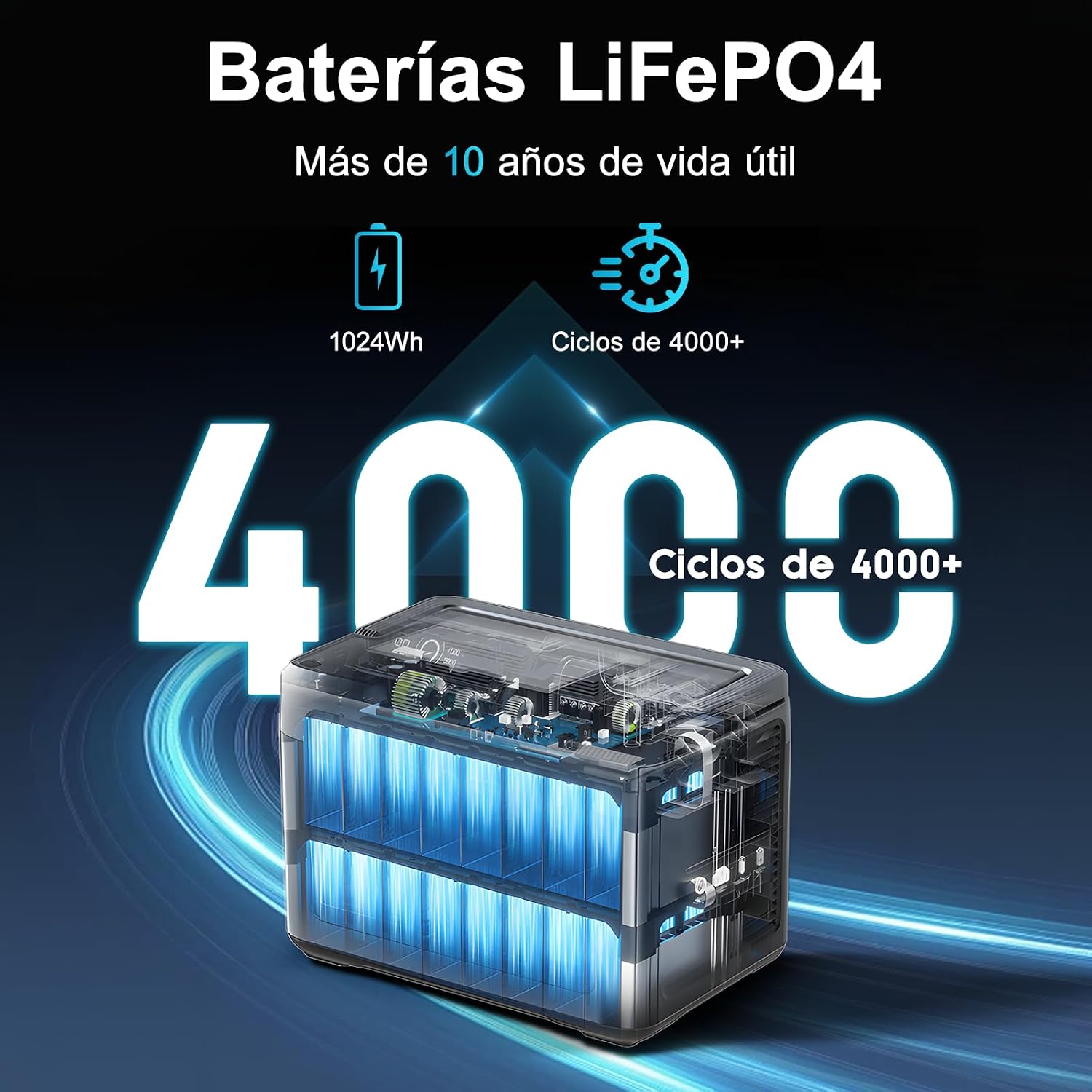
Slika 7.1: LiFePO4 Battery Longevity. This diagram visually represents the extended lifespan of the LiFePO4 battery, highlighting its capability of over 4000 charge cycles and more than 10 years of operational life.
Čišćenje i skladištenje
Wipe the unit with a dry, soft cloth. Do not use abrasive cleaners or solvents. When not in use, store the power station in a stable, dry environment.
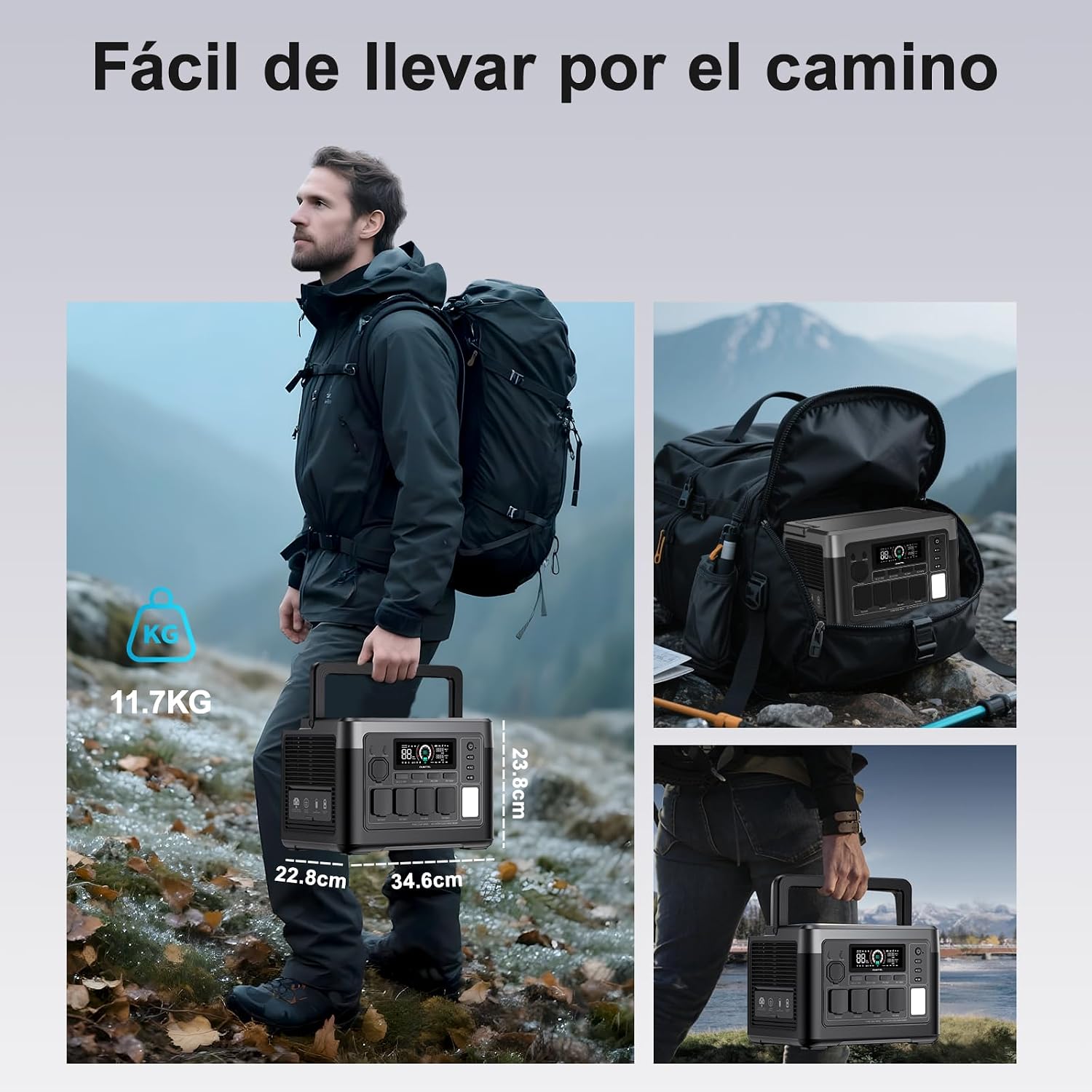
Slika 7.2: Portability. A person is shown easily carrying the OUKITEL P1000E Plus by its handle, emphasizing its compact design and light weight for transport.
8. Otkrivanje problema
If you encounter issues with your OUKITEL P1000E Plus, refer to the following common troubleshooting steps:
- Uređaj se ne uključuje: Ensure the battery is charged. If not, connect it to a power source.
- Nema izlaza iz portova: Check if the respective output buttons (AC/DC) are enabled. Ensure the device connected is within the power station's wattage limite.
- Sporo punjenje: Verify that the charging cable is securely connected and the power source is adequate. For solar charging, ensure panels are in direct sunlight and clean.
- Upozorenje o preopterećenju: Disconnect some devices to reduce the load. The unit will automatically recover once the load is within limits.
- pregrijavanje: Ensure the unit has adequate ventilation. Move it to a cooler environment if necessary.
Za uporne probleme, obratite se OUKITEL-ovoj korisničkoj podršci.
9. Specifikacije
| Specifikacija | Vrijednost |
|---|---|
| Brand | OUKITEL |
| Broj modela | OUKITEL P1000E PLUS |
| Vrsta baterije | LiFePO4 |
| Kapacitet baterije | 1024Wh |
| AC izlaz Wattage | 1800W (Operating), 3600W (Peak) |
| Total Number of AC Outlets | 4 |
| Izlaz tipa C | PD100W x2 |
| USB-A izlaz | 18W x2 |
| DC izlaz | DC5521 x2, 12V Cigarette Lighter |
| Brzo punjenje izmjeničnom strujom | 1200W (0-100% in 70 minutes) |
| Solarni ulaz za punjenje | Max 500W (0-100% in 2.1 hours) |
| Vrijeme prebacivanja UPS-a | < 10ms |
| Dimenzije proizvoda (D x Š x V) | 39.9 x 28.6 x 32 cm |
| Preporučene upotrebe proizvoda | Camping, Outdoor, Emergency, RV |
| Start System Type | Electronic |
10. Garancija i podrška
OUKITEL pruža trogodišnja garancija for the P1000E Plus Portable Power Station, covering manufacturing defects and malfunctions under normal use.
For any questions, technical assistance, or warranty claims, please do not hesitate to contact OUKITEL customer support. We are committed to responding to your inquiries within 24 hours.
Please refer to the contact information provided on our official website or your purchase platform for the most up-to-date support channels.