
Uvod
Welcome to the user manual for your new HONOR Magic V5 5G smartphone. This guide provides essential information to help you set up, operate, maintain, and troubleshoot your device. The HONOR Magic V5 5G combines a revolutionary foldable design with powerful performance, advanced camera capabilities, and a long-lasting battery.
Please read this manual thoroughly to ensure optimal use and longevity of your device.
1. Podešavanje
1.1 Raspakivanje i sadržaj paketa
Upon opening your HONOR Magic V5 5G package, verify that all items are present:
- HONOR Magic V5 5G Smartphone
- USB kabel
- Izbacivač SIM ležišta
- Polyurethane Case
- Pre-applied Screen Protectors (inner and outer screens)
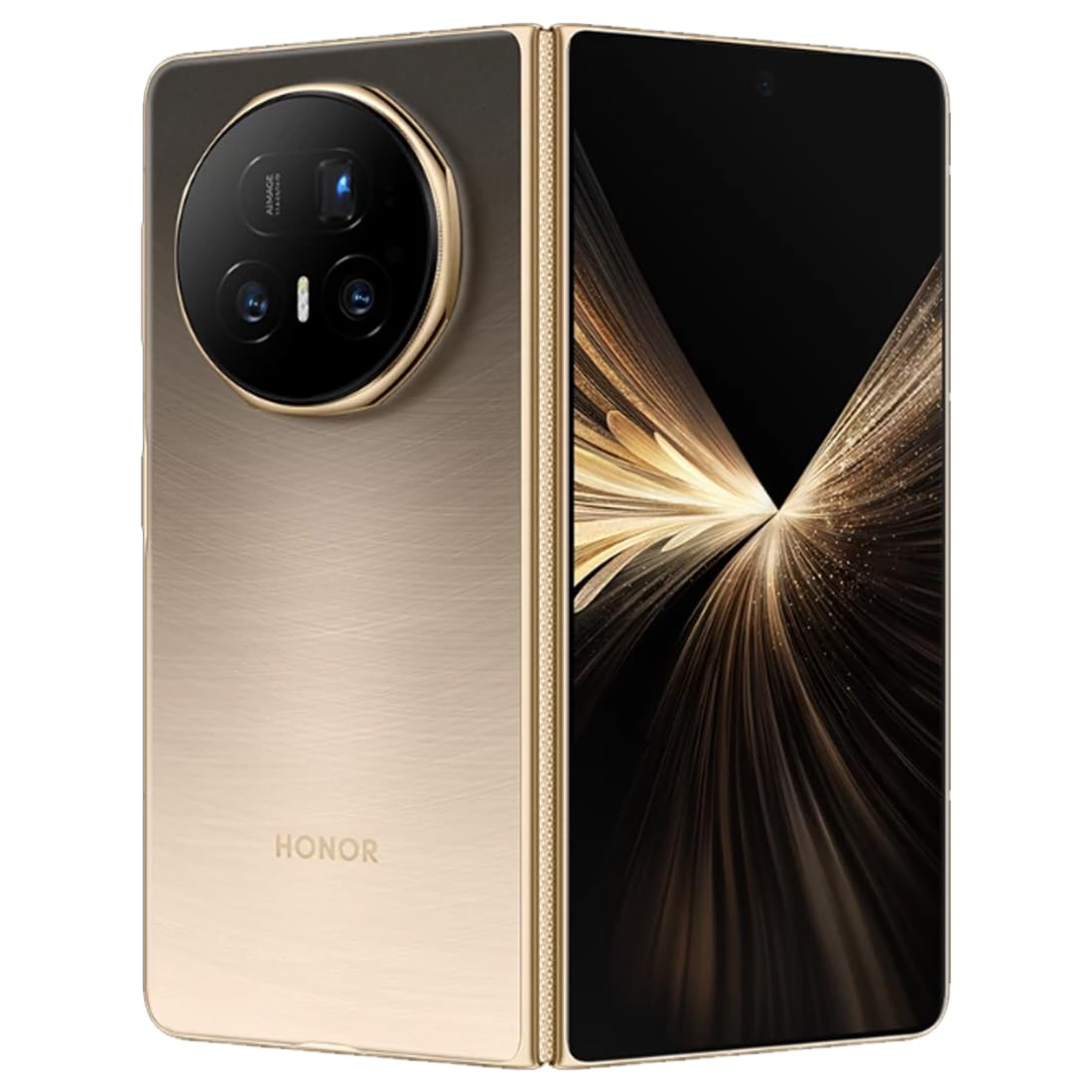
Slika: Stražnja strana view of the HONOR Magic V5 5G smartphone, highlighting the camera array and the device's elegant finish.
1.2 Instalacija SIM kartice
The HONOR Magic V5 5G supports Dual SIM functionality.
- Pronađite ladicu za SIM karticu sa strane uređaja.
- Umetnite alat za izbacivanje SIM kartice u mali otvor pored ladice i lagano pritisnite dok ladic ne iskoči.
- Place your Nano-SIM card(s) into the tray with the gold contacts facing down, ensuring they are correctly oriented.
- Pažljivo vratite SIM ladicu u telefon.
1.3 Početno uključivanje i punjenje
To power on your device, press and hold the power button until the HONOR logo appears. Follow the on-screen instructions to complete the initial setup, including language selection, Wi-Fi connection, and Google account setup.
For optimal performance, fully charge your device before first use. The device supports 66W wired fast charging and 50W wireless charging. Use the provided USB cable and a compatible charger.
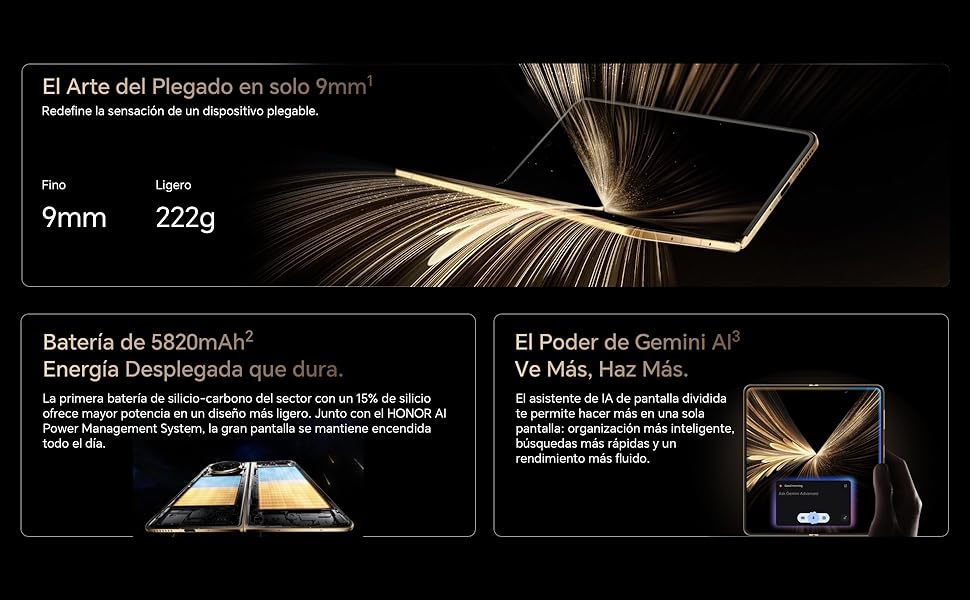
Image: Visual representation of the HONOR Magic V5 5G's large 5820mAh battery and the Gemini AI assistant's split-screen functionality.
2. Upravljanje vašim uređajem
2.1 Foldable Display and Navigation
The HONOR Magic V5 5G features a unique foldable design. When unfolded, it reveals an impressive 7.95-inch LTPO OLED display with a 120Hz refresh rate and up to 5000 nits peak brightness. When folded, it maintains a compact form factor with a secondary display.
Navigate through the Android 15 operating system with MagicOS 9 using touch gestures. Swipe up from the bottom to go home, swipe and hold for recent apps, and swipe down from the top for notifications and quick settings.
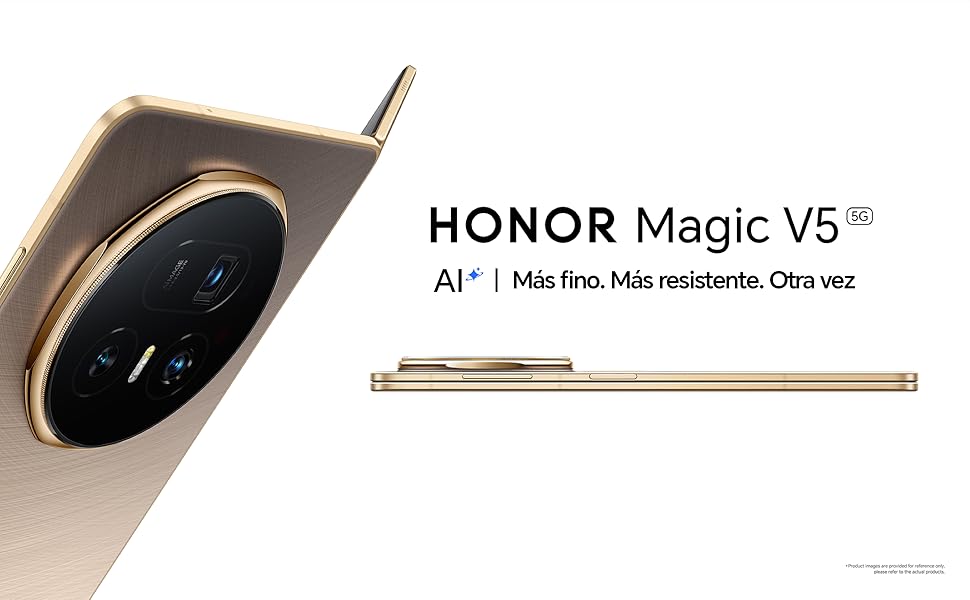
Image: The HONOR Magic V5 5G in its folded state, emphasizing its slim profile and lightweight construction.
2.2 Karakteristike kamere
Your device is equipped with an advanced HONOR Falcon AI Camera system:
- glavna kamera: 50MP za fotografije visoke rezolucije.
- Periscope Telephoto Camera: 64MP with 3x optical zoom.
- Ultra-široka kamera: 50MP for expansive shots.
- Prednje kamere: Dual 20MP cameras (internal and cover screen).
The camera supports 4K HDR video recording and various AI-enhanced features for optimal image quality in different scenarios, including low light.
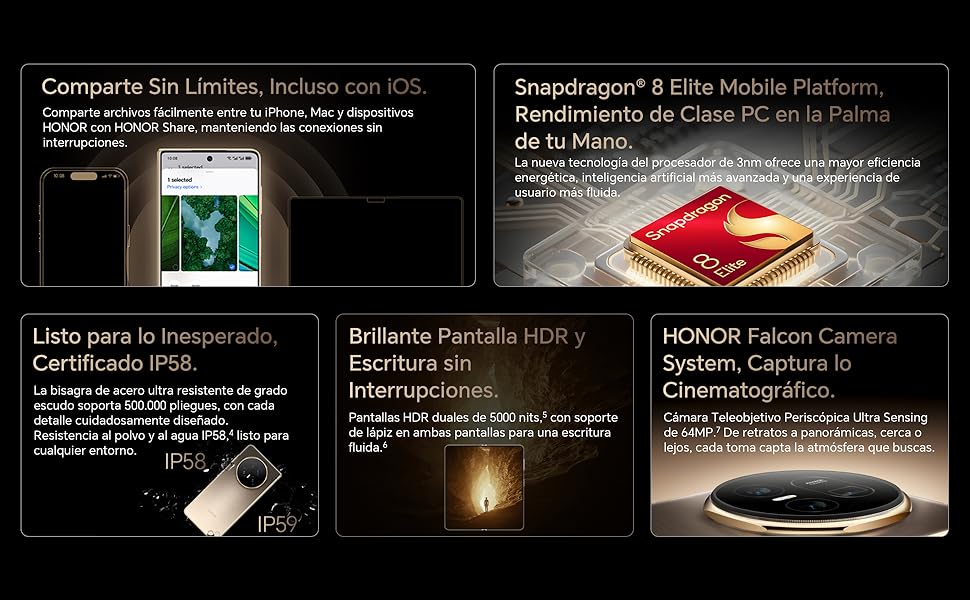
Image: A compilation of key features including the Snapdragon 8 Elite processor, IP58 dust and water resistance, and the advanced HONOR Falcon Camera System.
2.3 Performanse i povezivost
Powered by the Snapdragon 8 Elite 3nm chip and 16GB of RAM, the Magic V5 5G delivers flagship-level performance for smooth multitasking and fast app launches.
Connectivity options include 5G for high-speed mobile data, Wi-Fi, and Bluetooth. The device features a USB Type-C port for charging and data transfer.
2.4 Sigurnosne značajke
Unlock your device securely using facial recognition. Ensure your face is clearly visible to the front camera for accurate recognition.
2.5 HONOR Share and Gemini AI
HONOR Share: Jednostavno dijelite files between your HONOR device, iPhone, and Mac for seamless connectivity.
Blizanci umjetna inteligencija: The split-screen AI assistant enhances productivity with smarter organization, faster searches, and smoother performance.
3. Održavanje
3.1 Čišćenje uređaja
To clean your HONOR Magic V5 5G, use a soft, lint-free cloth. Avoid abrasive materials, solvents, or aerosol sprays. For the screen, a screen cleaner specifically designed for electronics can be used. Do not spray liquids directly onto the device.
3.2 Ažuriranja softvera
Redovno provjeravajte i instalirajte ažuriranja softvera kako biste osigurali da vaš uređaj ima najnovije funkcije, sigurnosne zakrpe i poboljšanja performansi. Ovu opciju obično možete pronaći u Postavke > Sistem i ažuriranja > Ažuriranje softvera.
3.3 Njega baterija
Da biste produžili vijek trajanja vaše baterije od 5820 mAh:
- Izbjegavajte ekstremne temperature.
- Ne dozvolite da se baterija često potpuno isprazni.
- Koristite originalnu ili certificiranu dodatnu opremu za punjenje.
3.4 Izdržljivost i vodootpornost
The device is IP58 certified for dust and water resistance. This means it can withstand immersion in up to 1.5 meters of fresh water for up to 30 minutes. However, water resistance is not permanent and may decrease over time with normal wear. Avoid exposing the device to pressurized water, seawater, or other liquids. The hinge is designed for over 500,000 folds.
4. Otkrivanje problema
4.1 Uobičajeni problemi i rješenja
- Uređaj se ne uključuje: Provjerite je li baterija napunjena. Spojite je na punjač najmanje 10 minuta, a zatim pokušajte uključiti uređaj.
- Aplikacije se zamrzavaju ili ruše: Zatvorite aplikaciju i ponovo je otvorite. Ako problem i dalje postoji, ponovo pokrenite uređaj.
- Loše trajanje baterije: Check background app usage, reduce screen brightness, and disable unnecessary features like GPS or Bluetooth when not in use.
- Problemi s mrežnom vezom: Toggle Airplane Mode on and off. Check SIM card insertion. Restart the device.
- Ekran na dodir ne reaguje: Restart the device. If the issue continues, contact support.
4.2 Vraćanje na tvorničke postavke
Ako se susretnete s upornim problemima sa softverom, vraćanje na tvorničke postavke bi ih moglo riješiti. Upozorenje: Vraćanje na fabričke postavke će izbrisati sve podatke na vašem uređaju. Napravite sigurnosnu kopiju važnih podataka prije nego što nastavite.
- Idi na Settings > System & updates > Reset.
- Odaberite Resetujte telefon or Izbriši sve podatke (vraćanje na fabričke postavke).
- Confirm your choice and enter your password/PIN if prompted.
5. Specifikacije
| Feature | Detalj |
|---|---|
| Naziv modela | Magic V5 |
| Broj modela | MBH-N49 |
| Operativni sistem | Android 15 + MagicOS 9 |
| Procesor | Snapdragon 8 Elite |
| RAM | 16 GB |
| Skladištenje | 512 GB |
| Glavni ekran | 7.95 inches LTPO OLED, 2352 x 2172 resolution, 120Hz refresh rate, 5000 nits peak brightness |
| Zadnja kamera | 50 MP (Main) + 64 MP (Periscope Telephoto) + 50 MP (Ultra Wide) |
| Prednja kamera | 20 MP (Internal) + 20 MP (Cover Screen) |
| Kapacitet baterije | 5820 mAh |
| Punjenje | 66W Wired, 50W Wireless |
| SIM kartica | Dvije Nano SIM kartice |
| Povezivanje | 5G, Wi-Fi, Bluetooth, USB tip-C |
| Otpornost na vodu | IP58 (Otporan na prašinu i prskanje) |
| Dimenzije (savijene) | 9mm debljine |
| Težina | 222g |
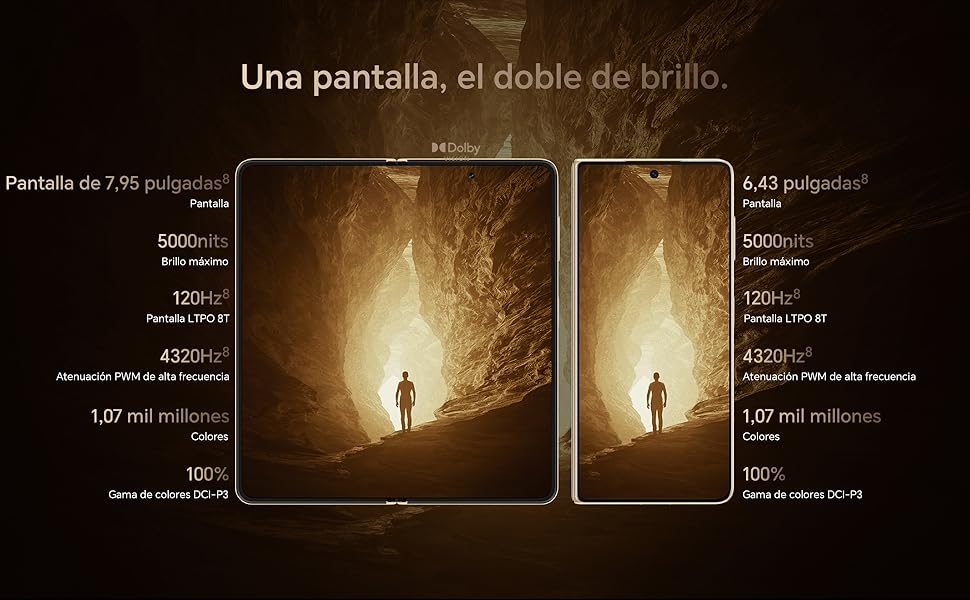
Image: Display comparison showing the large 7.95-inch main screen and the 6.43-inch cover screen, both featuring high brightness and refresh rates.
6. Informacije o garanciji
Your HONOR Magic V5 5G comes with a 3-godišnja garancija proizvođača. This warranty covers defects in materials and workmanship under normal use. It does not cover damage caused by accidents, misuse, unauthorized repairs, or normal wear and tear.
Please retain your proof of purchase for warranty claims. For detailed terms and conditions, refer to the warranty card included in your product packaging or visit the official HONOR website.
7. Podrška
For further assistance, technical support, or service inquiries, please visit the official HONOR support webstranice ili kontaktirajte njihovu korisničku službu.