Uvod
This manual provides detailed instructions for the setup, operation, maintenance, and troubleshooting of your Generic GT1 1.8" Touch Screen Smart Fitness Watch. Please read this manual thoroughly before using the device to ensure proper functionality and to maximize your user experience.
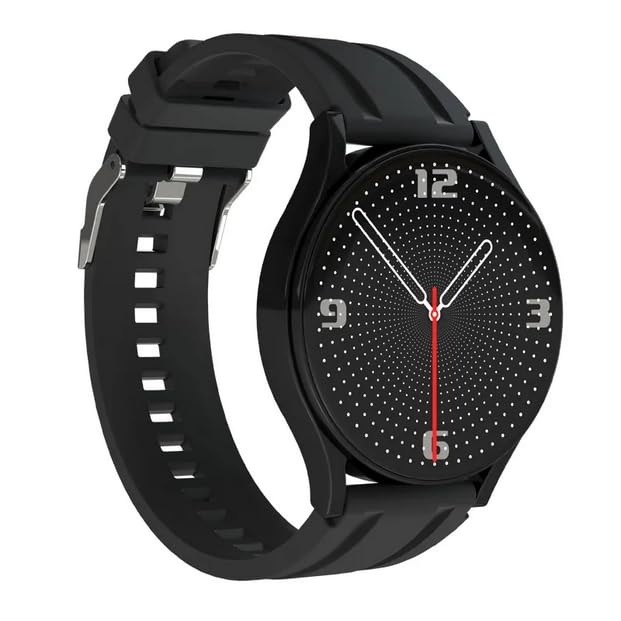
Image: The Generic GT1 Smart Fitness Watch, featuring a black strap and a digital analog-style watch face with white dots and red second hand.
Vodič za postavljanje
1. Punjenje uređaja
Before initial use, fully charge your GT1 Smart Fitness Watch. Connect the charging cable to the watch's charging port and a standard USB power adapter (not included). A full charge typically takes approximately 2 hours. The watch has a 250 mAh battery capacity, providing an average battery life of up to 15 days depending on usage.
2. Uključivanje / isključivanje napajanja
- Za uključivanje: Pritisnite i držite bočno dugme dok se ekran ne osvijetli.
- Za isključivanje: Navigate to the settings menu on the watch, select "Power Off," and confirm. Alternatively, press and hold the side button and select "Power Off" if prompted.
3. Instalacija i uparivanje aplikacije
To unlock the full functionality of your GT1 Smart Fitness Watch, you need to install the companion application on your smartphone. The watch is compatible with smartphones running common operating systems.
- Scan the QR code provided in the watch packaging or search for the recommended app name (usually found in the watch's manual or on the watch itself under "About") in your smartphone's app store (Google Play Store for Android, Apple App Store for iOS).
- Preuzmite i instalirajte aplikaciju.
- Otvorite aplikaciju i pratite uputstva na ekranu da kreirate nalog ili se prijavite.
- Omogućite Bluetooth na svom pametnom telefonu.
- U aplikaciji idite na odjeljak "Uređaj" ili "Dodaj uređaj".
- Select your GT1 watch from the list of available Bluetooth devices. The watch's name might appear as "GT1" or a similar identifier.
- Potvrdite zahtjev za uparivanje i na pametnom telefonu i na satu ako se to od vas zatraži.
- Nakon uparivanja, sat će sinhronizirati podatke s vašim telefonom, a postavke možete prilagoditi putem aplikacije.
Uputstvo za upotrebu
1. Osnovna navigacija
The GT1 Smart Fitness Watch features a 1.8-inch touch screen for intuitive navigation.
- Prevucite gore/dolje: Skrolajte kroz menije ili obavještenja.
- Prevucite lijevo/desno: Access different widgets or quick functions (e.g., heart rate, activity data).
- Dodirnite: Odaberite stavku ili potvrdite radnju.
- Pritisnite bočno dugme: Vratite se na početni ekran ili probudite uređaj.
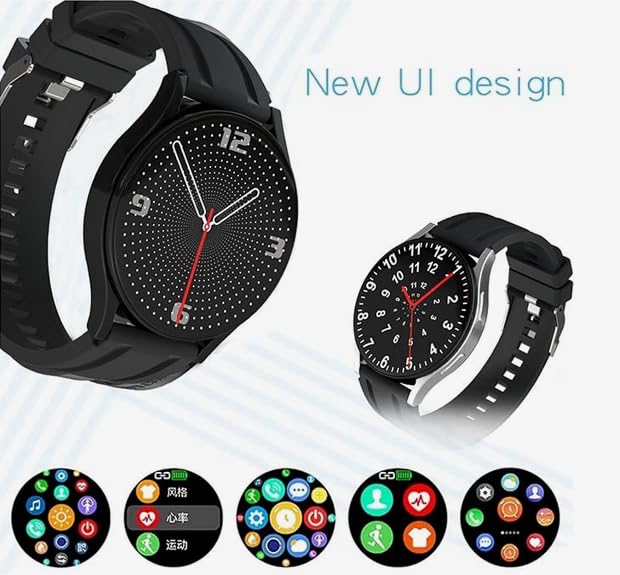
Image: The GT1 Smart Watch displaying its new user interface design, featuring multiple app icons for functions like heart rate monitoring, activity tracking, and various customizable watch faces.
2. Praćenje kondicije
- Brojač koraka: The built-in pedometer automatically tracks your daily steps, distance, and calories burned. View your progress directly on the watch face or in the companion app.
- Monitor otkucaja srca: The advanced sensors continuously monitor your heart rate throughout the day. Access real-time heart rate data by swiping to the heart rate widget or through the dedicated app.
- Načini aktivnosti: The watch supports various activity tracking modes. Select the appropriate mode (e.g., running, walking) before starting your workout for more accurate data.
3. Bluetooth pozivi
Once paired with your smartphone, the GT1 watch allows you to make and receive calls directly from your wrist.
- Odgovaranje na pozive: Kada pristigne poziv, dodirnite zelenu ikonu za odgovor na ekranu sata.
- Upućivanje poziva: Access the dialer or contact list on the watch (if supported by the app) to initiate a call.
4. Prilagodljivi izgledi sata
Personalize your watch with a variety of watch faces. You can change watch faces directly on the device by long-pressing the home screen or through the companion app for more options and customization.
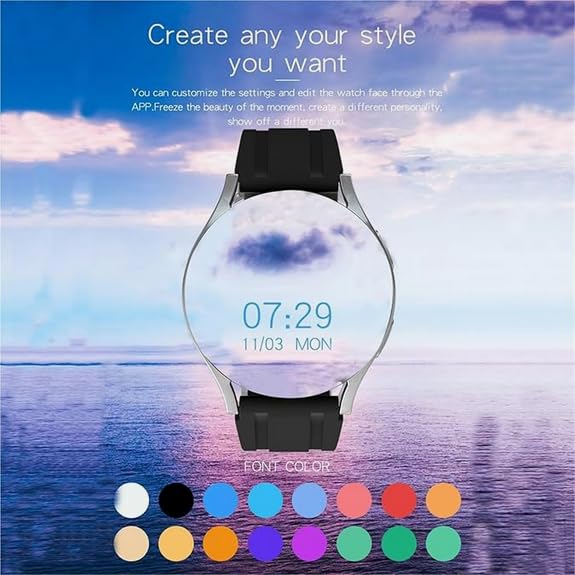
Image: The GT1 Smart Watch displaying a customizable watch face with the current time and date, overlaid on a scenic background, demonstrating personalization options.
5. Obavještenja
Receive notifications from your smartphone directly on your watch. Ensure notification permissions are enabled in both your phone's settings and the companion app.
6. Bluetooth reprodukcija muzike
Control music playback on your connected smartphone directly from your GT1 watch. This feature supports high-fidelity sound quality and allows for continuous listening for 2-3 hours.
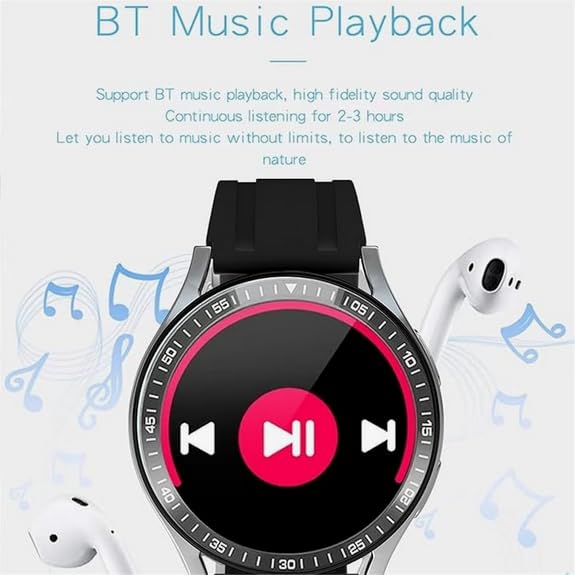
Image: The GT1 Smart Watch screen showing music playback controls, including play/pause, skip forward, and skip backward buttons, with a musical note background.
Održavanje
1. Čišćenje
- Obrišite ekran i kućište sata mekom krpom koja ne ostavlja dlačice.
- Za tvrdokornu prljavštinu, lagano dampIsperite krpu vodom. Izbjegavajte upotrebu jakih hemikalija ili abrazivnih materijala.
- Prije punjenja provjerite jesu li kontakti za punjenje čisti i suhi.
2. Skladištenje
- Čuvajte sat na hladnom i suhom mjestu, dalje od direktne sunčeve svjetlosti i ekstremnih temperatura.
- If storing for an extended period, ensure the battery has some charge (e.g., 50%) to prevent deep discharge.
Rješavanje problema
Sat se ne uključuje
- Provjerite je li sat potpuno napunjen. Spojite ga na punjač na najmanje 30 minuta.
- Pokušajte pritisnuti i držati bočni gumb 10-15 sekundi da biste prisilno ponovo pokrenuli uređaj.
Cannot Connect/Pair with Smartphone
- Provjerite je li Bluetooth omogućen na vašem pametnom telefonu.
- Provjerite je li sat u dometu vašeg pametnog telefona.
- Ponovo pokrenite i sat i pametni telefon.
- Provjerite je li prateća aplikacija ažurirana na najnoviju verziju.
- In your phone's Bluetooth settings, forget the watch if it was previously paired, then try pairing again through the app.
Inaccurate Fitness Data
- Pazite da sat čvrsto prianja uz zglob, otprilike širine jednog prsta iznad kosti ručnog zgloba.
- Očistite senzor otkucaja srca na poleđini sata.
- Calibrate the step counter if the app provides this option.
- Ensure your personal information (height, weight, age) is correctly entered in the companion app.
Obavještenja se ne prikazuju
- Verify that notification permissions are granted for the companion app in your smartphone's settings.
- Check the notification settings within the companion app to ensure desired apps are enabled.
- Provjerite je li sat povezan s vašim pametnim telefonom putem Bluetootha.
Specifikacije
| Naziv modela | GT1 (Sw-hr2023) |
| Veličina ekrana | 1.8 inča |
| Display Type | Digital, Touchscreen |
| Povezivanje | Bluetooth |
| Kompatibilni uređaji | Smartphone |
| Operativni sistem | Vlasnički operativni sistem |
| Kapacitet baterije | 250 mAh (litijum jonski) |
| Prosječni vijek trajanja baterije | Do 15 dana |
| Vrijeme punjenja | Približno 2 sata |
| Kapacitet memorije | 512 MB |
| Posebne karakteristike | Activity Tracker, GPS (likely via phone), Moon Phase Display, Time Display, Touchscreen |
| Materijal | Plastika, silikon |
| Težina artikla | 65 g |
| Zemlja porijekla | Kina |
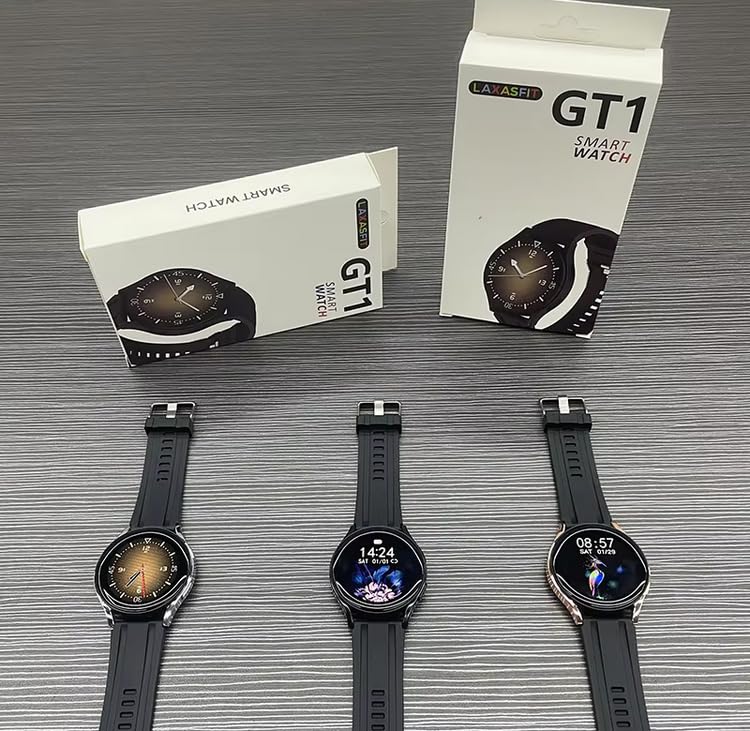
Image: Several GT1 Smart Watches displayed alongside their retail packaging, showing the product and its boxing.
Informacije o garanciji
The Generic GT1 Smart Fitness Watch comes with a 1 godina ograničene garancije od datuma kupovine. Ova garancija pokriva proizvodne nedostatke pri normalnoj upotrebi.
Dodatni planovi zaštite mogu biti dostupni za kupovinu:
- 1 Year Accidental & Liquid Damage by OneAssist: This plan provides coverage for accidental damage and liquid damage for one year.
- Extended Warranty by ONSITEGO: An extended warranty option is available to prolong your coverage beyond the standard limited warranty.
Please refer to the specific terms and conditions of each warranty or protection plan for full details on coverage, exclusions, and claims procedures.
Podrška
For further assistance, technical support, or warranty claims, please contact the retailer or manufacturer. Refer to your purchase documentation for specific contact information.
Manufacturer: Laxasfit
Packer/Importer: y2kshop2021@gmail.com


