
Uvod
This manual provides detailed instructions for the installation, operation, and maintenance of the ASUS B760M-AYW WiFi D4 II microATX motherboard. Please read this manual thoroughly before installing or using the product to ensure correct setup and optimal performance.
Sigurnosne informacije
- Always disconnect the power cable from the wall socket before touching any internal components.
- Wear an anti-static wrist strap or frequently touch a grounded object to prevent electrostatic discharge (ESD) damage to components.
- Rukujte komponentama za rubove kako biste izbjegli dodirivanje osjetljivih dijelova.
- Osigurajte odgovarajuću ventilaciju unutar kućišta računara kako biste spriječili pregrijavanje.
Setup
1. Instalacija CPU-a
The motherboard supports Intel LGA 1700 socket processors. Carefully align the CPU with the socket, ensuring the triangular mark on the CPU matches the mark on the socket. Lower the CPU gently into the socket, then close the load plate and secure the retention lever.
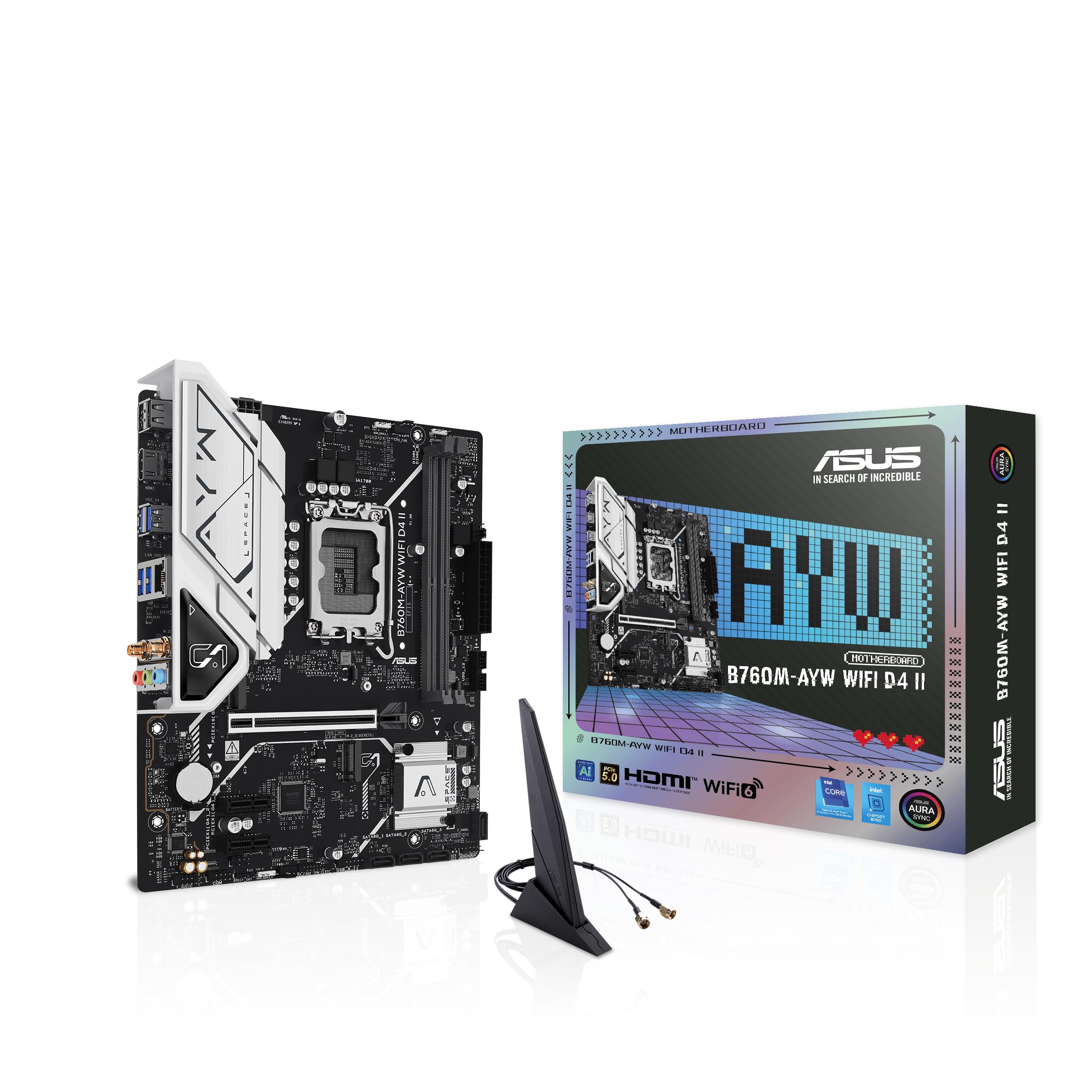
Slika: Od vrha prema dolje view of the ASUS B760M-AYW WiFi D4 II motherboard, highlighting the LGA 1700 CPU socket.
2. Instalacija memorije (RAM)
This motherboard features two DDR4 DIMM slots. For optimal performance, install memory modules in a dual-channel configuration. Open the clips on both ends of the DIMM slot, align the memory module with the slot key, and press down firmly until the clips snap into place.
3. Instalacija memorije (M.2 i SATA)
The motherboard includes two M.2 slots for NVMe SSDs and four SATA 6 Gbps ports for traditional hard drives or SSDs.
- M.2 SSD: Insert the M.2 SSD into the slot at a 30-degree angle, then push it down and secure it with the provided M.2 screw package.
- SATA diskovi: Spojite SATA podatkovne kablove sa vaših diskova za pohranu podataka na SATA portove na matičnoj ploči. Spojite kablove za napajanje sa vašeg napajanja na diskove.

Image: The ASUS B760M-AYW WiFi D4 II motherboard shown with its retail box, Wi-Fi antenna, SATA cables, and M.2 screw packages.
4. Instalacija kartice za proširenje (PCIe)
The motherboard features one PCIe 5.0 x16 slot for graphics cards and additional PCIe 4.0 x1 slots for other expansion cards. Insert the card firmly into the desired slot until it clicks into place and secure it with a case screw.
5. Priključci za napajanje
Spojite 24-pinski ATX konektor za napajanje i 8-pinski konektor za napajanje procesora iz vašeg napajanja na odgovarajuće portove na matičnoj ploči.
6. Priključci na prednjoj ploči
Connect your PC case's front panel cables (USB 5Gbps, audio, power switch, reset switch, power LED, HDD LED) to the corresponding headers on the motherboard. Refer to the motherboard layout for exact header locations.
7. Rear I/O Connections
Connect your peripherals to the rear I/O ports. These include HDMI, USB 5Gbps Type-A, Realtek 2.5Gb Ethernet, and audio jacks.
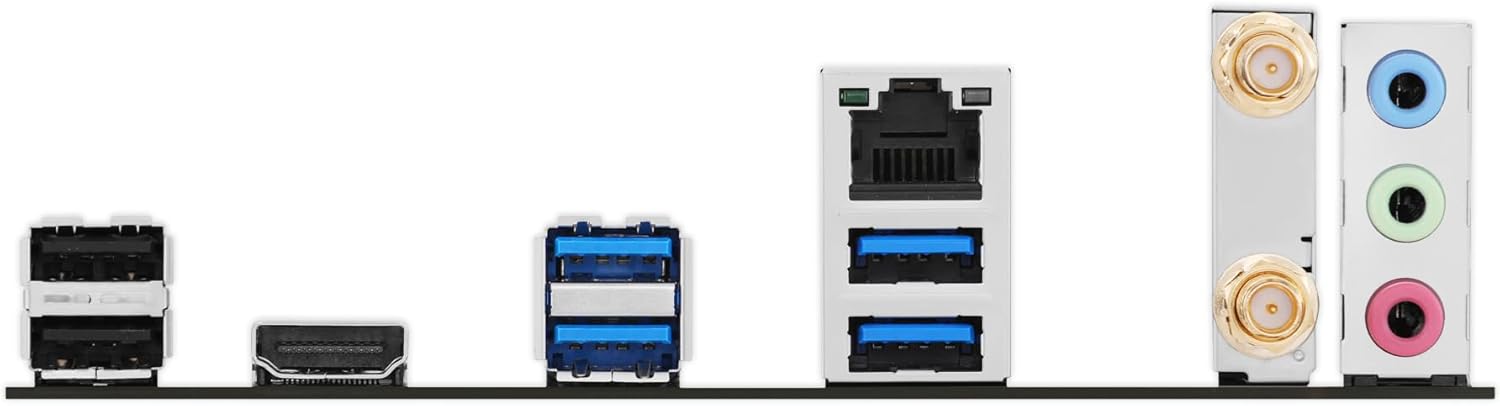
Slika: Detaljna view of the rear input/output panel of the ASUS B760M-AYW WiFi D4 II motherboard, showing USB ports, Ethernet, and audio jacks.
8. Wi-Fi Antenna Installation
Screw the included Wi-Fi antenna onto the two antenna connectors on the rear I/O panel. Position the antenna for optimal signal reception.
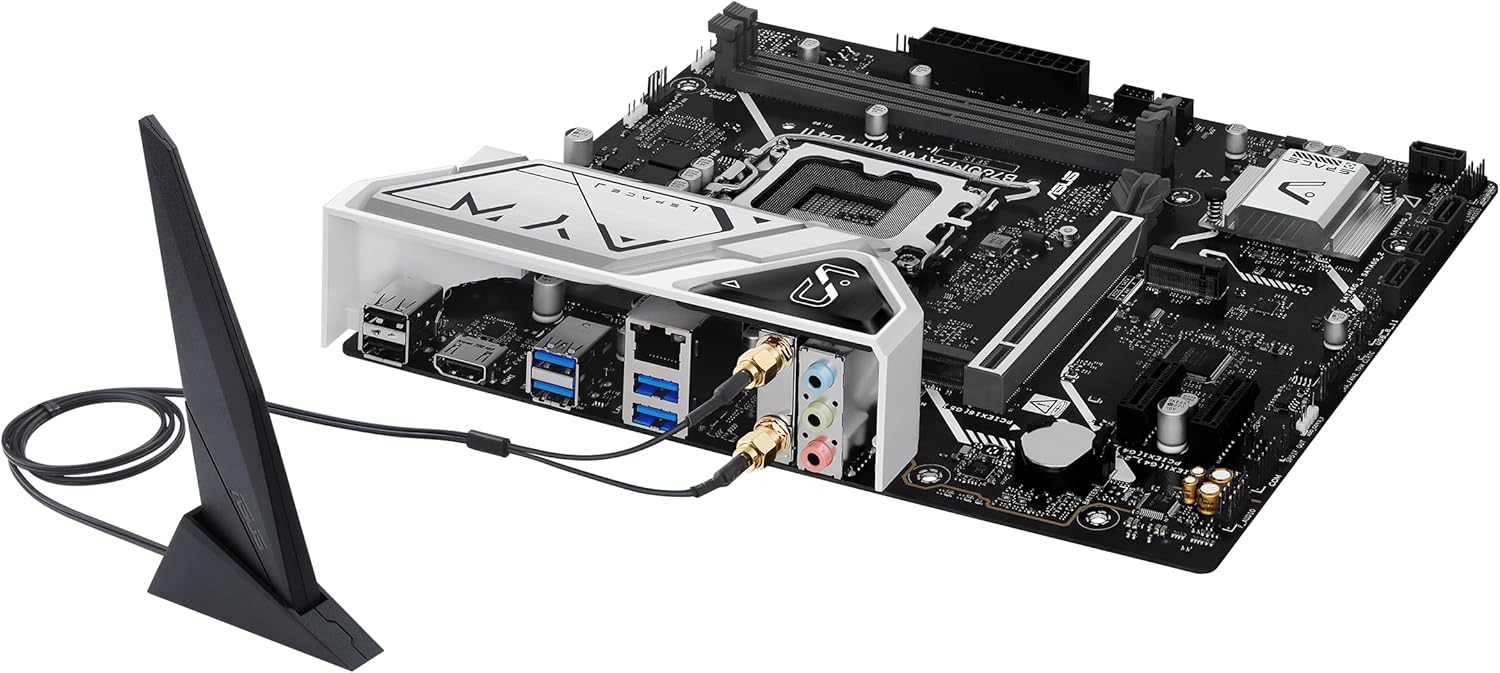
Image: The ASUS B760M-AYW WiFi D4 II motherboard with its external Wi-Fi antenna connected to the rear I/O ports.
Operating
1. Konfiguracija BIOS-a/UEFI-ja
Da biste pristupili uslužnom programu za podešavanje BIOS-a/UEFI-ja, pritisnite Izbriši key during the Power-On Self-Test (POST). Here you can configure boot order, enable XMP for memory, adjust fan speeds, and manage other system settings.
2. Instalacija drajvera
After installing your operating system, install the necessary drivers for the motherboard's components. These include chipset drivers, LAN drivers, Wi-Fi drivers, and audio drivers. Drivers can be found on the ASUS support webstranicu za vaš specifični model matične ploče.
3. Softverski uslužni programi
ASUS provides several utilities to enhance your system experience:
- Aura Sync: For controlling RGB lighting on compatible components.
- Fan Xpert 2+: Za naprednu kontrolu ventilatora i optimizaciju hlađenja sistema.
- Oružarnica: A centralized software suite for system monitoring, driver updates, and utility management.
Održavanje
1. Ažuriranja BIOS-a
Povremeno provjeravajte ASUS podršku website for BIOS updates. BIOS updates can improve system stability, add support for new hardware, or fix bugs. Use the ASUS EZ Flash utility within the BIOS to perform updates, following the instructions carefully.
2. Ažuriranja upravljačkih programa
Keep your drivers updated to ensure optimal performance and compatibility. Regularly check the ASUS support website for the latest drivers for your motherboard.
3. Čišćenje
To maintain optimal performance and longevity, regularly clean dust from your PC case and motherboard components. Use compressed air to remove dust from heatsinks, fans, and slots. Ensure the system is powered off and unplugged before cleaning.
Rješavanje problema
1. Q-LED Core Indicators
The motherboard features Q-LED Core indicators that light up to indicate the status of key components during POST. These LEDs can help diagnose issues:
- LED dioda procesora: Indicates CPU initialization status.
- LED dioda DRAM memorije: Indicates memory detection status.
- VGA LED dioda: Indicates graphics card detection status.
- LED dioda za pokretanje: Indicates boot device detection status.
If an LED remains lit, it suggests an issue with the corresponding component.
2. Uobičajeni problemi
- Nema napajanja: Provjerite sve priključke za napajanje (24-pinski ATX, 8-pinski CPU, GPU napajanje). Uvjerite se da je napajanje uključeno.
- Bez prikaza: Verify the graphics card is properly seated and connected to power. Ensure the monitor cable is connected to the graphics card, not the motherboard (unless using integrated graphics).
- Nestabilnost sistema: Check memory seating, run memory diagnostic tools, ensure CPU cooler is properly installed, and verify BIOS settings.
- Periferni uređaj nije otkriven: Ensure the device is properly connected and its drivers are installed. Try a different port if available.
Specifikacije
| Feature | Specifikacija |
|---|---|
| Brand | ASUS |
| Naziv modela | B760M-AYW WIFI D4 II |
| CPU Socket | LGA 1700 |
| Kompatibilni procesori | Intel Core 14th, 13th, 12th Gen, Pentium Gold, Celeron Processors |
| Tip čipseta | Intel B760 |
| Tehnologija RAM memorije | DDR4 |
| Dostupni memorijski slotovi | 2 |
| Maksimalni kapacitet memorije | 96 GB |
| Interfejs grafičke kartice | PCI Express 5.0 x16 |
| Total M.2 Slots | 2 |
| Total SATA Ports | 4 |
| Ethernet | Realtek 2.5Gb Ethernet |
| Wi-Fi | Wi-Fi 6 |
| HDMI portovi | 1 |
| Prednji USB | USB 5Gbps support |
| Zadnji USB | USB 5Gbps tipa-A |
| Form Factor | microATX |
| Dimenzije artikla (D x Š x V) | 9.6 cm D x 8.3 cm Š x 1.4 cm V |
Informacije o garanciji
The ASUS B760M-AYW WiFi D4 II motherboard comes with a 3-year limited warranty. For detailed terms and conditions, please refer to the warranty card included with your product or visit the official ASUS support website.
Podrška
Za tehničku podršku, preuzimanje upravljačkih programa, ažuriranja BIOS-a i dodatne informacije o proizvodu, posjetite službenu ASUS stranicu za podršku. webstranica:
You can also find FAQs and troubleshooting guides on the support portal.