
1. Proizvod je gotovview
The SUNITEC BC920C Bluetooth Car Hands-Free Kit is designed to provide clear, hands-free communication and audio streaming in your vehicle. It features automatic power on/off, CVC8.0 noise cancellation technology for crystal-clear calls and high-volume music, and supports connection with two phones simultaneously. This device is compatible with cars, SUVs, trucks, vans, minivans, pickups, and buses, especially older vehicles without built-in hands-free phone capabilities.
Ključne karakteristike:
- Clear Hands-Free Calling with CVC8.0 Noise Cancellation
- Automatsko uključivanje / isključivanje napajanja
- Dual Phone Connection Support
- High-Quality Stereo Speaker for Calls and Music
- Voice Assistant Support (Siri/Google Assistant)
2. Sigurnosne informacije
Please read and understand all safety information before using this product. Failure to follow these instructions may result in injury or damage.
- Avoid using the device in a manner that distracts you from driving. Always prioritize road safety.
- Držite uređaj dalje od izvora toplote, direktne sunčeve svjetlosti i ekstremnih temperatura.
- Ne izlažite uređaj vodi ili prekomjernoj vlazi.
- Odgovorno odložite baterije u skladu s lokalnim propisima.
- Ne pokušavajte sami rastavljati, popravljati ili modificirati uređaj. Za pomoć se obratite kvalificiranom servisnom osoblju.
3. Sadržaj paketa
Provjerite da li se sve stavke nalaze u vašem paketu:
- SUNITEC BC920C Bluetooth Car Hands-Free Kit
- USB-C kabl za punjenje
- Adapter za auto punjač
- Uputstvo za upotrebu

4. Postavljanje i instalacija
Follow these steps to set up your BC920C device:
- Napunite uređaj: Before first use, fully charge the BC920C using the provided USB-C cable and car charger adapter or a computer USB port. The charging indicator light will show the charging status.
- Montaža: Clip the device onto your car's sun visor using the integrated clip. Ensure it is securely attached and does not obstruct your view.
- Uključeno: The device features automatic power on. Once paired and connected, it will automatically power on and reconnect to your phone when you open the car door or start the engine.
- Uparivanje s vašim telefonom:
- Turn on the BC920C. It will automatically enter pairing mode (indicated by a flashing LED).
- Na pametnom telefonu idite na postavke Bluetootha i omogućite Bluetooth.
- Traži available devices and select "BC920C" from the list.
- Nakon povezivanja, LED indikator će prestati treptati i ostati stalno svijetliti.
- Dvostruka veza: The BC920C supports connecting two phones simultaneously. After pairing the first phone, repeat the pairing process for the second phone. The device will manage calls from both phones.


5. Uputstvo za upotrebu
Learn how to use your BC920C for calls, music, and voice commands.
5.1 Upućivanje i primanje poziva
- Odgovaranje na poziv: When a call comes in, press the green phone button once to answer.
- Završetak poziva: Press the green phone button once during a call to end it.
- Odbijanje poziva: Press and hold the green phone button for 2 seconds to reject an incoming call.
- Ponovno biranje: Double-press the green phone button to redial the last number.
5.2 Volume Control and Music Playback
- Podešavanje glasnoće: Use the '+' and '-' buttons on the device to increase or decrease the volume during calls or music playback.
- Muzički prijenos: Once connected, audio from your smartphone, including music and GPS navigation instructions, will stream through the BC920C's speaker.

5.3 Glasovni asistent (Siri/Google asistent)
Aktivirajte glasovnog asistenta na telefonu za upravljanje bez upotrebe ruku:
- Press the dedicated voice command button (often marked with a microphone icon) to activate Siri or Google Assistant on your connected smartphone.
- Zatim možete koristiti glasovne komande za navigaciju, upućivanje poziva, slanje poruka i još mnogo toga.
6. Punjenje uređaja
The BC920C is powered by a rechargeable Lithium-ion battery. To charge:
- Spojite priloženi USB-C kabel na priključak za punjenje na uređaju.
- Plug the other end of the USB-C cable into the car charger adapter or a standard USB port (e.g., on a computer).
- Indikatorska lampica punjenja će svijetliti tokom punjenja i ugasiti se kada se uređaj potpuno napuni.
- Potpuno punjenje obično traje otprilike 2 sata.
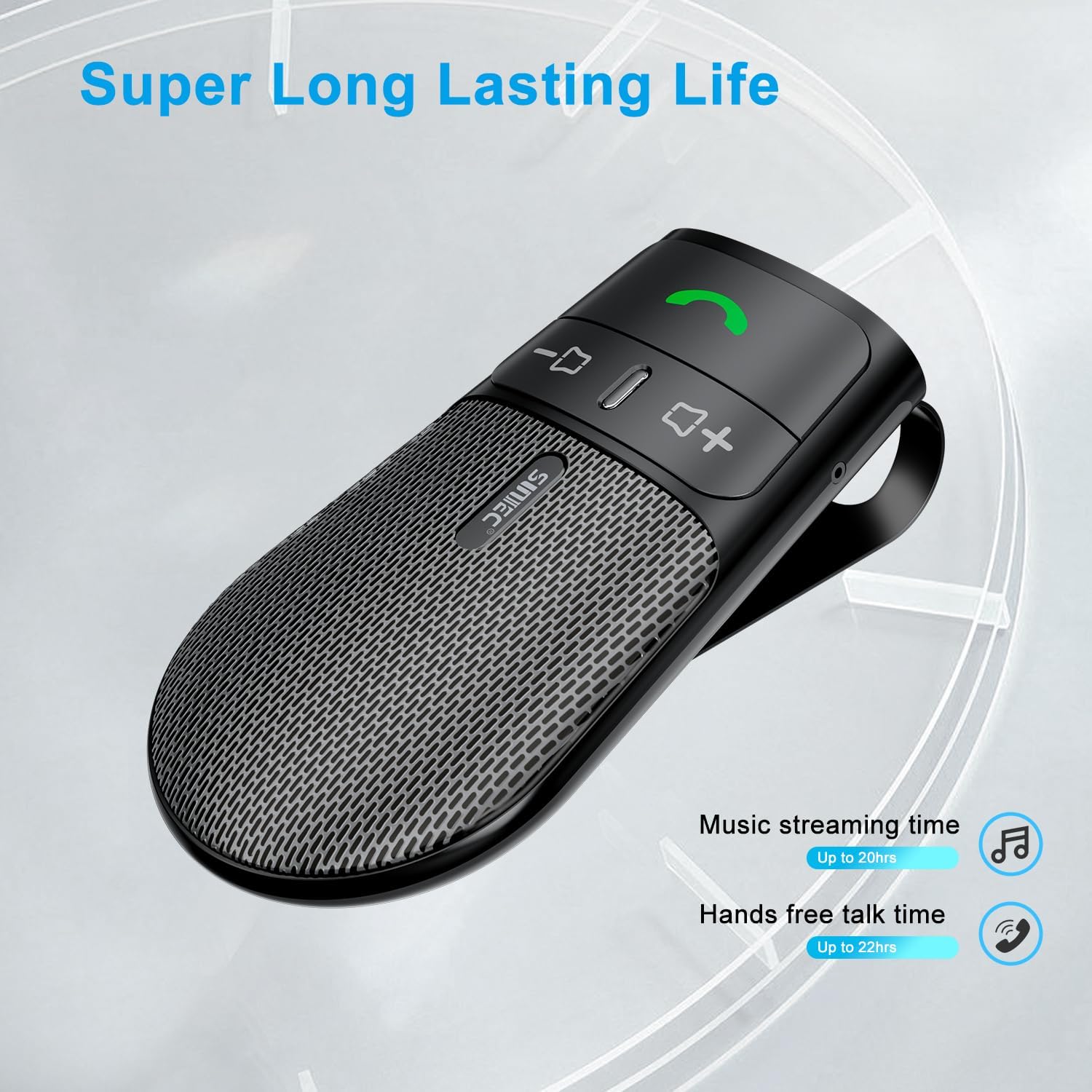
The device offers a long-lasting battery life, with up to 20 hours of music streaming time and up to 22 hours of hands-free talk time.
7. Specifikacije
| Brand | SUNITEC |
| Model | BC920C |
| Tehnologija povezivanja | Bluetooth |
| Hardversko sučelje | USB-C |
| Kompatibilni uređaji | Car stereo, Smartphones |
| Posebne karakteristike | Automatic Power On/Off, Noise Cancellation (CVC8.0), Hands-Free Calling |
| Način audio izlaza | Stereo |
| Izvor napajanja | Napajanje baterijama (litijum-jonska) |
| Težina artikla | 95 grama |
| Dimenzije proizvoda | 15 x 11.6 x 5 cm |
8. Otkrivanje problema
If you encounter issues with your SUNITEC BC920C, try the following solutions:
- Uređaj se ne uključuje: Ensure the device is fully charged. Connect it to a power source and check the charging indicator.
- Nije moguće upariti s telefonom: Make sure Bluetooth is enabled on your phone and the BC920C is in pairing mode (flashing LED). Try restarting both the device and your phone.
- Poor audio quality/echo: Ensure the device is positioned correctly on the sun visor and not obstructed. Adjust the volume on both the device and your phone. Move closer to the device if possible.
- Automatic connection not working: Verify that the device was successfully paired previously. Check your phone's Bluetooth settings to ensure it's set to automatically connect to known devices.
- Glasovne komande ne odgovaraju: Ensure your phone's voice assistant (Siri/Google Assistant) is enabled and configured correctly. Make sure the device is connected and the voice command button is pressed correctly.
9. Održavanje
To ensure the longevity and optimal performance of your BC920C:
- Clean the device regularly with a soft, dry cloth. Do not use harsh chemicals or abrasive cleaners.
- Čuvajte uređaj na hladnom i suvom mestu kada se ne koristi.
- Izbjegavajte ispuštanje uređaja ili izlaganje jakim udarcima.
10. Garancija i podrška
SUNITEC products are warranted to be free from defects in materials or workmanship for 12-24 months from the date of purchase. Please retain your proof of purchase for warranty claims.
For technical support or warranty inquiries, please contact SUNITEC customer service. Contact information can typically be found on the product packaging or the official SUNITEC website.
Sold by: Sunitec