
1. Uvod
This manual provides detailed instructions for the installation, operation, and maintenance of your KEPEAK 10-inch Mirror Dash Cam. Please read this manual thoroughly before using the product to ensure proper function and safety. Keep this manual for future reference.
2. Proizvod je gotovview
Sadržaj paketa
- 10-inch Mirror Dash Cam (Front Camera Integrated)
- 1080P Rear View Kamera
- Kabel stražnje kamere (18 stopa)
- Car Charger
- Mounting Straps/Rubber Clips
- Memorijska kartica od 32 GB
- Uputstvo za upotrebu
Ključne karakteristike
- Sistem dvostruke kamere: 4K Ultra HD front camera and IP68 waterproof 1080P rear camera.
- 10-inčni IPS ekran osjetljiv na dodir: Pruža široko polje view and intuitive control.
- Široki dinamički raspon (WDR): Poboljšava jasnoću videa u različitim uslovima osvetljenja, posebno noću.
- Smart Parking Assistance: Automatski prikaz zadnjeg dijela vozila view with parking assist lines when reversing.
- Snimanje u petlji: Automatically overwrites oldest files kada je memorijska kartica puna.
- G-senzor: Detects collisions and locks video footage da spriječite prepisivanje.
- Parking Surveillance Mode: Records events when an impact is detected while parked (requires built-in battery power).
- Širokougaoni objektiv od 170°: Obuhvata širok spektar view na putu.
- Podrška za memorijsku karticu: Includes a 32GB card, supports up to 64GB.

Image: The KEPEAK 10-inch Mirror Dash Cam with its front camera, rear camera, 32GB memory card, car charger, and mounting straps.
3. Vodič za instalaciju
Follow these steps to properly install your dash cam system.
3.1 Mounting the Mirror Dash Cam
- Secure the mirror dash cam to your vehicle's original rearview mirror using the provided rubber clips/straps. Ensure it is firmly attached and does not obstruct your view.
- Adjust the angle of the front camera lens to capture the desired view puta ispred nas.
3.2 Instaliranje zadnje kamere
- Montirajte zadnju kameru na zadnji dio vozila, obično iznad registarske tablice ili na zadnje staklo. Osigurajte da ima jasan pogled. view and is securely fastened.
- Route the 18ft rear camera cable from the rear camera to the main mirror dash cam unit. It is recommended to route the cable along the vehicle's headliner and trim for a neat installation.
- Connect the rear camera cable to the designated port on the mirror dash cam.
3.3 Priključak za napajanje
- Insert the provided 32GB memory card into the dash cam's memory card slot.
- Spojite punjač za automobil na ulazni priključak za napajanje kamere za automobil.
- Uključite punjač za automobil u 12V utičnicu vašeg vozila (utičnicu za upaljač za cigarete).
- Pokrenite vozilo. Kamera za automobil bi se trebala automatski uključiti i početi snimati.

Image: Visual guide for power wiring methods, including securing the dashcam, routing wires along the headliner, opening the A-pillar side panel, and plugging in the car charger.
4. Uputstvo za upotrebu
The KEPEAK Mirror Dash Cam features a user-friendly touch screen interface.
4.1 Osnovne funkcije
- Uključivanje/isključivanje: The device automatically powers on/off with your vehicle's ignition. You can also manually power it on/off by pressing and holding the power button.
- Snimanje: Recording starts automatically when the device powers on. A red dot or similar indicator on the screen confirms recording is active.
- Prebacivanje Views: Slide your finger left or right across the touch screen to switch between front camera view, zadnja kamera view, or a split-screen display.
- Podešavanje uglova: Slide your finger up or down on the screen to adjust the vertical viewing angle of the displayed camera.

Image: The 10-inch IPS touch screen displaying a vibrant interface, highlighting its responsive touch functionality.
4.2 Napredne funkcije
- Pomoć pri parkiranju: When your vehicle is in reverse gear, the dash cam automatically displays the full-screen rear view with dynamic parking assist lines. You can manually adjust the display range (up/down) for optimal visibility.
- Snimanje u petlji: The dash cam continuously records. When the memory card is full, it automatically overwrites the oldest unlocked files.
- G-Sensor (Collision Detection): In the event of a sudden impact or collision, the built-in G-Sensor automatically detects the event and locks the current video file, sprječavajući da ga se prebriše snimanjem u petlji.
- Parking Surveillance Mode: When the engine is off, the dash cam uses its internal battery to enter standby monitoring. If an impact is detected, it will automatically turn on and record the event. A fully charged internal battery can provide up to 2 weeks of standby monitoring. For continuous 24/7 monitoring, hardwiring the dash cam to your car's battery is required (hardwire kit sold separately).

Image: The dash cam screen showing a full-screen rear view with green, yellow, and red parking assist lines, indicating safe reversing.

Image: An illustration depicting cars in a parking lot, with a lock icon indicating the G-Sensor's auto-lock function for collision events.
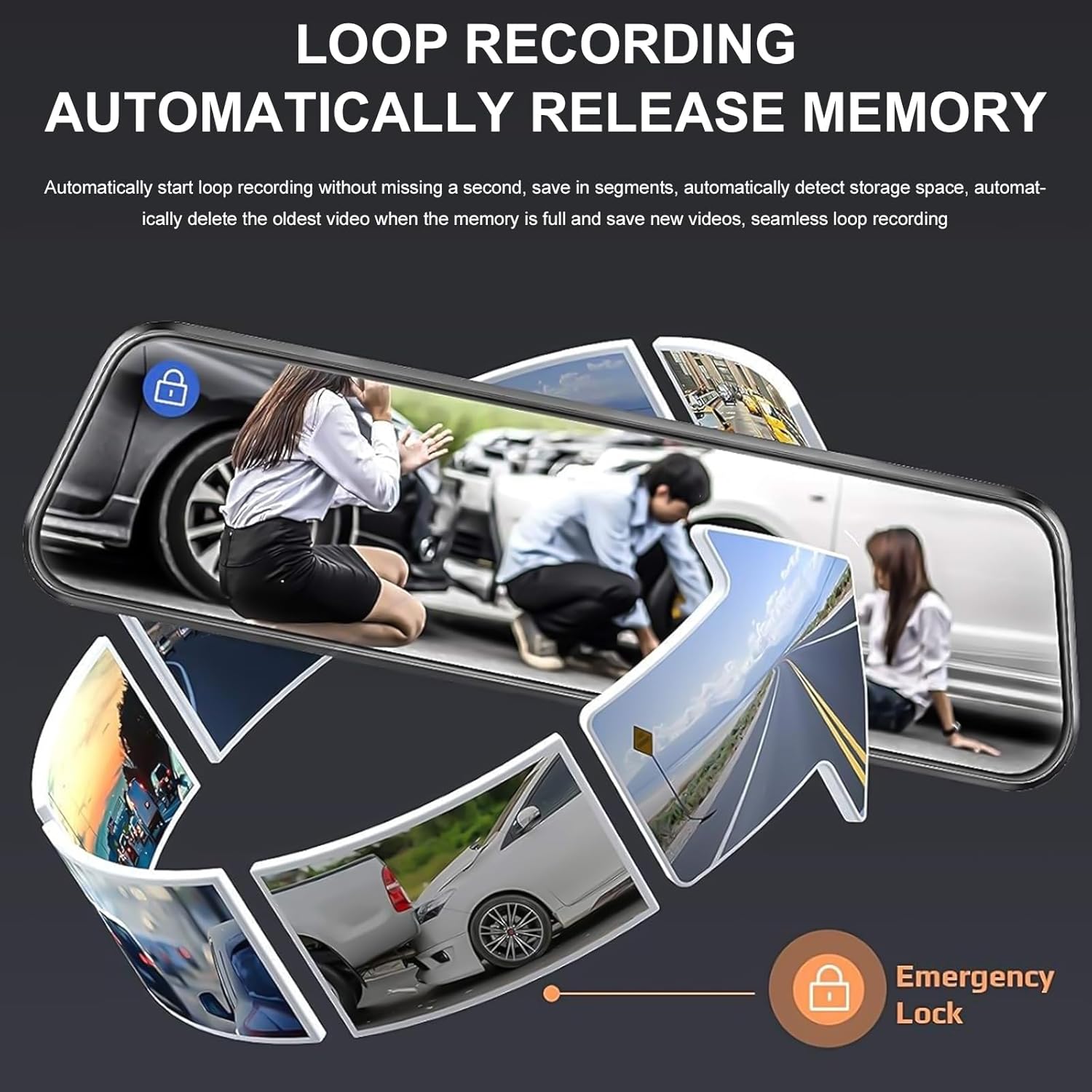
Image: A circular flow diagram illustrating loop recording, where new video segments replace older ones, with an emergency lock icon for protected footage.

Image: A car parked at night with a '24 HOUR' clock icon, symbolizing the 24-hour parking monitoring feature for vehicle protection.
5. Settings and Functions
Access the menu by tapping the screen. Here you can adjust various settings:
- Video rezolucija: Select desired resolution for front and rear cameras (e.g., 4K/1080P).
- Trajanje snimanja u petlji: Set the length of video segments (e.g., 1, 3, 5 minutes).
- Osetljivost G-senzora: Adjust the sensitivity of the collision detection.
- Parking monitor: Enable or disable parking surveillance mode.
- Izloženost: Adjust video brightness.
- Datum/Vrijeme: Postavite tačan datum i vrijeme za tačan vremenski okviramps na snimcima.
- Čuvar zaslona: Set the screen to turn off after a period of inactivity to avoid distraction.
- Jezik: Odaberite željeni jezik.
6. Održavanje
- čišćenje: Use a soft, dry cloth to clean the dash cam screen and lenses. Avoid abrasive cleaners or solvents.
- memorijska kartica: Regularly format the memory card (at least once a month) to ensure optimal performance and prevent data corruption. Back up any important footage before formatting. Replace the memory card if it shows signs of degradation or errors.
- temperatura: Izbjegavajte izlaganje kamere za automobil ekstremnim temperaturama tokom dužeg perioda, jer to može uticati na vijek trajanja baterije i performanse uređaja.
7. Otkrivanje problema
If you encounter issues with your dash cam, refer to the following common solutions:
| Problem | Moguće rješenje |
|---|---|
| Kamera za automobil se ne uključuje. | Check if the car charger is properly connected to both the dash cam and the vehicle's 12V outlet. Ensure the vehicle's ignition is on. Test the charger in another port or with another device if possible. |
| Snimanje se zaustavlja ili zamrzava. | Format the memory card. Ensure the memory card is a high-speed Class 10 or U3 card. Replace the memory card if issues persist. Check power connection stability. |
| Loš kvalitet videa. | Clean the camera lenses. Ensure the protective film has been removed from the lenses. Check video resolution settings. Adjust WDR settings if applicable. |
| Zadnja kamera ne prikazuje sliku. | Check the connection of the rear camera cable to both the rear camera and the main unit. Ensure the cable is not damaged. |
| Parking assist lines not appearing. | Ensure the rear camera is properly connected and the vehicle is in reverse gear. Check settings for parking assistance. |
| Video nadzor parkinga ne radi. | Ensure the parking surveillance mode is enabled in settings. Check the dash cam's internal battery charge level. For 24/7 monitoring, hardwiring is required. |
8. Specifikacije
- Brand: KEPEAK
- Model: B0FHJS1HZS
- Veličina ekrana: 10 inča
- Rezolucija prednje kamere: 4K Ultra HD
- Rezolucija zadnje kamere: 1080P Full HD
- Polje of View: 170 stepeni
- Posebne karakteristike: G-Sensor, Night Vision (WDR), Touch Screen, Loop Recording, Parking Assistance, Parking Surveillance
- Tehnologija povezivanja: USB
- Podrška za memorijsku karticu: Do 64 GB (32 GB uključeno)
- Dimenzije proizvoda: 8 x 5 x 4 inča
- Težina artikla: 1.7 funte
- Boja: Crna
- Vrsta servisa vozila: Auto, Kamion
9. Garancija i podrška
KEPEAK is committed to providing reliable products and customer satisfaction. If you encounter any issues with your mirror dash cam, our customer support team is available to provide fast and effective assistance within 24 hours.
Please contact us through the retailer's platform or refer to the contact information provided with your purchase for support.