
1. Sigurnosne informacije
Molimo vas da pročitate i razumjete sva sigurnosna uputstva prije sastavljanja ili korištenja ovog proizvoda. Nepoštivanje ovih uputstava može dovesti do povreda ili oštećenja proizvoda.
- Uvijek se uvjerite da je stol pravilno sastavljen i stabilan prije upotrebe.
- Do not overload the desk with heavy items to prevent tipping or structural damage.
- Keep the built-in power outlets clean and dry. Do not insert any foreign objects into the outlets.
- Always unplug the power cord from the wall outlet when the desk is not in use, during cleaning, or when moving the desk.
- Držite djecu i kućne ljubimce dalje od područja montaže. Mali dijelovi mogu predstavljati opasnost od gušenja.
2. Proizvod je gotovview
The YOMILUVE Farmhouse Computer Desk is designed for small spaces, offering both functionality and a charming aesthetic. It features integrated power solutions and ample storage.
Ključne karakteristike:
- Ample Storage Solution: Features two wooden drawers for organizing your workspace.
- Convenient Power Outlets: Equipped with two AC outlets and two USB ports for easy device charging.
- Charming Farmhouse Aesthetics: Rustic brown tabletop with an antique finish, sleek drawer lines, and black metal handles.
- Kompaktan dizajn koji štedi prostor: Ideal for home offices, bedrooms, dorms, or apartments.
- Izdržljiva i čvrsta konstrukcija: Made from high-quality engineered wood with solid wood legs for stability.
Dimenzije:
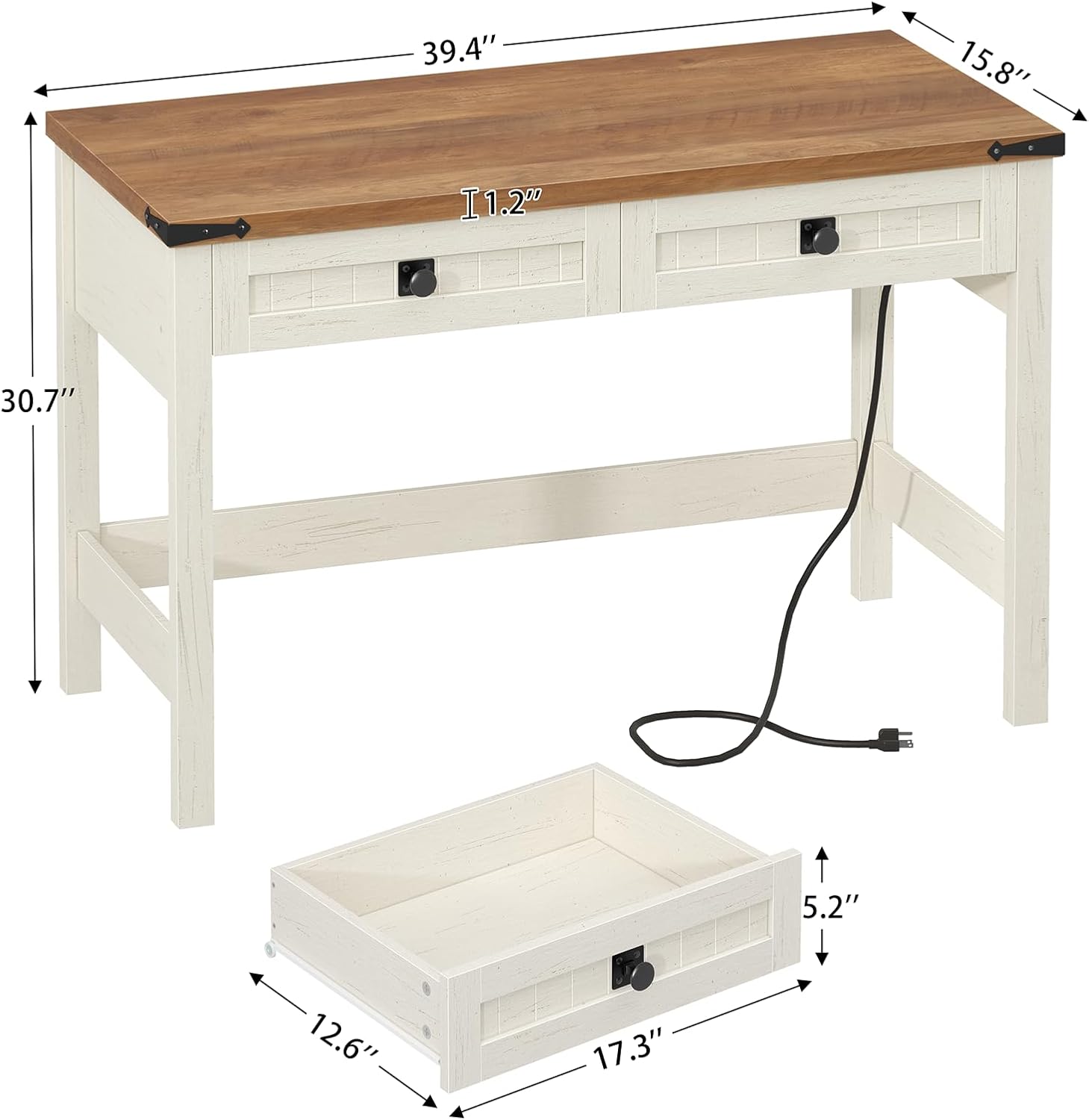
Figure 2.1: Overall and drawer dimensions of the desk.
| Measurement | Vrijednost |
|---|---|
| Dimenzije proizvoda (D x Š x V) | 15.8" x 39.4" x 30.7" |
| Desktop Thickness | 1.2 inča |
| Drawer Interior (W x D x H) | 17.3" x 12.6" x 5.2" |
3. Spisak komponenti
Before assembly, ensure all components are present and undamaged. Refer to the included assembly manual for a detailed parts list and hardware count.

Figure 3.1: Key components and features of the desk.
- Desktop (1)
- Side Panels / Legs (2)
- Crossbars / Support Beams (various)
- Drawer Boxes (2)
- Fronte ladica (2)
- Drawer Handles (2)
- Built-in Power Strip (1)
- Pribor za montažu (vijci, brave s ekscentrom, tiple itd.)
- Tools (Hex key, screwdriver - not included)
4. Postavljanje i montaža
Assembly is required for this product. It is recommended to have two people for easier and safer assembly. Tools are not included.
- Pripremite prostor: Clear a spacious, clean, and flat area for assembly. Lay down a blanket or cardboard to protect the desk components and your floor.
- Raspakujte i identifikujte: Carefully unpack all parts and hardware. Compare them with the components list and the assembly diagram provided in the separate instruction manual to ensure everything is present.
- Sastavite okvir: Begin by attaching the side panels to the crossbars using the provided hardware. Ensure all connections are secure but do not overtighten screws until the entire frame is loosely assembled.
- Pričvrstite radnu površinu: Carefully place the desktop onto the assembled frame. Align the pre-drilled holes and secure the desktop using the appropriate screws.
- Assemble and Install Drawers: Assemble the two drawer boxes according to the instructions. Attach the drawer handles. Slide the assembled drawers into their respective slots in the desk frame.
- Instalirajte produžni kabel: Secure the built-in power strip to the designated area on the desk, typically on the side or back, using the provided screws.
- Final Tightening and Inspection: Once all components are in place, carefully tighten all screws and connections. Ensure the desk is stable and level. Adjust as necessary.
5. Uputstvo za upotrebu
5.1 Using the Built-in Power Outlets

Figure 5.1: Close-up of the integrated power strip.
- Povežite se na napajanje: Plug the desk's main power cord into a standard 120V AC wall outlet.
- AC utičnice: Use the two 125V/12A AC outlets to power devices such as monitors, lamps, or laptops.
- USB portovi: Use the two 5V/2A USB ports to charge smartphones, tablets, or other USB-powered devices.
- sigurnost: Do not exceed the maximum load capacity of the power strip. Avoid spilling liquids near the outlets.
5.2 Korištenje ladica

Figure 5.2: Drawers providing storage for office essentials.
- Otvaranje: Gently pull the metal handles to open the drawers.
- Zatvaranje: Push the drawers firmly until they are fully closed.
- Skladištenje: Utilize the drawers for storing office supplies, documents, or personal items to maintain a tidy workspace.
6. Održavanje
Proper care and maintenance will extend the life and appearance of your YOMILUVE desk.
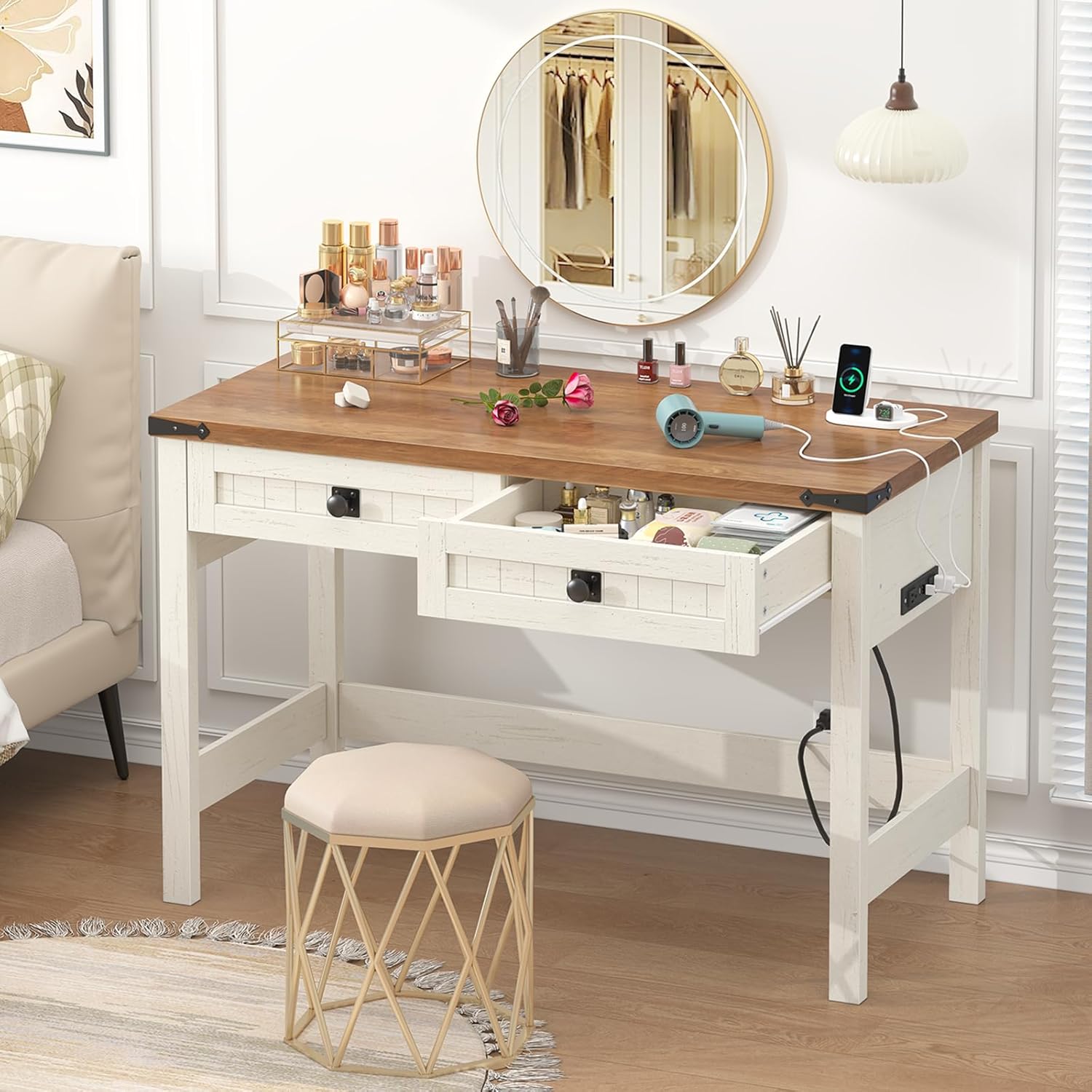
Figure 6.1: The desk's surface is designed to be waterproof and dirt-repellent.
- čišćenje: Obrišite površinu stola mekom, damp cloth. Avoid using abrasive cleaners, harsh chemicals, or excessive moisture, which can damage the finish.
- Prosipanje: Immediately wipe up any spills to prevent staining or water damage, especially on the desktop.
- zaštita: Use coasters for drinks and placemats for hot items to protect the desktop from heat and moisture rings.
- hardver: Periodically check and tighten all screws and connections to ensure the desk remains stable.
- Okruženje: Avoid placing the desk in direct sunlight or near heat sources, as this can cause fading or warping of the wood.
7. Otkrivanje problema
Ako naiđete na bilo kakve probleme sa svojim stolom, pogledajte sljedeća uobičajena rješenja:
| Problem | Mogući uzrok | Rješenje |
|---|---|---|
| Desk is wobbly or unstable | Labavi okovi; neravan pod | Check and tighten all screws and bolts. Ensure the desk is on a level surface; use furniture pads if necessary. |
| Fioke se ne pomiču glatko | Misaligned drawer slides; obstruction | Ensure drawers are assembled correctly and slides are aligned. Check for any objects obstructing the drawer path. |
| Utičnice ne rade | Desk not plugged in; faulty wall outlet; overloaded circuit | Verify the desk's power cord is securely plugged into a functional wall outlet. Test the wall outlet with another device. Reduce the number of devices plugged into the power strip. |
8. Specifikacije
Detailed technical specifications for the YOMILUVE Farmhouse Computer Desk.
| Feature | Detalj |
|---|---|
| Brand | YOMILUVE |
| Broj modela | B0FGDDLLRJ |
| Dimenzije proizvoda (D x Š x V) | 15.8" x 39.4" x 30.7" |
| Boja | Antique White |
| Stil | Seoska kuća |
| Materijal | Engineered Wood (Desktop, Base, Frame) |
| Broj ladica | 2 |
| Posebne karakteristike | Built-In Power Outlets (2 AC, 2 USB) |
| Dužina kabla za napajanje | 4.9 stopa |
| Obavezna montaža | Da |
| Alati uključeni | br |
9. Garancija i podrška
For warranty information, product support, or to report missing/damaged parts, please contact YOMILUVE customer service through the retailer where the product was purchased. Please have your model number (B0FGDDLLRJ) and purchase date available when contacting support.
You may also visit the official YOMILUVE store for additional product information and contact options: YOMILUVE Store on Amazon