Uvod
This manual provides essential instructions for the safe and efficient operation of your Generic ACS-30 40kg/5g Digital Price Computing Scale. This scale is designed for accurate weight and price calculation, suitable for various retail environments such as supermarkets, farmers' markets, and delis.
Ključne karakteristike uključuju:
- Capacity to store up to 6 unit prices.
- Accumulate operation (0-99 memory).
- Account function for memory recall, change calculation, and memory clear.
- Automatic shut-off to conserve power.
- HD backlit LCD display with 5-digit weight, 5-digit unit price, and 6-digit total price windows.
Setup
1. Raspakivanje i pregled
Carefully remove all components from the packaging. Verify that all items listed in the 'What's in the Box' section are present and undamaged. The package includes the scale, 4 AAA batteries, and this instruction manual.
2. Power Connection and Battery Installation
The scale can be powered by the included 110V-50Hz US plug charger or by 4 AAA batteries. For battery operation, locate the battery compartment on the underside of the scale, insert the 4 AAA batteries, ensuring correct polarity. The scale runs on a rechargeable battery for energy efficiency.
3. Postavljanje i nivelisanje
Place the scale on a stable, flat surface. The scale features adjustable feet designed to ensure proper balance and accurate readings. Adjust the feet as necessary to level the scale.

Image: The ACS-30 scale showing its overall dimensions (13.58 x 12.99 x 4.72 inches).

Slika: Krupni plan view of the adjustable feet located on the underside of the scale, used for leveling.
4. Početno nuliranje
Before first use, and periodically thereafter, ensure the scale is zeroed. With nothing on the weighing platform, press the NULA key to set the display to zero.
Uputstvo za upotrebu
1. Osnovno vaganje
- Turn on the scale using the power switch.
- Ensure the display reads '0.00' (or '0.000' depending on unit). If not, press the NULA ključ.
- Place the item to be weighed on the stainless steel platform. The weight will be displayed in the 'WEIGHT(KG/LB)' window.
2. Setting Unit Price
- After placing an item on the scale, use the numeric keys (0 to 9) to enter the unit price per kilogram or pound.
- Koristite . (DECIMAL POINT) key to set the decimal position for the unit price.
- The 'UNIT PRICE' window will show the entered price, and the 'TOTAL PRICE' window will automatically calculate the total cost.
3. Funkcija tare
To subtract the weight of a container (tare weight):
- Postavite praznu posudu na platformu za vaganje.
- Pritisnite TARE key. The display will reset to '0.00', indicating the container's weight has been tared.
- Dodajte predmete koje treba vagati u posudu. Na ekranu će se prikazati samo neto težina predmeta.
4. Memory Functions (M1-M8)
The scale can store up to 8 frequently used unit prices:
- To store a unit price: Enter the desired unit price using the numeric keys, then press and hold one of the M1 to M8 keys until the price is saved.
- To recall a stored unit price: Simply press the corresponding M1 to M8 key. The stored price will appear in the 'UNIT PRICE' window.
5. Accumulate Operation (M+)
The M+ key is used to accumulate the value of weight and amount for multiple items (up to 99 accumulations).
- Weigh an item and set its unit price.
- Pritisnite M+ key to add the current total price to the accumulation memory.
- Ponovite za sljedeće stavke.
- To view the accumulated total, press the M ključ.
6. Canceling Data (C)
Pritisnite C key to clear the current unit price entry or to cancel memorized data during accumulation.
Slika: Detaljna view of the scale's display windows (Weight, Unit Price, Total Price) and the keypad with numeric and function keys.
Održavanje
1. Cleaning the Scale
The stainless steel top is designed for easy cleaning. Wipe the platform and body with a soft, damp cloth. Avoid using abrasive cleaners or submerging the scale in water. Ensure the scale is dry before use.
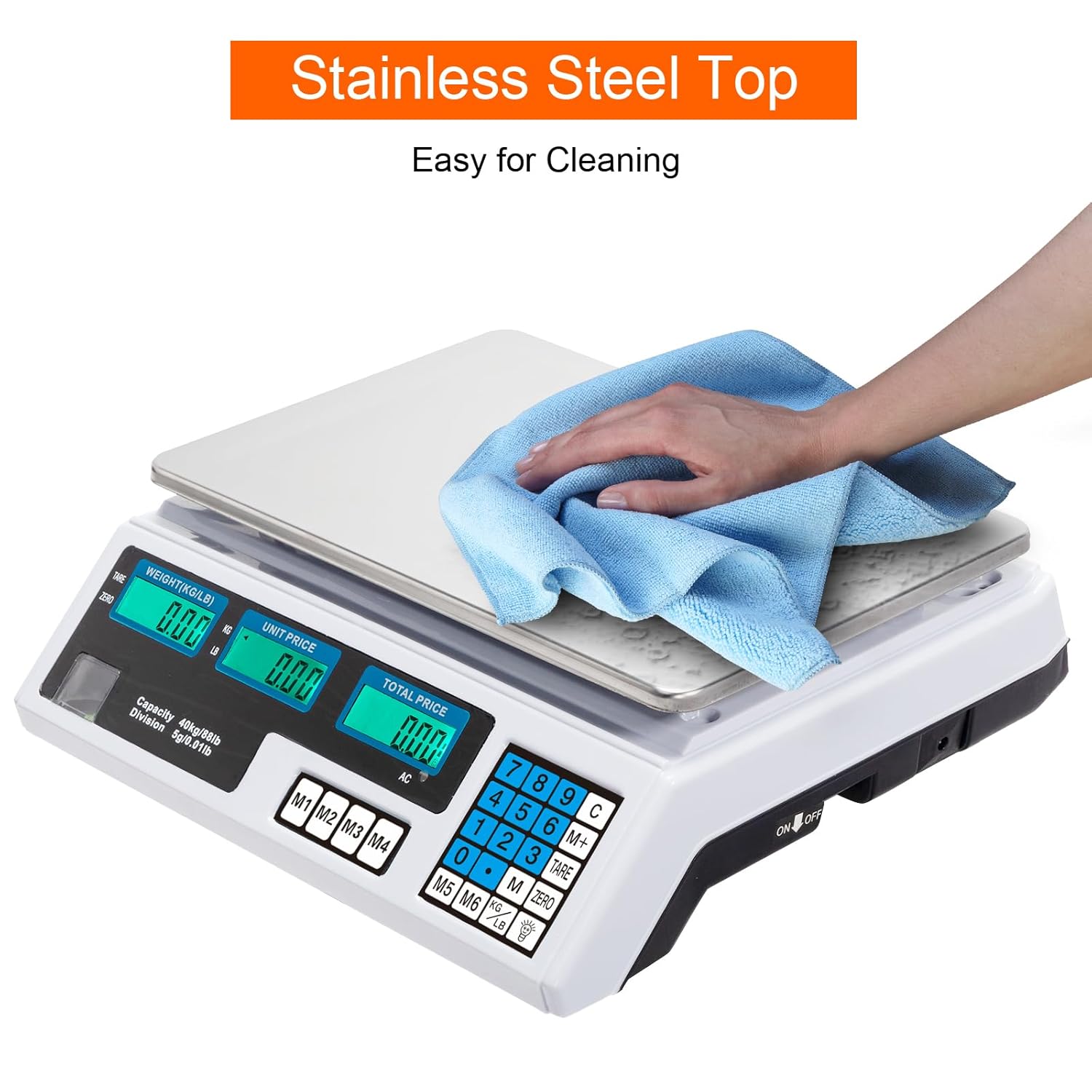
Image: A hand wiping the stainless steel weighing platform of the scale with a blue cloth, demonstrating ease of cleaning.
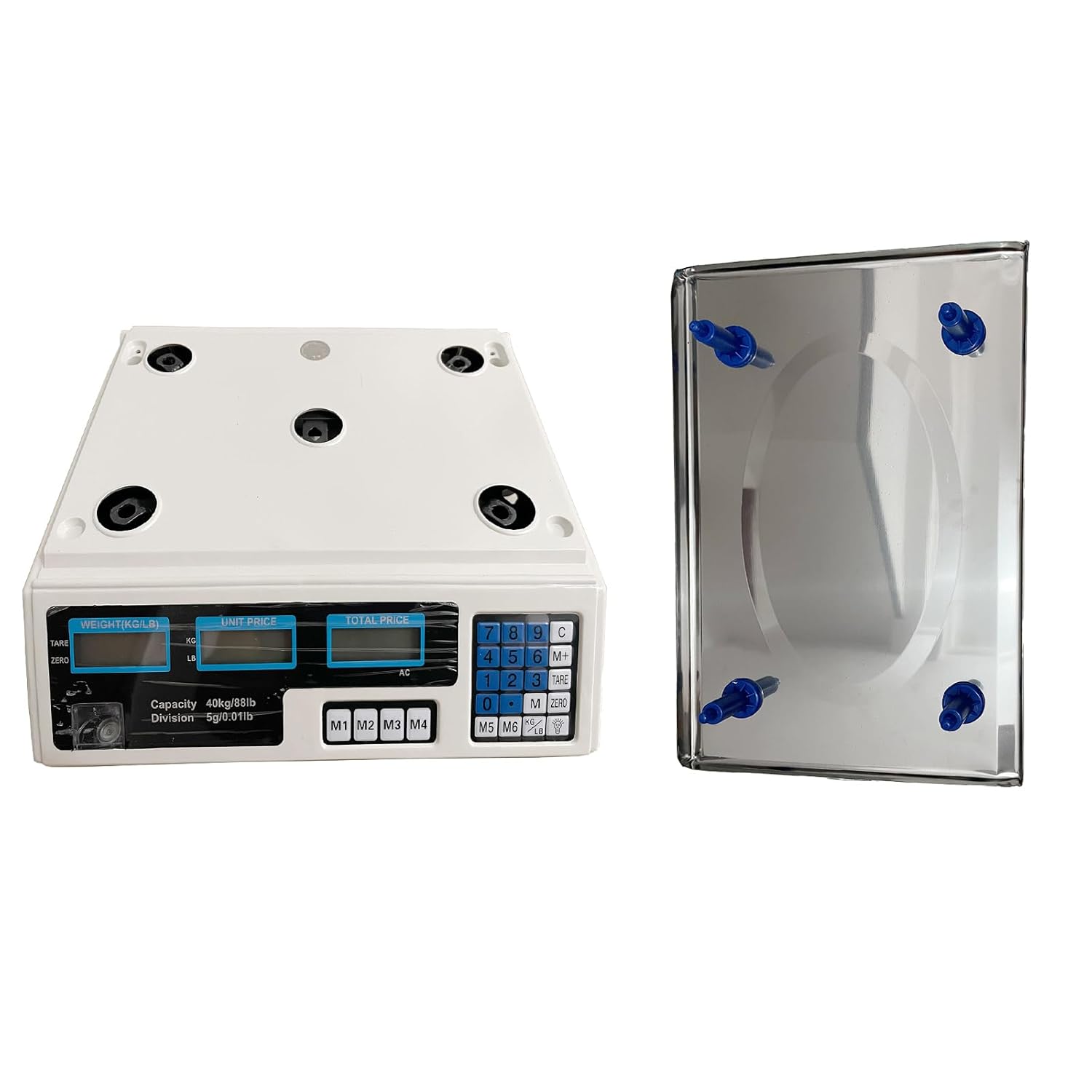
2. Detachable Scale Feet
The weighing tray and its feet are detachable for thorough cleaning or replacement. To remove, gently lift the weighing platform from the base. Reattach by aligning the feet with the corresponding slots on the base.

Image: A close-up showing the underside of the weighing platform with its detachable blue feet, highlighting the ease of removal.

Image: The main scale unit and the stainless steel weighing platform shown separated, illustrating the detachable design.
Rješavanje problema
- Vaga se ne uključuje:
- Check if the power adapter is securely plugged into both the scale and a working electrical outlet.
- If using batteries, ensure they are correctly installed and not depleted. Replace if necessary.
- Provjerite je li prekidač za napajanje u položaju 'UKLJUČENO'.
- Netačna očitanja:
- Ensure the scale is placed on a stable, level surface. Adjust the feet if needed.
- Make sure no objects are touching the weighing platform or the scale's body.
- Perform a zeroing operation by pressing the NULA key with nothing on the platform.
- Izbjegavajte postavljanje vage u blizinu jakih elektromagnetnih polja ili vibrirajuće opreme.
- Display errors (e.g., 'EEEE', 'OL'):
- 'EEEE' or 'OL' typically indicates an overload. Remove the item from the platform immediately to prevent damage.
- If the display shows other unusual characters, try turning the scale off and on again. If the issue persists, contact support.
Specifikacije
| Feature | Specifikacija |
|---|---|
| Model | ACS-30 |
| Kapacitet | 3kg - 40kg (88lb) |
| Division | 5 g (0.01 lb) |
| Preciznost | 1/3000F.S |
| Snaga | 110V-50Hz |
| Gubitak snage | ≤10uA |
| Plug Type | US Plug |
| Jedinica | kg / lb |
| Boja | Silver & White (Multicolor) |
| Dimenzije | (13.58 x 12.99 x 4.72) inches / (34.5 x 33 x 12) cm (L x W x H) |
| Težina | 97.81 oz / 2773g (5.6 ounces for item weight, likely package weight is higher) |
| Materijal | Plastic & Iron Sheet (Stainless Steel Top) |
| Display Type | LCD (HD backlit) |
| Baterije | 4 AAA baterije (uključene) |
Informacije o garanciji
Specific warranty details for the Generic ACS-30 Digital Price Computing Scale are typically provided at the point of purchase or included with the product packaging. Please refer to your purchase receipt or contact the retailer/manufacturer for comprehensive warranty terms and conditions.
Podrška
For further assistance, technical support, or inquiries regarding your Generic ACS-30 Digital Price Computing Scale, please contact the retailer from whom you purchased the product. You may also visit the manufacturer's webstranicu za dodatne resurse ili kontakt informacije.


