
1. Uvod
This manual provides detailed instructions for the eppfun DX08 Pro Wireless Bluetooth Neckband Headphones. Please read this manual thoroughly before using the product to ensure proper operation and to maximize its performance and lifespan. The DX08 Pro features advanced Bluetooth 5.4 technology, supporting high-fidelity audio codecs such as LDAC, aptX Lossless, aptX Adaptive, and aptX-HD, powered by the QCC3095 chip.
2. Sadržaj paketa
Provjerite da li se u paketu vašeg proizvoda nalaze sve dolje navedene stavke:
- eppfun DX08 Pro Wireless Bluetooth Neckband
- MMCX Earphone Cable (pre-attached or separate)
- USB kabl za punjenje
- Korisnički priručnik (ovaj dokument)
- (Assumed: Various sizes of ear tips for optimal fit)

Image: The eppfun DX08 Pro neckband with its detachable MMCX earphone cables.
3. Podešavanje
3.1. Punjenje uređaja
- Spojite USB kabel za punjenje na priključak za punjenje na traci za vrat.
- Drugi kraj USB kabla priključite na kompatibilni USB izvor napajanja (npr. USB priključak računara, adapter za struju).
- The LED indicator on the neckband will illuminate to show charging status. Refer to the LED indicator section for details.
- Potpuno punjenje obično traje otprilike 2 sata.
- Isključite kabel za punjenje nakon što se potpuno napuni.

Image: Close-up of the eppfun DX08 Pro neckband, showing the control panel and charging port area.
3.2. Connecting MMCX Earphones
The eppfun DX08 Pro neckband uses standard MMCX connectors, allowing you to attach compatible earphones.
- Identify the left (L) and right (R) connectors on both the neckband and your MMCX earphones.
- Align the MMCX connector on the earphone cable with the corresponding port on the neckband.
- Gently push the earphone connector into the neckband port until you feel a secure click. Do not force the connection.
- To disconnect, firmly grasp the earphone connector (not the cable) and pull it straight out from the neckband port.

Image: The eppfun DX08 Pro neckband with its MMCX connectors, ready for earphone attachment.
3.3. Bluetooth uparivanje
- Uključeno: Press and hold the Power button on the neckband until the LED indicator flashes, indicating it is in pairing mode.
- Aktivirajte Bluetooth: Na vašem uređaju (pametnom telefonu, tabletu, računaru) omogućite Bluetooth.
- Traži uređaji: U postavkama Bluetootha na vašem uređaju potražite dostupne uređaje.
- Select "eppfun DX08 Pro": From the list of found devices, select "eppfun DX08 Pro" to initiate pairing.
- Potvrda: Once successfully paired, the LED indicator on the neckband will change, and you may hear an audio prompt.
- Ponovo poveži: Slušalice će se automatski pokušati ponovo povezati s posljednjim uparenim uređajem kada se uključe.
4. Uputstvo za upotrebu
4.1. Osnovne kontrole
| Dugme/Radnja | Funkcija |
|---|---|
| Dugme za napajanje (dugi pritisak) | Uključivanje/isključivanje |
| Dugme za napajanje (kratki pritisak) | Reproduciraj/pauziraj muziku, odgovori/prekini poziv |
| Dugme za jačinu zvuka + (kratki pritisak) | Povećajte jačinu zvuka |
| Dugme za jačinu zvuka (kratki pritisak) | Smanjite jačinu zvuka |
| Dugme za jačinu zvuka + (dugi pritisak) | Next Track |
| Dugme za jačinu zvuka (dugi pritisak) | Previous Track |
| Dugme za napajanje (dvostruki pritisak) | Aktivirajte glasovnog asistenta |
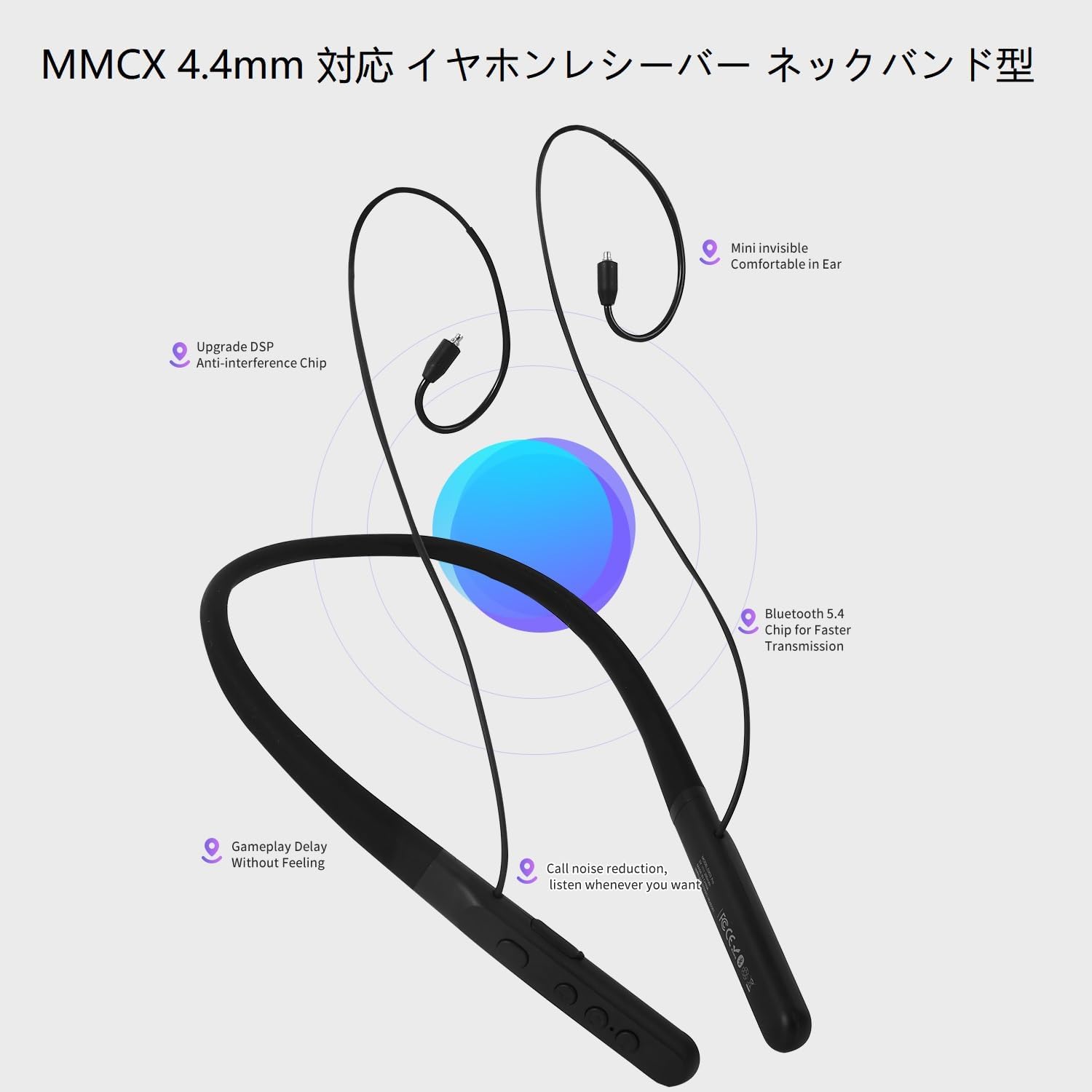
Image: The control panel on the eppfun DX08 Pro neckband, showing the various buttons for operation.
4.2. Napredne audio funkcije
The DX08 Pro supports multiple high-quality audio codecs for an enhanced listening experience:
- LDAC: Sony's high-resolution audio codec, enabling high-quality wireless audio transmission.
- aptX Lossless: Qualcomm's latest codec for bit-perfect CD-quality audio over Bluetooth.
- aptX Adaptive: Dynamically adjusts audio quality and latency based on environmental factors.
- aptX-HD: Delivers 24-bit high-resolution audio over Bluetooth.
- SBC/AAC: Standard Bluetooth audio codecs for broad compatibility.
Ensure your connected device also supports these codecs to utilize their full potential. The headphones will automatically select the best available codec.
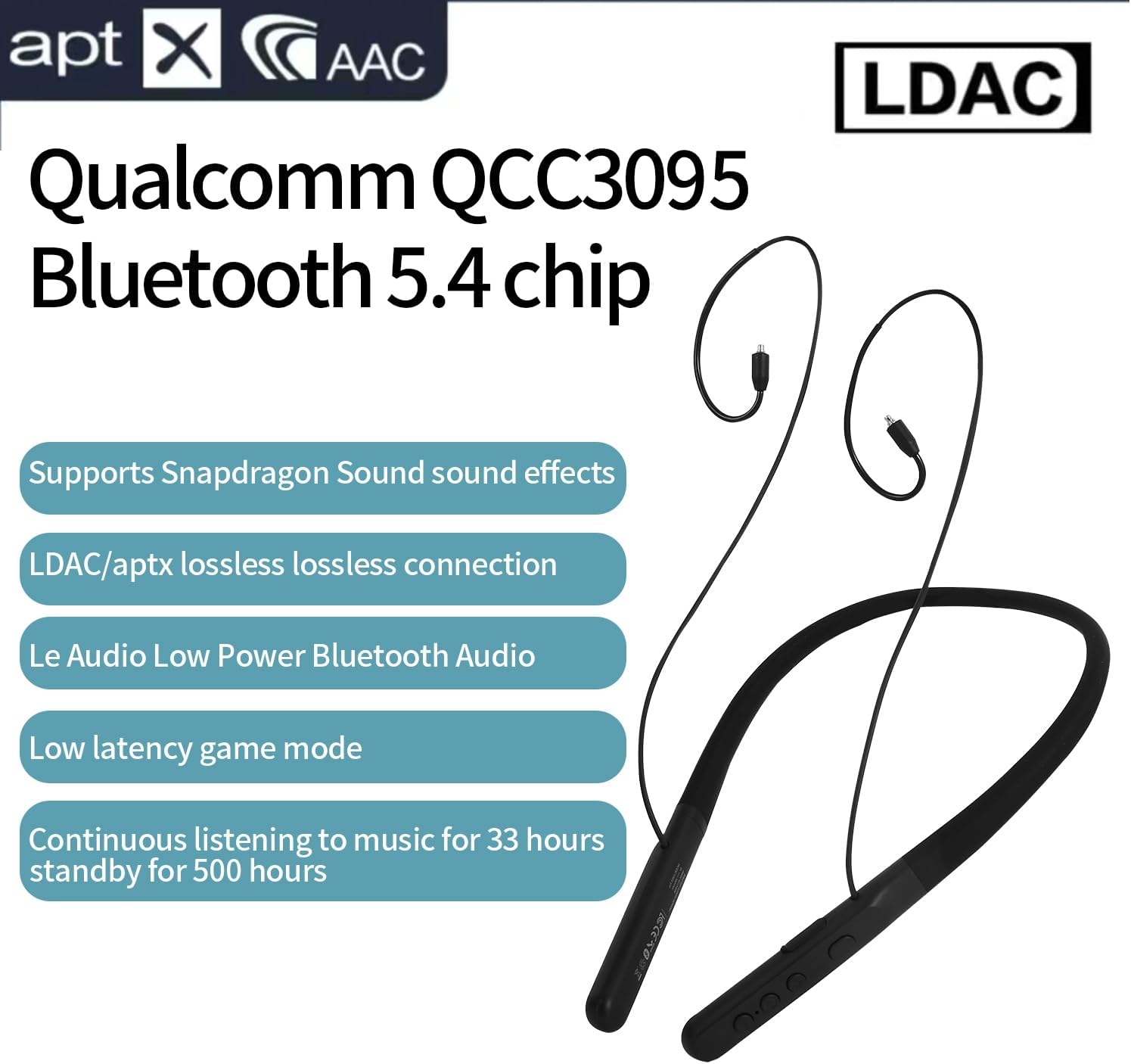
Image: Visual representation of the eppfun DX08 Pro's QCC3095 chip and supported audio codecs like LDAC, aptX HD, and AAC.
4.3. Režim igre sa niskom latencijom
The DX08 Pro features a low-latency mode, optimized for gaming and video playback, to minimize audio delay. This mode is automatically engaged when supported by the connected device and content, or can be manually activated if available through specific button combinations (refer to future firmware updates or product website for specific activation methods if not automatic).
5. Održavanje
5.1. Čišćenje
- Wipe the neckband and earphone cables with a soft, dry, lint-free cloth.
- Za tvrdokornu prljavštinu, lagano dampNapržite krpu vodom. Izbjegavajte upotrebu jakih hemikalija, rastvarača ili abrazivnih sredstava za čišćenje.
- Ensure all ports are dry before charging or connecting.
- Regularly clean ear tips to prevent wax buildup, which can affect sound quality.
5.2. Skladištenje
- Slušalice čuvajte na hladnom i suhom mjestu, dalje od direktne sunčeve svjetlosti i ekstremnih temperatura.
- Izbjegavajte stavljanje teških predmeta na slušalice.
- If storing for an extended period, charge the battery to approximately 50% to preserve battery health.
5.3. Održavanje baterije
- Ne izlažite bateriju preteranoj toploti, kao što je direktna sunčeva svetlost ili vatra.
- Izbjegavajte često potpuno pražnjenje baterije.
- Charge the battery regularly, even if the headphones are not in use, to maintain optimal performance.
6. Otkrivanje problema
If you encounter issues with your eppfun DX08 Pro headphones, refer to the following common problems and solutions:
6.1. Nema struje
- Provjerite jesu li slušalice potpuno napunjene. Spojite ih na izvor napajanja i provjerite indikator punjenja.
- Press and hold the Power button for at least 5 seconds to ensure it's not just in standby.
6.2. Cannot Pair with Device
- Provjerite jesu li slušalice u načinu rada za uparivanje (LED treperi).
- Isključite i uključite Bluetooth na svom uređaju.
- Približite slušalice svom uređaju.
- Clear the Bluetooth pairing history on your device and attempt to pair again.
- Provjerite da nijedan drugi uređaj nije aktivno povezan sa slušalicama.
6.3. Nema zvuka ili je jačina zvuka niska
- Provjerite nivoe jačine zvuka i na slušalicama i na povezanom uređaju.
- Ensure the MMCX earphones are securely connected to the neckband.
- Verify that the headphones are correctly paired and connected to your device.
- Pokušajte reproducirati zvuk iz druge aplikacije ili uređaja.
6.4. Intermittent Connection or Audio Dropouts
- Smanjite udaljenost između slušalica i uređaja.
- Avoid obstacles (walls, large metal objects) between the headphones and your device.
- Minimizirajte smetnje od drugih bežičnih uređaja (Wi-Fi rutera, drugih Bluetooth uređaja).
- Provjerite jesu li upravljački programi za Bluetooth vašeg uređaja ažurirani.
7. Specifikacije
| Feature | Detalj |
|---|---|
| Naziv modela | DX08 Pro |
| Bluetooth verzija | 5.4 |
| Bluetooth čipset | Qualcomm QCC3095 |
| Podržani audio kodeci | SBC, AAC, aptX HD, aptX Adaptive, aptX Lossless, LDAC |
| Tehnologija povezivanja | Bluetooth |
| Priključak za slušalice | MMCX |
| Trajanje baterije (reprodukcija muzike) | Do 33 sati |
| Vrijeme pripravnosti | Do 500 sati |
| Tip kontrole | Kontrola dugmadi |
| Težina artikla | 0.16 kilograma (otprilike 5.6 unci) |
| Proizvođač | eppfun |
| Impedansa | 32 Ohma |
8. Garancija i podrška
eppfun products are designed and manufactured to the highest quality standards. For specific warranty information, please refer to the warranty card included with your product or visit the official eppfun webSačuvajte dokaz o kupovini za slučaj reklamacije.
For technical support, troubleshooting assistance, or general inquiries, please contact eppfun customer service through the contact information provided on the official eppfun webweb-stranicu ili vašu platformu za kupovinu.
Online resursi:
- Official eppfun Webstranica: www.eppfun.com (Npramplink, stvarni link nije naveden u podacima)
- Stranica za podršku proizvoda: (Pogledajte službenu webstranica za stranice za podršku određenim proizvodima)