
Netzu 6208D
Netzu Digital Alarm Clock User Manual
Model: 6208D
Marka: Netzu
Uvod
Thank you for choosing the Netzu Digital Alarm Clock. This clock features a vibrant RGB display, dual alarms, adjustable brightness, and a loud alarm option, designed to provide a reliable and customizable timekeeping experience. This manual will guide you through the setup, operation, and maintenance of your new alarm clock.

Slika: Front view of the Netzu Digital Alarm Clock displaying the time in vibrant RGB colors.
Sigurnosne informacije
- Ne izlažite uređaj ekstremnim temperaturama, direktnoj sunčevoj svjetlosti ili visokoj vlažnosti.
- Držite uređaj dalje od vode ili drugih tečnosti.
- Ne pokušavajte sami rastavljati ili popravljati uređaj. Za sve servisne radove obratite se kvalifikovanom osoblju.
- Koristite samo priloženi adapter za napajanje i kabel.
- Ensure proper ventilation around the clock.
Sadržaj paketa
Molimo Vas da provjerite paket za sljedeće stavke:
- Netzu Digital Alarm Clock x 1
- Adapter za napajanje x 1
- Kabel za napajanje x 1
- Korisnički priručnik x 1

Image: Illustration showing the alarm clock, power cable, adapter, and manual, indicating items included in the package.
Product Overview
Familiarize yourself with the main components and controls of your Netzu Digital Alarm Clock.

Image: Visual representation highlighting key features such as loud sound, 4-level brightness, dual alarm clocks, 12/24h time format, snooze function, and battery memory.
Kontrole i dugmad:
- Dugme SNOOZE: Located on top, used to activate snooze or turn off display.
- Dugme za POSTAVLJANJE VREMENA: On the side, used to enter time setting mode.
- Dugmad ALARM 1/2: On the side, used to set Alarm 1 and Alarm 2.
- +/- dugmad: On the side, used to adjust values (time, brightness, volume).
- RGB dugme: On the side, used to cycle through RGB color modes.
Setup
1. Priključak za napajanje:
Connect the provided power adapter to the DC input port on the back of the alarm clock, then plug the adapter into a standard wall outlet. The display will light up.

Image: The alarm clock connected to a wall outlet via its power adapter and cable, illustrating the plug-in functionality.
2. Battery Backup Installation (Optional but Recommended):
For memory function during power outages, install 2 x AAA batteries (not included) into the battery compartment on the bottom of the clock. This ensures that time and alarm settings are retained even if the main power is disconnected. The display will not be lit during battery backup mode, but the internal clock and alarm settings will remain active.

Image: Depiction of the alarm clock with two AAA batteries, explaining how battery backup maintains time and alarm settings during power failures.
Uputstvo za upotrebu
1. Podešavanje vremena:
- Pritisnite i držite TIME SET dugme dok cifre sati ne počnu treptati.
- Koristite +/- dugmad za podešavanje sata.
- Pritisnite TIME SET ponovo da biste potvrdili sate i prešli na podešavanje minuta. Cifre minuta će treptati.
- Koristite +/- dugmad za podešavanje minuta.
- Pritisnite TIME SET again to save the time and exit time setting mode.
12H/24H Time Format:
While in time setting mode (hour or minute flashing), press the TIME SET button repeatedly to toggle between 12-hour (with AM/PM indicator) and 24-hour formats.
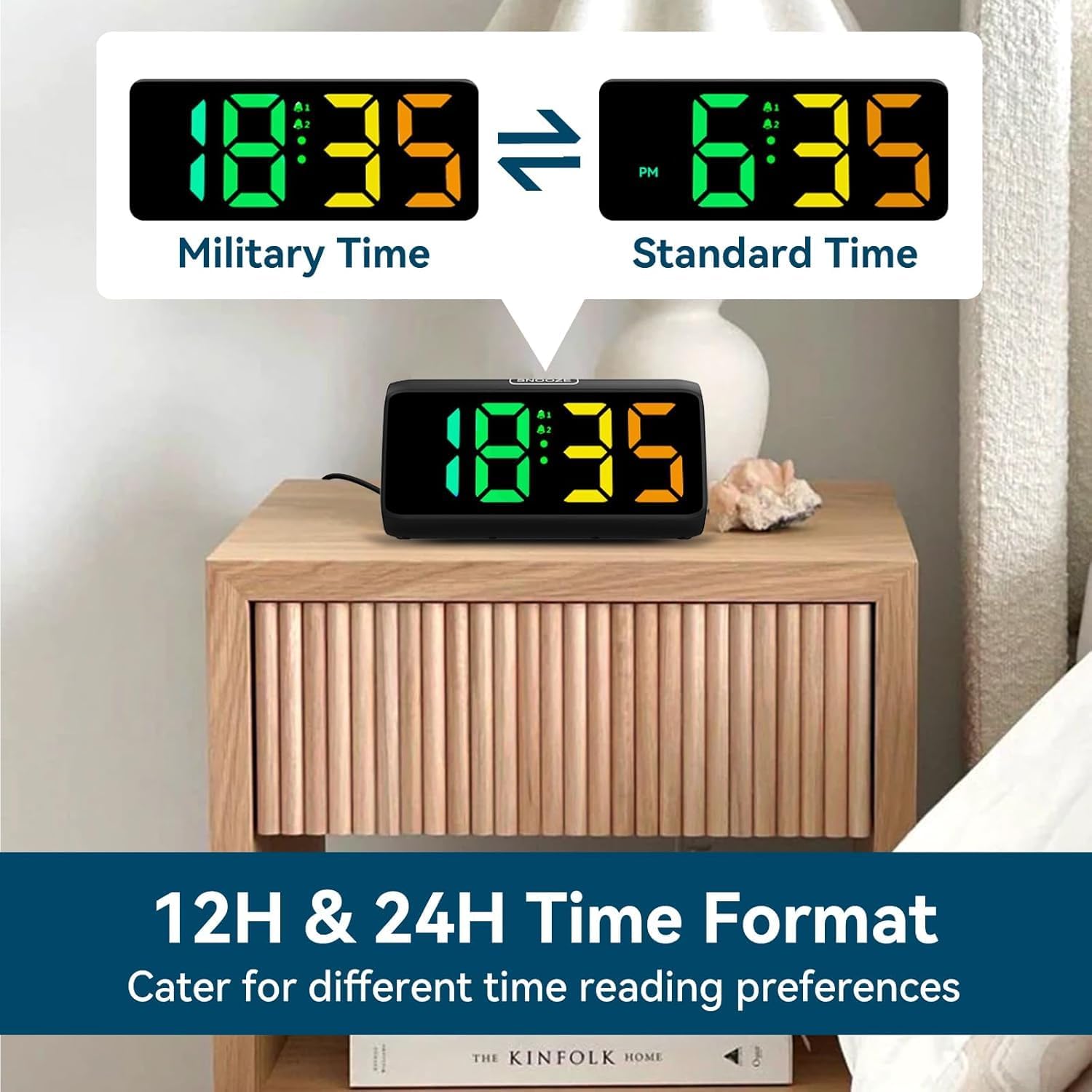
Image: Comparison of the alarm clock display showing time in 12-hour format (with AM/PM) and 24-hour (military) format.
2. Podešavanje alarma (Alarm 1 i Alarm 2):
Sat podržava dva nezavisna alarma.
- Pritisnite i držite ALARM 1 dugme (ili ALARM 2 button) until the alarm hour digits flash.
- Koristite +/- dugmad za podešavanje sata alarma.
- Pritisnite ALARM 1 (ili ALARM 2) button again to confirm the hour and move to minute setting. The minute digits will flash.
- Koristite +/- dugmad za podešavanje minuta alarma.
- Pritisnite ALARM 1 (ili ALARM 2) button again to save the alarm time.
- After setting the time, the alarm icon (bell 1 or bell 2) will appear on the display, indicating the alarm is active.
- To turn an alarm ON/OFF, short press the corresponding ALARM 1 or ALARM 2 button. The bell icon will appear/disappear.
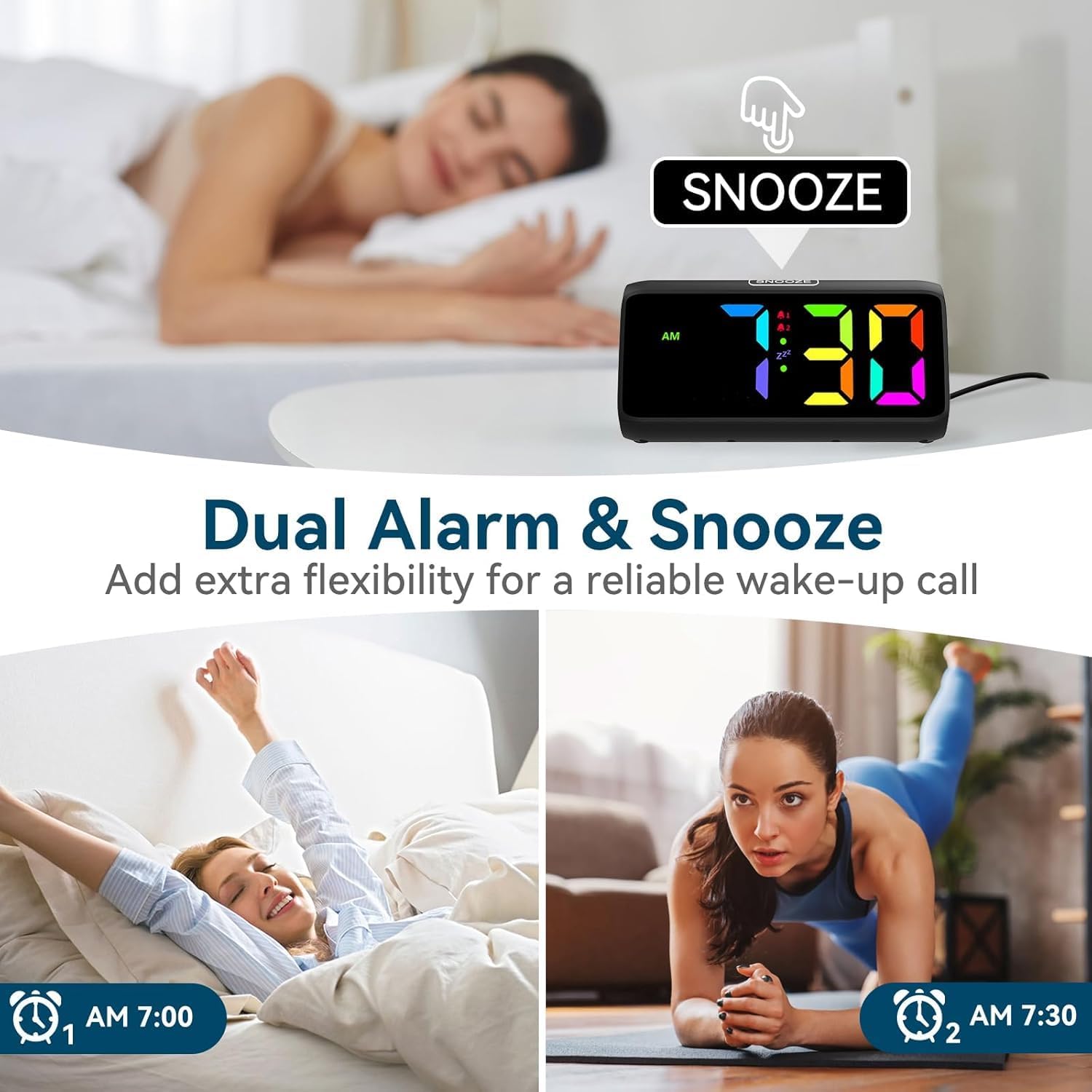
Image: Visual demonstrating the dual alarm functionality, showing two different alarm times and the snooze button.
3. Podešavanje jačine zvuka alarma:
Kada se oglasi alarm, pritisnite dugme +/- buttons to cycle through the 4 available volume levels. The clock can reach up to 115 decibels.

Image: Graphic illustrating the alarm clock's sound output, showing volume levels from 85dB to 115dB.
4. Funkcija odgode:
When the alarm sounds, tap the large SNOOZE button on top of the clock to activate the snooze function. The alarm will pause for 9 minutes and then sound again. The 'Zz' icon will appear on the display.
To turn off the alarm completely, press any other button (e.g., ALARM 1/2, TIME SET) or let the alarm sound for its full duration (typically 60 minutes) without snoozing.

Image: A person reaching for the snooze button on the alarm clock, demonstrating the ease of activating the 9-minute snooze.
5. Podešavanje svjetline ekrana:
Kratko pritisnite SNOOZE button to cycle through 5 brightness levels (Lv.4, Lv.3, Lv.2, Lv.1, OFF). Choose the level that suits your preference, including turning the display completely off.

Image: Visual comparison of the alarm clock display at different brightness levels (Lv.4 to OFF), showing how the screen can be adjusted from bright to completely dark.
6. Changing RGB Colors/Modes:
Pritisnite RGB button to cycle through the 8 available RGB color modes. These include various solid colors and a dynamic color-changing mode, allowing for personalized visual effects.

Image: A grid displaying 8 different RGB color options for the alarm clock's screen, showcasing the customizable visual experience.
Održavanje
- čišćenje: Use a soft, dry cloth to wipe the surface of the clock. Do not use abrasive cleaners or solvents.
- Skladištenje: Ako sat skladištite duži period, izvadite AAA baterije kako biste spriječili curenje.
- Okruženje: Keep the clock in a clean, dry environment, away from dust and moisture.
Rješavanje problema
| Problem | Mogući uzrok | Rješenje |
|---|---|---|
| Prikaz sata je isključen. | No power connection or display is set to OFF. | Ensure the power adapter is securely plugged in. Press the SNOOZE button to cycle through brightness levels and turn the display ON. |
| Alarm se ne oglašava. | Alarm is not set or is turned off. Volume is too low. | Check if the alarm icon is displayed. If not, set the alarm. Increase the alarm volume when it is sounding. |
| Vrijeme/postavke se resetuju nakon nestanka strujetage. | No AAA batteries installed for backup. | Install 2 x AAA batteries (not included) for memory retention during power interruptions. |
| Dugmad ne reagiraju. | Privremeni softverski kvar. | Unplug the power adapter, remove backup batteries (if installed), wait 30 seconds, then reconnect power. |
Specifikacije
- Brand: Netzu
- Broj modela: 6208D
- Boja: Crna
- Dimenzije proizvoda: 15.8 x 3.81 x 7.2 cm
- Težina artikla: 280 g
- Materijal: Plastika
- Vrsta prikaza: Digital
- Posebne karakteristike: Adjustable Brightness, Adjustable Volume, Alarm, Loud Alarm, Snooze, RGB Display
- Izvor napajanja: Plug-in (AC adapter included)
- Rezervna snaga: 2 x AAA Batteries (not included) for memory function
Garancija i podrška
For warranty information or technical support, please refer to the contact details provided on the product packaging or visit the official Netzu website. Sačuvajte račun o kupovini za reklamacije.
Za dodatnu pomoć, možete se direktno obratiti prodavcu putem platforme na kojoj je proizvod kupljen.
Ask a question about this manual
Ask about setup, troubleshooting, compatibility, parts, safety, or missing instructions. Manuals+ will review the question and use this page’s manual context to help answer it.