1. Uvod
This manual provides detailed instructions for the safe and effective use of your Godox V480F TTL Camera Flash. The V480F is a high-performance speedlite designed for Fujifilm cameras, featuring a 2.0-inch color touchscreen, 2.4GHz wireless system, and a powerful Li-ion battery. Please read this manual thoroughly before operation to ensure optimal performance and to prevent damage to the unit or injury to yourself.
2. Sigurnosne mjere
- Do not disassemble or modify the flash unit. Repairs should only be performed by authorized service personnel.
- Uređaj držite suhim. Ne izlažite ga kiši, vlazi ili visokoj vlažnosti zraka.
- Avoid direct eye exposure to the flash. The intense light can cause temporary vision impairment.
- Handle the Li-ion battery with care. Do not short-circuit, incinerate, or expose to extreme temperatures. Use only the specified charger.
- Čuvati van domašaja djece.
- Ensure the flash is securely mounted to the camera or stand to prevent accidental drops.
3. Sadržaj paketa
Provjerite da li se sve stavke nalaze u vašem paketu:
- Tijelo blica x1
- Torba za pohranu x1
- Difuzor x1
- Adapter x1
- Litijumska baterija x1
- Mini postolje x1
- USB-C kabl za punjenje x1

Image: All components included in the Godox V480F package.
4. Značajke proizvoda
4.1 Intuitive Touchscreen & Buttons
The V480 features a 2.0-inch color touchscreen and tactile buttons for precise adjustments. Users can tap, swipe, or press buttons to navigate menus and change settings efficiently.

Image: The V480F's touchscreen interface.
4.2 Smart Distance Readout
The V480's display provides a real-time effective flash range, allowing users to confirm if the subject is within optimal reach for various shooting conditions, including tight spaces or bounce applications.

Image: Flash mounted on camera showing distance readout.
4.3 Sender & Receiver Functionality
The integrated Godox 2.4GHz X wireless system enables the V480 to function as both a sender and a receiver. It supports 32 channels and a range of up to 100 meters, allowing control of multiple flashes without external triggers.

Image: Wireless flash setup with the V480F.
4.4 Pro-Level Flash Modes
The V480 supports TTL, Manual, Multi mode, and High-Speed Sync (HSS) up to 1/8000s. It also includes Flash Exposure Compensation and Front/Rear-Curtain Sync for various creative lighting effects.
4.5 Lightweight Portability
Weighing approximately 282g (361g with battery), the V480 is designed for portability, fitting comfortably in hand and most camera bags.

Image: The V480F held in hand, demonstrating its compact size.
4.6 650 Full-Power Flashes
The 7.2V/2200mAh rechargeable Li-ion battery provides up to 650 full-power flashes with a recycle time of approximately 1.7 seconds. USB-C charging allows for convenient recharging.

Image: The V480F battery connected for USB-C charging.
4.7 Modeliranje na 10 nivoa Lamp
Ugrađena LED modelna rasvjetaamp nudi deset nivoa svjetline, omogućavajući korisnicima da unaprijedview how the flash will shape shadows and highlights before firing the main flash.

Image: The V480F's modeling lamp u upotrebi.
4.8 Fleksibilna glava za odbijanje
The flash head can tilt from -7° to 120° and swivel a full 330°, providing flexibility for bouncing light off walls, ceilings, or floors to achieve soft, natural fill light or specific side lighting.
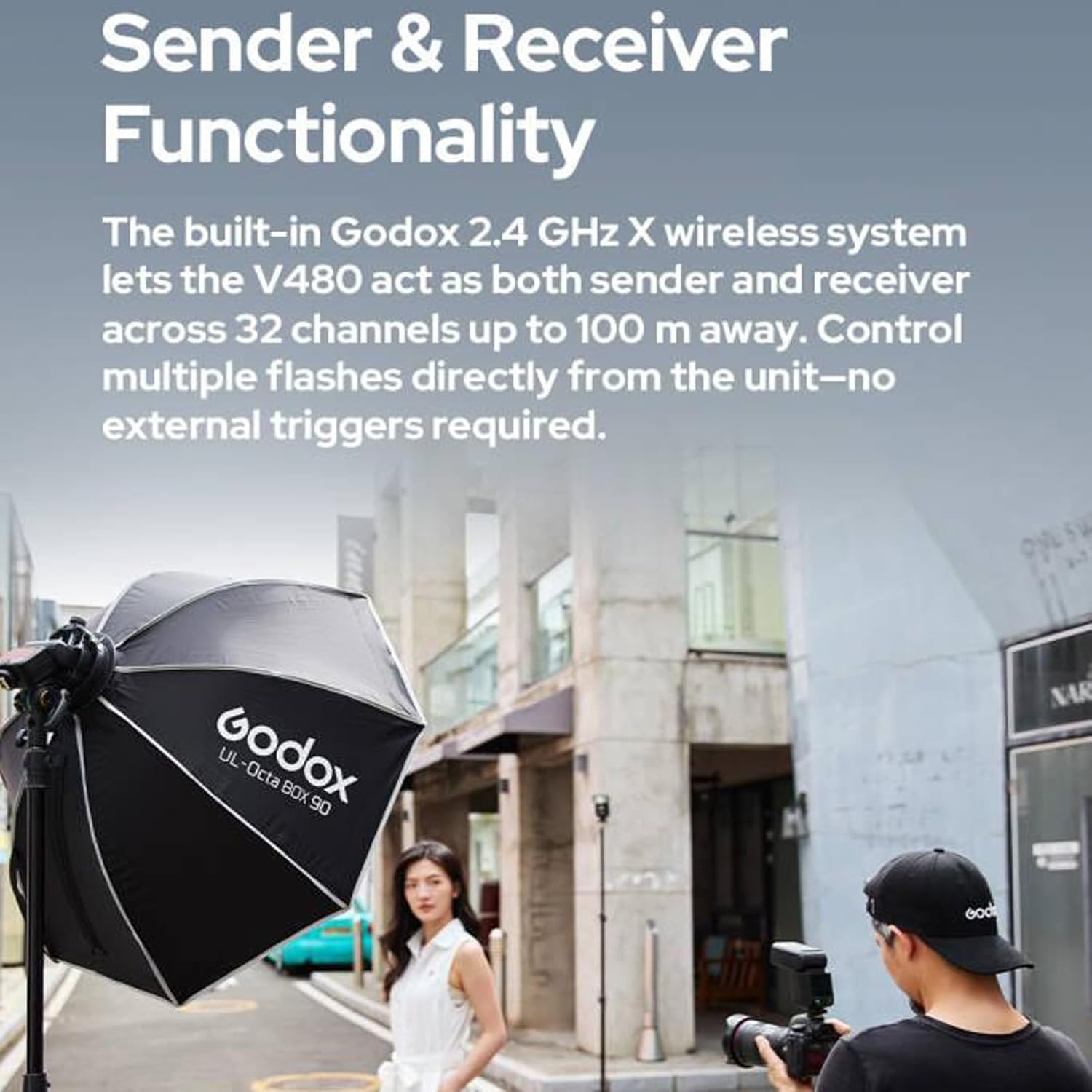
Image: Illustration of the flexible bounce head movement.
4.9 Kreativni oblici svjetla
The flash includes a built-in catchlight panel and a wide-angle diffuser. The catchlight panel creates sparkling eye reflections, while the wide-angle diffuser softens and broadens light coverage.
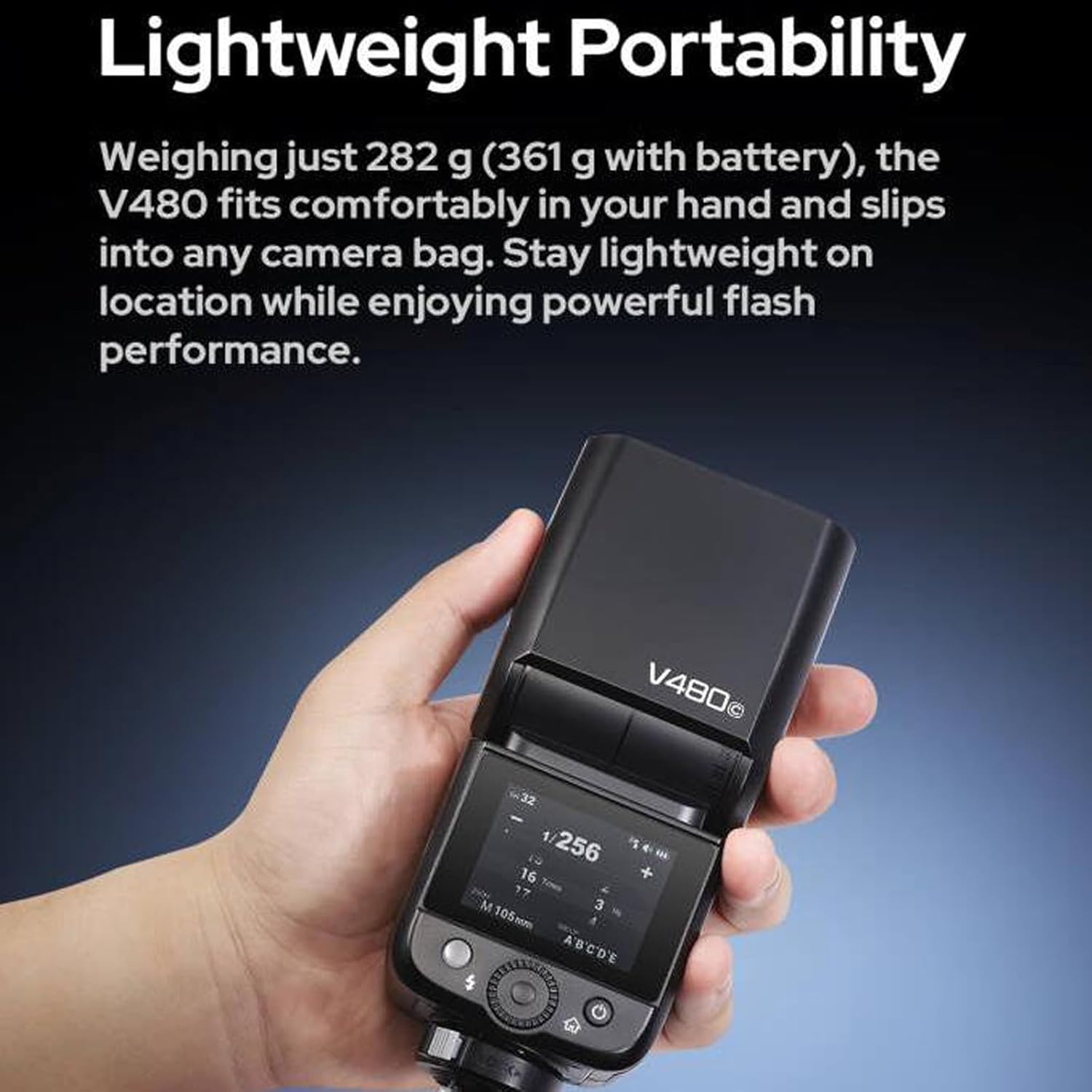
Image: The V480F with its integrated light shaping tools.
4.10 Extensive Accessory Compatibility
The V480 is compatible with various accessories, including the Godox AK-R1 Kit (via S-R2 adapter) and Bowens-mount softboxes or reflectors (using the S2 bracket).

Image: Accessory compatibility diagram for the V480F.
5. Getting Started
5.1 Instalacija baterije
- Provjerite da li je blic isključen.
- Locate the battery compartment on the side or rear of the flash unit.
- Otvorite poklopac odjeljka.
- Insert the provided 7.2V/2200mAh Li-ion battery, ensuring correct polarity.
- Čvrsto zatvorite poklopac odeljka za baterije.
5.2 Montiranje blica
- Slide the flash's hot shoe onto your Fujifilm camera's hot shoe mount.
- Zategnite prsten za zaključavanje ili polugu na blicu da biste ga pričvrstili za fotoaparat.
5.3 Uključivanje/isključivanje
Press and hold the power button (usually located on the side or rear) for a few seconds to turn the flash unit on or off. The touchscreen will illuminate upon power-on.
6. Uputstvo za upotrebu
6.1 Odabir načina rada
Use the touchscreen or navigation buttons to select your desired flash mode:
- TTL (Kroz objektiv) način rada: The flash automatically adjusts output for correct exposure.
- Ručni (M) način rada: Manually set flash power output (e.g., 1/1 to 1/256).
- Višestruki (stroboskopski) način rada: Fires a series of rapid flashes during a single exposure to capture multiple movements.
6.2 Brza sinhronizacija (HSS)
Activate HSS mode to use flash at shutter speeds faster than your camera's native sync speed (up to 1/8000s). This is useful for overpowering ambient light or using wide apertures in bright conditions.
6.3 Kompenzacija ekspozicije blica (FEC)
In TTL mode, FEC allows you to fine-tune the flash output by adjusting it up or down in increments (e.g., +/- 3 stops).
6.4 Using the Modeling Lamp
Press the dedicated modeling lamp button or access it via the touchscreen. Adjust brightness levels from 1 to 10 to preview svjetlosne efekte.
6.5 Adjusting Bounce Head
Gently tilt and swivel the flash head to direct light. The head can tilt from -7° to 120° and swivel 330° horizontally. Ensure the head clicks into place at desired angles.
6.6 Wireless Operation (2.4GHz X System)
To use the V480 as a wireless sender or receiver:
- Access the wireless settings menu on the touchscreen.
- Select 'Master' for sender mode or 'Slave' for receiver mode.
- Set the desired channel (1-32) and group (A, B, C, D, E) to match other Godox X system units.
- Ensure the ID setting is consistent across all units for reliable communication.
7. Održavanje
7.1 Čišćenje
Wipe the flash unit with a soft, dry cloth. For stubborn dirt, use a slightly damp cloth and then dry thoroughly. Do not use solvents or abrasive cleaners. Keep the hot shoe contacts clean and free of debris.
7.2 Njega baterija
- Prije prve upotrebe do kraja napunite bateriju.
- Napunite bateriju kada se pojavi indikator slabe baterije.
- If storing the flash for an extended period, charge the battery to approximately 50% and remove it from the unit. Recharge every 3-6 months to maintain battery health.
7.3 Skladištenje
Store the flash unit in a cool, dry place, away from direct sunlight and extreme temperatures. Use the provided storage bag for protection.
8. Otkrivanje problema
8.1 Blic se ne aktivira
- Check if the flash is powered on and the battery is charged.
- Ensure the flash is securely mounted to the camera's hot shoe.
- Verify camera and flash settings are compatible (e.g., flash mode, sync speed).
- Clean the hot shoe contacts on both the flash and camera.
8.2 Exposure Issues (Too Bright/Dark)
- Adjust Flash Exposure Compensation (FEC) in TTL mode.
- U ručnom režimu, podesite izlaznu snagu blica.
- Check camera ISO, aperture, and shutter speed settings.
- Ensure the flash head is pointed correctly (if bouncing).
8.3 Baterija se ne puni
- Verify the USB-C cable and adapter are properly connected and functional.
- Provjerite da li je baterija pravilno umetnuta u punjač.
- Ako je baterija potpuno prazna, može proći nekoliko minuta prije nego što se pojavi indikator punjenja.
8.4 Wireless Communication Problems
- Confirm all units (sender and receiver) are set to the same channel and group.
- Check that the wireless ID settings match.
- Ensure units are within the 100m operating range and there are no significant obstructions.
- Provjerite ima li potencijalnih smetnji od drugih uređaja koji rade na 2.4 GHz.
9. Tehničke specifikacije
| Feature | Specifikacija |
|---|---|
| Model | V480F |
| Vodič broj | Approx. GN50 (ISO 100, in meters) |
| Flash pokrivenost | Auto zoom (flash coverage is set automatically to match the lens focal length and image size); Manual zoom (24-105mm) |
| Flash Head Angle | Okretna/nagibna glava blica (odbijeni blic): 0 do 330° horizontalno i -7° do 120° vertikalno |
| Trajanje blica (t0.1) | 1 / 600s-1 / 20000s |
| Kontrola ekspozicije | TTL automatski blic i ručni blic |
| Kompenzacija ekspozicije blica (FEC) | ±3 stops with 1/3 increment each step |
| Sync Mode | High-speed sync (up to 1/8000 seconds), first-curtain sync and second-curtain sync |
| Multi Flash | Omogućeno (do 100 puta, 100Hz) |
| Wireless Flash (2.4G Transmission) | Pošiljalac, primalac |
| Grupe pošiljalaca | A, B, C, D, E (V480C); M, A, B, C, D, E (V480S/V480N/V480F/V480O) |
| Grupe prijemnika | A, B, C, D, E |
| Domet prijenosa (cca.) | 100m |
| Kanali | 32 (01-32) |
| ID | OFF/01-99 |
| LED modeliranje Lamp Snaga | 2W |
| Temperatura boje | 5300K±300K |
| Napajanje | Litijumska baterija od 7.2 V/2200 mAh |
| Vrijeme recikliranja | Pribl. 1.7 sekundi |
| Number of Flashes (approx.) | 650 |
| Ušteda energije | Standby and auto off functions provided |
| Način pokretanja sinhronizacije | Hot shoe, 2.5 mm sinkronizirani kabel |
| Dimenzije (Š x V x D) | 6.54" x 2.8" x 1.93" |
| Neto težina bez baterije | Pribl. 282g |
| Neto težina sa baterijom | Pribl. 361g |
| Kompatibilni nosači | Compatible with FUJIFILM Cameras (e.g., X-Pro2, X-T20, X-T2, X-T1, GFX50s, GFX50R, X-T30, X-T4, X-T3, X-H2, X-T50, X-S20, X-T5, X-Pro1, X-T10, X-E1, X-A3, X100F, X100T) |
10. Garancija i podrška
10.1 Informacije o garanciji
Godox proizvodi obično dolaze s ograničenom garancijom proizvođača. Molimo pogledajte garantni list koji dolazi s vašim proizvodom ili posjetite službenu Godox stranicu. website for specific terms and conditions regarding your region and purchase date. Keep your proof of purchase for warranty claims.
10.2 Korisnička podrška
For technical assistance, troubleshooting not covered in this manual, or service inquiries, please contact Godox customer support through their official website or your local distributor. You can find more information and resources on the GODOX trgovina na Amazonu.