
REKA ME223EH-NU
REKA Smart Electric Radiator Thermostat
Model: ME223EH-NU
Marka: REKA
1. Uvod
This manual provides comprehensive instructions for the REKA Smart Electric Radiator Thermostat, Model ME223EH-NU. This device is designed to optimize your comfort while reducing energy consumption. It offers remote temperature control via the Tuya application, flexible programming, and open window detection. For optimal functionality, a Zigbee 3.0 gateway is required.
Ključne karakteristike:
- Kompatibilnost glasovnog asistenta: Control your thermostat using Amazon Alexa and Google Home.
- Otkrivanje otvorenog prozora: Automatically pauses heating when an open window is detected to prevent energy waste.
- Daljinsko upravljanje: Control your heating from anywhere using the intuitive Tuya application.
- Fleksibilno programiranje: Customize heating schedules for each day of the week to suit your lifestyle.
- Integrated Buffer Memory: Ensures continuous operation and maintains predefined settings even without an internet connection.
- Univerzalna kompatibilnost: Supplied with universal adapters for broad compatibility with existing radiator thermostats.
- European Standards Compliance: Conforms to NF EN ISO 52120-1 and NF EN 12098-3 for safety and performance.

Image: The REKA Smart Electric Radiator Thermostat shown alongside a smartphone displaying the Tuya app interface, indicating a temperature of 21 degrees Celsius in the living room.
2. Sigurnosne informacije
- Prije instalacije i upotrebe pažljivo pročitajte sva uputstva.
- Prije bilo kakve instalacije ili održavanja provjerite je li napajanje isključeno.
- Instalaciju treba izvršiti kvalificirani stručnjak ako niste sigurni.
- Ne izlažite uređaj ekstremnim temperaturama, vlazi ili direktnoj sunčevoj svjetlosti.
- Čuvati van domašaja djece.
- Koristite samo navedeni izvor napajanja i pribor.
3. Sadržaj paketa
Provjerite da li su sve stavke prisutne u paketu:
- REKA Smart Electric Radiator Thermostat (ME223EH-NU)
- Univerzalni adapteri (različite veličine radi kompatibilnosti)
- Montažni vijci
- Korisnički priručnik (ovaj dokument)
4. Instalacija
Follow these steps to install your REKA Smart Electric Radiator Thermostat:
- Remove Existing Thermostat: Carefully remove your current radiator thermostat. Refer to your radiator's manual if necessary.
- Odaberite adapter: Choose the appropriate universal adapter that fits your radiator valve.
- Montaža termostata: Attach the REKA thermostat to the radiator valve using the selected adapter and mounting screws. Ensure it is securely fastened.
- Uključeno: Insert batteries (if applicable, not explicitly mentioned but common for such devices) or connect to power as per the device's design.
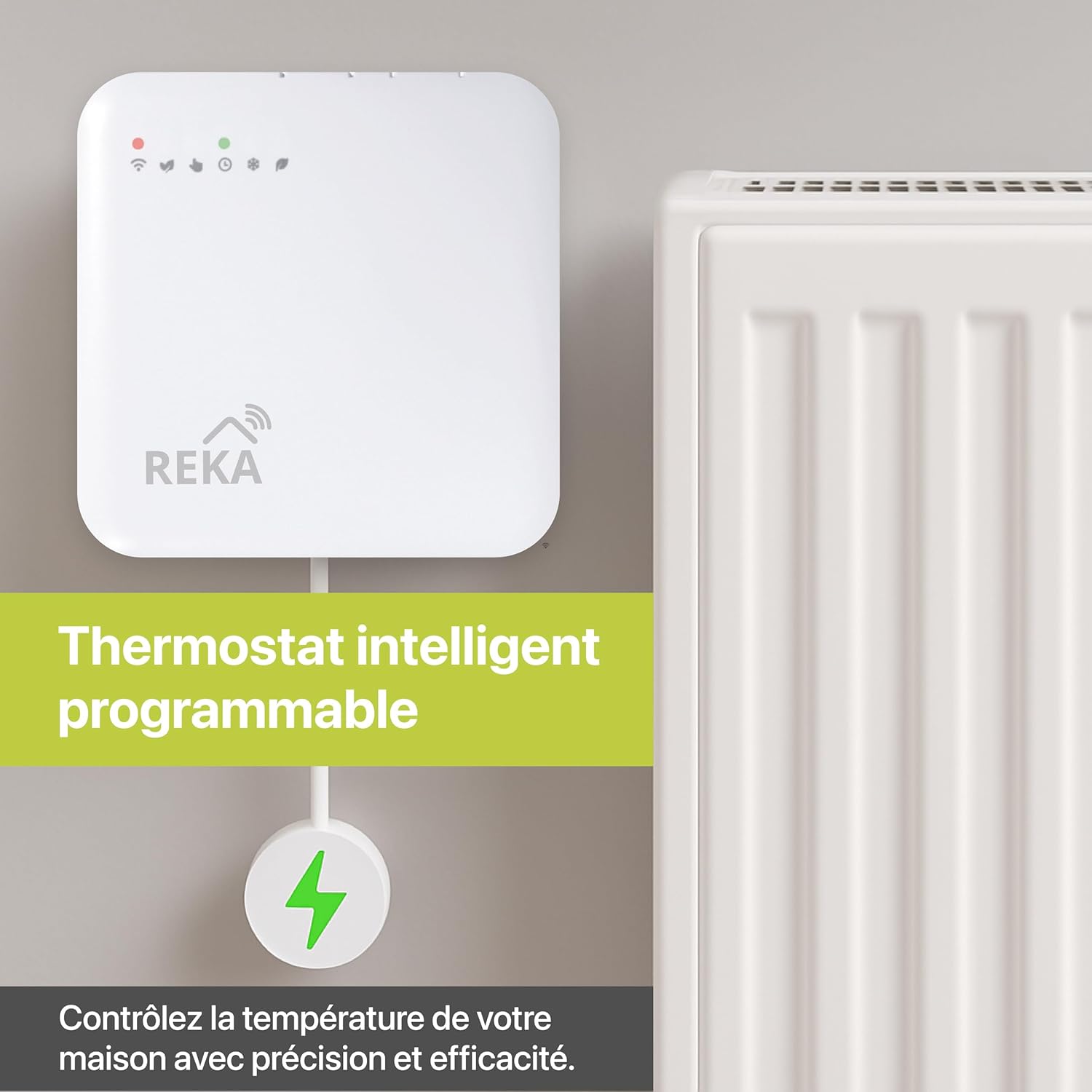
Image: The REKA Smart Electric Radiator Thermostat installed on a white radiator, illustrating its integration into a home heating system.
5. Podešavanje
To unlock the full potential of your REKA Smart Thermostat, follow these setup instructions:
5.1. Tuya App Pairing
- Preuzmi aplikaciju: Preuzmite aplikaciju Tuya Smart ili Smart Life iz trgovine aplikacija za vaš pametni telefon (iOS ili Android).
- Registracija/Prijava: Kreirajte račun ili se prijavite na postojeći Tuya račun.
- Dodaj uređaj: In the app, tap the "+" icon to add a new device. Select "Thermostat" or search for "REKA Thermostat".
- Uđite u način uparivanja: Follow the on-screen instructions in the app and on the thermostat to enter pairing mode. This usually involves pressing and holding a button on the thermostat until an indicator light flashes.
- Povežite se: Confirm the device in the app and complete the pairing process.
5.2. Zigbee Gateway Connection
A Zigbee 3.0 gateway is essential for optimal synchronization and remote control of your REKA thermostat. If you do not have one, it must be purchased separately.
- Poveži se sa mrežnim prolazom: Provjerite je li vaš Zigbee gateway uključen i povezan s vašom kućnom mrežom.
- Add Gateway to Tuya App: If not already done, add your Zigbee gateway to the Tuya app following the gateway's specific instructions.
- Link Thermostat to Gateway: Within the Tuya app, navigate to your Zigbee gateway and add the REKA thermostat as a sub-device. Follow the app's prompts to complete the linking process.

Image: An illustration showing the REKA Smart Electric Radiator Thermostat, a Zigbee gateway, and a smartphone, demonstrating the connection required for smart control.
6. Uputstvo za upotrebu
Your REKA Smart Thermostat offers various modes and control options for efficient heating management.
6.1. Kontrolni režimi
- Ručni način rada: Adjust the temperature directly on the thermostat or via the app for immediate changes.
- Udobni način rada: Maintains a preset comfortable temperature.
- Eko način rada: Održava nižu temperaturu koja štedi energiju.
- Anti-Freeze Mode: Prevents pipes from freezing by maintaining a minimum temperature (e.g., 5°C).
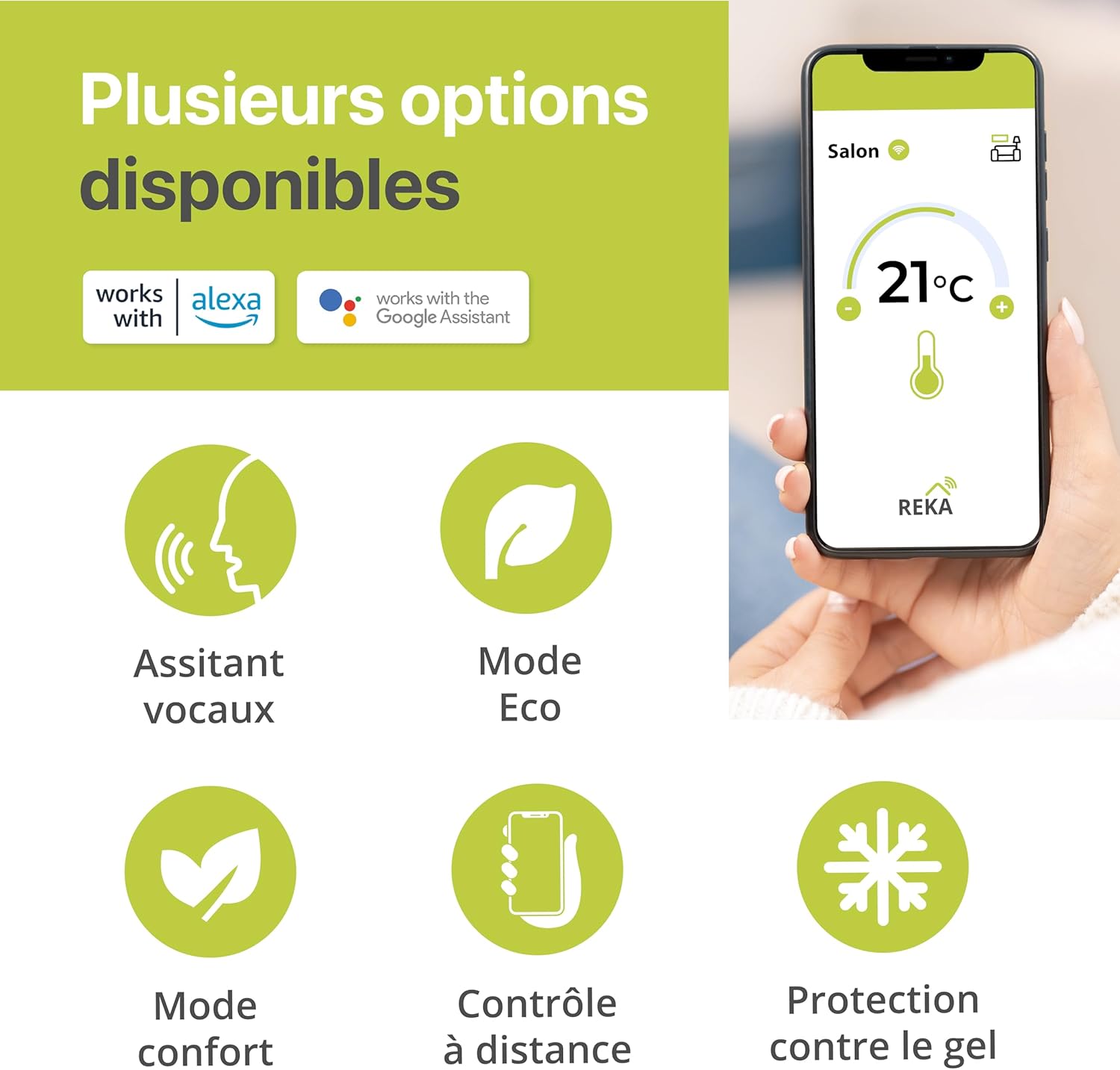
Image: An infographic highlighting the various operational modes and features of the REKA Smart Thermostat, such as voice control, Eco mode, Comfort mode, remote control, and frost protection.
6.2. Rasporedi programa
Create personalized heating schedules for each day of the week using the Tuya app:
- Open the Tuya app and select your REKA thermostat.
- Navigate to the "Schedule" or "Programming" section.
- Set desired temperatures for different time periods throughout the day (e.g., morning, daytime, evening, night).
- Repeat for each day of the week or copy schedules to other days.
- Save your custom program.

Image: A smartphone screen displaying the Tuya app's programming interface, allowing users to create custom heating schedules for different times and days.
6.3. Upravljanje glasom
Integrate your REKA thermostat with Amazon Alexa or Google Home for convenient voice commands:
- Ensure your thermostat is connected to the Tuya app and your Zigbee gateway.
- Otvorite aplikaciju Alexa ili Google Home.
- Enable the "Tuya Smart" or "Smart Life" skill/action.
- Link your Tuya account to the voice assistant.
- Discover devices. Your REKA thermostat should appear.
- You can now use commands like: "Alexa, set living room temperature to 21 degrees" or "Hey Google, what's the temperature in the bedroom?"
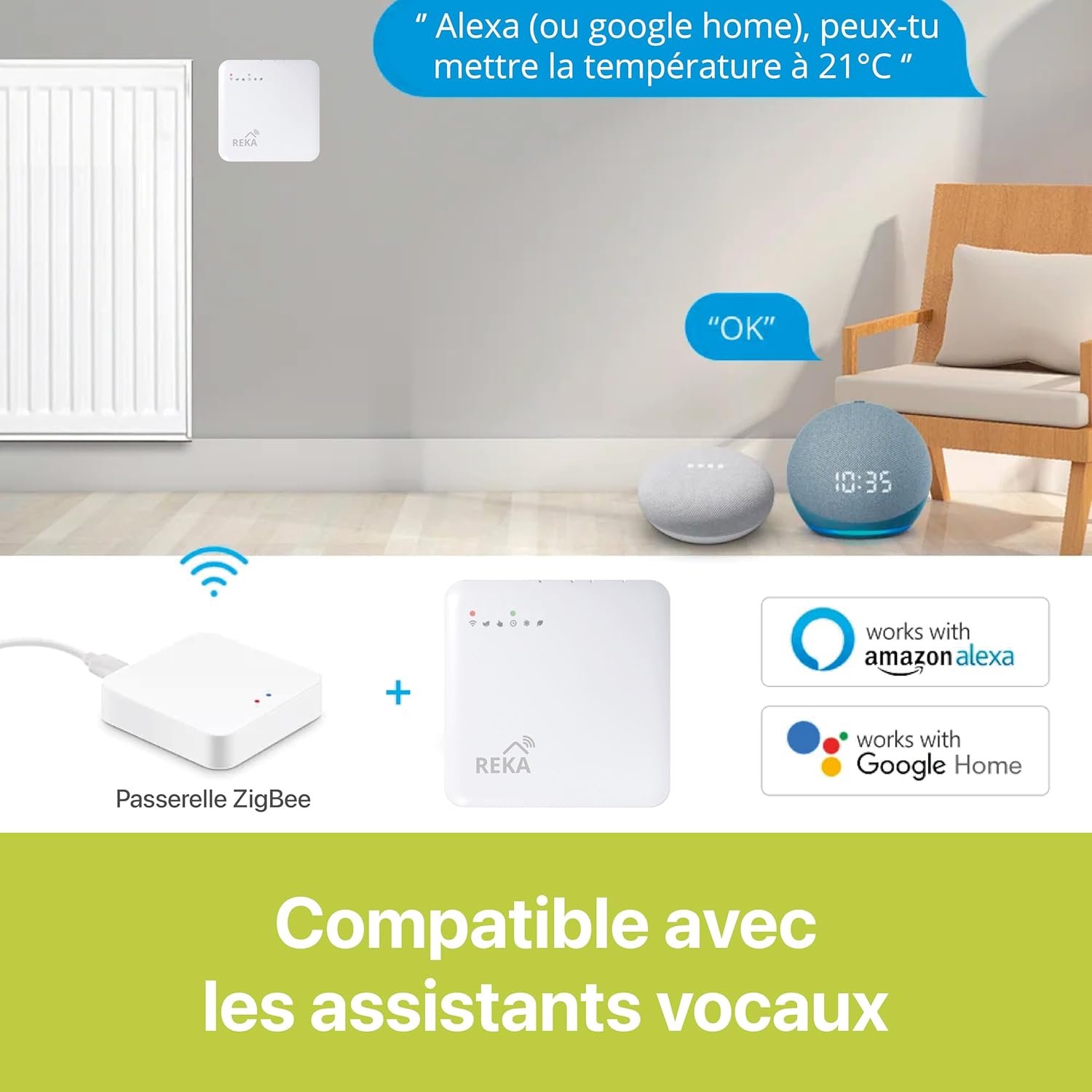
Image: A visual representation of the REKA Smart Thermostat's compatibility with Amazon Alexa and Google Home, showing a smart speaker and the thermostat.
6.4. Otvorite Prepoznavanje prozora
The thermostat automatically detects open windows and temporarily stops heating to conserve energy. This feature is activated by a rapid drop in temperature. Heating will resume once the window is closed and the temperature stabilizes.
6.5. Remote Control Room by Room
With multiple REKA thermostats and the Tuya app, you can manage the temperature of individual rooms independently.

Image: A smartphone screen displaying the Tuya app, illustrating how users can remotely control the temperature in different rooms (e.g., living room, bedroom, kitchen) where REKA thermostats are installed.
7. Održavanje
- čišćenje: Obrišite termostat mekom, suhom krpom. Ne koristite abrazivna sredstva za čišćenje ili rastvarače.
- Zamjena baterije: If your model uses batteries, replace them when the low battery indicator appears. Refer to the device for battery type and replacement instructions.
- Ažuriranja firmvera: Periodically check the Tuya app for available firmware updates to ensure optimal performance and security.
8. Otkrivanje problema
If you encounter issues with your REKA Smart Thermostat, refer to the following common problems and solutions:
- Termostat ne reaguje: Check power supply or battery level. Ensure it is properly installed on the radiator valve.
- Cannot connect to Tuya app: Verify your Wi-Fi network is stable. Ensure the Zigbee gateway is online and the thermostat is within its range. Re-enter pairing mode if necessary.
- Netačna očitanja temperature: Ensure the thermostat is not obstructed or exposed to direct heat sources (e.g., sunlight, other appliances).
- Programming not working: Check that the schedule is correctly saved in the Tuya app and that the thermostat is in programmed mode.
- Glasovno upravljanje ne radi: Confirm that the Tuya Smart skill/action is enabled in your Alexa/Google Home app and that your accounts are linked.
If the problem persists, contact REKA customer support for further assistance.
9. Specifikacije
| Feature | Specifikacija |
|---|---|
| Brand | REKA |
| Broj modela | ME223EH-NU |
| Boja | Bijelo |
| Dimenzije (D x Š x V) | 8.5 x 8.5 x 2.4 cm |
| Težina | 300 grama |
| Materijal | Plastika |
| Tehnologija povezivanja | Zigbee standard IBEE B02.1 .4 |
| Tip kontrolera | Amazon Alexa, Google Assistant |
| Posebna karakteristika | Programabilno |
| Uključene komponente | Montažni vijci |
| Usklađenost | NF EN ISO 52120-1, NF EN 12098-3 |
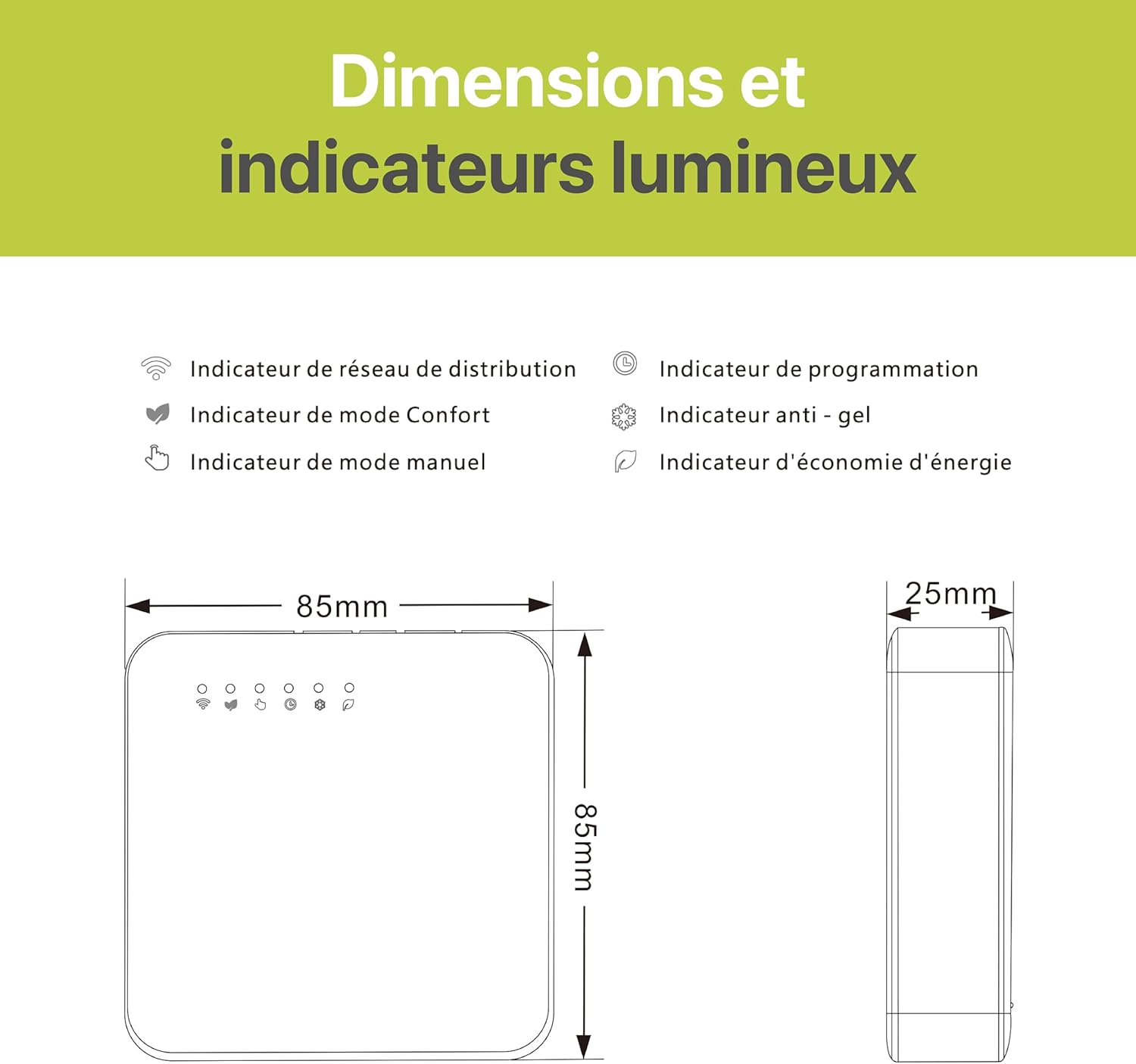
Image: A technical diagram illustrating the dimensions (85mm x 85mm x 25mm) and the various light indicators on the REKA Smart Thermostat, including network, comfort mode, manual mode, programming, anti-freeze, and energy saving indicators.
10. Garancija i podrška
REKA products are designed for reliability and performance. This product comes with a manufacturer's warranty. For specific warranty details, please refer to the documentation included with your purchase or visit the official REKA website.
For technical support, troubleshooting assistance, or any questions regarding your REKA Smart Electric Radiator Thermostat, please contact REKA customer service through their official webweb-mjesto ili kontakt informacije navedene u pakovanju vašeg proizvoda.
Ask a question about this manual
Ask about setup, troubleshooting, compatibility, parts, safety, or missing instructions. Manuals+ will review the question and use this page’s manual context to help answer it.