
Uvod
The REKA smart thermostat is designed to optimize your comfort while reducing energy consumption. This manual provides detailed instructions for the installation, operation, and maintenance of your REKA Smart Electric Radiator Thermostat. Please read this manual carefully before use to ensure proper functionality and safety.
This thermostat is compatible with voice assistants like Alexa and Google Home, allowing remote temperature control via voice commands or the Tuya app. It features an open window detection function that automatically pauses heating to prevent energy loss and offers flexible programming for customized heating schedules.
Setup
1. Sadržaj paketa
Uvjerite se da su sve komponente prisutne u paketu:
- REKA Smart Electric Radiator Thermostat
- Zigbee 3.0 Gateway
- Univerzalni adapteri
- Montažni vijci
- Uputstvo za upotrebu
2. Fizička instalacija
The REKA thermostat is designed for easy installation on most existing radiator valves. Use the provided universal adapters to ensure compatibility.
- Remove your existing thermostat head from the radiator valve.
- Select the appropriate adapter from the kit that fits your radiator valve.
- Attach the adapter to the valve.
- Mount the REKA thermostat onto the adapter, ensuring it is securely fastened. Use the mounting screws if necessary for a stable fit.
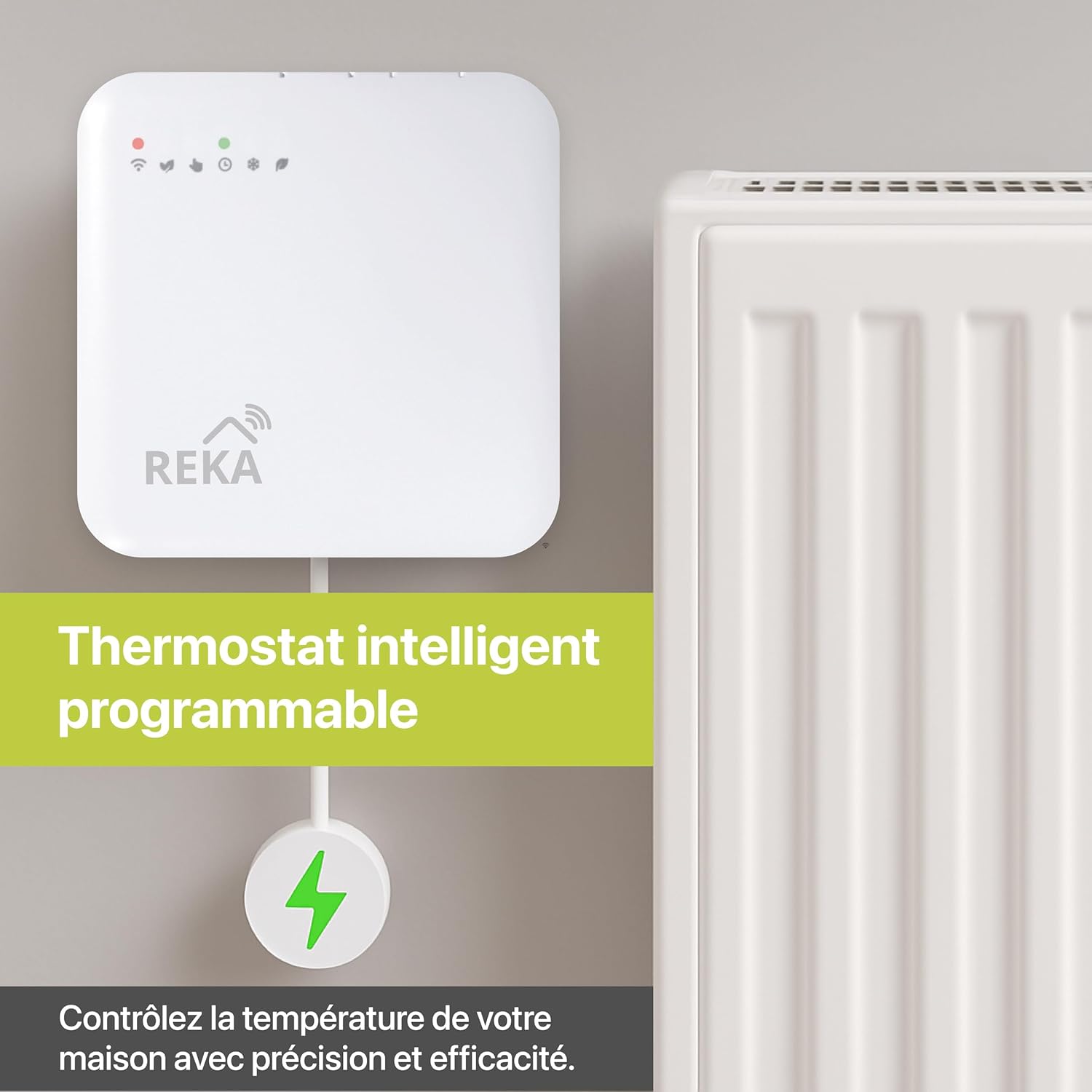
Image: The REKA Smart Thermostat installed on a radiator, with the Zigbee gateway shown nearby. This illustrates the physical connection and the gateway's role in the smart home system.
3. Zigbee Gateway Connection
For optimal synchronization and control, a Zigbee 3.0 gateway is required. This gateway acts as a central hub for your smart thermostat.
- Connect the Zigbee gateway to a power source and your home network (via Ethernet cable or Wi-Fi, depending on the model).
- Ensure the gateway is powered on and its indicator lights show a stable connection.
- Refer to the gateway's specific manual for initial setup and pairing instructions if needed.

Image: A visual representation of the REKA thermostat communicating with the Zigbee gateway, which then connects to a smartphone app for remote control. This highlights the essential role of the gateway for smart functionality.
4. Tuya App Installation and Pairing
- Preuzmite Tuya Smart aplikacija iz trgovine aplikacija na vašem pametnom telefonu (iOS ili Android).
- Registrujte se ili prijavite na svoj Tuya račun.
- In the app, tap "+" to add a new device.
- Follow the on-screen instructions to add your Zigbee gateway first, then add the REKA thermostat. The app will guide you through the pairing process.
- Once paired, you can control the thermostat and set schedules via the app.
Uputstvo za upotrebu
1. Osnovne kontrole
The thermostat can be controlled directly via its physical interface or through the Tuya Smart app.
- Ručno podešavanje temperature: Use the buttons on the thermostat to increase or decrease the target temperature.
- Odabir načina rada: Cycle through available modes (e.g., Comfort, Eco, Manual, Anti-freeze) using the mode button on the device or within the app.
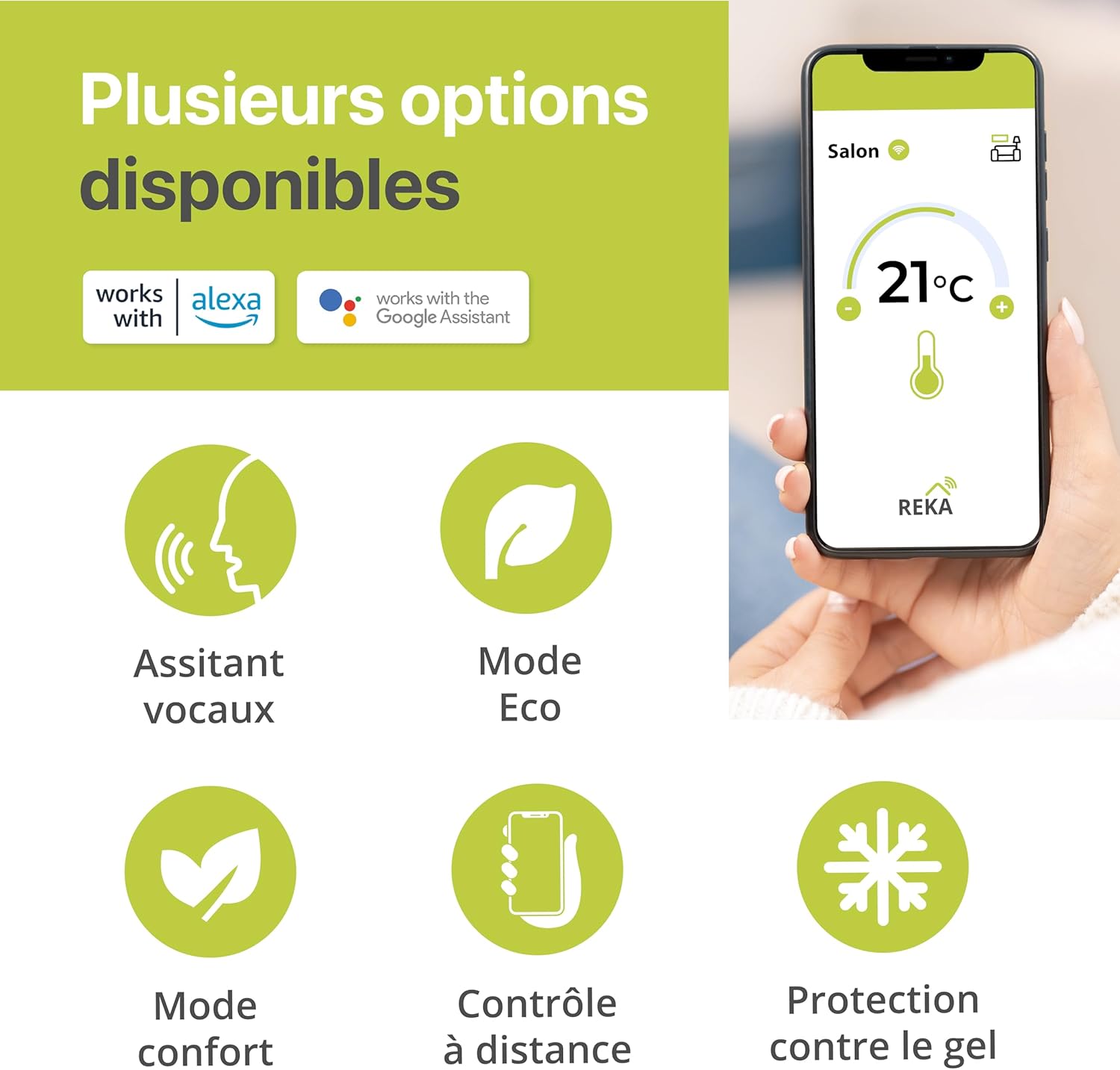
Slika: Prekoview of the REKA thermostat's features, including compatibility with Alexa and Google Assistant, Eco mode for energy saving, Comfort mode for optimal warmth, remote control via app, and frost protection. The image also shows a smartphone displaying the Tuya app interface with a temperature setting of 21°C.
2. Rasporedi programa
Utilize the Tuya Smart app to create personalized heating schedules for each day of the week, optimizing comfort and energy efficiency.
- Open the Tuya Smart app and select your REKA thermostat.
- Navigate to the "Programming" or "Schedule" section.
- Set desired temperatures for different times of the day and for each day of the week.
- Save your customized schedule. The thermostat will automatically follow these settings.

Image: A smartphone displaying the Tuya app's programming mode, allowing users to create personalized heating schedules for different times and days. This feature helps in optimizing energy consumption based on daily routines.
3. Pametne karakteristike
- upravljanje glasom: Connect your Tuya account to Amazon Alexa or Google Home. You can then control your thermostat using voice commands (e.g., "Alexa, set living room temperature to 21 degrees").
- Otkrivanje otvorenog prozora: The thermostat automatically detects open windows and temporarily pauses heating to prevent energy waste. Heating resumes once the window is closed.
- Remote Control (Room-by-Room): Manage the temperature of individual rooms remotely via the Tuya app, providing precise control over your home's climate.
- Buffer memorija: The integrated buffer memory ensures continuous operation by maintaining preset settings even if the internet connection is temporarily lost.
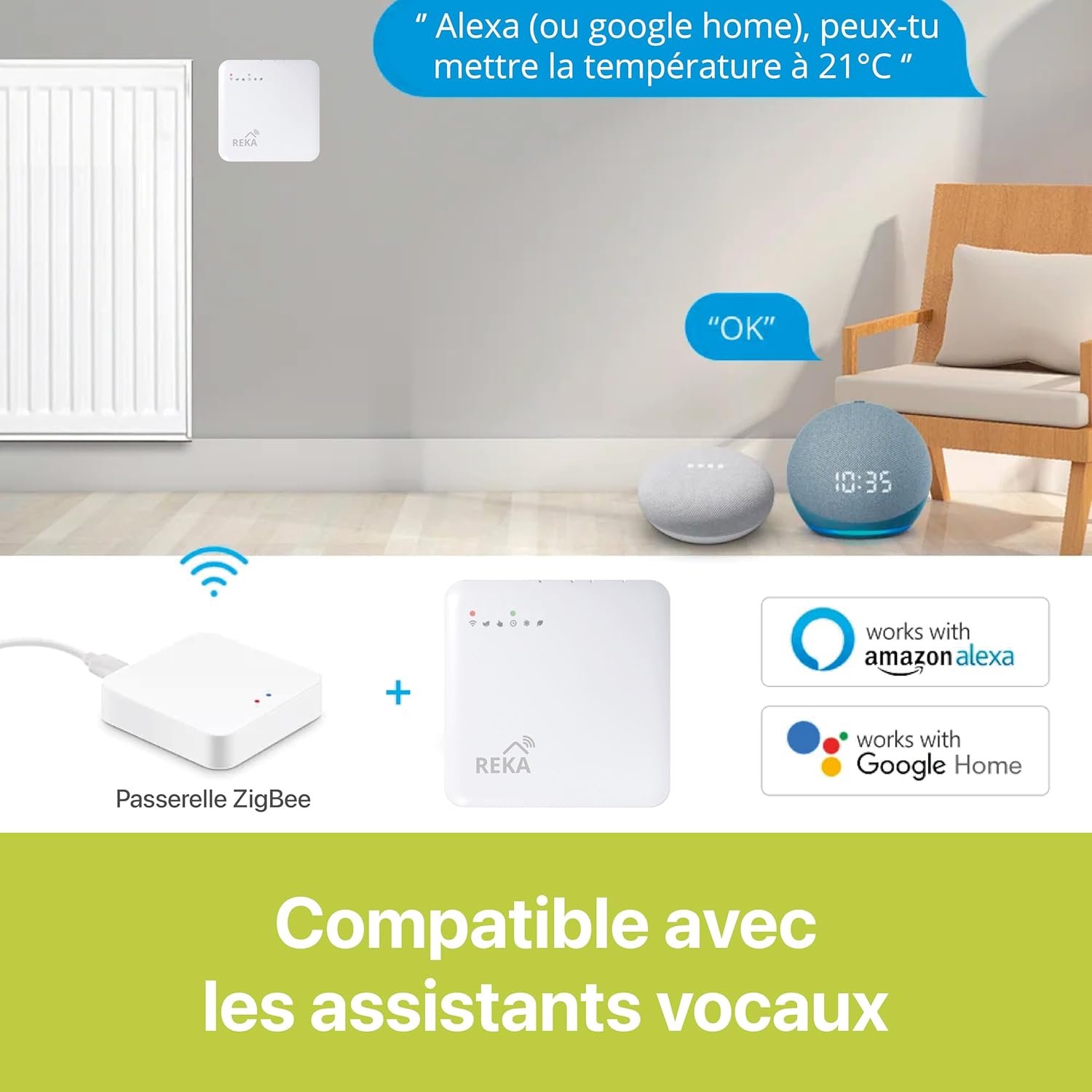
Image: An illustration demonstrating the REKA thermostat's compatibility with Amazon Alexa and Google Home. It shows a user giving a voice command to set the temperature, highlighting the convenience of smart home integration.

Image: A smartphone displaying the Tuya app interface, showing a house layout with different rooms and their respective temperature settings. This demonstrates the ability to control each room's temperature independently from a distance.
Održavanje
- čišćenje: Obrišite termostat mekom, suhom krpom. Ne koristite abrazivna sredstva za čišćenje ili rastvarače.
- Zamjena baterije: If your thermostat uses batteries, replace them when the low battery indicator appears. Refer to the device's specific instructions for battery type and replacement procedure.
- Ažuriranja firmvera: Periodically check the Tuya Smart app for available firmware updates for your thermostat and gateway to ensure optimal performance and security.
Rješavanje problema
| Problem | Mogući uzrok | Rješenje |
|---|---|---|
| Termostat ne reaguje na aplikaciju/glasovne komande. |
|
|
| Radijator ne grije/hladi kako se očekivalo. |
|
|
| Kratko trajanje baterije. |
|
|
Specifikacije
| Brand | REKA |
| Naziv modela | REKA ME223EH |
| Broj artikla | ME223EH-NU |
| Boja | Bijelo i plavo |
| Dimenzije proizvoda | 2.4 x 8.5 x 8.5 cm (0.94 x 3.35 x 3.35 inča) |
| Težina artikla | 300 grama |
| Materijal | Plastika |
| Tip kontrolera | Amazon Alexa, Google Assistant |
| Tip kontrole temperature | Grijanje |
| Tehnologija povezivanja | Zigbee 3.0 standard |
| Izvor napajanja | Corded Electric (for gateway), Battery (for thermostat, if applicable) |
| Uključene komponente | Thermostat, Gateway, Universal Adapters, Mounting Screws |
| Usklađenost | NF EN ISO 52120-1, NF 12098-3, European Union safety and performance requirements |
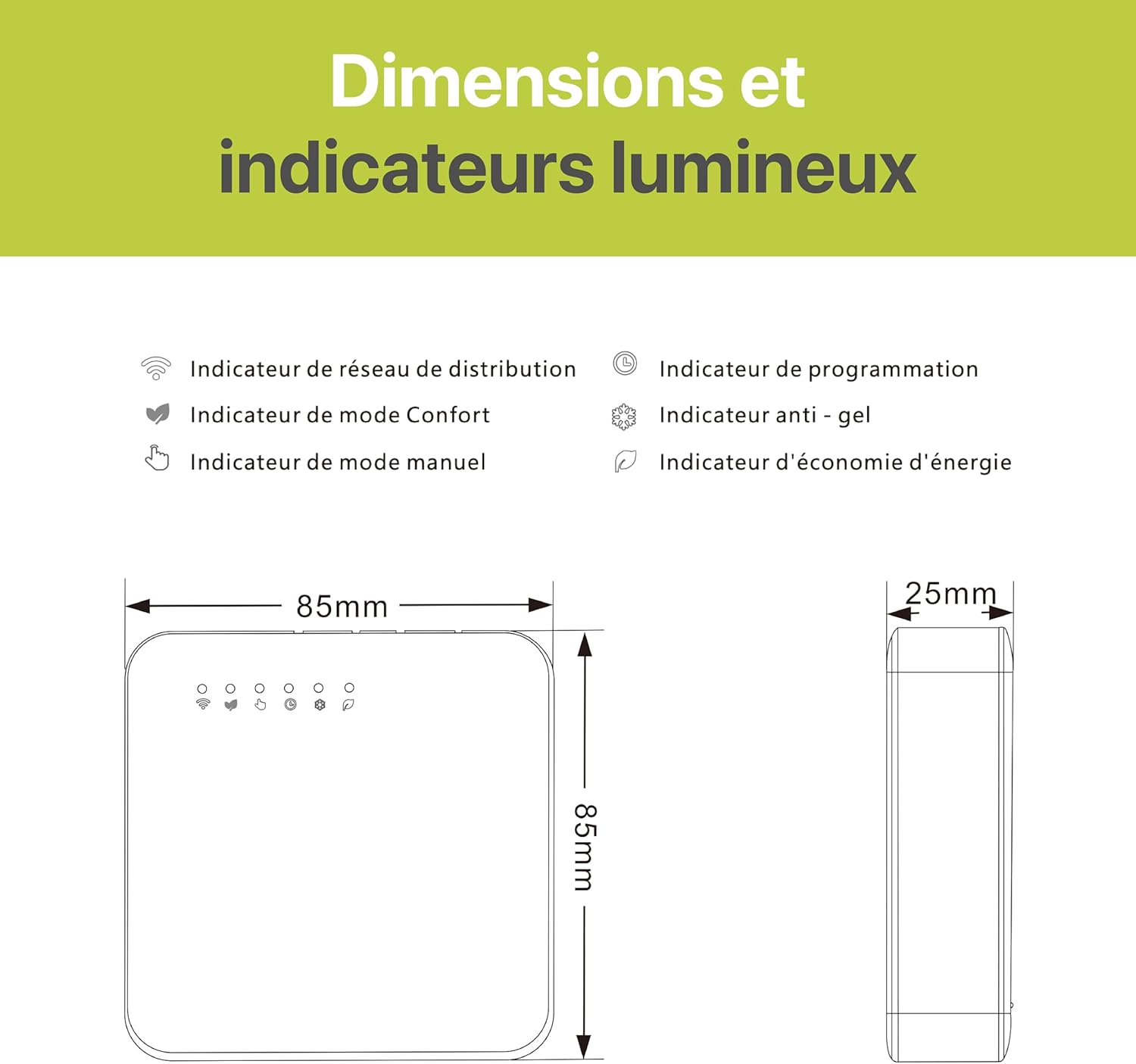
Image: A technical diagram illustrating the dimensions (85mm x 85mm x 25mm) of the REKA thermostat and explaining its light indicators. Indicators include network, comfort mode, manual mode, programming, anti-freeze, and energy saving.
Garancija i podrška
For warranty information and technical support, please refer to the documentation provided with your purchase or visit the official REKA webstranica. Također se možete obratiti svom prodavaču za pomoć.
The product complies with NF EN ISO 52120-1 and NF 12098-3 standards, meeting European Union safety and performance requirements.