Uvod
This manual provides essential information for setting up, operating, maintaining, and troubleshooting your Thunderobot Zero 18 Pro 5070 Ti Gaming Laptop. Please read this guide thoroughly to ensure optimal performance and longevity of your device.
Šta je u kutiji
Prilikom raspakivanja, provjerite da li su prisutne sve dolje navedene stavke:
- THUNDEROBOT Zero Laptop
- Adapter za napajanje
- Korisnički priručnik (ovaj dokument)
- Garantni list
If any items are missing or damaged, contact your retailer or Thunderobot customer support immediately.
Setup
Početno uključivanje
- Connect the power adapter to the laptop's power input port and then to a wall outlet.
- Otvorite poklopac laptopa.
- Pritisnite dugme za napajanje da uključite laptop.
- Slijedite upute na ekranu da biste dovršili postavljanje Windows 11 Home sistema.
Povezivanje perifernih uređaja
Utilize the available ports to connect external devices such as a mouse, keyboard, external display, or other accessories. Refer to the "Connectivity (Ports)" section for port details.
Uputstvo za upotrebu
Uključivanje/isključivanje
- To power on: Press the power button located on the keyboard deck.
- To shut down: Click the Start button, then Power, and select "Shut down".
- To restart: Click the Start button, then Power, and select "Restart".
- To sleep: Close the laptop lid or click the Start button, then Power, and select "Sleep".
Keyboard and RGB Lighting
The laptop features a full-size keyboard with per-key customizable RGB backlighting and a dedicated numeric keypad.
- Per-Key RGB Backlight: Customize individual key lighting through the AI Intelligent Control Center software.
- Funkcijski tasteri: Koristite Fn key in combination with other keys for various functions (e.g., volume control, screen brightness, keyboard backlight adjustment).
- Performance Mode Switching: Dedicated keys (Fn+Space) allow for quick toggling between performance profiles.
- One-Click Cooling: A dedicated key (often near the numeric keypad) can activate maximum cooling. Ensure cooling mode is exited before using the first three keys to switch modes.
Display Features
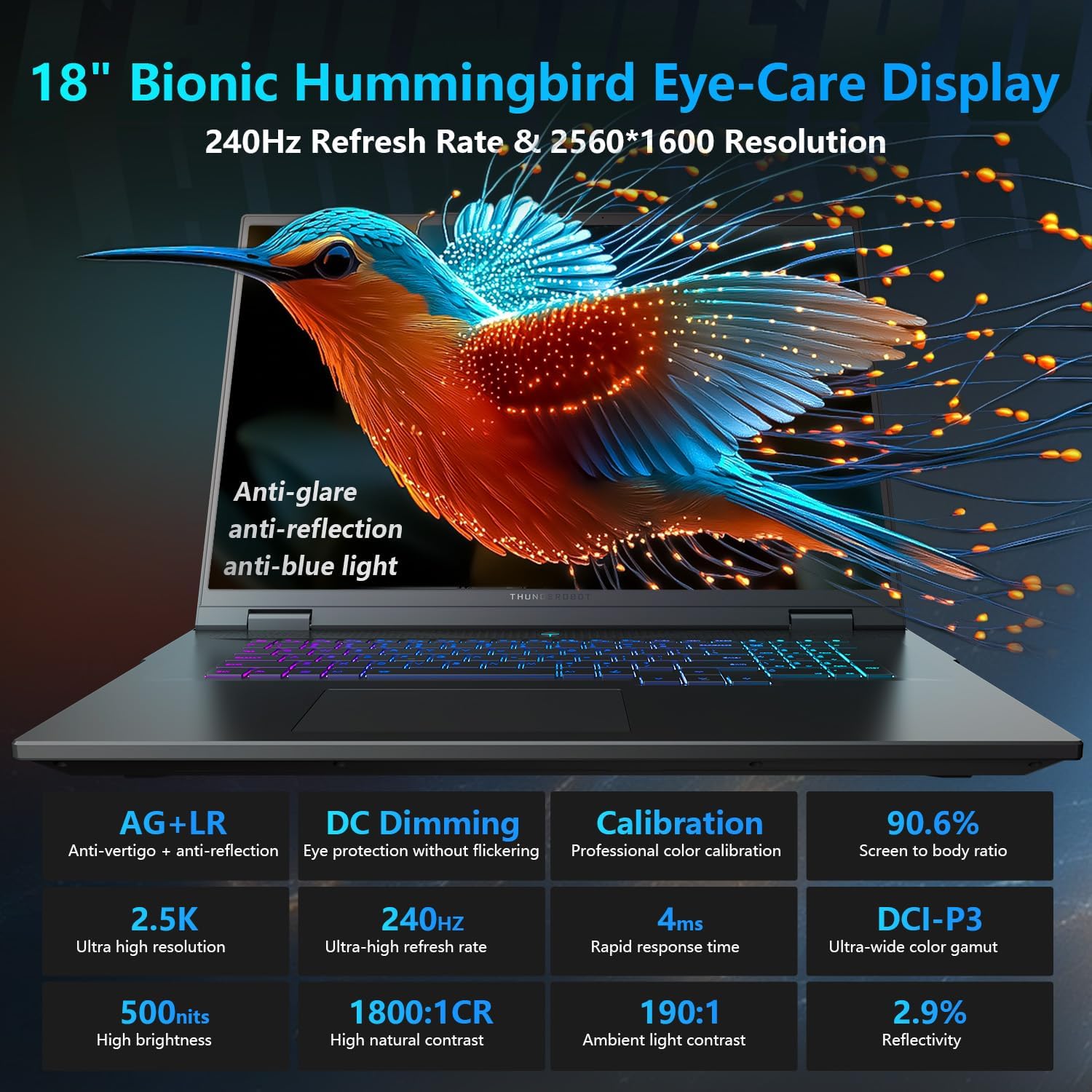
The 18-inch QHD+ (2560x1600) Bionic Hummingbird Eye-Care display offers a 240Hz refresh rate and 4ms response time for clear and fluid visuals. It includes anti-glare, anti-reflection, and anti-blue light technologies for eye comfort.

Connectivity (Ports)
The laptop is equipped with various ports for extensive connectivity:
- 3 x Superspeed USB Type-A ports
- 2 x Superspeed USB Type-C ports (including Thunderbolt 5 support)
- 1 x HDMI port (HDMI 2.1)
- 1 x RJ-45 Ethernet port
- 1 x audio priključak (3.5 mm)
- UHS-II čitač SD kartica
- Wi-Fi 6E for high-speed wireless internet
- Bluetooth for wireless peripheral connections

Sistem za hlađenje
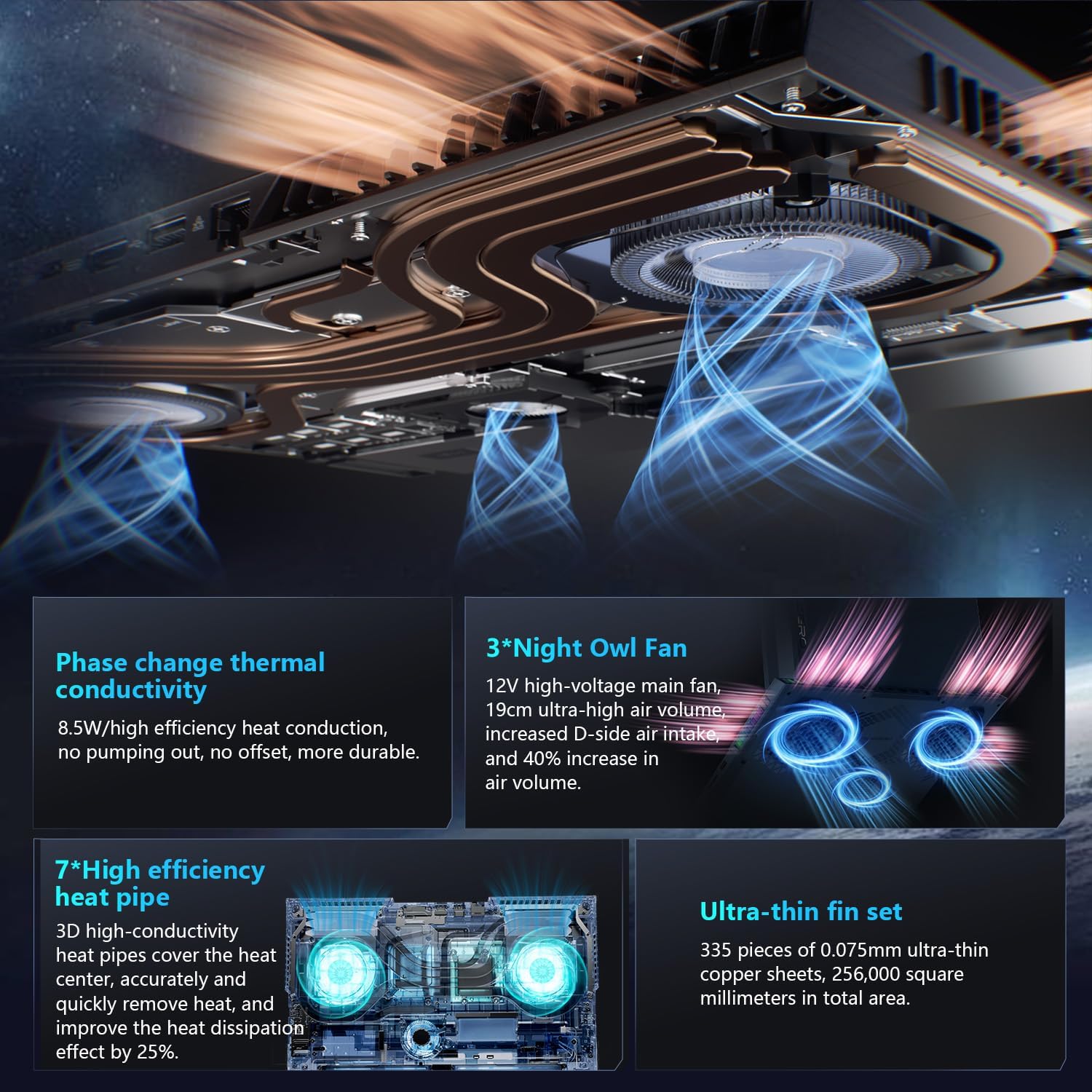
The advanced cooling system features 3 Night Owl fans, 7 high-efficiency heat pipes, and 338 ultra-thin copper fins to ensure optimal thermal management during intensive use, allowing for 270W super performance release.
AI Intelligent Control Center
The AI Intelligent Control Center software allows for comprehensive system management, including performance tuning, intelligent light adjustment, and personalized customization. This includes monitoring CPU/GPU temperatures and fan speeds.
- Performance Tuning: Adjust power settings for quiet, balanced, or turbo modes.
- Intelligent Light Adjustment: Customize keyboard, strip, and logo RGB lighting effects.
- Nadgledanje sistema: View real-time CPU and GPU status.
Note: System mode switching in Control Center requires the device to be connected to a power source.
Održavanje
Čišćenje laptopa
- ekran: Lagano koristite meku krpu koja ne ostavlja dlačice dampOperite vodom ili sredstvom za čišćenje ekrana. Izbjegavajte jake hemikalije.
- Tastatura i kućište: Za brisanje površina koristite meku krpu. Za prašinu u pukotinama koristite komprimirani zrak.
- Otvori: Periodically clean the cooling vents with compressed air to prevent dust buildup, which can affect performance.
Battery Care
- Izbjegavajte često potpuno pražnjenje baterije.
- Laptop čuvajte na hladnom i suhom mjestu ako ga ne koristite duži period.
- Za optimalno stanje baterije, izbjegavajte ekstremne temperature.
Ažuriranja softvera
Regularly check for and install operating system updates (Windows Update) and driver updates (via Thunderobot's official website or the AI Intelligent Control Center) to ensure system stability and performance.
Rješavanje problema
| Problem | Mogući uzrok | Rješenje |
|---|---|---|
| Laptop se ne uključuje. | Nema napajanja, prazna baterija ili problem s hardverom. |
|
| Ekran je prazan ili crn. | Display settings, external monitor connected, or hardware issue. |
|
| Pregrijavanje tokom upotrebe. | Blocked vents, high performance settings, or dust buildup. |
|
| Problemi s Wi-Fi vezom. | Wi-Fi disabled, driver issues, or router problems. |
|
For further assistance, please contact Thunderobot customer support.
Specifikacije
| Feature | Detalj |
|---|---|
| Naziv modela | Zero 18 Pro |
| Procesor | Intel Core Ultra 9 275HX (24 Cores, 24 Threads, up to 5.40GHz) |
| Grafika | NVIDIA GeForce RTX 5070 Ti (8 GB GDDR6 Dedicated) |
| RAM | 32 GB DDR5 (4800 MHz) |
| Skladištenje | 2 TB PCIe M.2 SSD |
| Display | 18-inch QHD+ (2560x1600) 240Hz Bionic Hummingbird Eye-Care Display |
| Operativni sistem | Windows 11 Home |
| Povezivanje | Wi-Fi 6E, Bluetooth, 3x USB-A, 2x USB-C (Thunderbolt 5), HDMI 2.1, RJ-45, Audio Port |
| Tastatura | Per-Key RGB Backlit, Numeric Keypad |
| Dimenzije (DxŠxV) | 16.04 x 11.78 x 1.41 inča |
| Težina artikla | 15 funte |
| Izvor napajanja | AC & Baterija |
Garancija i podrška
Every Thunderobot laptop includes a 12-mjesečna garancija, offering expert support, thorough diagnostics, and genuine parts if a repair is needed. Additionally, a 90-dnevna garancija is provided on all warranty replacement parts, ensuring hassle-free repairs. Your complete satisfaction is our commitment.
For technical support, warranty claims, or service inquiries, please visit the official Thunderobot website or contact their customer service department. Keep your purchase receipt and serial number handy for faster service.