Mivi SuperPods Immersio Wireless Earbuds User Manual
Model: TESPIM
1. Uvod
Thank you for choosing the Mivi SuperPods Immersio Wireless Earbuds. These earbuds are designed to provide a premium audio experience with features like Dolby Audio, 3D Soundstage, and AI Environmental Noise Cancellation. This manual will guide you through the setup, operation, and maintenance of your new earbuds.
2. Sadržaj kutije
Molimo Vas da provjerite paket za sljedeće stavke:
Mivi SuperPods Immersio Earbuds (Left and Right)
Futrola za punjenje
USB kabl za punjenje
Uputstvo za upotrebu
3. Proizvod je gotovview
The Mivi SuperPods Immersio feature a sleek design and advanced audio technology for an immersive listening experience.
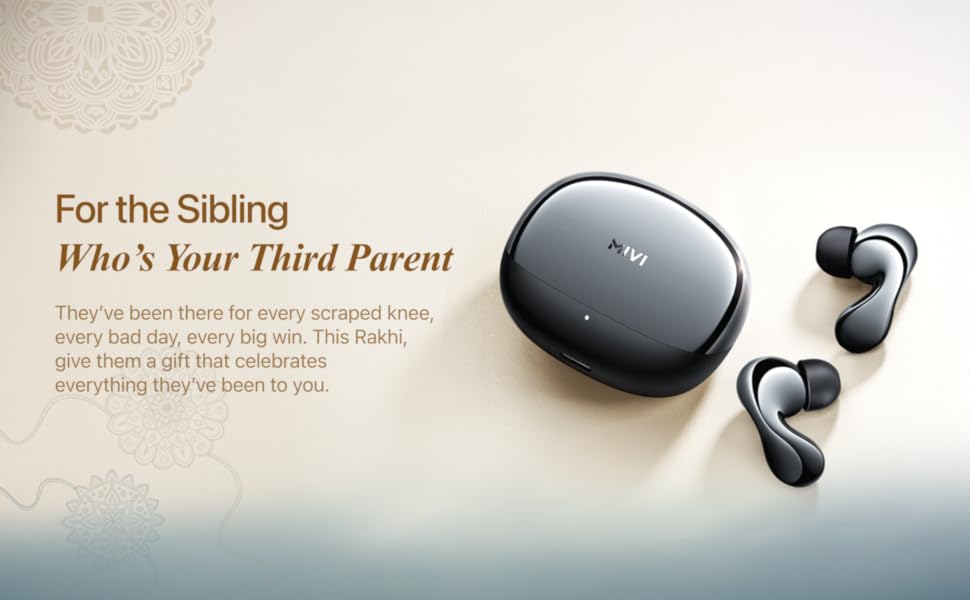
Slika 3.1: Mivi SuperPods Immersio Earbuds and Charging Case.
Slika 3.2: Mivi SuperPods Immersio Earbuds and Charging Case, highlighting the seamless curve design and metallic finish.
Slika 3.3: Key features of the Mivi SuperPods Immersio, illustrating Dolby Audio, Quad Mic AI-ENC, 3D Sound Stage, Bluetooth V5.4, and multi-device connectivity.
Komponente slušalica:
Kontrolno područje dodirom: Za upravljanje reprodukcijom, pozivima i glasovnim asistentom.
mikrofoni: Quad-mic setup for AI ENC.
uši: Replaceable silicone eartips for comfortable fit and sound isolation.
Komponente kućišta za punjenje:
Port za punjenje: USB Type-C for charging the case.
LED indikator: Prikazuje status punjenja i nivo baterije.
Utori za punjenje slušalica: Sigurno drži i puni slušalice.
4. Podešavanje
4.1 Punjenje slušalica i kutijice
Before first use, fully charge the Mivi SuperPods Immersio. The charging case also charges the earbuds when they are placed inside.
Spojite USB Type-C kabel za punjenje na priključak za punjenje na kućištu.
Drugi kraj kabla priključite na USB adapter za napajanje (nije uključen) ili na USB port računara.
LED indikator na kućištu će prikazivati status punjenja.
A full charge provides approximately 60 hours of combined playtime with the charging case, and 8.5 hours of playtime on a single earbud charge.
For quick power, a 10-minute charge can provide up to 500 minutes of playtime.
Slika 4.1: Battery life and fast charging details for Mivi SuperPods Immersio, showing 60 hours total playtime and 8.5 hours per bud, with 10 minutes of charge yielding 500 minutes of playtime.
4.2 Uparivanje s uređajem
The Mivi SuperPods Immersio use Bluetooth v5.4 for stable and efficient wireless connection.
Otvorite kutijicu za punjenje. Slušalice će automatski ući u način rada za uparivanje (što je naznačeno treperenjem LED lampica na slušalicama).
Na vašem uređaju (pametnom telefonu, tabletu, laptopu) omogućite Bluetooth.
Traži "Mivi SuperPods Immersio" in the list of available Bluetooth devices.
Select "Mivi SuperPods Immersio" to connect. Once connected, the LED indicators on the earbuds will stop flashing.
The earbuds support multi-device connectivity, allowing seamless switching between paired devices.
5. Korištenje slušalica
5.1 Kontrole na dodir
The Mivi SuperPods Immersio feature intuitive touch controls on each earbud.
Note: Specific touch controls may vary slightly based on device and app.
5.2 Audio karakteristike
Experience superior sound quality with advanced audio technologies.
Dolby Audio: Elevates your listening experience, bringing action to life with cinematic sound.
3D Soundstage: Provides a deeper, richer audio dimension, enhancing the orchestration of instruments and overall sound.
Slika 5.1: Enjoying cinematic sound with Dolby Audio through Mivi SuperPods Immersio.
Slika 5.2: The 3D Soundstage feature provides an immersive audio experience.
5.3 Call Clarity (AI ENC)
The Quad-mic AI ENC (Environmental Noise Cancellation) ensures clear call quality by filtering out ambient noise.
During calls, the AI ENC technology actively reduces background noise, allowing your voice to be heard clearly.
5.4 Mivi Audio App
Personalize your listening experience with the Mivi Audio App. The app allows you to adjust equalizer settings and customize other features of your earbuds.
6. Održavanje
6.1 Čišćenje slušalica
Redovno čišćenje pomaže u održavanju kvalitete zvuka i higijene.
Nježno obrišite slušalice i kućište za punjenje mekom, suhom krpom koja ne ostavlja dlačice.
Remove eartips and clean them separately with mild soap and water, then dry thoroughly before reattaching.
Nemojte koristiti jake hemikalije ili abrazivne materijale.
6.2 Otpornost na vodu
The Mivi SuperPods Immersio are rated as waterproof. This means they are designed to withstand splashes, sweat, and light rain. However, they are not intended for submersion in water or use during swimming.
Prije nego što vratite slušalice u kutijicu za punjenje, provjerite jesu li suhe kako biste spriječili oštećenja.
7. Otkrivanje problema
If you encounter issues with your Mivi SuperPods Immersio, try the following solutions:
7.1 Slušalice se ne uparuju
Uvjerite se da su obje slušalice napunjene.
Vratite slušalice u kutijicu, zatvorite poklopac, pričekajte nekoliko sekundi, a zatim ga ponovo otvorite da biste ponovo ušli u način rada za uparivanje.
Isključite i uključite Bluetooth na svom uređaju.
Forget "Mivi SuperPods Immersio" from your device's Bluetooth settings and try pairing again.
7.2 Nema zvuka ili je jačina zvuka niska
Provjerite nivo jačine zvuka i na uređaju i na slušalicama.
Provjerite da li su slušalice pravilno postavljene u uši.
Clean any debris from the earbud nozzles and eartips.
Pokušajte reproducirati zvuk iz druge aplikacije ili uređaja.
7.3 Problemi s naplatom
Provjerite je li kabel za punjenje sigurno spojen i na kućište i na izvor napajanja.
Isprobajte drugi USB Type-C kabel i adapter za napajanje.
Provjerite jesu li kontakti za punjenje na slušalicama i unutar kućišta čisti i bez začepljenja.
8. Specifikacije
Detailed technical specifications for the Mivi SuperPods Immersio:
Feature
Detalj
Brand
Mivi
Naziv modela
Superpods Immersio
Broj modela
TESPIM
Postavljanje uha
U uhu
Form Factor
U uhu
Kontrola buke
Environmental Noise Cancellation (AI ENC)
Kontrolni metod
Dodirnite
Trajanje baterije (slušalice)
8.5 sata
Battery Life (Combined with Case)
60 sata
Brzo punjenje
10 minuta punjenja za 500 minuta reprodukcije
Vrsta audio drajvera
Dynamic Driver
Materijal kućišta
Plastika
Specifične upotrebe
Entertainment, Gaming, Music
Kompatibilni uređaji
Cellphones, Laptops
Nivo vodootpornosti
Vodootporan
Karakteristike proizvoda
Dolby Audio, 3D Soundstage, AI ENC
Mrežna povezanost
bežični (Bluetooth)
Bluetooth verzija
5.4
Bluetooth domet
10 metara
Težina artikla
44 grama
9. Jamstvo i podrška
9.1 Garancija proizvođača
The Mivi SuperPods Immersio come with a 1 godine garancije proizvođača od datuma kupovine. Ova garancija pokriva proizvodne nedostatke. Molimo sačuvajte dokaz o kupovini za reklamacije u slučaju garancije.
9.2 Korisnička podrška
For any support, queries, or warranty claims, please contact Mivi customer service. You can find contact information on the official Mivi webweb-stranice ili putem vaše platforme za kupovinu.
Adresa proizvođača: Mivi, Plot No, 29, Rd Number 76, Jubilee Hills, Hyderabad, Telangana 500033
Povezani dokumenti - TESPIM
Mivi Octave 3 Bluetooth Speaker User Manual User manual for the Mivi Octave 3 Bluetooth Speaker, detailing setup, features, connectivity, controls, charging, warranty, and safety guidelines.
MEAN WELL HLG-60H Serija: 60W Konstantna jačina zvukatage + LED drajver konstantne struje Explore the MEAN WELL HLG-60H series, a 60W AC/DC LED driver offering dual-mode constant voltage and constant current output. Features include high efficiency, IP67/IP65 rating, wide operating temperature, and various dimming options for diverse LED lighting applications.
Ask about setup, troubleshooting, compatibility, parts, safety, or missing instructions. Manuals+ will review the question and use this page’s manual context to help answer it.