
1. Uvod
Hvala na kupoviniasing the Greadio CD-W16 Multifunction Portable CD Player. This device offers a comprehensive audio experience with multiple playback options including CD, cassette, FM radio, Bluetooth 5.1, USB, AUX, and TF/SD card. Designed for ease of use and portability, it features a rechargeable battery, remote control, and high-quality stereo sound. Please read this manual carefully to ensure proper operation and to fully enjoy all the features of your new audio system.
2. Sigurnosne informacije
- Ne izlažite uređaj kiši ili vlazi kako biste spriječili požar ili strujni udar.
- Ne otvarajte casing. Servisiranje prepustite isključivo kvalifikovanom osoblju.
- Izbjegavajte postavljanje jedinice u blizini izvora topline ili na direktnu sunčevu svjetlost.
- Koristite samo navedeni adapter za napajanje i kablove.
- Čuvati van domašaja djece.
3. Sadržaj paketa
- Greadio CD-W16 CD Radio Cassette Player x 1
- AUX kabel x 1
- Tip C kabla x 1
- Daljinski upravljač x 1
- Korisnički priručnik x 1
4. Proizvod je gotovview
The Greadio CD-W16 is a versatile audio system designed for various listening preferences. It combines classic and modern features in a compact, portable design.
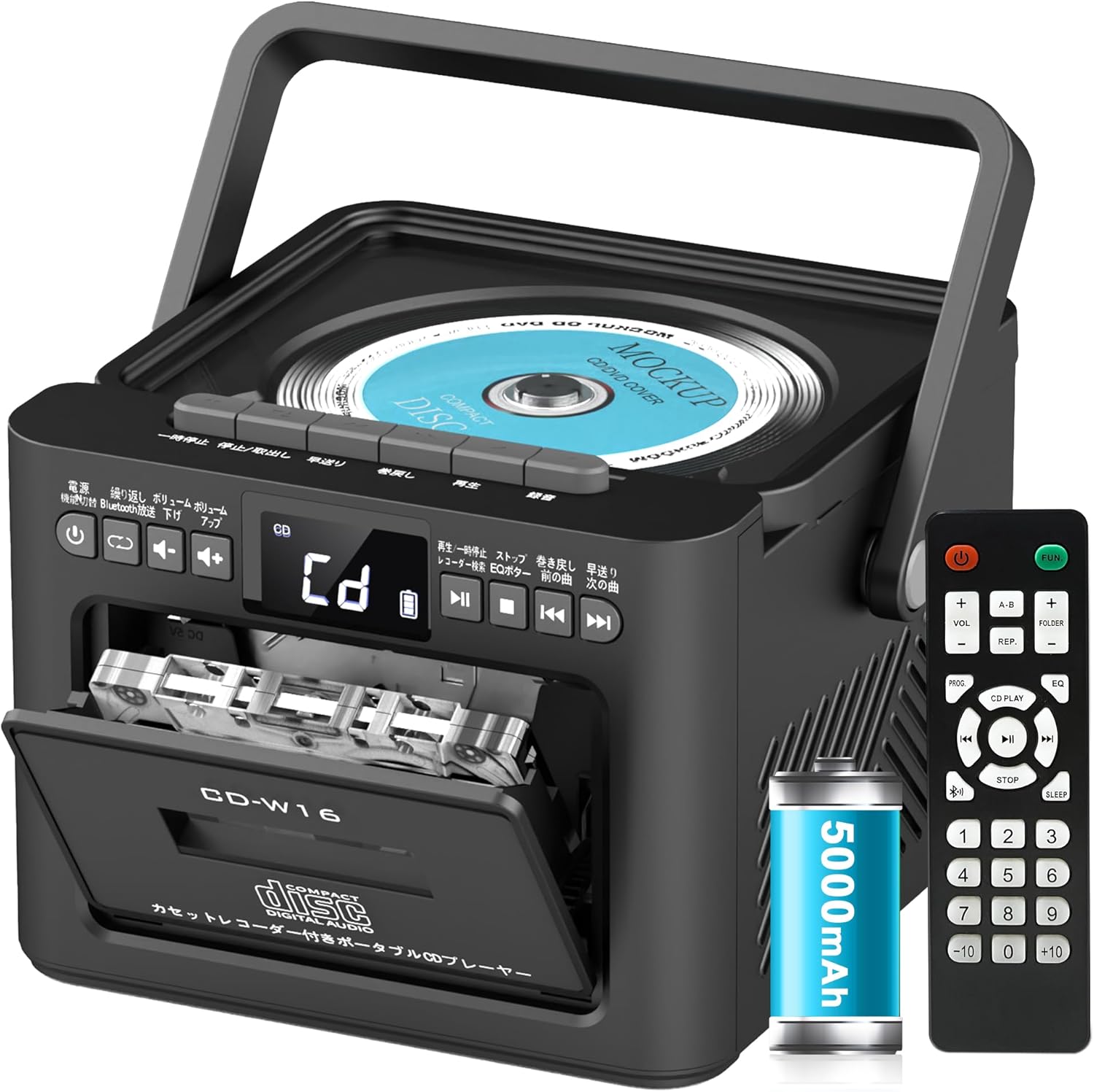
Ključne karakteristike uključuju:
- CD Player (CD, CD-R, CD-RW compatible)
- Cassette Player & Recorder
- FM radio (76-108 MHz)
- Bluetooth 5.1 (Transmitter & Receiver)
- USB reprodukcija
- AUX ulaz
- TF/SD Card Playback
- 5000mAh punjiva baterija
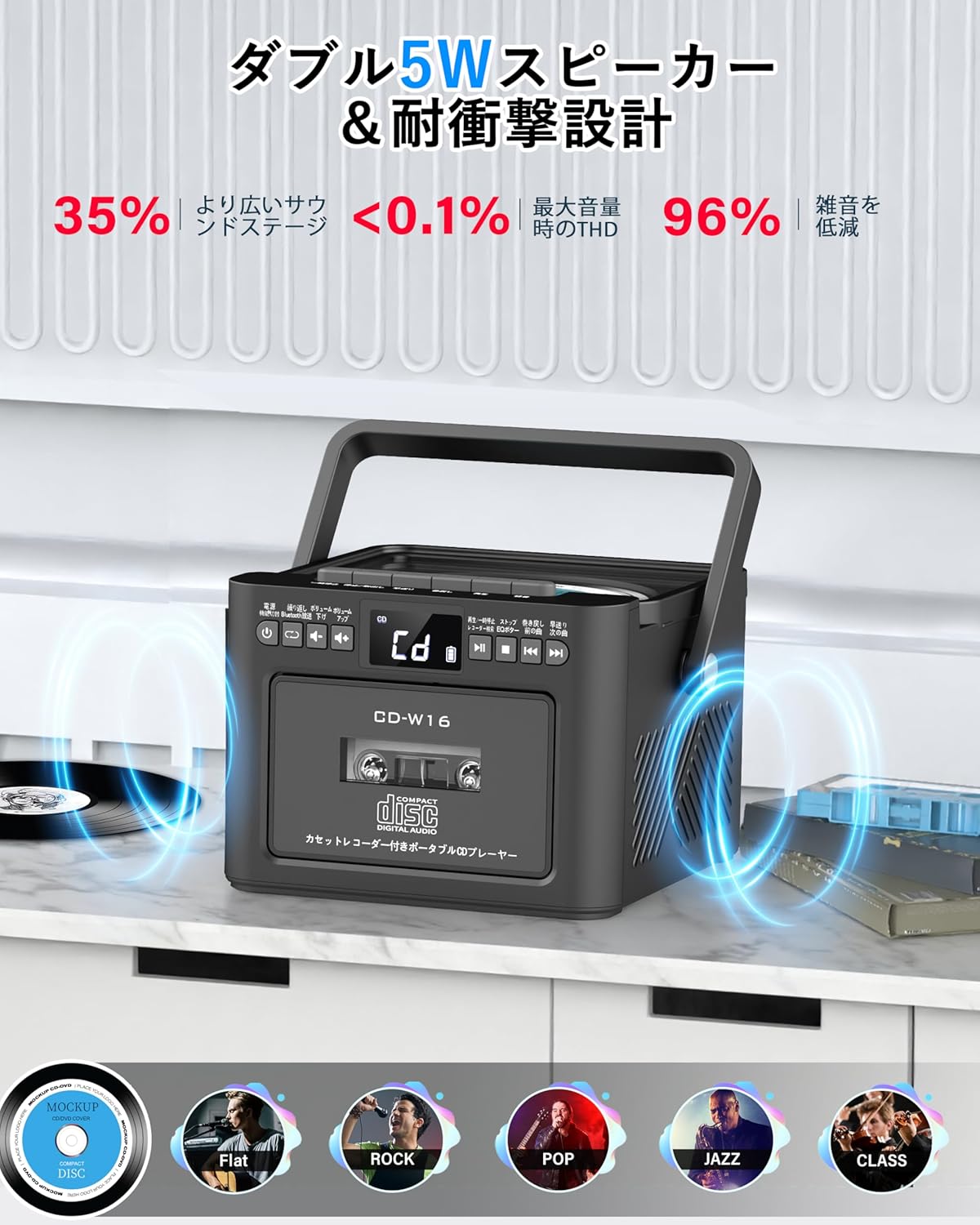
- Dvostruki stereo zvučnici od 5W
- Daljinski upravljač
- Sleep Timer
- 5 Režimi zvuka ekvilajzera

5. Podešavanje
5.1. Punjenje baterije
The Greadio CD-W16 is equipped with a built-in 5000mAh rechargeable battery. To charge the device:
- Connect the provided Type-C cable to the charging port on the unit.
- Connect the other end of the Type-C cable to a 5V/2A USB power adapter (not included).
- The charging indicator will illuminate. A full charge takes approximately 3 hours and provides up to 16 hours of playback.

5.2. Uključivanje/isključivanje
To power on or off the CD player:
- Pritisnite i držite Dugme za napajanje on the unit or the remote control for 2 seconds.
- Alternativno, kratko pritisnite Dugme za napajanje on the remote control to toggle the CD player on/off.
6. Uputstvo za upotrebu
6.1. General Controls (Remote Control)
The remote control provides convenient access to all functions. Refer to the video below for a demonstration of remote control operations.
- Uključivanje/isključivanje: Kratko pritisnite Dugme za napajanje.
- Function Mode Selection: Kratko pritisnite FUNC. dugme to cycle through CD, Bluetooth, Radio, Cassette, AUX, USB, and TF/SD card modes.
- Podešavanje jačine zvuka: Kratak pritisak VOL+ or VOL- dugmad.
- Navigacija staza: Kratak pritisak NEXT (>>|) for the next track or PREV (|<<) za prethodnu pjesmu.
- Premotavanje naprijed/nazad: Dugi pritisak NEXT (>>|) for fast forward or PREV (|<<) for rewind.
- Direktan odabir staze: In CD mode, input 0-9 on the remote to quickly skip to the desired track.
- EQ način rada: Kratko pritisnite Dugme EQ to cycle through NORMAL, ROCK, POP, JAZZ, and CLASS sound modes.
- Režim ponavljanja: Kratko pritisnite REP dugme to cycle through repeat options (ONE, FOLDER, ALL, SHUFFLE, OFF).
6.2. Reprodukcija CD-a
- Uvjerite se da je jedinica uključena.
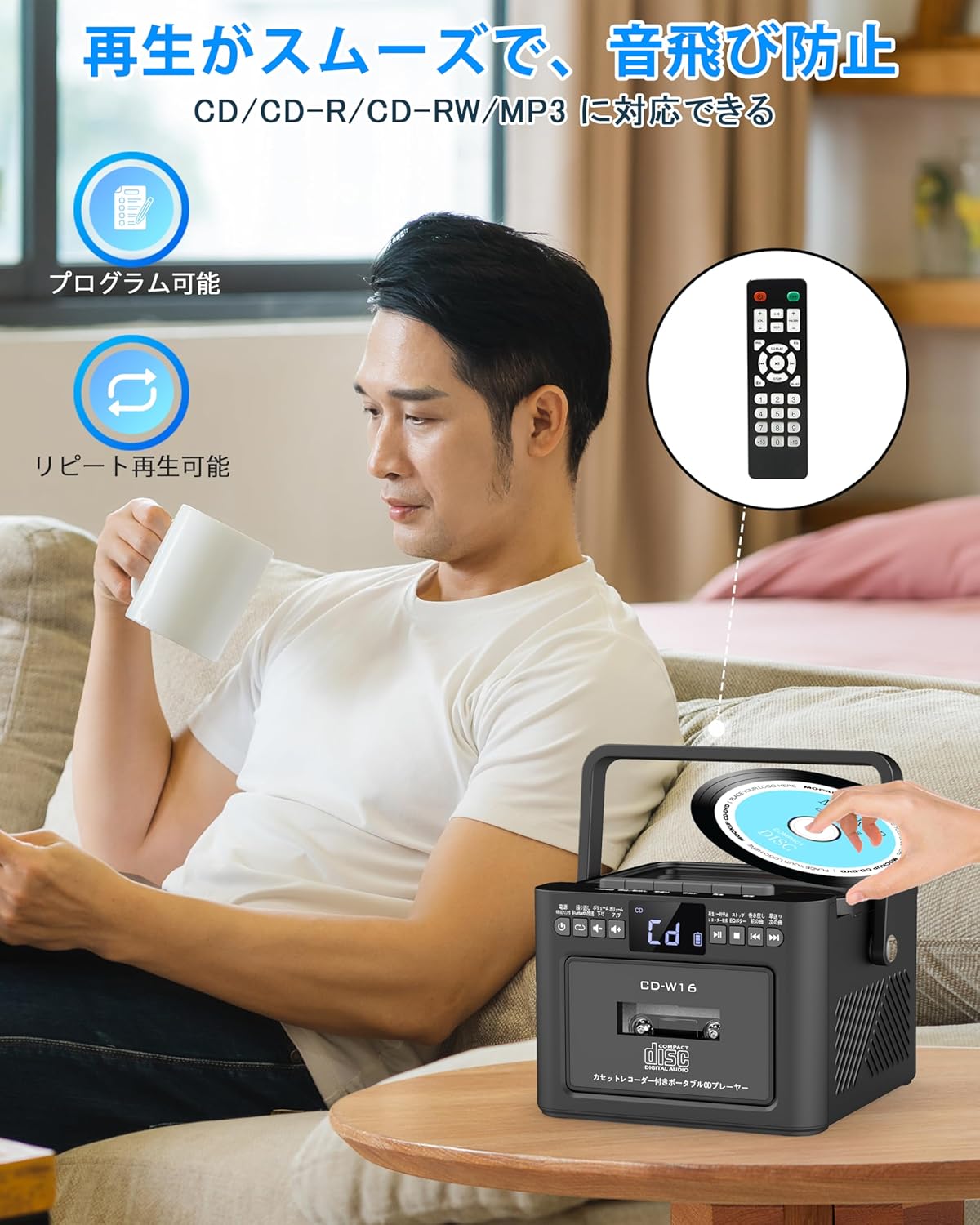
- Kratko pritisnite FUNC. dugme to select CD mode. The display will show "CD".
- Open the CD compartment lid by gently lifting it.
- Place a CD (CD, CD-R, CD-RW compatible) onto the spindle with the label side facing up.
- Zatvorite poklopac pretinca za CD. CD će automatski početi s reprodukcijom.
- Koristite Play/Pause (||) button for temporary stop/resume.
- Koristi NEXT (>>|) i PREV (|<<) dugmad za navigaciju po stazama.
6.3. Cassette Playback & Recording
- Kratko pritisnite FUNC. dugme to select Tape mode. The display will show "TAPE".
- Pritisnite STOP/EJ. button to open the cassette compartment.
- Insert a cassette tape into the compartment and close the lid.
- Pritisnite PLAY dugme to start cassette playback.
- To fast forward or rewind, long press the FFWD or FREW dugmad.
- To stop playback, short press the STOP/EJ. button.
Cassette Recording:
To record audio from other modes (CD, FM Radio, USB, AUX, TF/SD) onto a blank cassette:
- Insert a blank cassette into the cassette compartment.
- Select the desired source mode (e.g., CD, FM Radio).
- Istovremeno pritisnite IGRAJ i REC (Snimanje) buttons. Recording will begin.
- Pritisnite STOP/EJ. button da zaustavite snimanje.

6.4. Rad FM radija
- Kratko pritisnite FUNC. dugme to select FM Radio mode. The display will show the FM frequency.
- Izvucite teleskopsku antenu za bolji prijem.
Auto Scan & Preset Stations:
- Dugo pritisnite Dugme SCAN to automatically scan and save available FM stations. The unit can store up to 30 preset stations.
- Kratko pritisnite Dugme SCAN to recall preset stations (P01, P02, etc.).
Ručno podešavanje:
- Kratko pritisnite NEXT (>>|) or PREV (|<<) buttons to manually tune to the desired frequency.

6.5. Bluetooth rad
The Greadio CD-W16 supports Bluetooth 5.1 for both transmitting and receiving audio.
Način rada Bluetooth predajnika:
To transmit audio from the CD player to a Bluetooth speaker or headphones:
- Dugo pritisnite Bluetooth dugme on the unit or remote to activate Bluetooth transmission mode. The display will show "BT".
- Ensure your Bluetooth receiving device (speaker, headphones) is in pairing mode.
- The CD-W16 will automatically search for nearby Bluetooth devices. Once found, it will connect.

Način rada Bluetooth prijemnika:
To play audio from your smartphone or other Bluetooth device through the CD player's speakers:
- Kratko pritisnite FUNC. dugme to select Bluetooth mode. The display will show "BLUE".
- Na pametnom telefonu ili Bluetooth uređaju omogućite Bluetooth i potražite dostupne uređaje.
- Select "CD-W16" from the list to connect.
- Once connected, you can play music from your device, and the audio will output through the CD-W16 speakers.
6.6. USB & TF/SD Card Playback
The unit supports playback from USB drives and TF/SD cards (up to 32GB, not included).
- Kratko pritisnite FUNC. dugme to select USB mode or TF/SD card mode. The display will show "USB" or "TF" respectively.
- Insert your USB drive into the USB port or your TF/SD card into the card slot.
- The unit will automatically detect and begin playing MP3 audio files.
- Koristite NEXT (>>|) i PREV (|<<) dugmad za navigaciju po stazama.

6.7. AUX ulaz
To play audio from an external device via AUX cable:
- Kratko pritisnite FUNC. dugme to select AUX mode. The display will show "LINE".
- Connect one end of the provided AUX cable to the AUX port on the CD-W16.
- Connect the other end to the audio output of your external device (e.g., smartphone, MP3 player).
- Play audio on your external device, and it will be output through the CD-W16 speakers.
6.8. Tajmer za spavanje
The sleep timer allows you to set a duration after which the unit will automatically power off.
- Kratko pritisnite SLEEP dugme on the remote control. The display will show the current sleep timer setting (e.g., 10, 20, 30 minutes).
- Koristite NEXT (>>|) or PREV (|<<) buttons to adjust the sleep timer duration (10-120 minutes).
- Kratko pritisnite SLEEP dugme ponovo da potvrdite postavku.

6.9. EQ zvučni režimi
Customize your audio experience with five different EQ sound modes.
- Kratko pritisnite Dugme EQ on the unit or remote control to cycle through the available modes: NORMAL, ROCK, POP, JAZZ, and CLASS.
7. Održavanje
7.1. Čišćenje
- Obrišite uređaj mekom, suhom krpom. Ne koristite abrazivna sredstva za čišćenje ili rastvarače.
- Za CD sočiva koristite specijalizovano sredstvo za čišćenje CD sočiva.
- Keep the cassette head clean to ensure optimal playback and recording quality.
7.2. Skladištenje
- Uređaj čuvajte na hladnom i suhom mjestu, dalje od direktne sunčeve svjetlosti i ekstremnih temperatura.
- Remove batteries from the remote control if not used for extended periods.
8. Otkrivanje problema
| Problem | Mogući uzrok | Rješenje |
|---|---|---|
| Nema struje | Battery depleted or power cable not connected. | Charge the unit or ensure the power cable is securely connected. |
| CD se ne reproducira | CD inserted incorrectly, dirty, scratched, or incompatible format. | Reinsert CD correctly, clean the CD, try a different CD. Ensure it's CD/CD-R/CD-RW. |
| Kaseta se ne reprodukuje/ne snima | Cassette inserted incorrectly, tape damaged, or dirty head. | Reinsert cassette, try a different tape, clean the cassette head. |
| Loš FM radio prijem | Antenna not extended or weak signal area. | Fully extend the telescopic antenna. Try repositioning the unit. |
| Bluetooth se ne povezuje | Device not in pairing mode, too far, or already connected to another device. | Ensure both devices are in pairing mode and within range. Disconnect from other devices. |
| USB/TF/SD card not recognized | Card/drive not inserted correctly, incompatible format, or damaged. | Reinsert, ensure files are MP3 format, try a different card/drive. |
9. Specifikacije
- Brand: Greadio
- Model: CD-W16
- Tehnologija povezivanja: AUX, Bluetooth, USB
- Boja: Crna
- Vrsta zvučnika: Stereo
- Izvor napajanja: Battery Powered
- Kompatibilni uređaji: Pametni telefoni, tableti, računari
- Wattage: 5 W (Dual 5W speakers)
- Podržani audio formati: CD/CD-R/CD-RW
- Broj zvučnika: 2
- Način audio izlaza: Stereo
- Kapacitet baterije: 5000mAh
- Vrijeme punjenja: Pribl. 3 sati
- Vrijeme reprodukcije: Do 16 sati
- FM frekvencijski raspon: 76-108MHz
10. Jamstvo i podrška
This product comes with a 1-year manufacturer's warranty. For any issues or support inquiries, please contact Greadio customer service.