
1. Uvod
This manual provides essential information for setting up, operating, maintaining, and troubleshooting your GIGABYTE AORUS Elite 16 BWH gaming laptop. The AORUS Elite 16 BWH is designed for high-performance gaming and demanding applications, featuring an Intel Core Ultra 9 processor, NVIDIA GeForce RTX 5070 laptop GPU, a 16-inch WQXGA 165Hz display, and Windows 11 Pro.
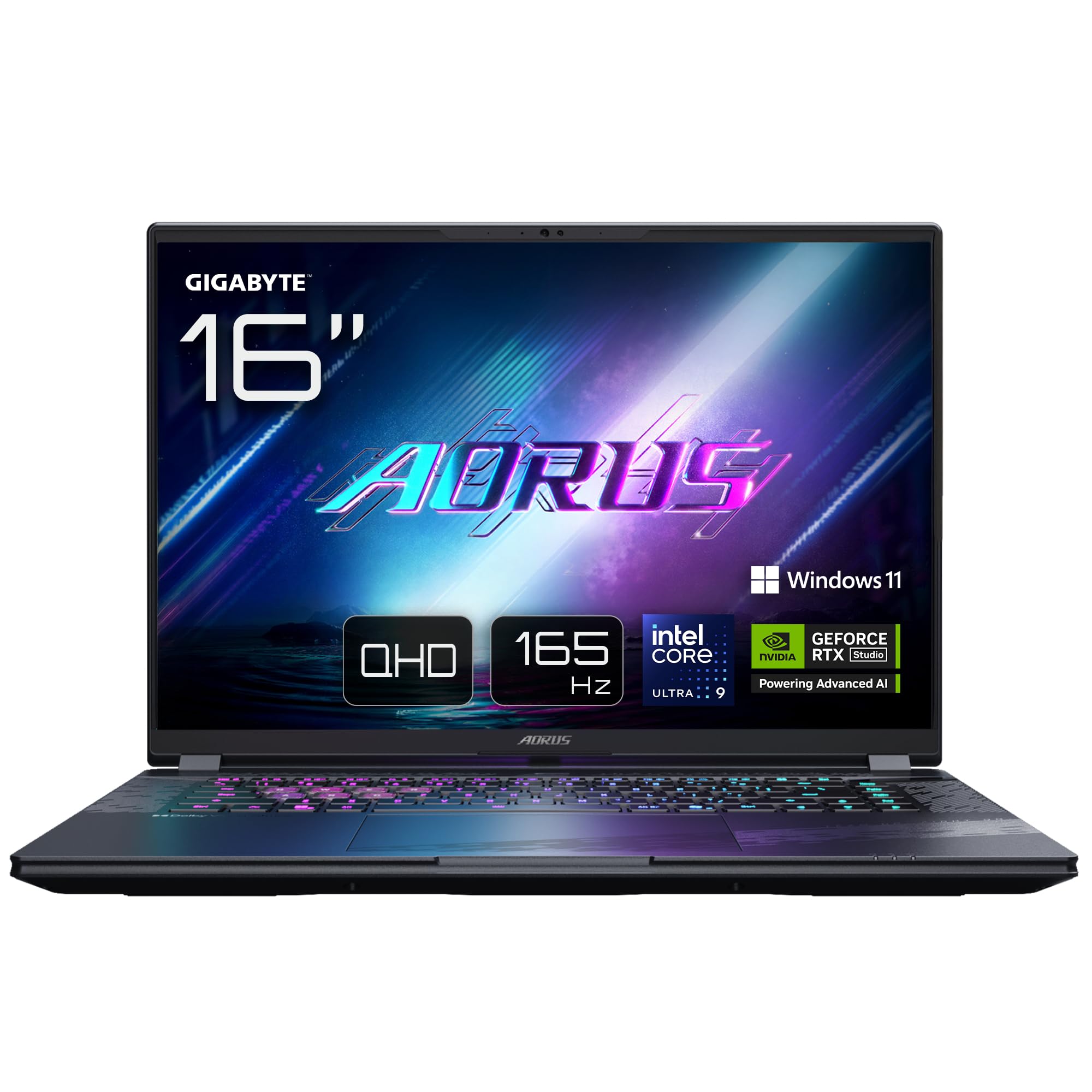
Image: The GIGABYTE AORUS Elite 16 BWH gaming laptop, showcasing its open display and keyboard.
2. Podešavanje
2.1 Raspakivanje i početni pregled
Pažljivo izvadite laptop i svu dodatnu opremu iz pakovanja. Provjerite da li su sve komponente navedene u odjeljku "Šta se nalazi u kutiji" prisutne i da li su neoštećene.
- GIGABYTE AORUS ELITE 16 BWHC3FRC65SP Laptop
- Adapter za napajanje i kabl
- Dokumentacija (ovaj priručnik, garantni list)
2.2 Povezivanje napajanja
Connect the power adapter to the laptop's power input port and then plug the power cable into an electrical outlet. It is recommended to fully charge the battery before initial use.
2.3 Prvo uključivanje
Press the power button to turn on the laptop. Follow the on-screen instructions to complete the Windows 11 Pro setup process, including language selection, network connection, and user account creation.
2.4 Povezivanje perifernih uređaja i mreže
The laptop features various ports for connecting external devices and networks.
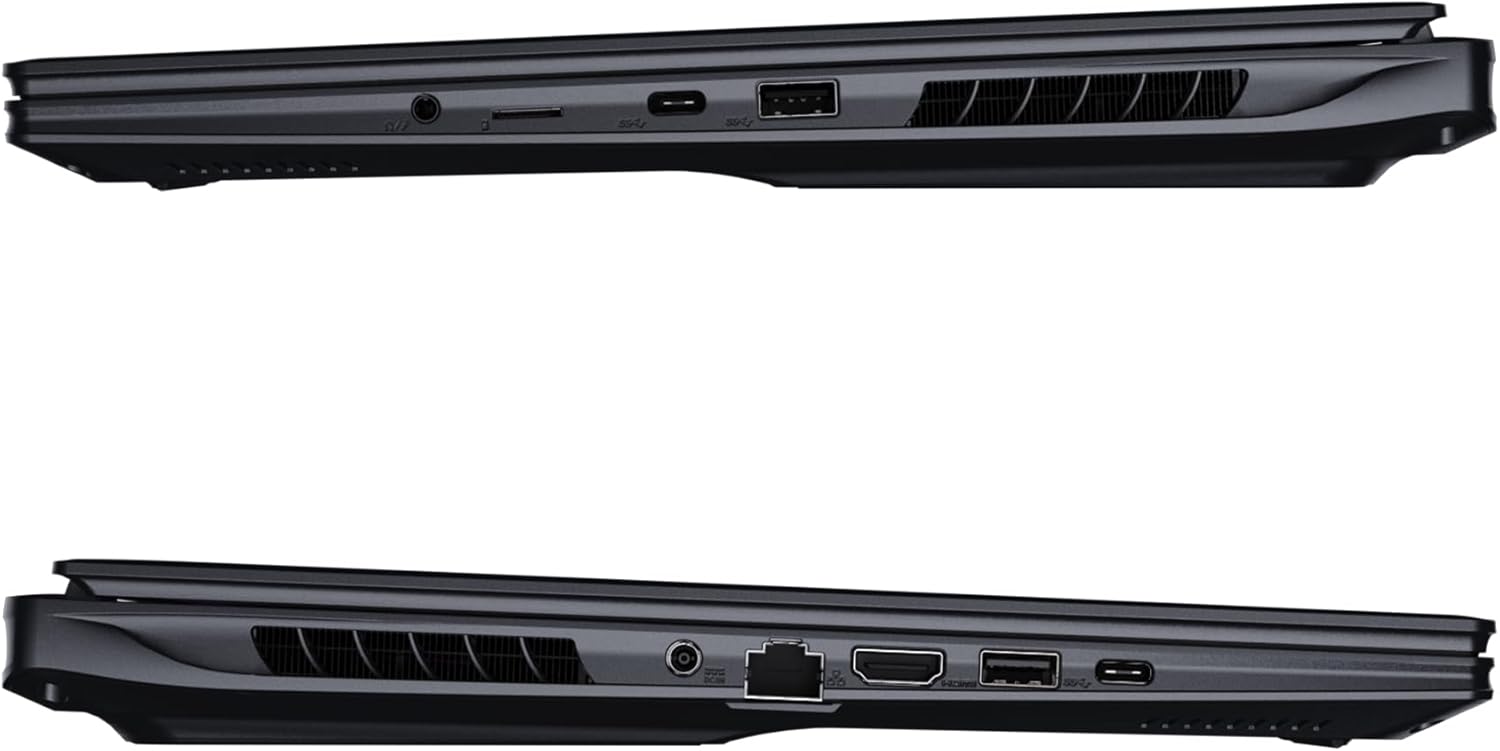
Slika: Sa strane view of the laptop illustrating the available ports for connectivity.
- USB portovi: Povežite USB uređaje kao što su miševi, tastature ili eksterne memorije.
- HDMI priključak: Connect to an external display or TV.
- Thunderbolt 4 port: For high-speed data transfer and display output.
- Ethernet priključak: Za žičanu mrežnu vezu.
- Priključak za slušalice: Za audio izlaz na slušalice ili vanjske zvučnike.
- Wi-Fi 7: Connect to wireless networks via the integrated Wi-Fi 7 module.
- Bluetooth 5.4: Uparite s uređajima koji imaju omogućen Bluetooth.
3. Upravljanje laptopom
3.1 Karakteristike ekrana
Your AORUS Elite 16 BWH features a 16-inch WQXGA (2560x1600) IPS display with a 165Hz refresh rate and 16:10 aspect ratio, offering a wide viewing experience. It supports Dolby Vision for enhanced visual quality and is Pantone validated for color accuracy.

Image: The laptop's 16:10 aspect ratio display, highlighting its IPS panel and Pantone validation.
3.2 Tastatura i tačped
The laptop is equipped with a backlit keyboard for comfortable typing in various lighting conditions and a responsive touchpad for navigation.
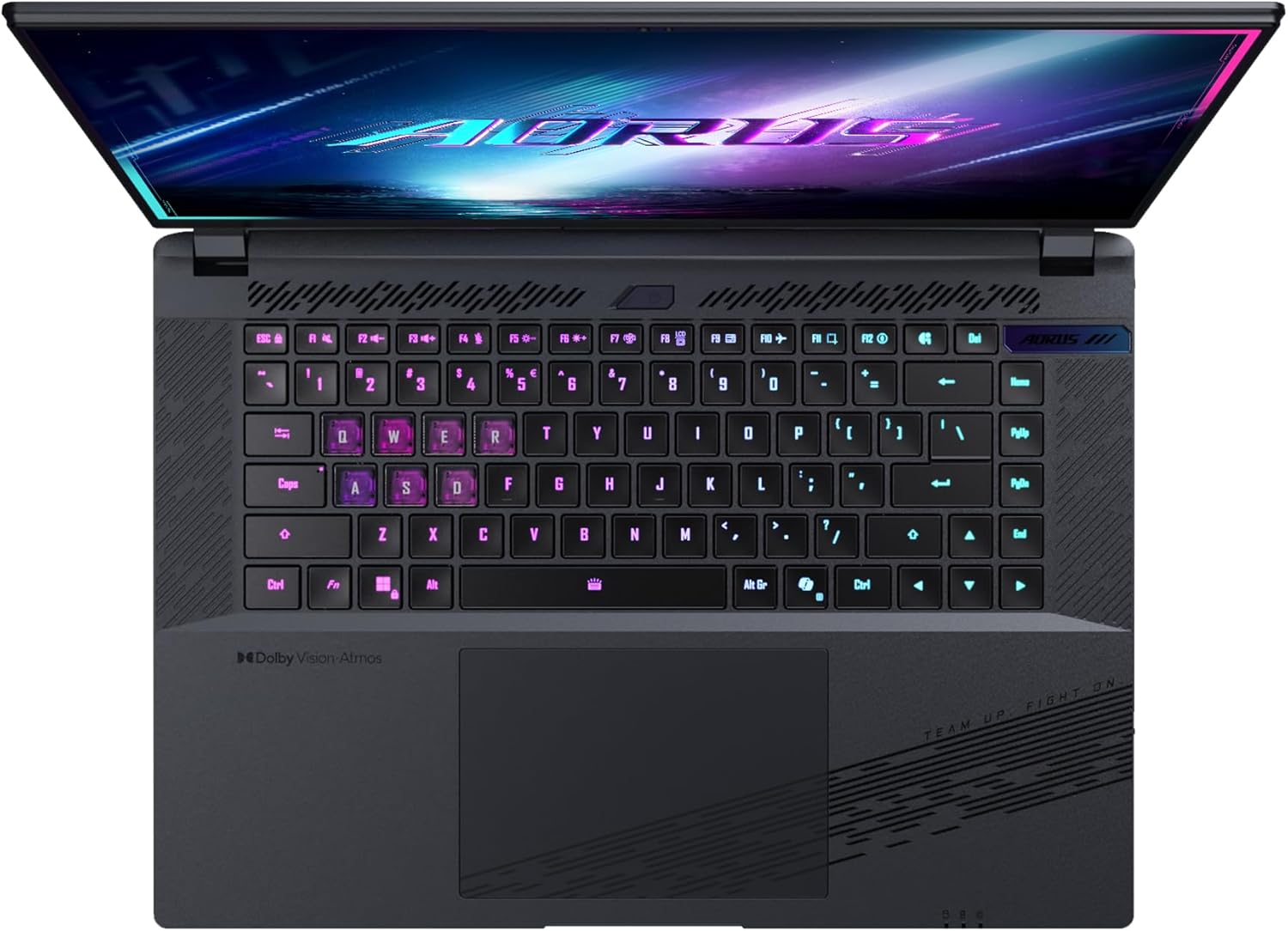
Slika: Od vrha prema dolje view tastature laptopa, showcasing its backlit keys.
The keyboard also features a dedicated Copilot Key for quick access to AI functionalities in Windows 11.

Image: Close-up of the keyboard, highlighting the Copilot Key for AI features.
3.3 Audio sistem
Experience immersive audio with Dolby Atmos support and integrated 2W speakers. The laptop also includes a built-in microphone for communication.

Image: Visual representation of Dolby Atmos and Dolby Vision audio and visual enhancements.
3.4 Karakteristike performansi
The AORUS Elite 16 BWH is powered by an Intel Core Ultra 9 processor with an integrated NPU for AI acceleration and an NVIDIA GeForce RTX 5070 laptop GPU, ensuring high performance for gaming and demanding tasks. It also features Advanced Optimus with DDS Technology for optimized graphics performance.

Slika: Detaljna view of the Intel Core Ultra 9 processor chip.
Slika: Detaljna view of the NVIDIA GeForce RTX 50 Series laptop GPU chip.
3.5 GiMATE AI agent
Utilize GiMATE, your personal AI agent, to optimize performance, manage smart cooling, enhance privacy, control power settings, and improve audio and voice functionalities.

Image: GiMATE AI Agent interface showing various optimization features.
4. Održavanje
4.1 Sistem hlađenja
The laptop features the WINDFORCE Infinity cooling system to maintain optimal temperatures during intensive use. Ensure the vents are clear of obstructions to allow proper airflow.

Image: Representation of the WINDFORCE Infinity cooling system.
4.2 Čišćenje
Use a soft, lint-free cloth to clean the screen and exterior surfaces. For stubborn marks, dampen the cloth slightly with water or a screen-cleaning solution. Avoid harsh chemicals.
4.3 Njega baterija
To prolong battery life, avoid extreme temperatures and do not leave the laptop fully charged or fully discharged for extended periods.
4.4 Ažuriranja softvera
Regularly update your Windows operating system, drivers, and GIGABYTE software to ensure optimal performance and security.
5. Otkrivanje problema
5.1 Problemi s napajanjem
- Laptop se ne uključuje: Provjerite je li adapter za napajanje sigurno priključen i je li utičnica funkcionalna. Provjerite nivo napunjenosti baterije.
- Baterija se ne puni: Provjerite da adapter za napajanje i kabel nisu oštećeni. Pokušajte s drugom utičnicom.
5.2 Problemi sa prikazom
- Nema prikaza: Connect an external monitor to check if the issue is with the laptop's screen. Ensure the laptop is powered on.
- Treperenje ili iskrivljen prikaz: Ažurirajte upravljačke programe za grafičku karticu. Provjerite priključke kablova ekrana ako koristite eksterni monitor.
5.3 Problemi s povezivanjem
- Wi-Fi se ne povezuje: Provjerite je li Wi-Fi omogućen u postavkama Windowsa. Ponovo pokrenite ruter i laptop.
- Bluetooth uređaj se ne uparuje: Ensure the device is in pairing mode and within range. Update Bluetooth drivers.
5.4 Opći problemi s performansama
- Spore performanse: Zatvorite nepotrebne aplikacije. Provjerite ima li zlonamjernog softvera. Osigurajte dovoljno slobodnog prostora na disku.
- pregrijavanje: Ensure cooling vents are clear. Use the laptop on a hard, flat surface.
For more complex issues, refer to the GIGABYTE support websajtu ili kontaktirajte korisničku podršku.
6. Specifikacije
| Feature | Detalj |
|---|---|
| Brand | GIGABYTE |
| Naziv modela | AORUS ELITE 16 BWHC3FRC65SP |
| Veličina ekrana | 16 inča |
| Boja | Grey |
| Veličina tvrdog diska | 2000 GB (2x 1TB SSD Gen4) |
| CPU model | Intel Core Ultra 9 275HX |
| Veličina instalirane RAM memorije | 32 GB DDR5 |
| Operativni sistem | Windows 11 Pro |
| Posebna karakteristika | Backlit Keyboard, Memory Card Slot |
| Opis grafičke kartice | Posvećeno |
| Grafički koprocesor | NVIDIA GeForce RTX 5070 |
| Hard Disk Technology | SSD |
| Težina artikla | 2300 grama |
| WebMogućnost kamere | Yes (Frontal) |
| Veličina RAM-a grafičke kartice | 8 GB GDDR6 |
| Maksimalna podržana RAM memorija | 64 GB |
| Energetski sadržaj baterije | 99 Watt-hours (Lithium-polymer, 4 cells) |
| Povezivanje | Bluetooth 5.4, Ethernet (10/1000 Mbit/s), HDMI (1 port), Thunderbolt 4 (1 port), USB 3.2 Gen 2 (2 ports), Wi-Fi 7 (802.11.be) |
| Brzina procesora | 2.7 GHz (Max 5.4 GHz) |
| Broj procesora | 24 |
| Rezolucija ekrana | 2560 x 1600 piksela (WQXGA) |
| Display Type | IPS LCD |
| Audio karakteristike | Dolby Atmos, 2x 2W Integrated Speakers, Integrated Microphone |
7. Informacije o garanciji
Your GIGABYTE AORUS Elite 16 BWH laptop comes with a 2 godine ograničene garancije. This warranty covers manufacturing defects and hardware malfunctions under normal use. Please retain your proof of purchase for warranty claims. For detailed terms and conditions, refer to the warranty card included with your product or visit the official GIGABYTE website.
8. Podrška
For technical assistance, driver downloads, and further product information, please visit the official GIGABYTE support webstranica. Tamo možete pronaći i često postavljana pitanja i forume zajednice.
- GIGABYTE-ov zvaničnik Webstranica: www.gigabyte.com
- Služba za korisnike: Refer to your regional GIGABYTE webweb mjesto za lokalne kontakt informacije.