
Uvod
The 1MORE P20 USB-C Wired Earphones are designed to provide a high-quality audio experience with powerful sound, clear call quality, and ergonomic comfort. This manual provides essential information for setting up, operating, maintaining, and troubleshooting your earphones.

Image: The 1MORE P20 USB-C Wired Earphones, showcasing their sleek black design and the Hi-Res Audio certification.
Setup
1. Ear Tip Selection and Fit
For optimal sound quality and comfort, select the ear tips that best fit your ears. The earphones come with various sizes of silicone ear tips. Gently insert the earphones into your ear canals at a 45° angle until they feel secure and comfortable. A proper seal is crucial for effective acoustic isolation and bass response.
2. Povezivanje na Vaš uređaj
The 1MORE P20 earphones feature a USB-C connector for direct plug-and-play compatibility. Simply plug the USB-C connector into the USB-C port of your smartphone, tablet, iPad, or other compatible digital device. No additional drivers or software are typically required.
Uputstvo za upotrebu
1. Reprodukcija zvuka
Once connected, your device should automatically recognize the earphones. Begin playing audio from your preferred application. The earphones support Hi-Res Stereo Audio for a detailed and immersive listening experience.
2. Kontrola jačine zvuka
The in-line remote control allows you to adjust the volume. Use the '+' button to increase volume and the '-' button to decrease volume. Short press the center button to play/pause music or answer/end calls.
3. Upravljanje pozivima
The earphones are equipped with an advanced MEMS microphone and AI ENC noise suppression technology for clear voice capture during calls. To answer an incoming call, short press the center button. To end a call, short press the center button again. To reject a call, long press the center button.
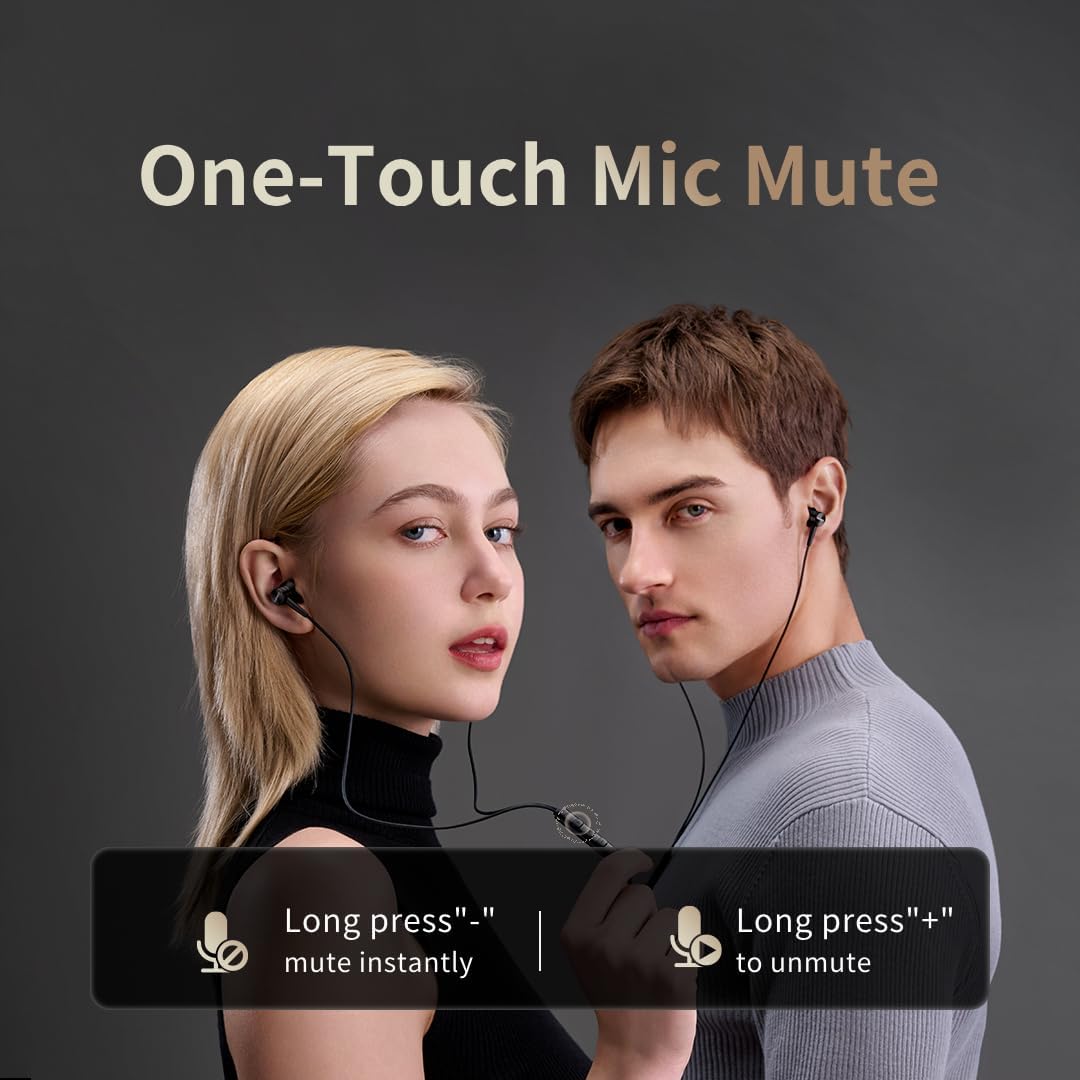
Image: Illustration of the one-touch microphone mute function. Long press '-' to mute instantly, long press '+' to unmute.
4. Funkcija isključivanja zvuka mikrofona
To instantly mute the microphone during a call, long press the '-' button on the in-line remote. To unmute, long press the '+' button.
Održavanje
1. Čišćenje
- Redovno čistite vrhove ušiju mekom, suhom krpom kako biste uklonili ušni vosak i nečistoće.
- Wipe the earphone bodies and cable with a slightly damp krpom, a zatim dobro osušite.
- Nemojte koristiti jake hemikalije ili abrazivne materijale za čišćenje.
2. Skladištenje
When not in use, store the earphones in a clean, dry place, preferably in a protective pouch, to prevent tangling and damage to the cable or drivers.
Rješavanje problema
- Nema zvuka:
- Provjerite je li USB-C konektor potpuno umetnut u vaš uređaj.
- Check the volume level on both your device and the earphone remote.
- Test the earphones with another device to rule out device-specific issues.
- Loš kvalitet zvuka:
- Ensure ear tips provide a proper seal in your ear canal. Try different sized ear tips.
- Clean any debris from the earphone nozzles.
- Provjerite je li kvalitet audio izvora visok.
- Mikrofon ne radi:
- Ensure the microphone is not muted (check the mute function using the in-line remote).
- Provjerite postavke mikrofona na povezanom uređaju.
- Provjerite je li USB-C veza sigurna.
Specifikacije

Slika: Eksplodirala view illustrating the 10mm Diamond-Like Carbon (DLC) dynamic driver, responsible for the powerful and compact sound.
| Feature | Specifikacija |
|---|---|
| Naziv modela | P20 Black EU |
| Tehnologija povezivanja | Žičani |
| Priključak za slušalice | USB-C |
| Postavljanje uha | In-Ear |
| Form Factor | In-Ear |
| Impedansa | 32 Ohma |
| Frekvencijski opseg | 20 Hz - 40,000 Hz |
| Vrsta audio drajvera | Dynamic (10mm DLC Diaphragm) |
| Kontrola buke | Active Noise Suppression (AI ENC for microphone) |
| Kontrolni metod | Pritisnite dugme |
| Kompatibilni uređaji | Phone, Tablet, iPad |
| Nivo vodootpornosti | Nije vodootporan |
| Interni materijal | Aluminijum |

Image: A woman enjoying music with the 1MORE P20 earphones, highlighting the Hi-Res Audio capability and immersive sound.
Garancija i podrška
For warranty information or technical support, please refer to the official 1MORE webweb-mjesto ili direktno kontaktirajte njihovu korisničku službu. Sačuvajte račun za kupovinu u slučaju reklamacije.