
1. Uvod
Thank you for choosing the Upperizon G-14Q Portable Monitor. This manual provides essential information for setting up, operating, and maintaining your new monitor. Please read it thoroughly before use to ensure optimal performance and longevity of your device.
The Upperizon G-14Q is a 14-inch portable display featuring 2.5K (2520x1680) resolution, 100% sRGB color gamut, 450 nits brightness, and HDR support. It offers versatile connectivity via USB-C and HDMI, making it ideal for laptops, MacBooks, PCs, gaming consoles (PS5, Xbox), and other devices. Its lightweight design, integrated kickstand, and VESA compatibility enhance its portability and usability.

Image: The Upperizon G-14Q monitor highlighting its key display features: 2.5K resolution (2520x1680), 100% sRGB color accuracy, and 450 Nits brightness for a vivid visual experience.
2. Sigurnosne informacije
- Ne izlažite monitor kiši, vlazi ili ekstremnim temperaturama.
- Izbjegavajte postavljanje monitora u blizinu izvora toplote ili na direktnu sunčevu svjetlost.
- Use only the power adapter and cables provided or recommended by Upperizon.
- Do not attempt to disassemble or modify the monitor. Refer all servicing to qualified personnel.
- Držite monitor dalje od jakih magnetnih polja.
- Očistite ekran mekom krpom koja ne ostavlja dlačice. Izbjegavajte upotrebu jakih hemikalija.
3. Sadržaj paketa
Molimo Vas da provjerite paket za sljedeće stavke:
- Upperizon G-14Q Portable Monitor
- USB-C to USB-C Cable (for power and video)
- Mini HDMI na HDMI kabel (za video)
- USB-A to USB-C Cable (for power)
- Adapter za napajanje
- Korisnički priručnik (ovaj dokument)
4. Proizvod je gotovview
Upoznajte se sa karakteristikama i portovima monitora.

Image: Detailed diagram showing the various ports and controls on the Upperizon G-14Q portable monitor. This includes two Type-C ports, a Mini HDMI port, a power button, a menu button, a headphone jack, VESA mounting holes, and integrated speakers.
Port and Button Functions:
- Mini HDMI port: Connects to devices for video input.
- USB Type-C portovi (x2):
- One port for power supply and video/audio signal transmission (full-featured USB-C).
- Another port primarily for power supply or additional data (depending on device compatibility).
- Dugme za napajanje: Press and hold to turn the monitor on/off. Short press to access/exit the OSD menu.
- Dugme menija/kotačić za pomicanje: Used to navigate and select options within the On-Screen Display (OSD) menu.
- Priključak za slušalice: Za povezivanje eksternih audio uređaja.
- Ugrađeni zvučnici: Pruža audio izlaz.
- VESA Holes: 75mm x 75mm mounting holes for VESA-compatible stands or wall mounts (M4x6 screws).
- Podnožje: Integrated adjustable kickstand for flexible viewing angles.
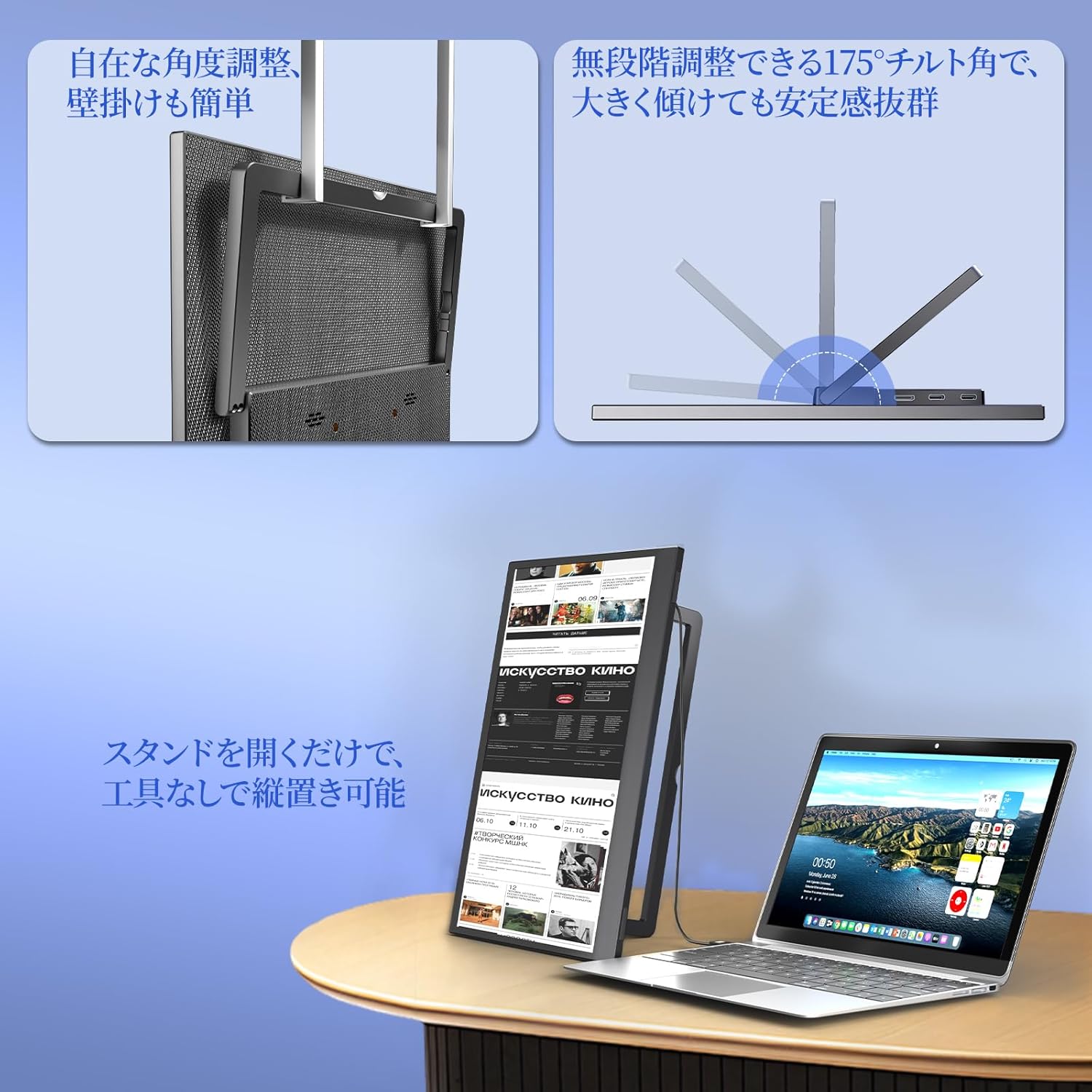
Image: The Upperizon G-14Q monitor demonstrating its flexible kickstand for various viewing angles and its VESA compatibility for alternative mounting solutions.

Image: Visual representation of the monitor's physical attributes, including its slim profile (8mm to 16mm), narrow 4mm bezels, light weight of approximately 570g, and a durable, fingerprint-resistant carbon-fiber-like back finish.
5. Podešavanje
5.1 Napajanje monitora
The monitor can be powered via a USB-C connection. Connect the provided USB-C to USB-C cable or USB-A to USB-C cable to a power source (e.g., wall adapter, laptop USB port, power bank).
5.2 Povezivanje na uređaje
The Upperizon G-14Q supports both USB-C and Mini HDMI connections for video input.
- USB-C priključak (s punim funkcijama):
If your device (laptop, smartphone, tablet) has a full-featured USB-C port that supports DisplayPort Alternate Mode (DP Alt Mode) and power delivery, you can connect the monitor using a single USB-C to USB-C cable. This cable will transmit video, audio, and power simultaneously.
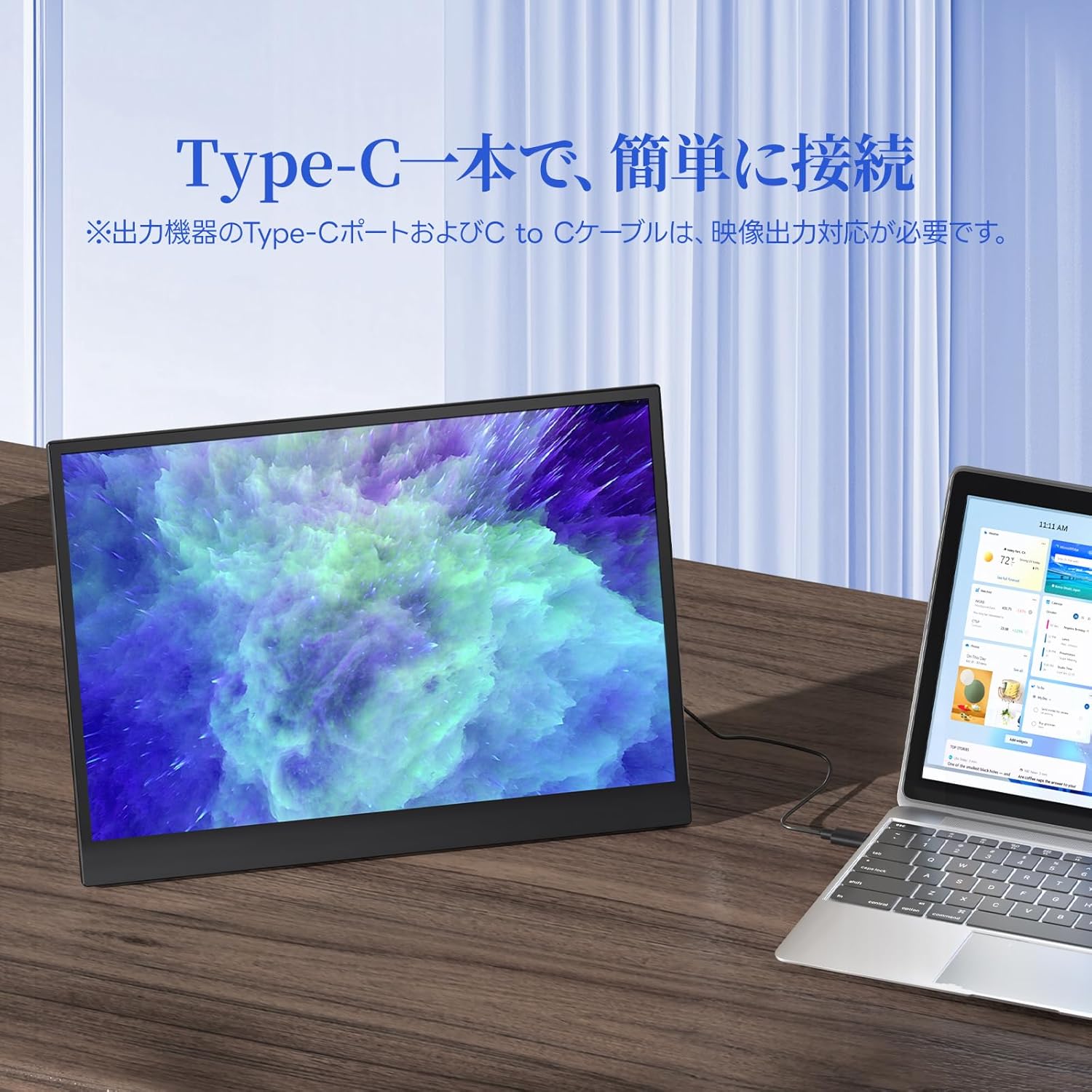
Image: The Upperizon G-14Q portable monitor seamlessly connected to a laptop using a single USB Type-C cable, demonstrating simplified connectivity for both power and display.
- HDMI veza:
For devices with an HDMI output (e.g., desktop PC, gaming console, older laptops), use the provided Mini HDMI to HDMI cable. You will also need to power the monitor separately using a USB-C to USB-A cable connected to a power adapter or a powered USB port.
5.3 VESA montaža
The monitor features 75mm x 75mm VESA mounting holes, allowing it to be attached to compatible monitor arms or wall mounts. Use M4x6 screws for secure installation.

Image: A multi-monitor setup featuring the Upperizon G-14Q mounted on a VESA arm, demonstrating its flexibility for various workspace configurations and space-saving benefits.
6. Rukovanje monitorom
6.1 On-Screen Display (OSD) meni
Press the Power button briefly to access the OSD menu. Use the Menu button/scroll wheel to navigate through options and adjust settings such as brightness, contrast, color temperature, input source, and more.
6.2 Načini prikaza
When connected to a computer, you can configure the display mode:
- Način proširenja: Proširuje vašu radnu površinu preko oba ekrana, pružajući više radnog prostora.
- Duplirani način rada: Zrcali vaš primarni ekran, prikazujući isti sadržaj na oba ekrana.
- Vertikalni prikaz: Allows you to rotate the monitor for a portrait orientation, useful for coding or document viewing.
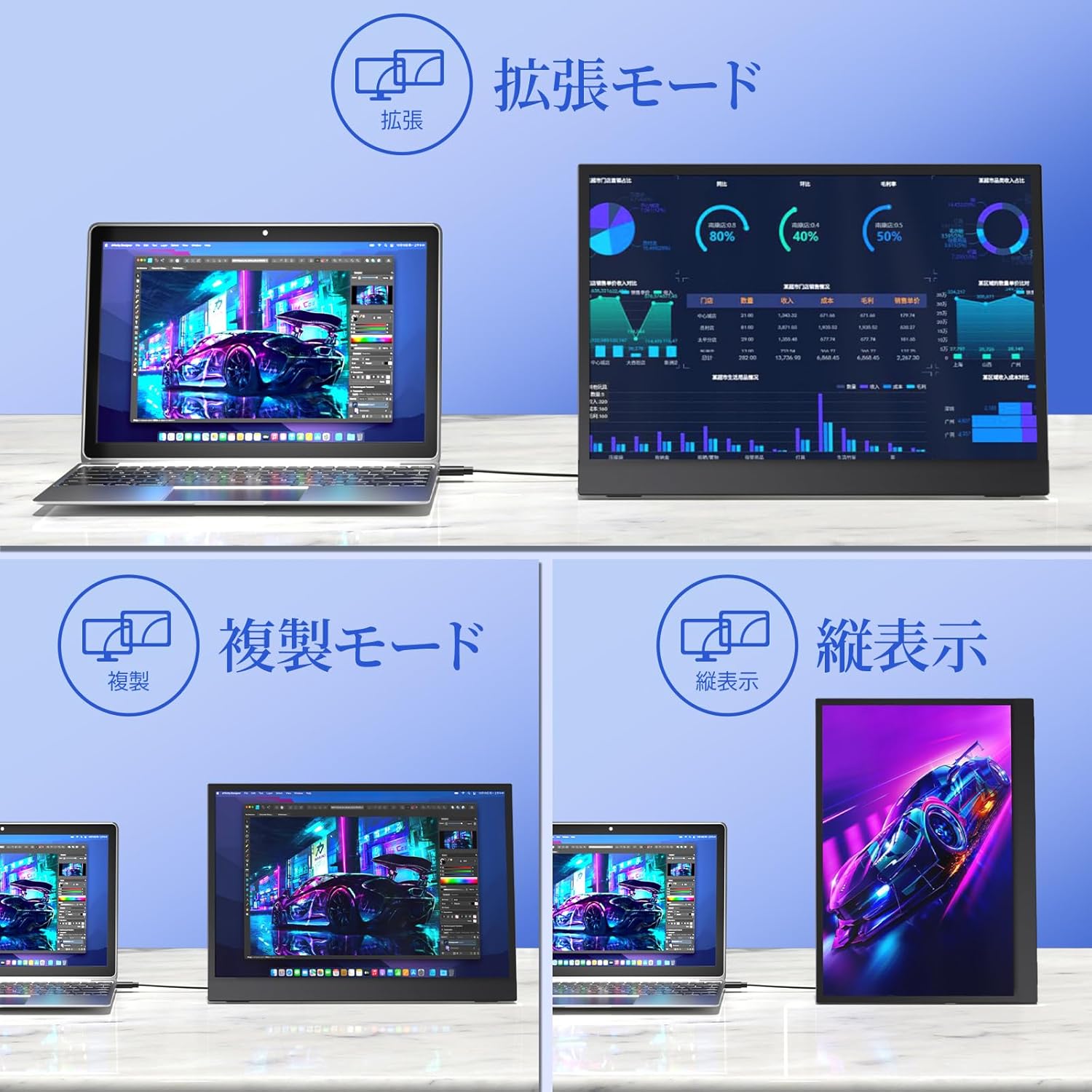
Image: Illustrations of the Upperizon G-14Q monitor in various display configurations: Extension Mode for expanded workspace, Duplicate Mode for mirrored content, and Vertical Display for portrait orientation.
6.3 Omjer širine i visine
The G-14Q features a 3:2 aspect ratio, which is ideal for productivity tasks like document editing and web browsing, offering more vertical screen space. Ensure your device's display settings are configured to output the correct aspect ratio for optimal viewing.

Image: A visual comparison demonstrating the correct display of content with a 3:2 aspect ratio on the Upperizon G-14Q monitor versus an example where an incorrect aspect ratio leads to distorted images.
7. Održavanje
- Čišćenje ekrana: Nježno obrišite ekran mekom krpom koja ne ostavlja dlačice. Za tvrdokorne mrlje, lagano obrišiteampNamočite krpu vodom ili sredstvom za čišćenje ekrana. Ne prskajte tečnost direktno na ekran.
- Čišćenje C-aasing: Koristite meku, suhu krpu za čišćenje površine monitoraasing.
- Skladištenje: Kada se monitor ne koristi duži period, čuvajte ga na hladnom i suhom mjestu, po mogućnosti u originalnom pakovanju ili zaštitnoj futroli.
- Izbjegnite udar: Protect the monitor from drops and impacts, especially the screen.
8. Otkrivanje problema
| Problem | Mogući uzrok | Rješenje |
|---|---|---|
| Nema prikaza/Nema signala |
|
|
| Treperenje ekrana |
|
|
| Nema zvuka |
|
|
| Image distortion/Incorrect aspect ratio |
|
|
9. Specifikacije
| Feature | Detalj |
|---|---|
| Brand | Upperizon |
| Broj modela | G-14Q |
| Veličina ekrana | 14 inča |
| Rezolucija | 2520x1680 piksela (2.5K) |
| Aspect Ratio | 3:2 |
| Refresh Rate | 60 Hz |
| Display Technology | LCD, IPS panel |
| Površina ekrana | Mat |
| Viewing Angle | 178 stepeni |
| Vrijeme odgovora | 5 milisekundi |
| Hardversko povezivanje | Thunderbolt, USB 3.1 Type C (x2), Mini HDMI (x1) |
| Adaptive Sync | FreeSync |
| Boja | Crna |
| Dimenzije artikla (D x Š x V) | 0.62"D x 8.74"Š x 12.2"H |
| Težina | Približno 570 g |
| Osvetljenost | 450 gnjida |
| Gamut boja | 100% sRGB |
| VESA kompatibilnost | 75mm x 75mm |
10. Garancija i podrška
The Upperizon G-14Q Portable Monitor comes with a 2 godine garancije from the date of purchase, as specified by the manufacturer. Please retain your proof of purchase for warranty claims.
For technical support, troubleshooting assistance, or warranty inquiries, please contact Upperizon customer service through the retailer's platform or visit the official Upperizon webstranica za kontakt informacije.
Online podrška: Visit the Upperizon Store on Amazon