
1. Uvod
The GHome Smart KD30B Deadbolt Lock offers advanced security and convenience for your home, rental property, or apartment. This smart lock provides multiple unlocking methods and smart features designed to enhance your security and simplify access management.

Slika 1: Gotovoview of the 4-in-1 Smart Access methods.
2. Značajke proizvoda
- Multi-function Smart Lock: Offers 6-in-1 unlocking options including up to 50 fingerprints, 50 PIN codes, temporary passwords, one-time passwords, app control, and 2 physical keys.
- Brzo prepoznavanje otiska prsta: Utilizes advanced third-generation fingerprint technology for identification in less than 0.2 seconds. The anti-counterfeiting algorithm ensures only authorized users can unlock the device.
- Temporary Password Generation: Generate temporary access codes for guests or service staff via the app, ideal for short-term rentals and property management.
- Auto Lock & One-touch Lock: Configure the deadbolt to auto-lock within 1-1800 seconds. Alternatively, use the one-touch lock feature by pressing the lock button from the outside or turning the knob from the inside.
- Enhanced Security & Durability: Triggers an alarm upon abnormal opening behavior. Operates within a temperature range of -4°F to 122°F (-20°C to 50°C) and is IP54 waterproof rated.
- Kontrola aplikacije: Manage your lock settings, users, and access logs directly from your smartphone.
3. Prije instalacije
Prije početka instalacije, provjerite da li vaša vrata ispunjavaju sljedeće specifikacije:
- Prečnik poprečnog otvora: 1½" or 2⅛" (38mm or 54mm)
- Debljina vrata: 1⅜" or 1⁵⁄₁₆" (35mm-33mm)
- Backset: 2⅜" or 2¾" (60mm or 70mm)
- Prečnik rupe na vratima: 1" (25 mm)
- Minimalna udaljenost: 2³⁄₁₆" (55mm)

Slika 2: Mjerenja kompatibilnosti vrata.
4. Vodič za instalaciju
The GHome Smart KD30B Deadbolt Lock is designed for quick and easy installation, typically within 15 minutes. Follow these general steps:
- Pripremite vrata: Ensure your door meets the specifications outlined in Section 3.
- Odredite predaju: Identify if your door is left-handed or right-handed. The lock can be adjusted accordingly.
- Instalirajte bravu: Umetnite rezu u ivicu vrata.
- Ugradite vanjski sklop: Place the exterior keypad assembly onto the door.
- Instalirajte unutrašnji sklop: Attach the interior assembly, ensuring proper cable connection.
- Osigurajte bravu: Fasten all screws to secure both assemblies.
- Umetnite baterije: Install 4 AA batteries (not included) into the interior assembly.
- Resetujte i testirajte: Press the reset button (usually located on the interior assembly) and follow the voice prompts to set the lock direction and test functionality.

Figure 3: Installation steps for left and right-hand doors.

Figure 4: Simple installation process.
5. Uputstvo za upotrebu
5.1 Metode otključavanja
The KD30B offers multiple ways to unlock your door:
- Otključavanje otiskom prsta: Place your registered fingerprint on the sensor. The lock will unlock in less than 0.2 seconds.
- Otključavanje lozinkom: Enter your 6-10 digit PIN code on the keypad.
- Kontrola aplikacije: Use the GHome app on your smartphone to unlock the door via Bluetooth within 15 meters.
- Mehanički ključ: Use the provided physical keys as an emergency backup.
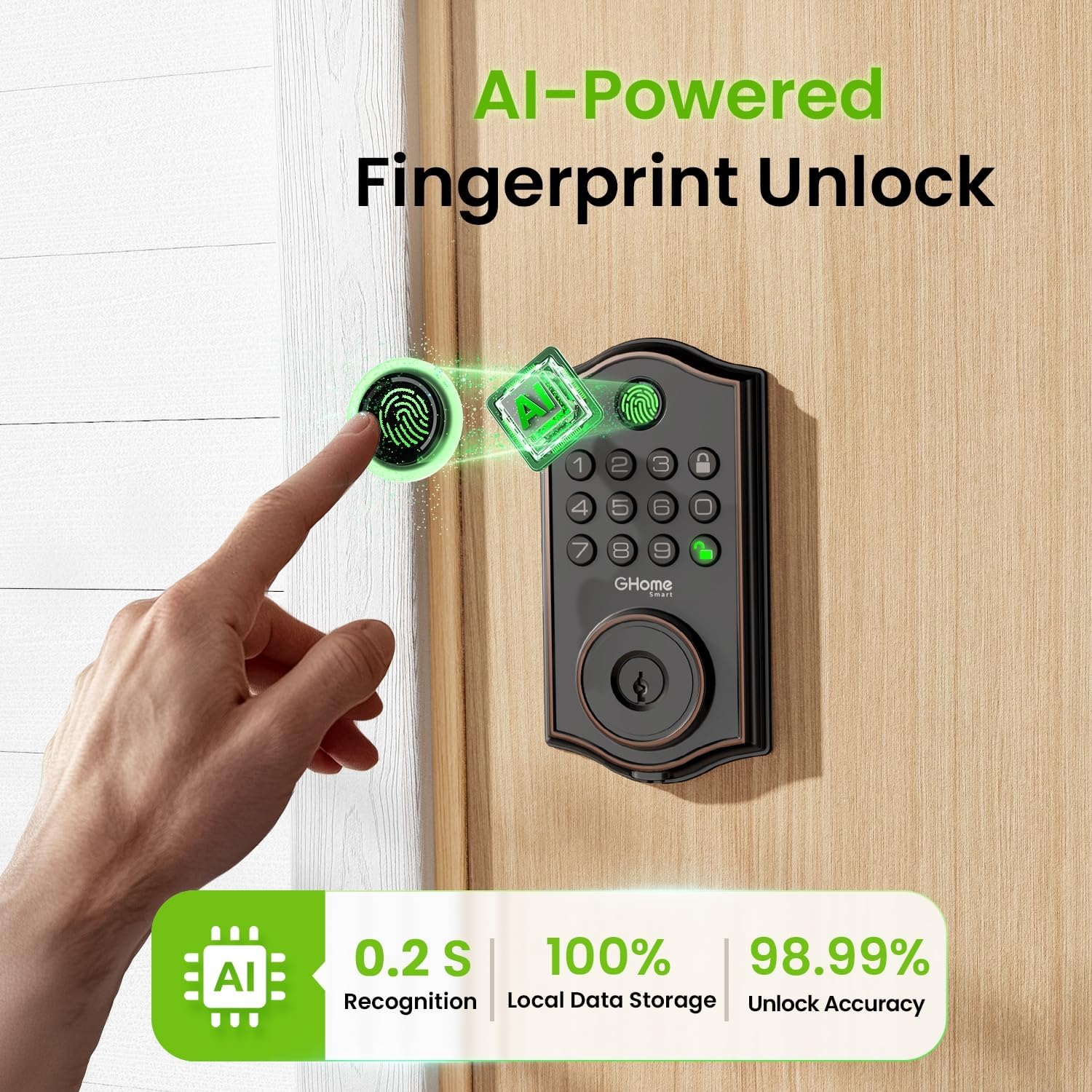
Figure 5: AI-Powered Fingerprint Unlock.

Figure 6: Smarter Fingerprint Unlocks Over Time.

Figure 7: Reliable Passcode Access.
5.2 App Control and Management
Download the GHome app to manage your lock:
- Bluetooth otključavanje: Connect your phone via Bluetooth for one-tap unlocking within 15 meters.
- Daljinski upravljač (sa pristupnikom): For unlocking beyond Bluetooth range, a separate gateway (sold separately) is required to enable Wi-Fi remote control.
- Upravljanje korisnicima: Easily add or remove users, customize access permissions, and assign administrator or regular user roles.
- Privremene lozinke: Generate time-limited, one-time, or dynamic passwords for visitors, deliveries, or services.
- Dnevnici pristupa: Monitor who enters and exits your property with detailed access logs and alerts.
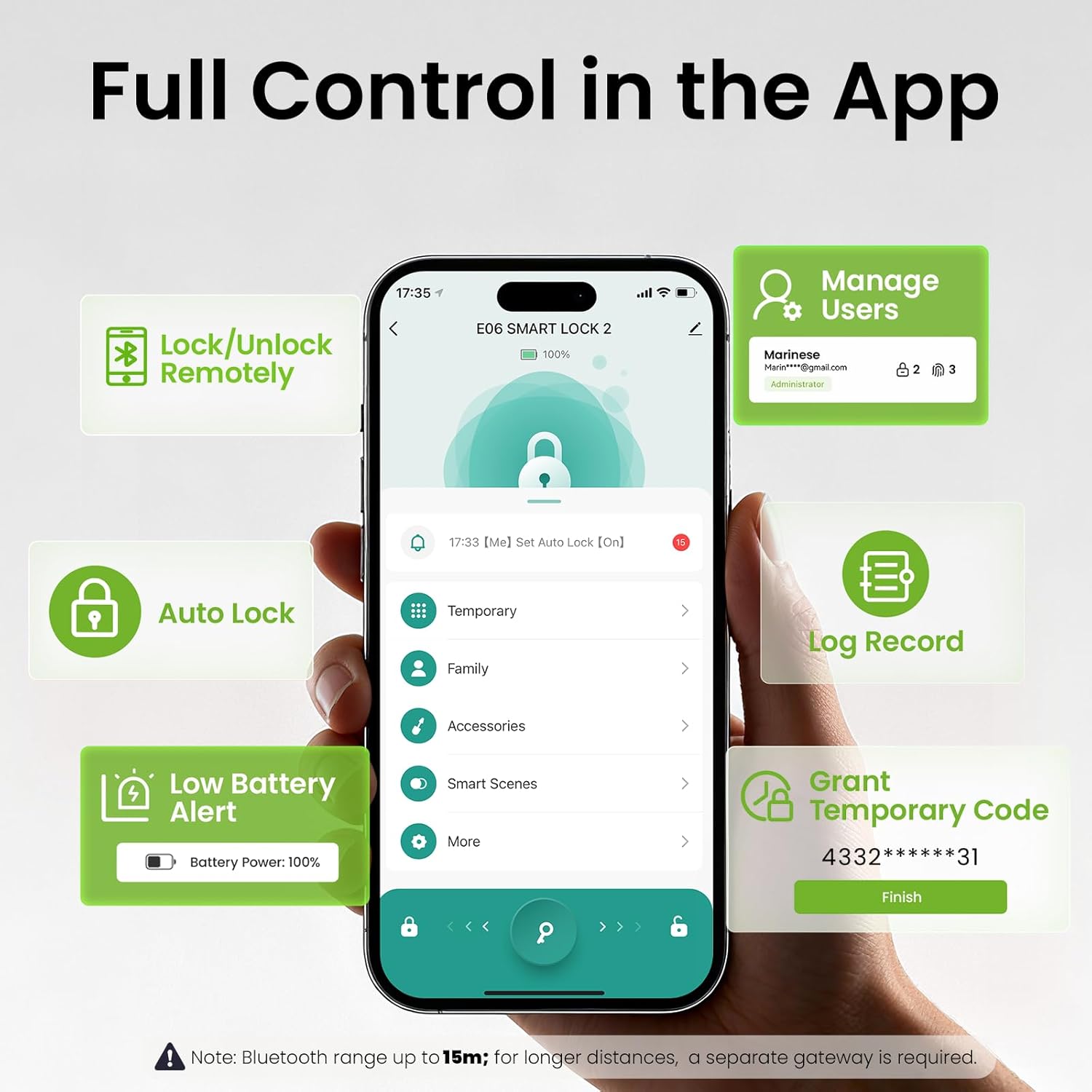
Figure 8: Full Control in the GHome App.
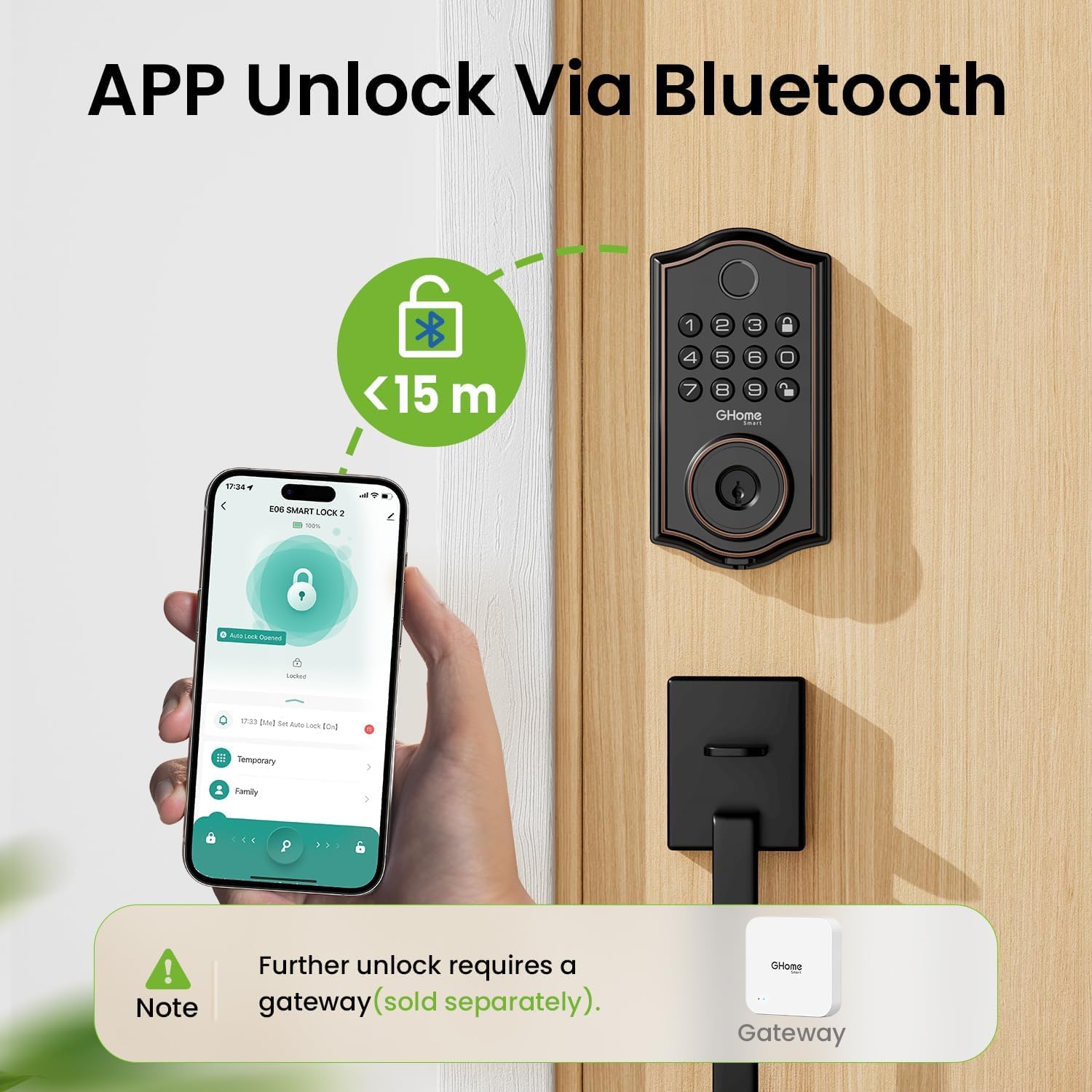
Figure 9: App Unlock via Bluetooth.

Figure 10: Remote Control via a Gateway (Sold Separately).

Figure 11: Flexible User Management.

Figure 12: Access Logs for Monitoring.
5.3 Auto-Lock and Security Features
- Automatsko zaključavanje: Set the lock to automatically engage after a specified time (1-1800 seconds).
- Zaključavanje jednim dodirom: Press the lock button on the keypad or turn the interior knob to instantly lock the door.
- Lozinka protiv provirivanja: Add random digits before or after your actual passcode (up to 16 total digits) to prevent others from guessing your code.
- Built-In Lockout Alerts: The lock will trigger an alarm and lock for 60 seconds after 5 failed passcode attempts or 10 failed fingerprint attempts. Alerts are sent to your app.
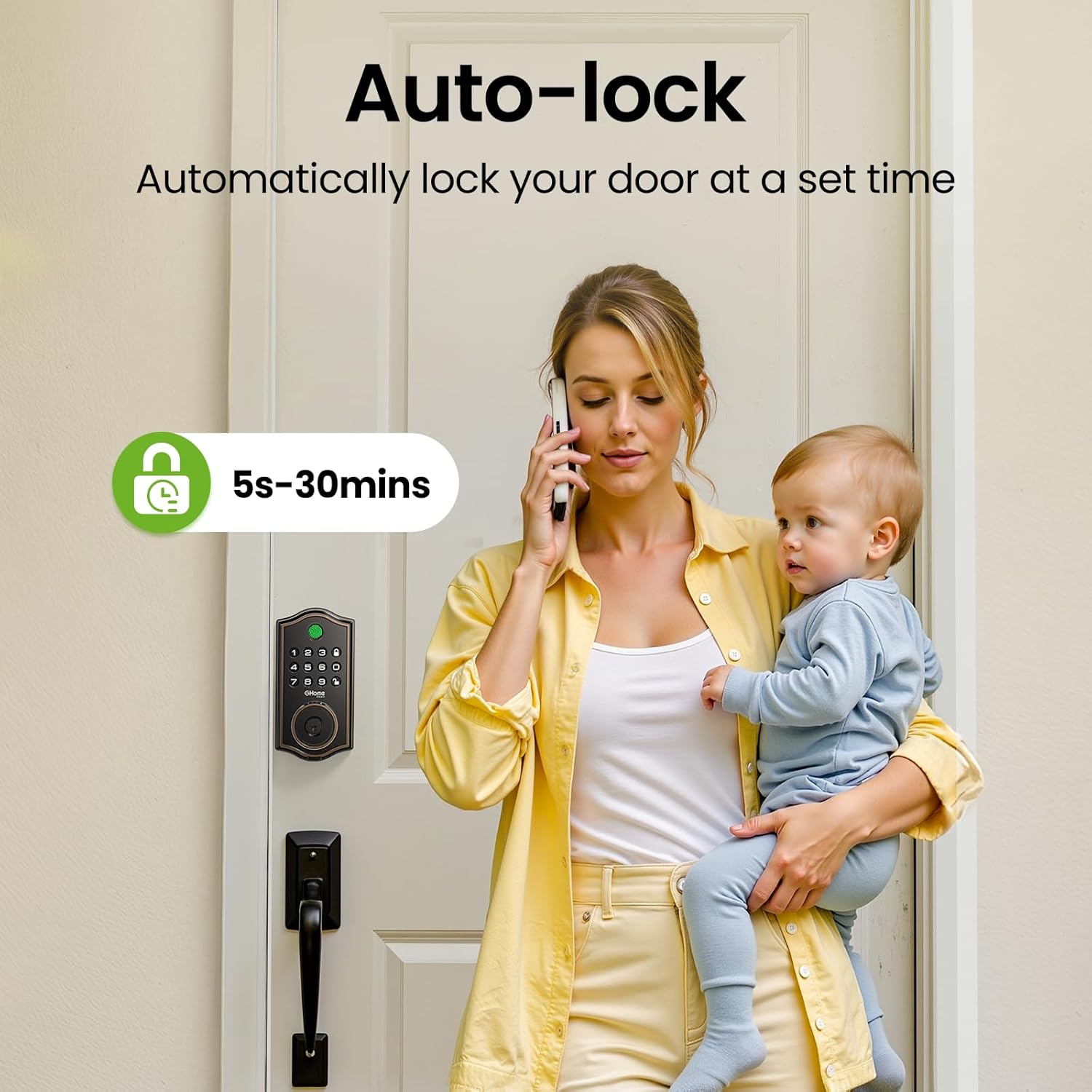
Figure 13: Auto-Lock feature for automatic security.

Figure 14: Anti-Peeping Password Protection.

Figure 15: Built-In Lockout Alerts.
6. Održavanje
6.1 Zamjena baterije
The KD30B Deadbolt Lock operates on 4 AA batteries (not included). It is recommended to use AAA Alkaline Batteries for optimal performance. The lock provides a low battery alert (4-beep alert and flashing keypad light) and sends notifications to your app when battery levels are low. Replace batteries promptly to ensure continuous operation.

Figure 16: Battery compartment and emergency power port.

Figure 17: Battery power and alerts.
7. Specifikacije
| Feature | Specifikacija |
|---|---|
| Brand | GHome Smart |
| Naziv modela | KD30B |
| Tip brave | Biometric Deadbolt |
| Materijal | Metal |
| Dimenzije artikla (D x Š x V) | 9 x 7 x 2.99 inča |
| Težina artikla | 2.33 funti (1.06 kilograma) |
| Kontrolni metod | App |
| Posebne karakteristike | Lozinka protiv voajeranja |
| Raspon radne temperature | -4°F do 122°F (-20°C do 50°C) |
| Raspon vlažnosti | 0% - 95% |
| Waterproof Rating | IP54 |
| Baterije su potrebne | Da (4 AA, nisu uključene) |
| GTIN / UPC | 199874906782 |

Figure 18: Built to withstand various environmental conditions.
8. Otkrivanje problema
- Brava ne reaguje: Check battery levels. If low, replace the 4 AA batteries. Use the Type-C emergency power port if batteries are completely drained.
- Otisak prsta nije prepoznat: Ensure your finger is clean and dry. Re-register your fingerprint if issues persist. Note that calloused or cold fingers may affect recognition.
- Tastatura ne radi: Verify battery levels. If multiple incorrect attempts occur, the lock may enter a lockout state (60 seconds).
- Problemi s povezivanjem aplikacija: Ensure Bluetooth is enabled on your phone and you are within 15 meters of the lock. For remote access, confirm your gateway (if used) is properly connected to Wi-Fi and the lock.
- Abnormal Opening Behavior: The lock is designed to trigger an alarm. Check access logs in the app for details.
9. Podrška
For technical assistance or further inquiries, please contact GHome Smart customer service:
- Online Tech Support: Available Monday to Friday, 9am to 5pm (PST).
- Postprodajna usluga putem e-pošte: Dostupno 24/7.
You can also download the GHome app for easy management and updates:

Figure 19: Download the GHome App.
10. Video o proizvodu iznadview
Video 1: Sveobuhvatan pregledview of the GHome Smart KD30B Deadbolt Lock's features and functionality.