
GNCC P5
GNCC Indoor Security Camera User Manual
Model: P5
Marka: GNCC
Product Overview
The GNCC P5 Indoor Security Camera provides comprehensive home monitoring with advanced features. It offers 2K FHD video quality, night vision, two-way audio, and smart motion detection, ensuring you can keep an eye on your home, pets, or baby from anywhere. The camera supports pan and tilt functionality for a wide coverage area and integrates with popular smart home platforms.

Image: GNCC P5 Indoor Security Camera shown alongside a smartphone displaying its live feed, highlighting its remote monitoring capability.
1. Vodič za postavljanje
1.1 Šta se nalazi u kutiji
- GNCC P5 unutrašnja sigurnosna kamera
- Adapter za napajanje
- Type-C Power Cable (2 meters)
- Screw Package (for optional wall mounting)
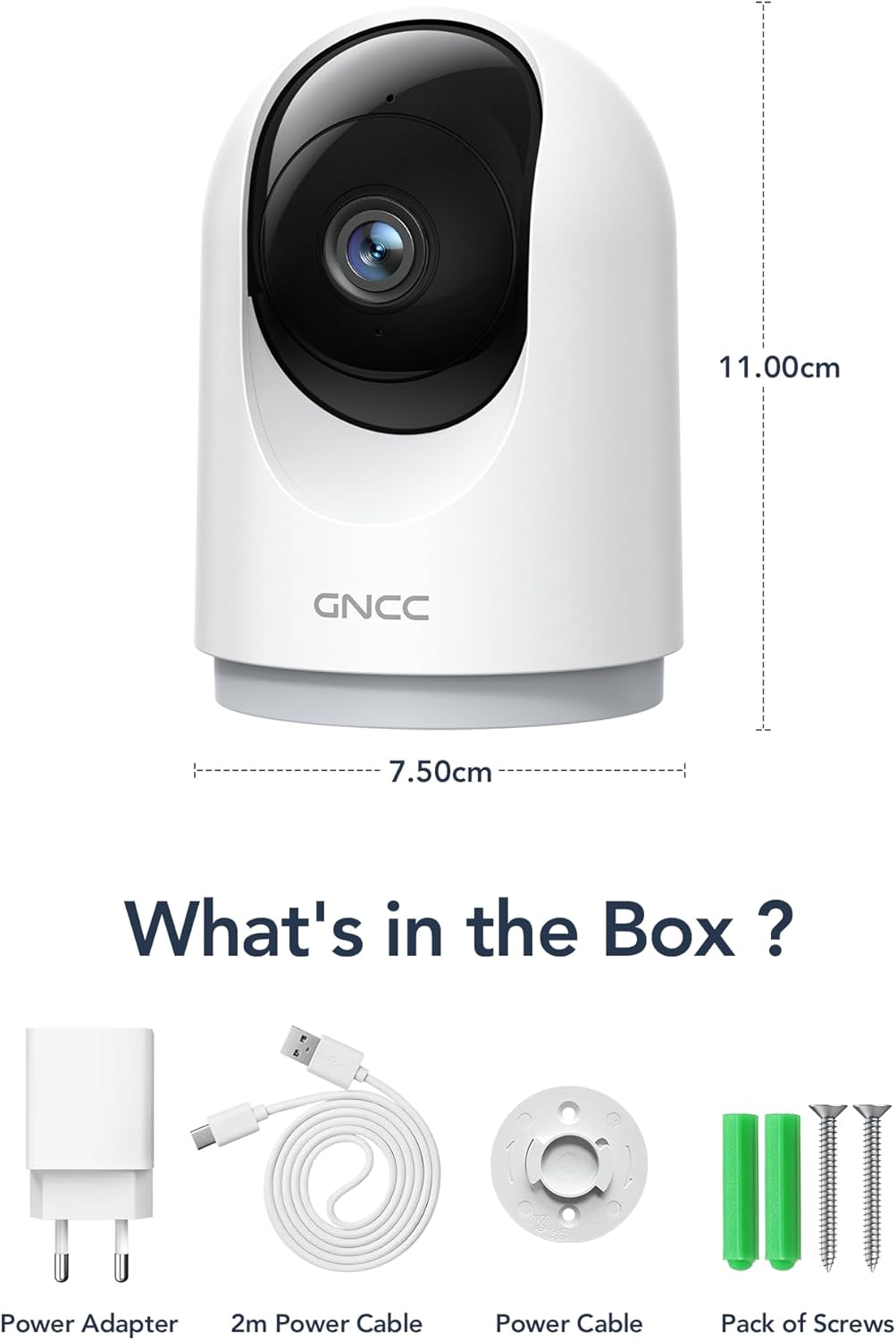
Image: Illustration of the GNCC P5 camera and its included accessories: power adapter, USB-C cable, and mounting hardware.
1.2 Fizička postavka
- Odaberite lokaciju: Place the camera on a flat surface or mount it to a wall using the provided screw package. Ensure the location provides a clear view područja koje želite nadgledati.
- Priključak za napajanje: Connect the Type-C power cable to the camera and the power adapter. Plug the adapter into a standard electrical outlet. The camera will power on automatically.
- Wi-Fi Proximity: Ensure the camera is within 3 feet of your 2.4Ghz Wi-Fi router during the initial setup process for optimal connection. Note: This camera only supports 2.4Ghz Wi-Fi, not 5Ghz.

Image: The GNCC P5 camera positioned on a shelf, illustrating its compact design and highlighting its key features through surrounding icons.
1.3 Instalacija i povezivanje aplikacije
The GNCC P5 camera operates via the OSAIO app. Follow these steps to connect your camera:
- Download the OSAIO App: Traži "OSAIO" in your smartphone's app store (App Store for iOS or Google Play Store for Android) and download it.
- Kreirajte račun: Open the OSAIO app and follow the on-screen instructions to create a new user account or log in if you already have one.
- Dodaj uređaj: Tap the "+" icon or "Add Device" option within the app. Select the GNCC P5 camera model from the list.
- Slijedite upute u aplikaciji: The app will guide you through the Wi-Fi connection process, which typically involves scanning a QR code displayed on your phone with the camera's lens.
- Nazovite svoju kameru: Once connected, you can assign a name to your camera (e.g., "Living Room Camera," "Baby's Room").
2. Uputstvo za upotrebu
2.1 Uživo View i kontrola panoramiranja/nagiba
Access the live video feed of your camera through the OSAIO app. The camera features 355° horizontal and 90° vertical rotation, providing a 360° panoramic view vašeg prostora.
- Pristupite uživo View: From the app's main screen, tap on your camera's name to open the live feed.
- Kontrola panoramiranja/nagiba: Use the directional controls (usually a joystick or arrow buttons) within the live view interface to remotely adjust the camera's viewing kut.

Image: The GNCC P5 camera demonstrating its 360° panoramic view, with a phone screen showing the extensive coverage of a living space.
Video: Prekorview of the GNCC 2K Security Camera, showcasing its features including 360° panoramic view, 2K HD resolution, motion detection, sound detection, 2-way audio, and night vision capabilities.
2.2 Dvosmjerni audio
The camera features a built-in microphone and speaker, enabling real-time two-way communication.
- Initiate Talk: U živo view, dodirnite ikonu mikrofona da biste govorili preko zvučnika kamere.
- slušaj: Mikrofon kamere će snimati zvuk iz okoline, koji možete čuti putem telefona.

Image: A user interacting with the camera via the app, demonstrating the two-way audio function to communicate with someone on the other end.
2.3 Detekcija pokreta i upozorenja
The camera is equipped with smart motion detection and tracking. When motion is detected, you will receive instant notifications on your phone.
- Omogući upozorenja: Configure motion detection sensitivity and notification preferences in the OSAIO app settings for your camera.
- Praćenje kretanja: The camera can automatically track detected movement within its field of view.

Image: The camera actively tracking movement in a room, with corresponding motion detection alerts shown on a smartphone.
2.4 Noćni vid
The GNCC P5 camera provides clear night vision, allowing you to monitor your space even in low-light or no-light conditions.
- Automatsko aktiviranje: Noćni vid se obično automatski aktivira u uslovima slabog osvetljenja.
- ručna kontrola: Some settings within the app may allow for manual control of night vision mode.

Image: The camera providing clear night vision of a baby's room, as seen on a smartphone screen, ensuring monitoring in darkness.
2.5 Storage Options (SD Card / Cloud)
The camera offers flexible storage solutions for your recorded video footage.
- Pohrana na SD kartici: Insert a Micro SD card (up to 128GB, not included) into the camera's designated slot for continuous 24/7 recording.
- Cloud Storage: A 30-day trial of cloud storage is available. You can subscribe to a cloud plan through the OSAIO app for secure, off-site storage of alert videos.
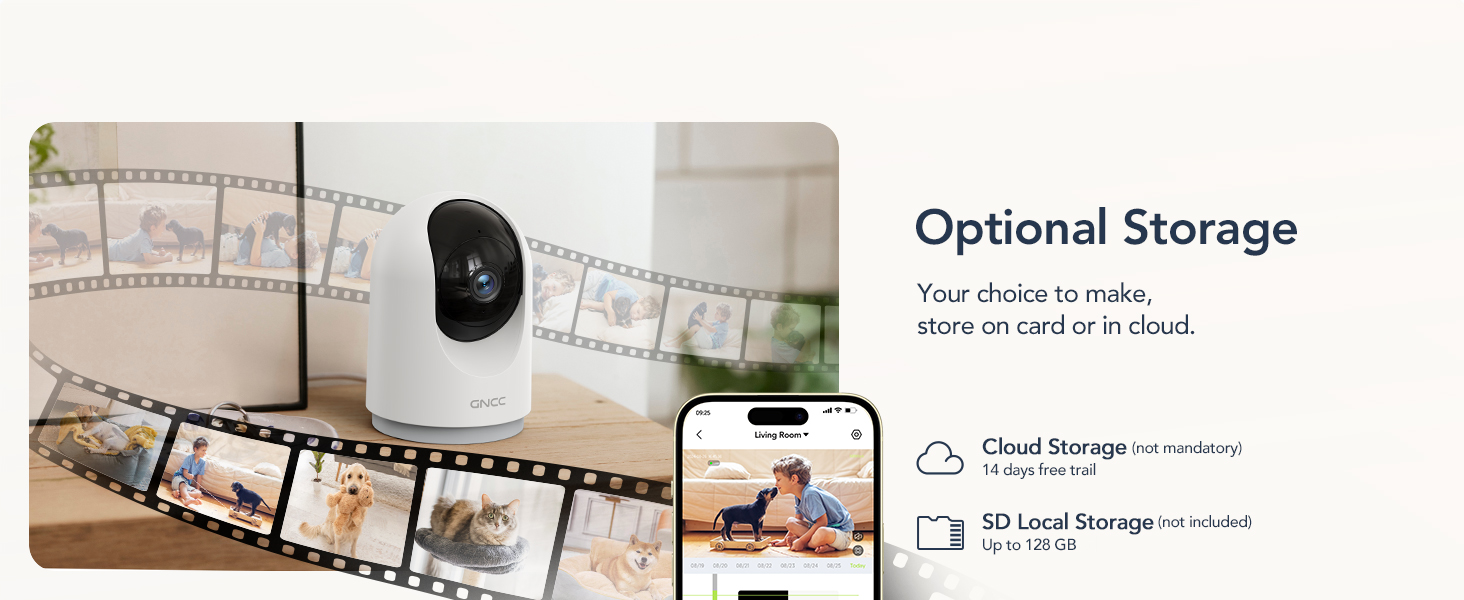
Image: Visual representation of the camera's optional storage methods: cloud storage and local SD card storage, with a smartphone showing recorded footage.
2.6 Integracija pametnog doma
The GNCC P5 camera is compatible with Amazon Alexa and Google Assistant, allowing for voice-controlled viewing of your live camera feed.
- Uparivanje: Follow the instructions in the Alexa or Google Home app to link your OSAIO account and discover your GNCC camera.
- Glasovne komande: Use simple voice commands such as "Alexa, show me the baby's room" or "Hey Google, show me the living room camera" to view prijenos uživo na kompatibilnim pametnim ekranima.

Image: A user commanding Alexa to display the camera feed on a smart display, illustrating the camera's integration with smart home systems.
3. Održavanje
- čišćenje: Za čišćenje objektiva i kućišta kamere koristite meku, suhu krpu. Izbjegavajte upotrebu tečnih sredstava za čišćenje ili abrazivnih materijala.
- Ažuriranja firmvera: Periodically check the OSAIO app for available firmware updates. Keeping your camera's firmware updated ensures optimal performance and security. Follow the in-app instructions for any updates.
4. Otkrivanje problema
| Problem | Rješenje |
|---|---|
| Kamera se neće povezati na Wi-Fi. |
|
| Loš kvalitet videa. |
|
| Nema upozorenja o detekciji pokreta. |
|
| Dvosmjerni audio ne radi. |
|
5. Specifikacije
| Feature | Detalj |
|---|---|
| Naziv modela | P5 |
| Unutrašnja/vanjska upotreba | Indoor |
| Rezolucija video snimanja | 2K FHD |
| Viewing Angle | 355° vodoravno, 90° okomito |
| Noćni vid | 33 stopa |
| Connectivity Protocol | Wi-Fi (samo 2.4 GHz) |
| Izvor napajanja | Električni s kablom (tip C) |
| Kompatibilni uređaji | OSIAO App, Amazon Alexa, Google Assistant |
| Opcije skladištenja | Micro SD kartica (do 128 GB), pohrana u oblaku |
| Dvosmjerni audio | Da |
| Detekcija pokreta | Da, sa praćenjem pokreta |
| Vrsta upozorenja | Audio i pokret |
| Dimenzije (D x Š x V) | 2.95 x 2.95 x 4.33 inča |
| Težina artikla | 6 unci (0.17 kilograma) |
| Voltage | 5 Volts |
| Wattage | 3 vati |
| Frame Rate | 10 kadrova u sekundi |
| Optički zum | 4x |
6. Garancija i podrška
For warranty information and technical support, please refer to the official GNCC webweb-mjesto ili direktno kontaktirajte njihovu korisničku službu. Sačuvajte račun kao dokaz o kupovini za reklamacije u slučaju garancije.
Online resursi:
- Posjetite GNCC Store on Amazon for product updates and related information.
Ask a question about this manual
Ask about setup, troubleshooting, compatibility, parts, safety, or missing instructions. Manuals+ will review the question and use this page’s manual context to help answer it.