
1. Uvod
Thank you for choosing the KRPTQJoo Replacement Remote Control. This remote is designed to provide seamless control for various Blaupunkt and Alba television models. This manual will guide you through the setup, operation, and maintenance of your new remote control.
This remote control is a direct replacement and does not require any programming or pairing. Simply insert the batteries, and it is ready for use with compatible models.
Compatible Models include, but are not limited to:
- Blaupunkt: 32/194I-GB-FHBKU-DE, B32FX122BK, B32A2124TC, B32A22TC, B32SHE126, B32A112TC-3B2, B32A133TCHD, B32A191TCFHD-3D, BA32M191BF3BKUER01
- Alba: 22/207, 22-207-B, 22-207-S, UNFRMC0002, 50/211F, 22/207DVD, 22/207FDVD, 22/207F
2. Proizvod je gotovview
The KRPTQJoo replacement remote control features a standard layout for easy navigation and control of your television. Below are images illustrating the front and back of the remote.
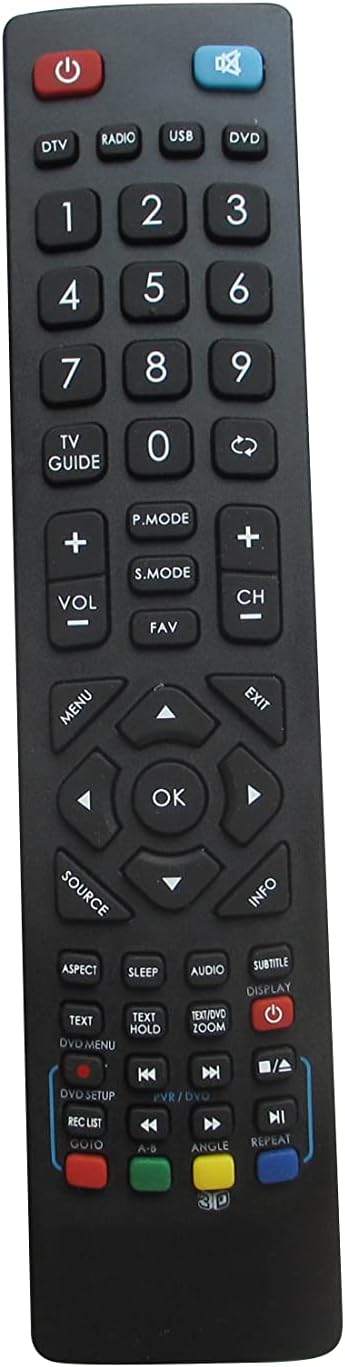
Slika 2.1: Prednja strana view of the remote control. This image displays the full button layout, including power, number keys, channel and volume controls, navigation pad, and various function buttons for TV, DVD, and media playback.
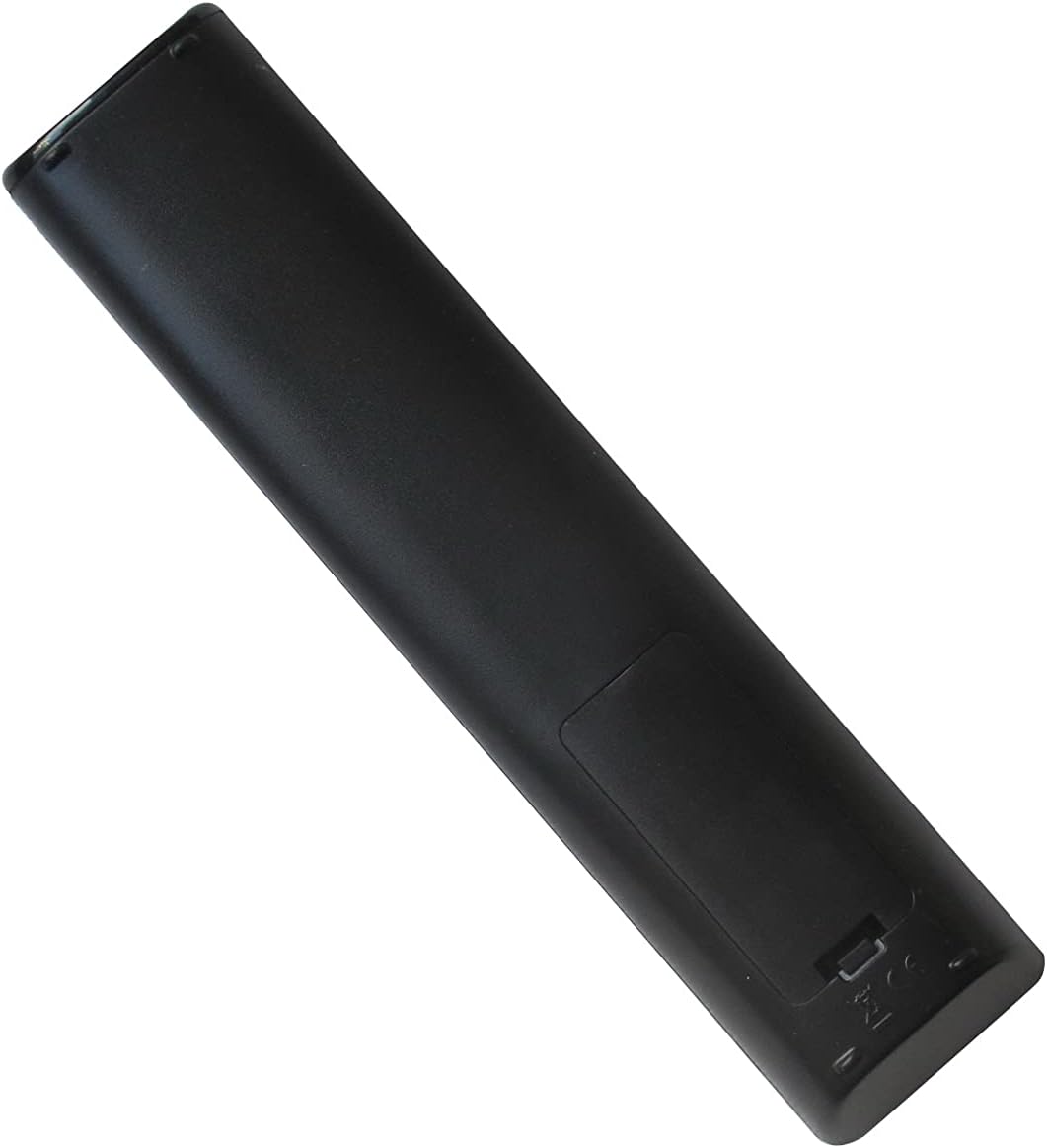
Slika 2.2: Natrag view of the remote control. This image shows the smooth, ergonomic design and the location of the battery compartment cover.
3. Podešavanje
3.1 Instalacija baterije
- Pronađite odeljak za baterije na poleđini daljinskog upravljača.
- Pomaknite poklopac odjeljka za baterije prema dolje ili pritisnite zasun i podignite da biste ga otvorili.
- Umetnite dvije (2) AAA baterije, pazeći da pozitivni (+) i negativni (-) terminali odgovaraju dijagramima unutar odjeljka.
- Vratite poklopac pretinca za baterije, pazeći da sigurno klikne na svoje mjesto.
Napomena: This remote control operates using infrared (IR) technology and does not require any programming or pairing with your television. It is ready for use immediately after battery installation.
4. Uputstvo za upotrebu
Point the remote control directly at your television's IR receiver. Ensure there are no obstructions between the remote and the TV.
4.1 Funkcije dugmadi
| Dugme | Funkcija |
|---|---|
| Snaga (⏻) | Turns the TV On or Off. |
| DTV / Radio / USB / DVD | Selects the corresponding input source or mode. |
| 0-9 (brojčana dugmad) | Direktan odabir kanala ili numerički unos. |
| TV VODIČ | Pristupa elektronskom programskom vodiču (EPG). |
| VOL +/- | Podešava nivo jačine zvuka. |
| CH +/- | Mijenja televizijski kanal. |
| Isključi zvuk (🔇) | Isključuje ili uključuje zvuk TV-a. |
| P.MODE | Ciklično se kreće kroz načine rada slike (npr. Standardni, Dinamički, Film). |
| S.MODE | Cycles through sound modes (e.g., Standard, Music, Movie). |
| FAV | Pristupa listi omiljenih kanala. |
| MENU | Otvara glavni meni televizora. |
| Navigation Arrows (▲ ▼ ◄ ►) | Navigacija kroz opcije menija. |
| OK | Potvrđuje izbor u menijima. |
| IZLAZ | Izlazi iz trenutnog menija ili funkcije. |
| IZVOR | Odabire ulazne izvore (npr. HDMI, AV, komponentni). |
| INFO | Prikazuje informacije o trenutnom programu ili ulazu. |
| ASPEKT | Mijenja omjer širine i visine ekrana. |
| SLEEP | Postavlja tajmer za spavanje. |
| AUDIO | Odabire audio zapise ili načine rada. |
| SUBTITLE | Uključuje ili isključuje titlove. |
| DISPLAY | Displays on-screen information. |
| TEXT / TEXT HOLD | Accesses teletext functions. |
| ZOOM | Adjusts screen zoom level. |
| DVD SETUP / REC LIST / GOTO | Functions related to DVD player setup, recording lists, or specific time jumps. |
| Playback Controls (◀◀ / ▶▶ / ■ / ▶ / ██ / ▣) | Standard media playback controls: Rewind, Fast Forward, Stop, Play, Pause, Record. |
| Dugmad u boji (crvena, zelena, žuta, plava) | Context-sensitive functions, often used in menus or teletext. |
| ANGLE / REPEAT / 3D | Functions for DVD angle selection, repeating playback, or 3D mode activation (if supported by TV). |
Napomena: The functionality of some buttons may vary depending on your specific TV model and its features. Refer to your television's original manual for detailed information on specific functions.
5. Održavanje
5.1 Čišćenje daljinskog upravljača
Da biste očistili daljinski upravljač, nježno ga obrišite mekom, suhom krpom. Za tvrdokornu prljavštinu, lagano ga obrišiteampen the cloth with water or a mild, non-abrasive cleaner. Avoid using harsh chemicals or excessive moisture, as this can damage the remote.
5.2 Zamjena baterije
Replace batteries when the remote's response becomes sluggish or stops working. Always replace both batteries at the same time with new AAA batteries. Do not mix old and new batteries, or different types of batteries, as this can lead to leakage or malfunction.
Remove batteries if the remote will not be used for an extended period to prevent potential leakage and damage.
6. Otkrivanje problema
- Daljinski upravljač ne radi:
- Provjerite da li su baterije pravilno umetnute s ispravnim polaritetom (+/-).
- Zamijenite stare baterije novim AAA baterijama.
- Provjerite ima li prepreka između daljinskog upravljača i IR prijemnika televizora.
- Provjerite da li ste unutar efektivnog radnog dometa (do 8 metara).
- Some buttons do not function:
- Verify that your TV model supports the specific function of that button. Not all TVs have the same features (e.g., 3D, specific DVD functions).
- This remote is a replacement for specific models; some advanced or unique functions of your original TV remote might not be replicated.
- Ograničeni domet ili povremeni odziv:
- Zamijenite baterije.
- Ensure the remote's IR emitter and the TV's IR receiver are clean and unobstructed.
- Avoid strong light sources (like direct sunlight or bright fluorescent lights) that might interfere with the IR signal.
7. Specifikacije
- Brand: KRPTQJoo
- Model: Joo5661
- Tehnologija povezivanja: infracrveni (IR)
- Maksimalni domet: 8 metara (otprilike 26 stope)
- Izvor napajanja: 2 x AAA baterije (nisu uključene)
- Kompatibilni uređaji: Television (specific Blaupunkt and Alba models)
- Boja: Crna
8. Podrška
If you encounter any issues that cannot be resolved using the troubleshooting guide, or if you have questions regarding your KRPTQJoo replacement remote control, please contact customer service for assistance.
For the quickest resolution, please provide your product model number (Joo5661) and a detailed description of the issue when contacting support.