
1. Uvod
Welcome to the user manual for your new Google Pixel 9 smartphone. This guide provides essential information on setting up, operating, maintaining, and troubleshooting your device. The Google Pixel 9 combines advanced technology with user-friendly design, offering a powerful and intuitive mobile experience.
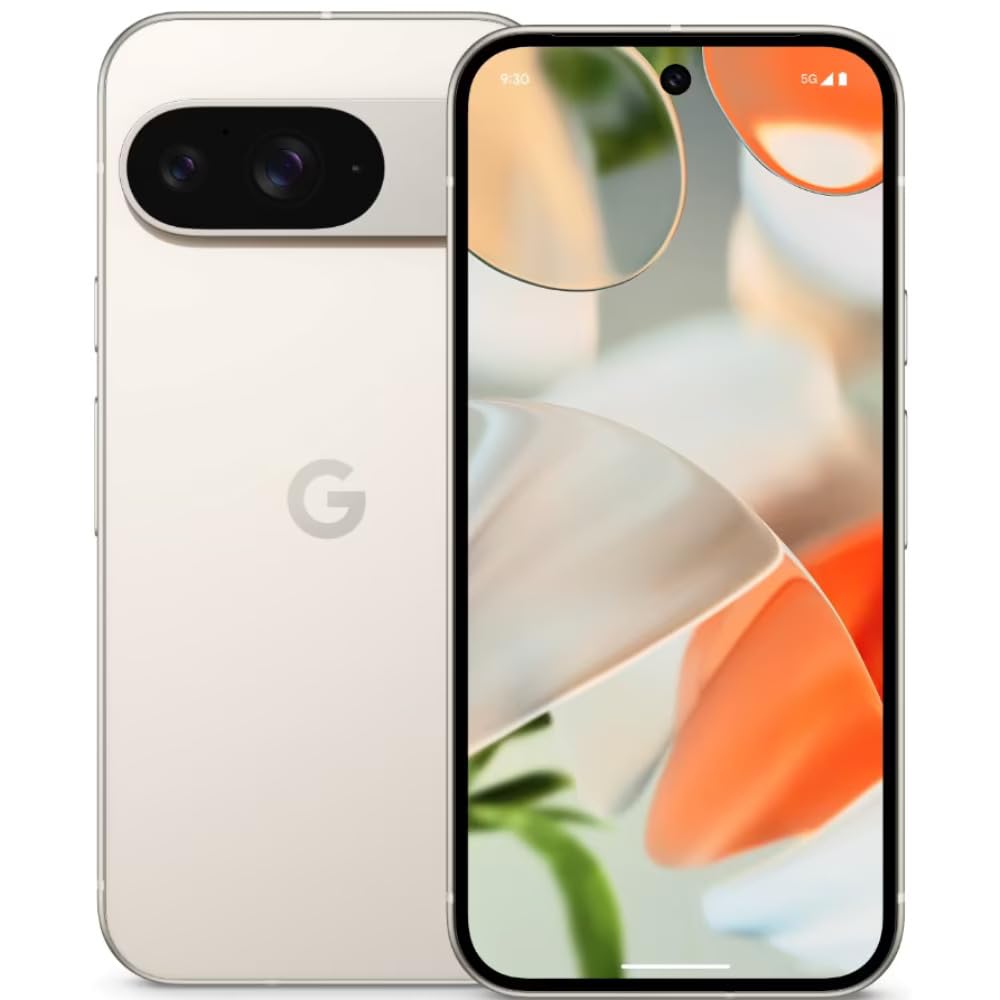
Image: The Google Pixel 9 smartphone, showcasing its sleek design and camera bar on the rear.
2. Podešavanje
2.1. Raspakivanje i početna naplata
Carefully remove all components from the packaging. Before first use, it is recommended to fully charge your Pixel 9 using the provided USB-C to USB-C cable and a compatible power adapter (sold separately).
2.2. Umetanje SIM kartice
- Pronađite ladicu za SIM karticu sa strane vašeg Pixela 9.
- Insert the SIM ejector tool (included in the box) into the small hole on the tray and press firmly until the tray pops out.
- Place your Nano SIM card(s) into the tray with the gold contacts facing down. The Pixel 9 supports Dual SIM functionality.
- Lagano gurnite nosač nazad u telefon dok ne klikne na svoje mjesto.
2.3. Uključivanje i početna konfiguracija
Press and hold the Power button on the side of the device until the Google logo appears. Follow the on-screen instructions to complete the initial setup, including connecting to Wi-Fi, signing in with your Google account, and setting up security features like fingerprint recognition.
3. Operating Your Google Pixel 9
3.1. Prikaz i navigacija
The Pixel 9 features a 6.3-inch OLED display with a dynamic refresh rate up to 120Hz, providing smooth visuals. Navigate the device using touch gestures. Swipe up from the bottom to go home, swipe from the sides to go back, and swipe up and hold for recent apps.
3.2. Performanse
Powered by the Google Tensor G4 processor and 12 GB of RAM, the Pixel 9 delivers efficient multitasking and responsive performance for applications and games.
3.3. Sistem kamera
The Pixel 9 is equipped with a dual rear camera system: a 50 MP main sensor and a 48 MP ultrawide lens (123° field of view). The front camera is 10.5 MP. Advanced AI features enhance photography, including:
- Dodaj me: Allows users to insert themselves into photos.
- Pixel Studio: Enables image creation from text prompts.

Image: A visual representation of the Google Pixel 9's AI photo editing capabilities, showing how images can be enhanced or modified.

Image: Screenshots from the Google Pixel 9 illustrating AI functionalities such as Gemini for assistance, advanced Pixel Screenshots, and the 'Circle to Search' feature.
3.4. Baterija i punjenje
The device includes a 4700 mAh battery. It supports 45W USB-PD fast charging and 15W wireless charging. For optimal charging, use compatible USB-PD chargers.
3.5. Sigurnosne karakteristike
Unlock your device securely using the integrated fingerprint recognition sensor.
4. Održavanje
4.1. Izdržljivost i zaštita
The Pixel 9 is designed with durability in mind, featuring Corning Gorilla Glass Victus 2 for scratch resistance and protection against minor drops and spills. It is also water resistant.
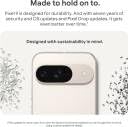
Image: The Google Pixel 9, highlighting its robust construction and the commitment to seven years of OS and security updates, ensuring longevity.
4.2. Ažuriranja softvera
Google provides seven years of OS and security updates for the Pixel 9, ensuring your device remains secure and up-to-date with the latest features. Regularly check for and install available updates via Settings > System > System update.
4.3. Čišćenje uređaja
To clean your Pixel 9, use a soft, lint-free cloth. Avoid abrasive materials or harsh chemicals. For stubborn marks, slightly dampen the cloth with water. Do not submerge the device in water.
5. Otkrivanje problema
If you encounter issues with your Pixel 9, consider the following general troubleshooting steps:
- Ponovo pokrenite uređaj: Jednostavno ponovno pokretanje može riješiti mnoge manje softverske probleme.
- Provjerite ima li ažuriranja softvera: Provjerite da li vaš uređaj koristi najnoviju verziju softvera.
- Review Odobrenja aplikacije: If an app is not functioning correctly, check its permissions in Settings.
- Obriši keš memoriju: For app-specific issues, try clearing the app's cache via Settings > Apps.
- Vraćanje na tvorničke postavke: Kao krajnje rješenje, vraćanje na tvorničke postavke može riješiti uporne probleme sa softverom. Napravite sigurnosnu kopiju podataka prije vraćanja na tvorničke postavke.
For more complex issues or hardware malfunctions, please contact Google Support.
6. Specifikacije
| Feature | Specifikacija |
|---|---|
| Brand | |
| Model | Pixel 9 |
| Operativni sistem | Android 14 |
| Procesor | Google Tensor G4 |
| RAM | 12 GB |
| Interna pohrana | 256 GB |
| Veličina ekrana | 6.3 inča |
| Display Type | OLED |
| Rezolucija | 2424x1080 piksela |
| Zadnja kamera | 50 MP (glavna), 48 MP (ultraširoka) |
| Prednja kamera | 10.5 MP |
| Kapacitet baterije | 4700 mAh |
| Punjenje | 45W USB-PD Fast Charging, 15W Wireless Charging |
| Povezivanje | 5G, Wi-Fi, USB Type C |
| Tip SIM kartice | Nano SIM (Dual SIM) |
| Biometrijska sigurnost | Prepoznavanje otiska prsta |
| Nivo vodootpornosti | Otporan na vodu |
| Dimenzije (D x Š x V) | 15.2 x 7.2 x 0.8 centimetara |
| Težina | 198 grama |
7. Šta se nalazi u kutiji
The Google Pixel 9 retail package includes the following items:
- Pametni telefon Google Pixel 9
- USB-C na USB-C kabl
- Alat za izbacivanje SIM kartice
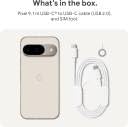
Image: A clear depiction of the Google Pixel 9 and its included accessories: a USB-C to USB-C cable and a SIM ejector tool.
8. Garancija i podrška
8.1. Garancija na proizvod
Your Google Pixel 9 comes with a 1-year limited warranty from the date of purchase. This warranty covers manufacturing defects. Please retain your proof of purchase for warranty claims.
8.2. Korisnička podrška
For technical assistance, warranty claims, or further information, please visit the official Google Support website or contact Google customer service. Refer to the Google support page for your region for specific contact details and service center locations.