
Uvod
This manual provides comprehensive instructions for the LogiLink ID0212 Wireless 28-Key Bluetooth 5.0 Scissor Mechanism Keyboard. It covers setup, operation, maintenance, and troubleshooting to ensure optimal performance and user experience. Please read this manual thoroughly before using the device.
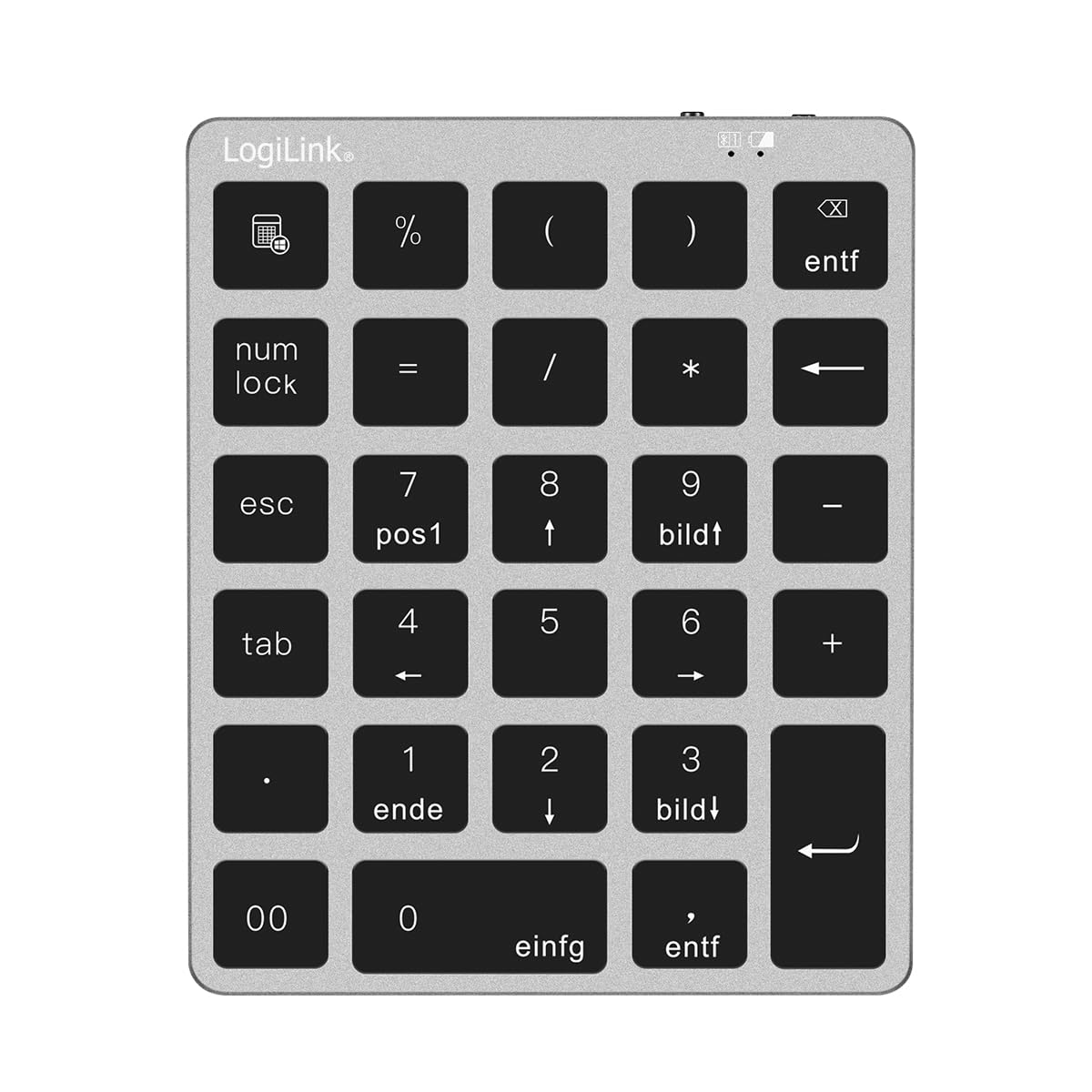
Figure 1: LogiLink ID0212 Wireless 28-Key Bluetooth 5.0 Scissor Mechanism Keyboard. This image shows the overall design of the numeric keypad.
Sadržaj paketa
Provjerite da li su sve stavke prisutne u paketu:
- LogiLink ID0212 Wireless 28-Key Bluetooth 5.0 Keyboard
- USB-C kabl za punjenje
- Korisnički priručnik (ovaj dokument)
Setup
1. Punjenje tastature
Before initial use, fully charge the keyboard. Connect the supplied USB-C cable to the keyboard's charging port and the other end to a USB power source (e.g., computer USB port, USB wall adapter).
- The LED indicator will show crvena tokom punjenja.
- The LED indicator will turn off or change color (depending on model) when fully charged.
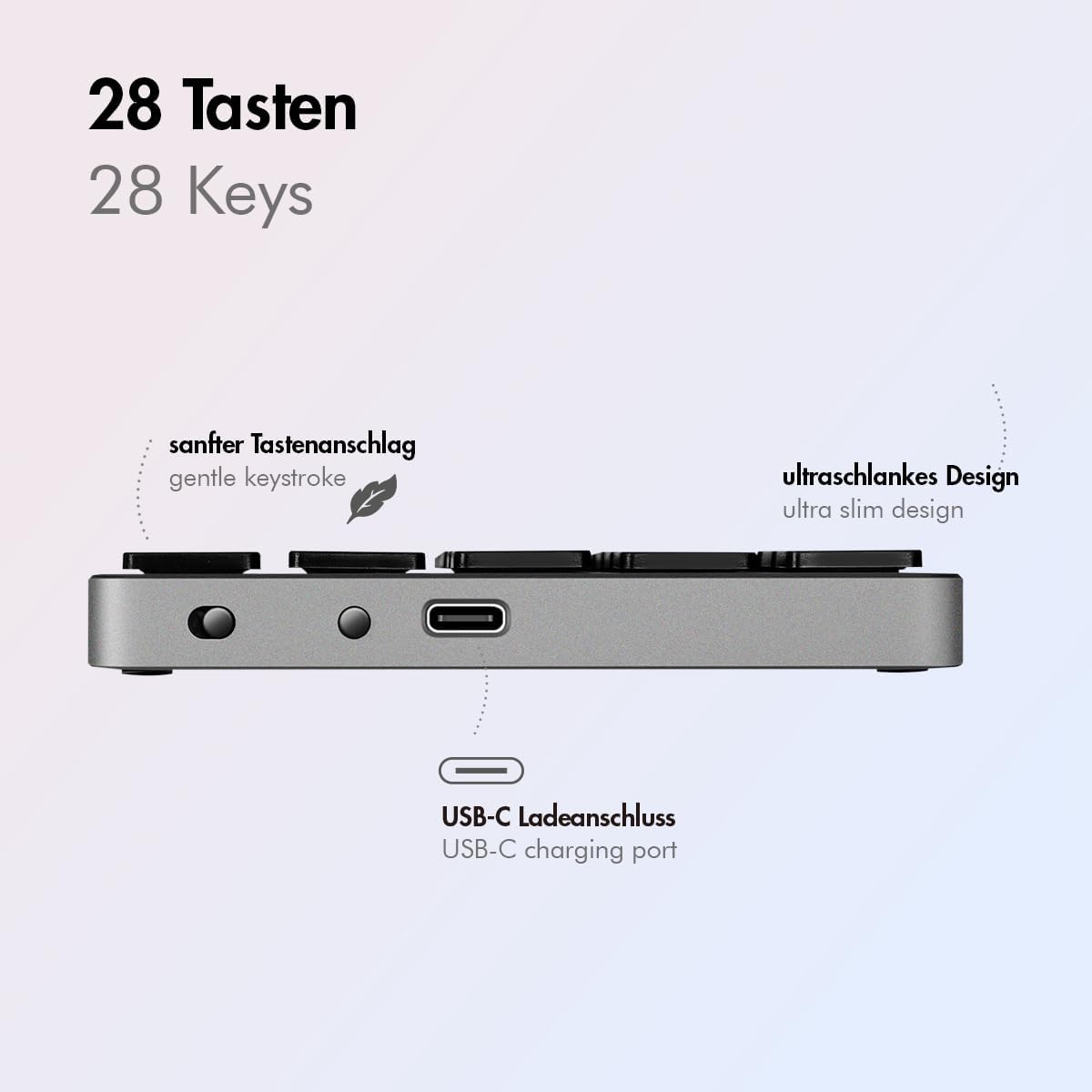
Slika 2: Bočna strana view of the LogiLink ID0212 keyboard showing the USB-C charging port. This image highlights the location of the charging port and the ultra-slim design.

Slika 3: Detaljno view of the LogiLink ID0212 keyboard's side profile, indicating the USB-C charging port, gentle keystroke mechanism, and ultra-slim design.
2. Bluetooth uparivanje
Follow these steps to connect your LogiLink ID0212 keyboard via Bluetooth 5.0:
- Provjerite je li tastatura napunjena i uključena.
- Activate Bluetooth on your device (computer, tablet, smartphone).
- Put the keyboard into pairing mode. Look for a small button on the back or side, or a key combination like Fn + C (common for Bluetooth keyboards). The LED indicator will flash plava when in pairing mode.
- Na svom uređaju potražite dostupne Bluetooth uređaje.
- Select "LogiLink ID0212" or a similar name from the list of found devices.
- If prompted, enter the pairing code displayed on your screen using the LogiLink ID0212 keyboard and press Enter.
- Once paired, the blue LED indicator will stop flashing and remain solid for a few seconds, then turn off. The keyboard is now ready for use.
The keyboard supports a stable connection up to 10 meters (33 feet) and is compatible with iOS, Android, Windows, MacOS, Chrome OS, and iPadOS.
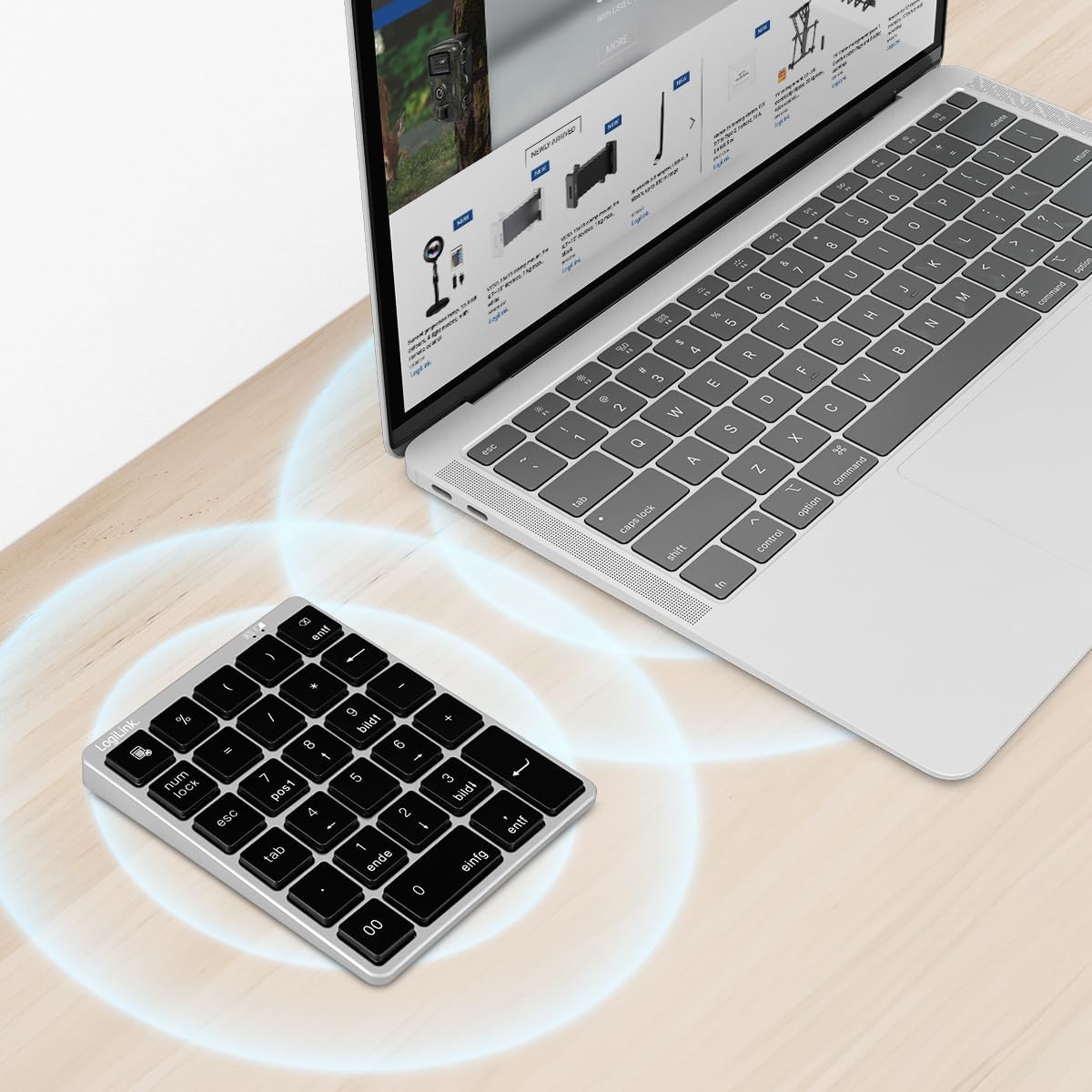
Figure 4: The LogiLink ID0212 keyboard positioned next to a laptop, illustrating its wireless connectivity. This image demonstrates the keyboard's use in a typical workspace setup.
Uputstvo za upotrebu
Osnovne funkcije tastera
The LogiLink ID0212 features 28 keys designed for efficient data entry and calculations. Key functions include:
- Numeričke tipke (0-9): Standard number input.
- Aritmetički operatori (+, -, *, /): For calculations.
- Decimalni zarez (.): For fractional numbers.
- NumLock: Toggles the numeric keypad function. When NumLock is active, the green LED indicator will be on.
- ESC: Escape key, typically used to cancel operations or close menus.
- Delete (DEL): Deletes characters.
- Dugme za kalkulator: Launches the calculator application on compatible operating systems.
- Tab: Moves the cursor to the next tab stop or field.
- Home/End/PgUp/PgDn: These keys (often labeled as 'pos1', 'ende', 'bildt', 'bildl' or similar) provide navigation functions.
The scissor mechanism keys provide a gentle and quiet keystroke, enhancing typing comfort.

Figure 5: The LogiLink ID0212 keyboard in active use, demonstrating its compact layout and key functions alongside a laptop. This image provides a clear view of the keypad's design and key labels.
LED indikatori
Tastatura ima LED indikatore koji pružaju informacije o statusu:
- Crvena LED dioda: Indicates the keyboard is charging.
- Plava LED: Flashes during Bluetooth pairing mode; solid when successfully paired (then turns off).
- Zelena LED: Indicates that NumLock is active.
Održavanje
Čišćenje
Da biste održali izgled i funkcionalnost tastature:
- Za brisanje površine koristite meku, suhu krpu koja ne ostavlja dlačice.
- Za tvrdokornu prljavštinu, lagano dampOperite krpu vodom ili blagim rastvorom za čišćenje. Izbjegavajte prekomjernu vlagu.
- Do not use abrasive cleaners, solvents, or aerosol sprays directly on the keyboard.
Battery Care
The integrated 140 mAh lithium battery provides long-lasting power. To prolong battery life:
- Punite tastaturu pomoću priloženog USB-C kabla.
- Izbjegavajte često potpuno pražnjenje baterije.
- If storing the keyboard for an extended period, charge it to about 50% and store it in a cool, dry place.
Rješavanje problema
Tastatura se ne povezuje/uparuje
- Provjerite nivo napunjenosti baterije: Ensure the keyboard is sufficiently charged. Charge it if the red LED indicates low battery.
- Ponovo uđite u način uparivanja: Turn the keyboard off and on, then re-enter Bluetooth pairing mode (blue LED flashing).
- Device Bluetooth: Ensure Bluetooth is enabled on your computer/device and it's discoverable.
- Zaboravi uređaj: On your device, remove or "forget" the keyboard from your Bluetooth device list, then attempt to pair again.
- Udaljenost: Ensure the keyboard is within the 10-meter (33 feet) operating range of your device.
- Interferencija: Udaljite se od drugih bežičnih uređaja koji bi mogli uzrokovati smetnje.
Tasteri ne odgovaraju
- Veza: Verify the keyboard is still connected via Bluetooth (blue LED should not be flashing).
- NumLock: If numeric keys are not working as expected, check the green NumLock LED. Press the NumLock key to toggle its state.
- Ponovo pokrenite uređaj: Sometimes, restarting your computer or device can resolve input issues.
- Kompatibilnost: While compatible with many OS, specific key functions might behave differently on certain systems (e.g., some special characters on macOS, as noted in reviews).
Problemi sa punjenjem
- Cable Check: Ensure the USB-C cable is securely connected to both the keyboard and the power source.
- Izvor napajanja: Try a different USB port or power adapter.
- Crvena LED dioda: Confirm the red LED illuminates when charging. If not, the cable or port might be faulty.
Specifikacije
| Feature | Detalj |
|---|---|
| Broj modela | ID0212 |
| Ključevi | 28 keys (NumLock, ESC, Delete, Calculator button) |
| Ključni mehanizam | Makazasti mehanizam |
| Povezivanje | Bluetooth 5.0 |
| Operativni opseg | Do 10 metara (33 stope) |
| Baterija | Litijumska baterija od 140 mAh |
| Port za punjenje | USB-C |
| LED indikatori | Red (Charging), Blue (Pairing/Connected), Green (NumLock) |
| Materijal | Aluminijum + ABS |
| Boja | Space Grey |
| Dimenzije (D x Š x V) | 12.1 x 10 x 1.3 cm (4.76 x 3.94 x 0.51 inča) |
| Težina | 95 grama (0.21 lbs) |
| Kompatibilnost | iOS, Android, Windows, MacOS, Chrome OS, iPadOS |
| Uključene komponente | USB-C kabl |
| Zemlja porijekla | Kina |
Informacije o garanciji
Specific warranty details for the LogiLink ID0212 keyboard are typically provided at the point of purchase or included with the product packaging. Please refer to your purchase documentation or the official LogiLink webstranicu za najtačnije i najnovije uslove garancije.
Korisnička podrška
If you encounter issues not covered in this manual or require further assistance, please contact LogiLink customer support. You can usually find contact information, FAQs, and additional resources on the official LogiLink webstranica:
When contacting support, please have your product model number (ID0212) and purchase information ready.