Uvod
This manual provides detailed instructions for the installation, operation, and maintenance of the Generic RG-NBS3100-24GT4SFP-V2 Managed Switch. This 24-Port GbE L2 Managed Switch is designed for high-performance network environments, offering robust connectivity and advanced management capabilities. Please read this manual thoroughly before using the device to ensure proper setup and optimal performance.
Product Overview
Ključne karakteristike
- 24 Gigabit Ethernet portova: Provides high-speed data transmission for connected devices.
- 4 SFP Slots: Offers flexible fiber optic connectivity for extended network reach.
- Dizajn bez ventilatora: Ensures quiet operation, suitable for various environments.
- 1U Rack-mountable Steel Case: Facilitates space-efficient installation in standard server racks.
- Multiple Management Interfaces: Podržava WebUI, Cloud, and App management for convenient remote configuration and monitoring.
- Enterprise Network Suitability: Ideal for growing businesses and large office setups requiring reliable and scalable network solutions.
Šta je u kutiji
The product package for the RG-NBS3100-24GT4SFP-V2 Managed Switch typically includes:
- RG-NBS3100-24GT4SFP-V2 Managed Switch Unit
- Kabl za napajanje
- Rack-mounting Kit (screws, brackets)
- Vodič za brzi početak
Setup
1. Fizička instalacija
The RG-NBS3100-24GT4SFP-V2 switch is designed for 1U rack-mounting. Follow these steps for installation:
- Pripremite stalak: Ensure the server rack has sufficient space and proper ventilation.
- Pričvrstite nosače za montažu: Secure the provided rack-mounting brackets to the sides of the switch using the included screws.
- Montirajte prekidač: Carefully slide the switch into the desired 1U slot in the rack and secure it with rack screws.
- Osigurajte protok zraka: Maintain adequate clearance around the switch for proper heat dissipation, especially since it is fanless.
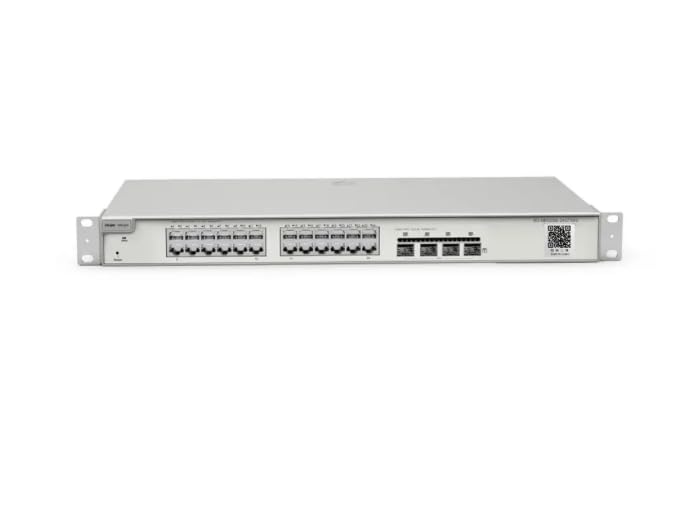
Image: Rear panel of the RG-NBS3100-24GT4SFP-V2 Managed Switch. This view displays the power input port on the left and a ventilation grille, indicating the fanless design. The rack-mounting ears are visible on both ends.
2. Povezivanje napajanja
Connect the provided power cord to the AC power inlet on the rear panel of the switch and then to a grounded electrical outlet. Ensure the power source meets the switch's power requirements.
3. Mrežne veze
- Gigabitni Ethernet portovi: Connect your network devices (servers, workstations, other switches) to the 24 GbE ports using standard RJ45 Ethernet cables.
- SFP slotovi: For fiber optic connections, insert compatible SFP transceivers into the 4 SFP slots, then connect fiber optic cables to the transceivers. Ensure the transceivers and cables match your network's fiber type (e.g., single-mode or multi-mode).

Slika: Krupni plan view of the network ports on the RG-NBS3100-24GT4SFP-V2 Managed Switch. This image highlights the Gigabit Ethernet ports and SFP slots, demonstrating the connectivity options available for various network devices.
Upravljanje prekidačem
Upravljački interfejsi
The RG-NBS3100-24GT4SFP-V2 switch offers flexible management options:
- Web Korisnički interfejs (WebUI): Access the switch's configuration and monitoring features via a standard web browser. Refer to the Quick Start Guide for initial IP address and login credentials.
- Upravljanje oblakom: For remote management and centralized control, the switch can be integrated with a cloud management platform. Follow the instructions provided by the manufacturer for cloud registration and setup.
- Upravljanje mobilnim aplikacijama: A dedicated mobile application may be available for convenient monitoring and basic configuration from a smartphone or tablet.
Osnovna konfiguracija
Upon initial access, it is recommended to:
- Promijenite zadanu administratorsku lozinku radi sigurnosti.
- Configure network settings such as IP address, subnet mask, and gateway.
- Update the switch firmware to the latest version.
- Set up VLANs, QoS, and other advanced features as required by your network design.
Održavanje
The RG-NBS3100-24GT4SFP-V2 switch features a fanless design, reducing the need for mechanical maintenance. However, regular care is still important:
- Održavajte čistoću: Periodically clean the exterior of the switch and ventilation grilles with a soft, dry cloth to prevent dust accumulation.
- Kontrola okoline: Ensure the operating environment is within specified temperature and humidity ranges to prevent overheating and component damage.
- Ažuriranja firmvera: Redovno provjeravajte i instalirajte ažuriranja firmvera kako biste osigurali optimalne performanse, sigurnost i pristup novim funkcijama.
- Upravljanje kablovima: Održavajte uredne kablove kako biste spriječili slučajna isključenja i poboljšali protok zraka.
Rješavanje problema
If you encounter issues with your switch, consider the following basic troubleshooting steps:
- Nema napajanja:
- Provjerite je li kabel za napajanje sigurno spojen i na prekidač i na utičnicu.
- Provjerite je li utičnica funkcionalna.
- Nema mrežne veze:
- Ensure Ethernet or fiber optic cables are properly connected to the correct ports.
- Check the link/activity LEDs on the switch ports for status.
- Verify IP configuration on connected devices and the switch.
- Management Access Issues:
- Confirm the switch's IP address and your computer's network settings.
- Clear browser cache or try a different browser for WebUI pristup.
- Ensure correct login credentials.
- Spore performanse:
- Check for network loops or excessive broadcast traffic.
- Verify cable integrity and port speeds.
- Monitor switch resource utilization (CPU, memory) via the management interface.
For more advanced troubleshooting or persistent issues, consult the manufacturer's online resources or contact technical support.
Specifikacije
| Feature | Opis |
|---|---|
| Model | RG-NBS3100-24GT4SFP-V2 |
| Luke | 24 x 10/100/1000BASE-T Gigabit Ethernet Ports, 4 x SFP Slots |
| Preklopni kapacitet | (Information not provided, typical for a 24-port GbE switch with 4 SFP is around 56Gbps) |
| Stopa prosljeđivanja | (Information not provided, typical for a 24-port GbE switch with 4 SFP is around 41.67Mpps) |
| Menadžment | WebUI, Cloud, Mobile App |
| Dizajn | Fanless, 1U Rack-mountable Steel Case |
| Napajanje | Interno AC napajanje (Specifics not provided) |
| Dimenzije (Š x D x V) | (Information not provided, typical 1U rackmount is 440 x 200 x 44 mm) |
| Radna temperatura | (Information not provided, typical is 0°C to 40°C) |
Note: Some specifications are typical values for this class of device and may vary. Refer to the official product datasheet for precise details.
Garancija i podrška
For warranty information, please refer to the warranty card included with your product or visit the manufacturer's official website. Technical support is available through the manufacturer's support channels, which typically include online FAQs, knowledge bases, and direct contact options.
Manufacturer: Reyee
Marka: Generički


