
1. Uvod
Hvala na kupoviniasing the ELECOM LBT-ECOWS01MBK Open-Ear Bluetooth 5.4 Wireless Headphones. These headphones are designed to allow you to enjoy audio content while remaining aware of your surroundings. This manual provides essential information for the safe and effective use of your new device.

Image: The ELECOM LBT-ECOWS01MBK open-ear wireless headphones and their transparent charging case.
2. Sadržaj paketa
- ELECOM LBT-ECOWS01MBK Open-Ear Wireless Headphones (Left and Right)
- Futrola za punjenje
- USB Charging Cable (USB-A to USB Type-C™)
- Vodič za brzi početak
3. Značajke proizvoda
- Dizajn otvorenog uha: Listen to music or videos while simultaneously hearing ambient sounds, ensuring awareness of your surroundings.
- Lagana udobnost: Each earbud weighs approximately 9.8g, providing a comfortable fit for extended wear without pressure or stuffiness.
- Visok kvalitet zvuka: Equipped with a large 16mm diameter driver for clear sound and supports AAC codec for high-quality audio on compatible devices like iPhones.
- Glasovni način rada: Optimizes audio frequencies to make human voices clearer, ideal for radio, audiobooks, and conversations.
- Način rada niske latencije: Reduces audio-visual delay, enhancing the experience for videos and games.
- Produžena reprodukcija: Up to 10 hours of continuous playback on a single charge, and up to 25 hours with the charging case.
- Kontrole senzora na dodir: Conveniently manage music playback, volume, and calls directly from the earbuds.
- Podrška glasovnog asistenta: Kompatibilan sa Siri i Google Assistantom za upravljanje bez upotrebe ruku.
- Upotreba jedne slušalice: Obe slušalice se mogu koristiti nezavisno.
- USB Type-C™ Charging: The charging case features a USB Type-C™ port for convenient charging.

Image: A man wearing the open-ear headphones, demonstrating the ability to hear ambient sounds while enjoying media.
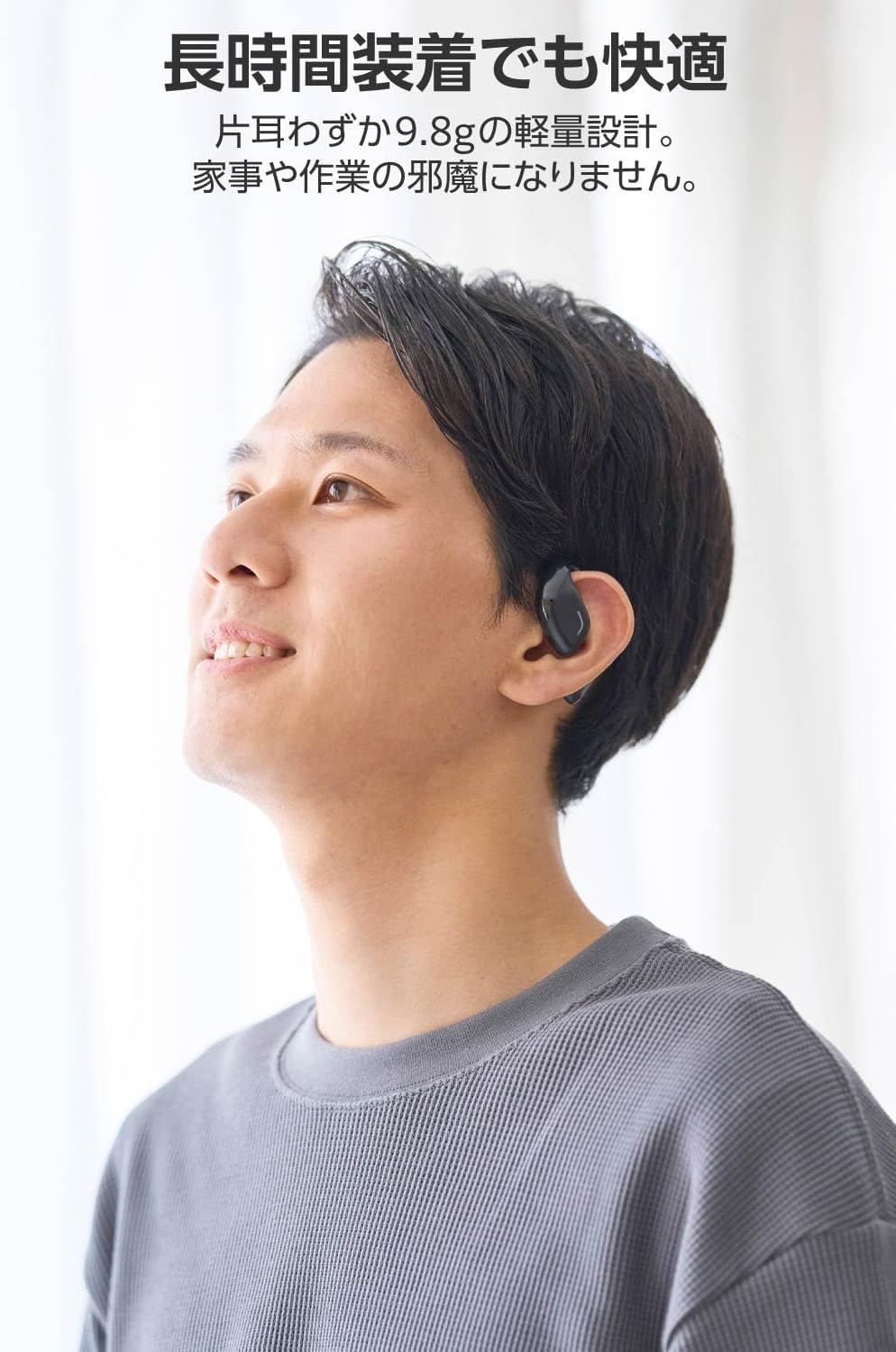
Image: A man wearing the lightweight open-ear headphones, highlighting their comfortable design for long-term use.
4. Podešavanje
4.1. Punjenje slušalica i futrole
Prije prve upotrebe, potpuno napunite slušalice i kućište za punjenje.
- Stavite obe slušalice u futrolu za punjenje.
- Connect the supplied USB Type-C™ cable to the charging port on the case and a USB power adapter (not included).
- LED indikator na kućištu za punjenje će prikazivati status punjenja.
Vrijeme punjenja:
- Headphones: Approximately 1.5 hours
- Punjenje kućišta: Otprilike 1.5 sati

Image: Illustration of the charging process for the headphones and case, showing the USB-C port and LED indicators.
4.2. Uparivanje sa Bluetooth uređajem
- Uvjerite se da su slušalice napunjene.
- Open the charging case. The headphones will automatically enter pairing mode. The LED indicator on the earbuds will flash.
- On your device (smartphone, PC, tablet), enable Bluetooth and search for available devices.
- Select "LBT-ECOWS01MBK" from the list of found devices.
- Nakon povezivanja, LED indikator na slušalicama će prestati treptati.
- After initial pairing, the headphones will automatically connect to the last paired device when removed from the case.
4.3. Nošenje slušalica
The headphones are designed to hook over your ears.
- Identifikujte lijeve (L) i desne (R) slušalice.
- With the LED facing outwards, hook the earbud over the top of your ear.
- Adjust the earbud for a comfortable and secure fit.

Image: Step-by-step guide on correctly wearing the open-ear headphones.
5. Uputstvo za upotrebu
5.1. Touch Sensor Controls
The headphones feature touch sensors on each earbud for various functions.
| Funkcija | Akcija | Slušalica |
|---|---|---|
| Pusti/Pauza | Jedan dodir | L ili R |
| Next Track | Dvaput dodirnite | R |
| Previous Track | Dvaput dodirnite | L |
| Volume Up | Dugi pritisak (otprilike 2 sekundi) | R |
| Utišavanje zvuka | Dugi pritisak (otprilike 2 sekundi) | L |
| Odgovori/Završi poziv | Jedan dodir | L ili R |
| Odbiti poziv | Dugi pritisak | L ili R |
| Aktivirajte glasovnog asistenta | Trostruko dodirivanje | L ili R |

Image: Visual representation of the touch sensor areas and corresponding music and volume controls.
5.2. Switching Audio Modes
The headphones offer three distinct audio modes:
- Normalni način rada: Standard audio playback.
- Način rada niske latencije: Reduces audio-visual delay, suitable for watching videos or playing games.
- Glasovni način rada: Enhances human voice frequencies for clearer dialogue, ideal for audiobooks, podcasts, or calls.
To switch between modes, refer to the quick start guide or the official product page for specific touch gestures, as these can sometimes be customized.

Slika: Prekoview of the three available audio modes and their recommended uses.
5.3. Single Earbud Use
You can use either the left or right earbud independently. When using only one earbud, ensure the other earbud is powered off or stored in the charging case.
6. Održavanje
Da biste osigurali dugotrajnost i optimalne performanse vaših slušalica:
- Redovno čistite slušalice i kućište za punjenje mekom, suhom krpom.
- Nemojte koristiti abrazivna sredstva za čišćenje ili rastvarače.
- Izbjegavajte izlaganje slušalica ekstremnim temperaturama, vlazi ili direktnoj sunčevoj svjetlosti.
- Održavajte kontakte za punjenje na slušalicama i unutar kućišta čistim i bez prljavštine.
- Kada se ne koriste, slušalice čuvajte u kutijici za punjenje kako biste ih zaštitili i održali napunjenima.
7. Otkrivanje problema
Ako imate problema sa slušalicama, pogledajte sljedeća uobičajena rješenja:
- Nema zvuka:
- Uvjerite se da su slušalice napunjene.
- Check that the headphones are properly paired and connected to your device.
- Podesite jačinu zvuka i na slušalicama i na povezanom uređaju.
- Ne može se upariti:
- Provjerite jesu li slušalice u načinu rada za uparivanje (LED treperi).
- Turn off Bluetooth on other nearby devices that may have previously connected.
- Ponovo pokrenite uređaj i pokušajte ponovo upariti.
- Intermitentna veza:
- Provjerite da nema prepreka između slušalica i vašeg uređaja.
- Move closer to your device (maximum communication distance is approximately 10m).
- Izbjegavajte okruženja sa jakim elektromagnetnim smetnjama.
- Kontrole dodirom ne reaguju:
- Pazite da su vam prsti čisti i suhi.
- Try restarting the headphones by placing them in the case and then taking them out again.
- Glasovna obavijest o niskoj bateriji: If you hear a repeated "Low Battery, please charge" prompt, place the earbuds in the charging case immediately.
If the issue persists, please refer to the official ELECOM support websajt za dalju pomoć.
8. Specifikacije
| Feature | Specifikacija |
|---|---|
| Naziv modela | LBT-ECOWS01MBK |
| Tehnologija povezivanja | Wireless (Bluetooth® Version 5.4) |
| Bluetooth Profiles | A2DP, AVRCP, HFP |
| Podržani kodeci | AAC, SBC |
| Maksimalna komunikacijska udaljenost | Approx. 10m (without obstacles) |
| Frequency Response (A2DP) | 20-20,000Hz |
| Vrijeme kontinuirane reprodukcije | Approx. 10 hours (Approx. 25 hours with charging case) |
| Vrijeme punjenja (slušalice) | Pribl. 1.5 sati |
| Vrijeme punjenja (futrola) | Pribl. 1.5 sati |
| Tip mikrofona | MEMS tip |
| Driver Unit | φ16mm Full Range |
| Težina (po slušalici) | Pribl. 9.8g |
| Težina (futrola za punjenje) | Pribl. 59.0g |
| Boja | Mat crna |
| Otpornost na vodu | Nije vodootporan |
| Radna temperatura | 5℃ do 35℃ |
| Radna vlažnost | 20% do 80% (bez kondenzacije) |
9. Garancija i podrška
9.1. Informacije o garanciji
Ovaj proizvod dolazi sa a 1 godine garancije od datuma kupovine. Molimo sačuvajte dokaz o kupovini za reklamacije u slučaju garancije. Garancija pokriva nedostatke u proizvodnji, ali ne pokriva štetu uzrokovanu nepravilnom upotrebom, nezgodama, neovlaštenim modifikacijama ili normalnim habanjem.
9.2. Korisnička podrška
For further assistance, technical support, or detailed product information, please visit the official ELECOM webstranica:
You may also find additional FAQs and troubleshooting tips on the product support pages.