Uvod
Thank you for choosing the Edifier Active Noise Cancelling Headphones ES850NB. These over-ear Bluetooth headphones are designed to provide an immersive audio experience with advanced features such as Hi-Res Audio certification, extended playtime, fast charging, and clear call quality. This manual will guide you through the setup, operation, and maintenance of your new headphones to ensure optimal performance and longevity.
Šta je u kutiji
Molimo Vas da provjerite sadržaj paketa kako biste bili sigurni da su svi artikli prisutni:
- Edifier ES850NB Headphones
- Futrola za bežično punjenje
- Uputstvo za upotrebu
- Putna torba
- Kabel za punjenje tipa C
- Važna sigurnosna uputstva

Image: The contents of the Edifier ES850NB package, showing the headphones, charging case, and accompanying accessories.
Product Overview
Ključne karakteristike
- Immersive Hi-Res Audio: Features 40mm titanium-coated drivers and supports LDAC/AAC/SBC codecs for superb Hi-Res Audio and Hi-Res Audio Wireless.
- Upgraded Hybrid Active Noise Cancellation: Blocks up to -45dB of ambient noise with multiple ANC modes (high, medium, wind reduction, ambient sound).
- Extended Battery Life & Fast Charging: Up to 92 hours of playtime (ANC off) or 53 hours (ANC on). A 15-minute charge provides up to 11.5 hours of playback (ANC off).
- Clear Calls & Versatile Connectivity: Built-in mics with AI noise cancellation for crystal-clear calls. Supports Bluetooth 5.4 and wired connection.
- Cjelodnevna udobnost: Designed with skin-friendly leather ear cushions, an ergonomic steel headband, and a lightweight 260g build.
Kontrole i indikatori
The Edifier ES850NB headphones feature intuitive controls located on the earcups for easy management of audio playback, calls, and noise cancellation modes.

Slika: Detaljna view of the headphone controls, including volume up/down, power, play/pause, call management, and ANC mode switch.
- Jačina zvuka (+): Single press to increase volume. Press and hold for next track.
- Stišavanje (-): Single press to decrease volume. Press and hold for previous track.
- Power ON/OFF / Play/Pause: Press and hold for power. Single press for play/pause.
- Upravljanje pozivima: Single press to answer/end a call. Double press to reject a call.
- Glasovni asistent: Double press to activate voice assistant.
- ANC Modes Switch / Bluetooth Pairing: Single press to cycle through ANC modes. Press and hold to initiate Bluetooth pairing.
Setup
Punjenje slušalica
Before first use, fully charge your headphones. Connect the provided Type-C charging cable to the charging port on the headphones and the other end to a USB power source. The indicator light will show charging status. A full charge provides up to 92 hours of playback (ANC off). A quick 15-minute charge can provide up to 11.5 hours of playback (ANC off).
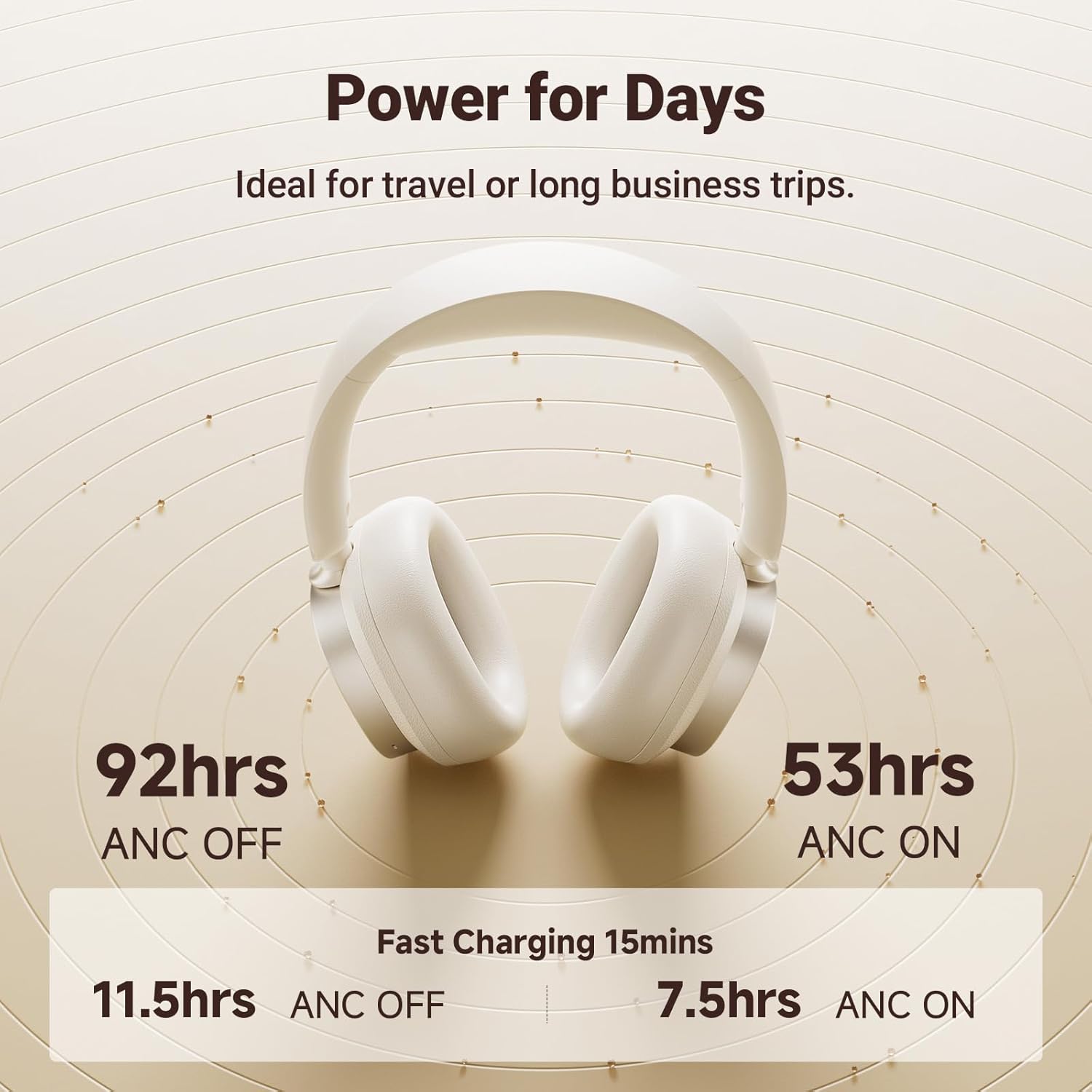
Image: Visual representation of the impressive battery life and fast charging capabilities of the headphones.
Bluetooth uparivanje
- Uvjerite se da su slušalice isključene.
- Press and hold the ANC/Bluetooth pairing button until the indicator light flashes rapidly, indicating pairing mode.
- On your device (smartphone, tablet, computer), enable Bluetooth and search for "Edifier ES850NB" in the list of available devices.
- Select "Edifier ES850NB" to connect. Once connected, the indicator light will turn solid blue or off, depending on the model.
- The headphones support multipoint connection, allowing seamless switching between two paired Bluetooth devices.
Video: An official product video demonstrating the Edifier Active Noise Cancelling Headphones, highlighting features like multipoint Bluetooth connectivity and comfort.
Uputstvo za upotrebu
Otkazivanje aktivne buke (ANC)
The ES850NB headphones feature advanced hybrid active noise cancellation. Press the ANC button to cycle through different modes:
- High Noise Cancellation: Ideal for noisy environments like flights, metros, or buses.
- Medium Noise Cancellation: Suitable for offices, coffee shops, or parks.
- Wind Reduction: Minimizes wind noise during outdoor activities.
- ambijentalni zvuk: Allows you to hear your surroundings while still enjoying audio.

Image: A visual guide to the various Active Noise Cancellation modes and their recommended uses.
Sound Effects and Personalization
Customize your listening experience with three distinct sound effects:
- Muzički način rada: Optimizovano za opšte slušanje muzike.
- Način igre: Provides 0.08s low latency for immersive gaming audio.
- prostorni zvuk: Creates a lifelike, surround-sound audio experience.
These modes can be selected via the Edifier Connect app, which also allows for EQ customization and firmware upgrades.

Image: The headphones emphasizing their Hi-Res Audio capabilities for an immersive sound experience.
Upućivanje i primanje poziva
The built-in microphones with AI noise cancellation ensure crystal-clear calls. Use the multi-function button for call management:
- Single press to answer an incoming call.
- Single press to end an active call.
- Double press to reject an incoming call.

Image: Demonstrating the clear hands-free call feature of the headphones.
Wired and Wireless Use
The ES850NB headphones offer both wireless Bluetooth 5.4 connectivity and a wired option for versatile use. Simply connect the included USB-C to USB-A cable for a wired connection to compatible devices.

Image: Comparison showing the flexibility of using the headphones wirelessly via Bluetooth or with a wired connection.
Touch-to-Chat Functionality
For quick conversations without removing your headphones, simply touch and hold the right ear cup. This action will pause your audio and activate ambient sound mode, allowing you to hear your surroundings clearly. Release to resume playback instantly.
Održavanje
- čišćenje: Za čišćenje slušalica koristite meku, suhu krpu. Ne koristite abrazivna sredstva za čišćenje ili rastvarače.
- Skladištenje: When not in use, store the headphones in the provided travel bag or charging case to protect them from dust and damage.
- Održavanje baterije: Da biste produžili vijek trajanja baterije, izbjegavajte često potpuno pražnjenje slušalica. Redovno ih punite, čak i ako se ne koriste duži period.
- temperatura: Izbjegavajte izlaganje slušalica ekstremnim temperaturama (vrućim ili hladnim) ili visokoj vlažnosti.
Rješavanje problema
| Problem | Mogući uzrok | Rješenje |
|---|---|---|
| Nema zvuka iz slušalica | Headphones not powered on; Not paired; Volume too low; Device issue. | Ensure headphones are on. Re-pair with device. Increase headphone and device volume. Test with another device. |
| Nije moguće upariti uređaj | Headphones not in pairing mode; Device Bluetooth off; Too many paired devices. | Put headphones in pairing mode. Ensure device Bluetooth is on. Clear old Bluetooth connections on device. |
| Loš kvalitet zvuka | Out of Bluetooth range; Interference; Low battery. | Move closer to the device. Avoid strong Wi-Fi or other wireless signals. Charge headphones. |
| ANC nije efikasan | Incorrect ANC mode; Poor fit. | Cycle through ANC modes. Adjust headphones for a snug fit over your ears. |
Specifikacije
| Feature | Detalj |
|---|---|
| Model | ES850NB |
| Bluetooth verzija | 5.4 |
| Audio kodeci | LDAC, AAC, SBC |
| Bluetooth domet | Pribl. 10m |
| Nivo zvučnog pritiska | 91 ± 3dB (A) |
| Frekvencijski odziv | 20Hz-40KHz |
| Trajanje baterije (ANC ISKLJUČEN) | Pribl. 92 sati |
| Trajanje baterije (ANC uključen) | Pribl. 53 sati |
| Input | 5V=1A |
| Težina artikla | 1.5 funti (približno 260 g) |
| Postavljanje uha | Preko uha |
| Kontrola buke | Aktivno poništavanje buke |
Garancija i podrška
Edifier products come with a standard manufacturer's warranty. For detailed warranty information, technical support, or service inquiries, please visit the official Edifier webstranicu ili direktno kontaktirajte njihovu korisničku podršku.
Official Edifier Webstranica: www.edifier.com