
1. Uvod
Thank you for choosing the PAUL B Wireless Keyboard Case. This product is designed to enhance your iPad experience by providing a protective case and a comfortable typing solution. Please read this manual carefully before use to ensure proper operation and longevity of your device.
Kompatibilnost
Ova futrola s tastaturom je kompatibilna sa sljedećim modelima iPada:
- iPad 10th Generation (10.9-inch, 2022) - Models: A2696, A2757, A2777
- iPad 11th Generation (11-inch, 2025) - Models: A3354, A3355, A3356
Please verify your iPad model number (found on the back of your tablet) to ensure compatibility.
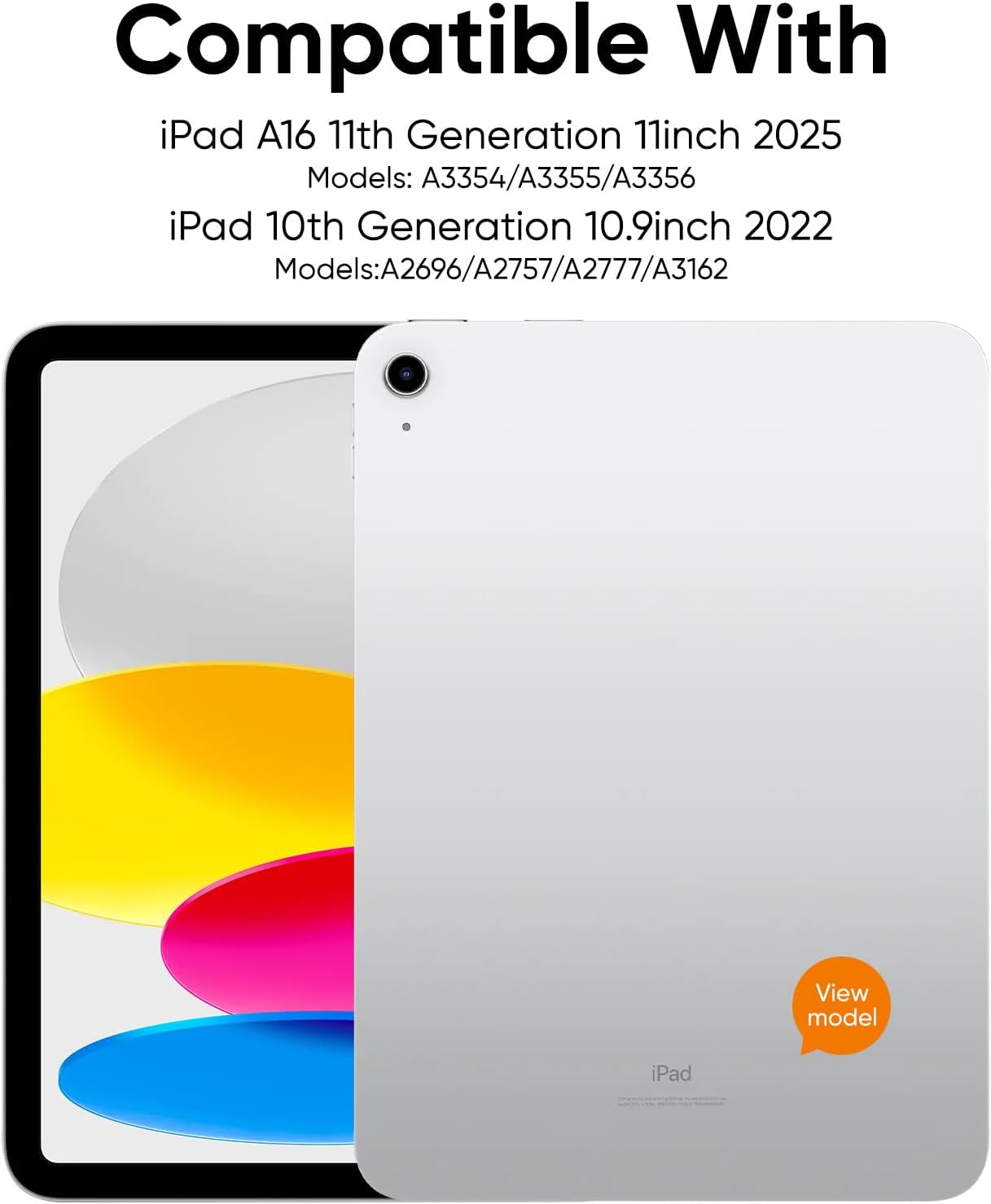
Slika 1: Kompatibilni modeli iPada
Sadržaj paketa
Paket uključuje:
- 1 x PAUL B Wireless Keyboard Case
- 1 x USB-C kabel za punjenje
- 1 x Uputstvo za upotrebu
Note: Apple iPad and charging plug are not included.
2. Podešavanje
Punjenje tastature
The keyboard features a built-in 800mAh rechargeable Li-polymer battery. Before first use, fully charge the keyboard.
- Pronađite USB-C priključak za punjenje na tastaturi.
- Connect the provided USB-C cable to the keyboard's charging port and a suitable USB power adapter (not included).
- The battery indicator lights will show the charging status. A full charge typically takes about 2 hours.
A full charge provides up to 140 days of use, thanks to Bluetooth Low Energy technology and a smart power-saving mode that activates after 20 minutes of inactivity.

Slika 2: USB-C priključak za punjenje
Bluetooth uparivanje
Follow these steps to connect your keyboard case to your iPad:
- Provjerite da li je tastatura napunjena.
- Turn on the keyboard by pressing and holding the power button. The power indicator light will illuminate.
- Press and hold the Bluetooth pairing button on the keyboard until the Bluetooth indicator light starts flashing. This indicates the keyboard is in pairing mode.
- Na vašem iPadu idite na Postavke > Bluetooth i UKLJUČITE Bluetooth.
- Your iPad will search for available devices. Select "Paul B Keyboard" from the list.
- A pairing request may appear. Confirm the pairing on your iPad.
- Once connected, the Bluetooth indicator light on the keyboard will stop flashing and remain solid, or turn off, depending on the model.
3. Uputstvo za upotrebu
Korišćenje tastature
The keyboard features ergonomic mechanical scissor-switch keys for a comfortable and quiet typing experience. It includes a full row of multi-function keys for quick access to media controls, volume, and other iPad functions.

Figure 3: Keyboard Layout and Features
Integrated Pencil Holder
The case includes a built-in slot designed to securely hold your Apple Pencil, allowing for easy access and storage.

Figure 4: Apple Pencil Holder
Kickstand Functionality
The case features a magnetic kickstand that allows you to prop up your iPad for comfortable viewing and typing angles. The magnetic design ensures the iPad stays securely in place.

Figure 5: Kickstand in Use
Automatic Sleep/Wake
The case supports the iPad's automatic sleep/wake function. Closing the case will put your iPad to sleep, and opening it will wake it up, conserving battery life.
Sveobuhvatna zaštita
Crafted from durable PU material, the case resists scratches and stains while cushioning against bumps and spills. It offers full protection for your iPad, including precise cutouts for all ports, buttons, and the camera.

Figure 6: Precise Cutouts for Ports and Camera
4. Održavanje
Čišćenje
To clean the keyboard case, gently wipe it with a soft, damp cloth. Avoid using harsh chemicals or abrasive cleaners, as these may damage the material or electronic components.
Battery Care
To maximize battery life, fully charge the keyboard regularly. The smart power-saving mode helps conserve power by putting the device to sleep after 20 minutes of inactivity. If you plan not to use the keyboard for an extended period, it is recommended to fully charge it and then turn it off.
5. Otkrivanje problema
Keyboard Not Pairing
- Provjerite je li tastatura potpuno napunjena.
- Make sure the keyboard is turned on and in pairing mode (Bluetooth indicator flashing).
- Turn off and then turn on your iPad's Bluetooth.
- Zaboravite uređaj u Bluetooth postavkama vašeg iPada i pokušajte ponovo upariti.
- Ensure your iPad is within the Bluetooth range (typically 10 meters or 33 feet).
Tasteri ne odgovaraju
- Check if the keyboard is connected to your iPad via Bluetooth.
- Provjerite da li je baterija tastature dovoljno napunjena.
- Ponovo pokrenite i iPad i tastaturu.
iPad Not Entering Sleep/Wake Mode
- Provjerite je li iPad pravilno postavljen u futrolu i je li poklopac potpuno zatvoren.
- Check your iPad settings to ensure "Lock/Unlock" is enabled under Display & Brightness.
6. Specifikacije
| Feature | Detalj |
|---|---|
| Broj modela | L1153 |
| Dimenzije paketa | 12.77 x 8.62 x 1.65 inča |
| Težina artikla | 1.59 funte |
| Proizvođač | PAUL B |
| Baterije | 1 AAAA batteries required (included) |
| Kompatibilni uređaji | iPad 10th Gen (10.9-inch), iPad 11th Gen (11-inch) |
| Tehnologija povezivanja | Bluetooth |
| Opis tastature | Fleksibilno |
| Preporučena upotreba | Posao |
| Posebna karakteristika | Slučaj |
| Boja | Crveni |
| Stil | Classic |
| Materijal | poliuretan (PU) |
7. Garancija i podrška
PAUL B is committed to providing 100% satisfactory solutions and a hassle-free shopping experience. If you encounter any issues with your purchase, please feel free to contact us. We offer 24-hour customer service support to assist you.
For customer service inquiries, please refer to the contact information provided on the product packaging or the official PAUL B website.