
ACwO DWOTS111
ACwO Dwots 111 bežične slušalice - uputstvo za upotrebu
Model: DWOTS111
1. Uvod
Welcome to the ACwO Dwots 111 Wireless In-Ear Earbuds user manual. This guide provides essential information for setting up, operating, maintaining, and troubleshooting your new earbuds. Please read this manual thoroughly to ensure optimal performance and longevity of your device.
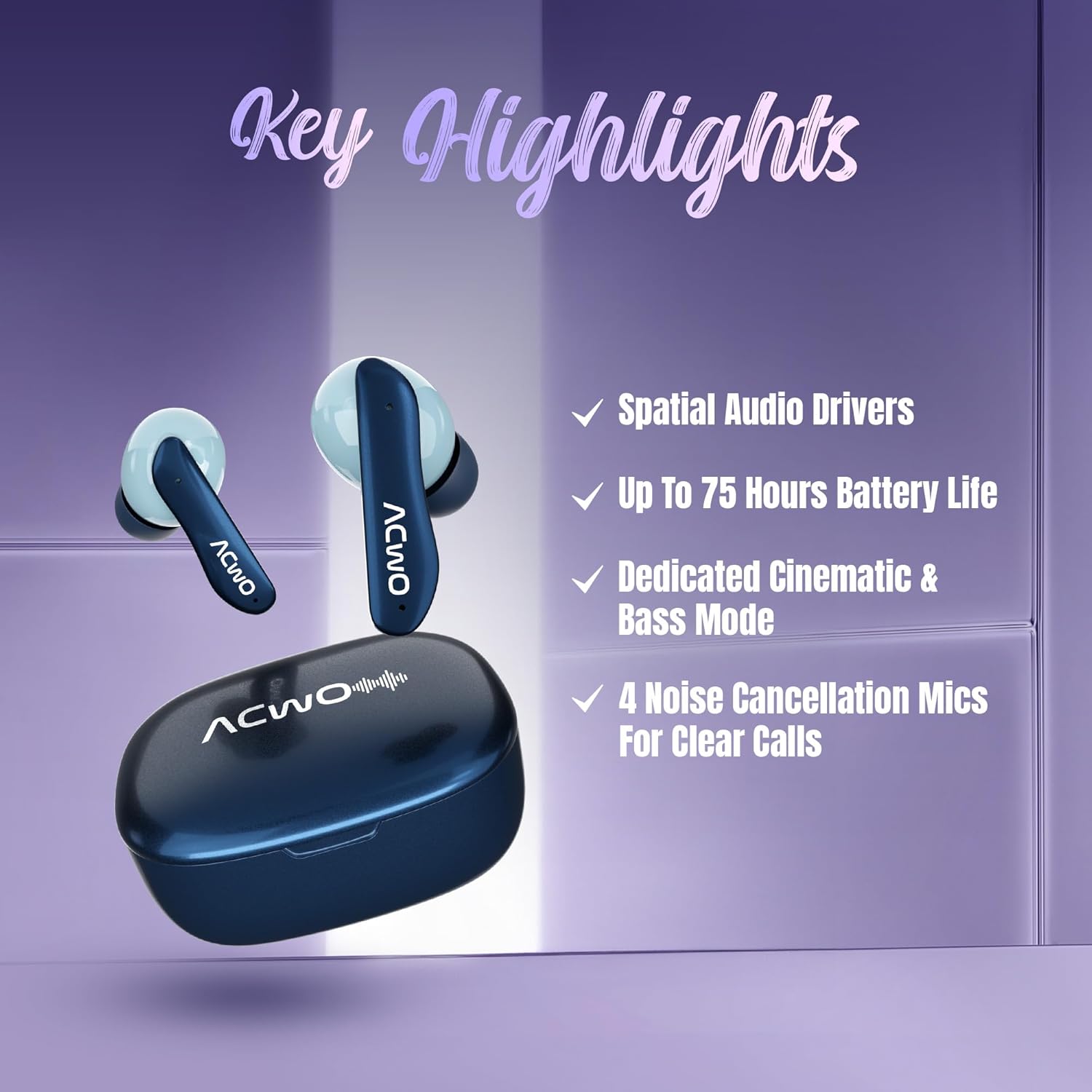
The ACwO Dwots 111 earbuds are designed for a superior audio experience, featuring 10mm Spatial Drivers, up to 75 hours of battery life, and 4 noise-cancellation microphones for clear calls. They also include dedicated Cinematic and Bass modes for versatile listening.
2. Šta se nalazi u kutiji
Upon unboxing your ACwO Dwots 111, please verify that all the following components are included:
- ACwO Dwots 111 Wireless Earbuds (Left and Right)
- Futrola za punjenje
- USB kabl za punjenje
- Naušnice (različite veličine)
- Uputstvo za upotrebu
- Garantni list
3. Proizvod je gotovview
The ACwO Dwots 111 earbuds are engineered for comfort and high-fidelity sound. Below is an image of the product:

The charging case protects your earbuds and provides additional battery life, while the earbuds themselves feature touch controls and integrated microphones.
4. Podešavanje
4.1 Početno punjenje
Before first use, fully charge your ACwO Dwots 111 earbuds and charging case. Connect the provided USB charging cable to the charging port on the case and a power source. The charging indicators on the case will show the charging status.

4.2 Uparivanje s uređajem
- Provjerite jesu li slušalice napunjene i stavljene u kutijicu za punjenje.
- Otvorite poklopac kutijice za punjenje. Slušalice će automatski ući u način rada za uparivanje.
- Na vašem uređaju (pametnom telefonu, tabletu, laptopu) omogućite Bluetooth.
- Traži dostupne Bluetooth uređaje i odaberite "ACwO Dwots 111" s popisa.
- Once connected, the earbuds will provide an audio confirmation.
The earbuds feature Bluetooth V5.4 for stable and efficient connections, along with instant auto-connect for subsequent uses.
4.3 Nošenje slušalica
Select the eartips that provide the most comfortable and secure fit for your ears. Insert the earbuds gently into your ear canals and rotate them slightly until they feel snug and stable. A proper fit is crucial for optimal sound quality and noise isolation.

5. Upravljanje slušalicama
5.1 Kontrole na dodir
The ACwO Dwots 111 earbuds feature intuitive touch controls on each earbud. Specific functions may vary, but common controls include:
- Jednokratno dodirivanje: Reprodukcija/Pauziranje muzike, Odgovori/Završi poziv.
- Dvostruki dodir (lijevo/desno): Prethodna/Sljedeća pjesma.
- Trostruki dodir (lijevo/desno): Volume Down/Up.
- Dugi pritisak: Activate Voice Assistant (Google Assistant, Siri).
5.2 Audio modovi
The earbuds offer dedicated audio modes to enhance your listening experience:
- Kinematografski način rada: Provides an immersive surround sound experience for movies and games. Activate by long-pressing the multi-function touch area for 2 seconds.
- Bas način rada: Enhances low frequencies for a powerful bass response. Activate by long-pressing the multi-function touch area for 2 seconds.


5.3 Upućivanje poziva
The ACwO Dwots 111 features 4 noise-cancellation microphones with AI-ENC and SONIC SHIELD technology for clear voice quality during calls, even in noisy environments. Use the single tap control to answer or end calls.
6. Održavanje
6.1 Čišćenje
Redovno čistite slušalice i kutijicu za punjenje kako biste održali optimalne performanse i higijenu. Koristite meku, suhu krpu koja ne ostavlja dlačice. Za tvrdokornu prljavštinu, laganoampIsperite krpu vodom. Izbjegavajte upotrebu jakih hemikalija ili abrazivnih materijala.
6.2 Otpornost na vodu
The ACwO Dwots 111 earbuds are rated IPX5 water resistant, meaning they can withstand splashes and sweat. They are not designed for submersion in water. Avoid exposing them to heavy rain or swimming.

6.3 Skladištenje
Kada se ne koriste, slušalice čuvajte u kutijici za punjenje kako biste ih zaštitili od prašine, oštećenja i kako bi ostale napunjene. Kutijicu čuvajte na hladnom i suhom mjestu, dalje od direktne sunčeve svjetlosti i ekstremnih temperatura.
7. Otkrivanje problema
If you encounter issues with your ACwO Dwots 111 earbuds, try the following solutions:
| Problem | Moguće rješenje |
|---|---|
| Slušalice se ne uparuju | Provjerite jesu li slušalice napunjene. Isključite i uključite Bluetooth na svom uređaju. Zaboravite uređaj u postavkama Bluetootha i ponovo ih uparite. |
| Nema zvuka iz jedne slušalice | Place both earbuds back in the case, close the lid, then open and try again. Check device audio balance settings. |
| Mala jačina zvuka | Adjust volume on both your device and the earbuds. Ensure eartips provide a good seal. |
| Problemi s punjenjem | Check charging cable and power source. Ensure charging contacts on earbuds and case are clean. |
| Kontrole na dodir ne reagiraju | Provjerite jesu li vam prsti čisti i suhi. Ponovo pokrenite slušalice tako što ćete ih staviti u kutijicu i izvaditi. |
8. Specifikacije
Detailed technical specifications for the ACwO Dwots 111 Wireless In-Ear Earbuds:
| Feature | Detalj |
|---|---|
| Naziv modela | DWOTS111 |
| Tehnologija povezivanja | bežični (Bluetooth) |
| Bežična komunikacijska tehnologija | Bluetooth V5.4 |
| Bluetooth domet | 10 metara |
| Postavljanje uha | U uhu |
| Form Factor | U uhu (pupoljak) |
| Vrsta audio drajvera | Dynamic Driver |
| Veličina audio drajvera | 10 milimetara |
| Frekvencijski opseg | 20 Hz - 20,000 Hz |
| Impedansa | 32 Ohm |
| Kontrola buke | Passive Noise Cancellation (4 Noise Cancellation Mics with AI-ENC and SONIC SHIELD) |
| Trajanje baterije | Do 75 sata (s kućištem za punjenje) |
| Tip kontrole | Touch Control |
| Kontrolni metod | Voice (Google Assistant, Siri) |
| Nivo vodootpornosti | IPX5 (otporan na vodu) |
| Materijal | Plastika |
| Težina artikla | 35 grama |
| Dimenzije proizvoda | 3.8 x 5.3 x 1.8 cm |
| Kompatibilni uređaji | Mobilni telefoni, desktop računari, laptopi, tableti |
9. Garancija i podrška
9.1 Informacije o garanciji
Your ACwO Dwots 111 earbuds come with a warranty. Please refer to the included Warranty Card for specific terms, conditions, and duration of the warranty period. Keep your proof of purchase for warranty claims.
9.2 Korisnička podrška
For any product-related inquiries, technical assistance, or warranty support, please contact ACwO customer service:
- Email: help@acwo.com
- Broj korisničke podrške: +91 9320420001
- Proizvođač: ACwO Lifestyle Pvt Ltd, Plot No. 58-60, 1st Floor, Apple Industrial Hub, Pelhar, Dist. Palghar, Maharashtra - 401208
Ask a question about this manual
Ask about setup, troubleshooting, compatibility, parts, safety, or missing instructions. Manuals+ will review the question and use this page’s manual context to help answer it.