
1. Podešavanje
1.1. Raspakivanje i sadržaj paketa
Upon opening your SJCAM SJ20 Action Camera package, ensure all components are present. The standard combo typically includes:
- Telo kamere
- Vodootporno kućište
- Frame mounts (2 types)
- USB kabl
- Krpa za čišćenje
- Ljepljivi nosači
- Mounting screws and adapters

Slika: Prekoview of the SJCAM SJ20 Standard Combo package contents, including the camera, various mounts, and accessories.
1.2. Ugradnja i punjenje baterije
The SJCAM SJ20 comes with an 800mAh in-built battery and an additional 1850mAh detachable battery. To install the detachable battery, align it with the base of the camera and slide it into place until it clicks securely. To charge the camera, connect it to a power source using the provided USB cable. The camera supports quick charging and can be recharged while recording.
1.3. Početno uključivanje
To power on the camera, press and hold the power button located on the top of the device. The main display will illuminate, indicating the camera is ready for use.
1.4. Connecting to the SJCAM Zone App
The SJCAM SJ20 supports 5G WiFi connectivity for seamless integration with the SJCAM Zone app. This allows for remote control, live preview, video download, and sharing. Follow these steps to connect:
- Power on the SJCAM SJ20 camera.
- On the camera's touchscreen, swipe down from the top to access the quick settings menu.
- Tap the WiFi icon to enable WiFi and display the QR code.
- Open the SJCAM Zone app on your smartphone.
- In the app, select "Connect Camera" and then "Scan code connection".
- Use your phone's camera to scan the QR code displayed on the SJ20's screen.
- Once scanned, the app will connect to your camera.
For a visual guide on connecting to the app, please refer to the video below:
Video: Instructions on how to connect the SJCAM SJ20 to the SJCAM Zone mobile application via WiFi and QR code scanning.
2. Upravljanje kamerom
2.1. Dual-Lens System
The SJCAM SJ20 features a professional dual-aperture camera system with F2.0 and F1.3 lenses. The F2.0 lens is optimized for daylight, providing stable HD and sharpness. The F1.3 lens is designed for low-light conditions, maximizing light intake for vibrant night videos.

Image: Illustration of the SJCAM SJ20's dual-lens system, showing the F2.0 Day Lens and F1.3 Low Light Lens.
For enhanced night vision, the F1.3 large aperture lens captures more light, improving image quality and detail in dark environments.

Image: Demonstration of the SJCAM SJ20's Flagship Night Lens performance in low light conditions.
Video: A short demonstration of the SJCAM SJ20's Super Nightlight Lens capability.
2.2. Advanced Dual Stabilization
The SJ20 incorporates a 6-axis gyroscope and Electronic Image Stabilization (EIS) to detect and correct camera shake, ensuring smooth video footagčak i u dinamičnim okruženjima.
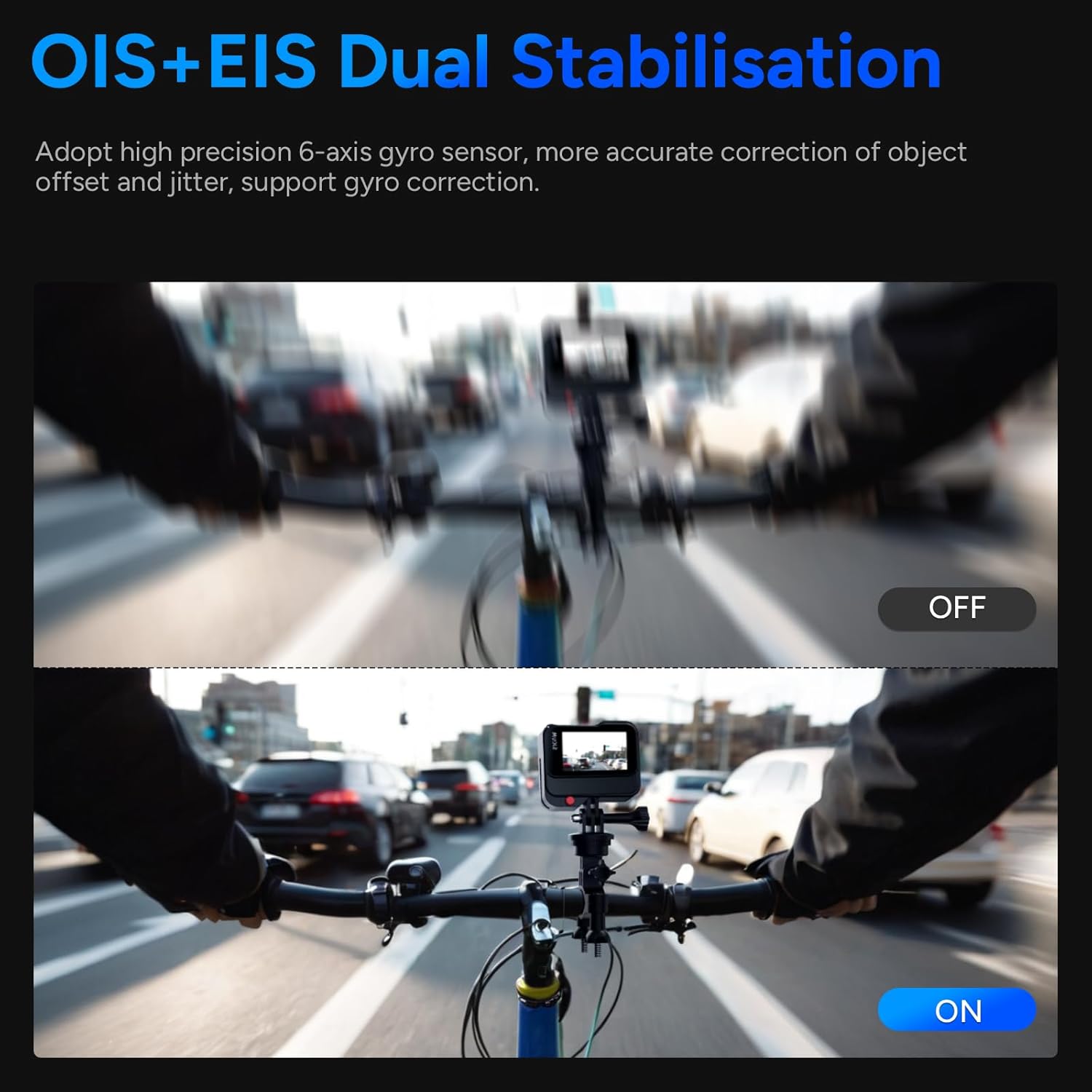
Image: Comparison showing video stability with OIS+EIS Dual Stabilisation turned off versus on, demonstrating reduced blur and shake.
2.3. 4K HDR Recording
Capture stunning detail with 4K HDR (High Dynamic Range) video recording. HDR enhances the contrast and color accuracy in both bright and dark areas of your footage.

Image: Side-by-side comparison of video quality with and without 4K HDR enabled on the SJCAM SJ20.
2.4. Vodootpornost
The SJ20 is waterproof up to 40 meters when used with its included waterproof housing, making it suitable for underwater shooting and water sports.

Image: Diagram illustrating the SJCAM SJ20's waterproof depth rating of up to 40 meters with the waterproof case.
2.5. Ultra-Wide Angle and Digital Zoom
The camera features a 154° ultra-wide-angle lens, allowing you to capture expansive scenes. It also supports 8x digital zoom to focus on distant subjects.

Image: Visual representation of the 154° ultra-wide angle and the effect of 2X, 6X, and 8X digital zoom.
2.6. Režimi snimanja
The SJ20 offers a variety of shooting modes to enhance your creative possibilities:
- Video načini: 8X Slow Motion, Pre-Record, Live Streaming, Time Lapse, Delay-Record, Car Mode.
- Foto režimi: Long Exposure Photo, Burst Photo, Timing Photo, Interval Photo.

Slika: pramples of various video modes available on the SJCAM SJ20, including Slow Motion, Pre-Record, and Live Streaming.

Slika: pramples of various photo modes available on the SJCAM SJ20, such as Long Exposure, Burst, and Interval photos.
2.7. Podrška za eksterni mikrofon
The SJ20 supports SJCAM's proprietary Type-C external microphone (sold separately) for enhanced audio pickup, ideal for vlogging or capturing clear sound in noisy environments.

Image: Illustration showing the SJCAM SJ20 connected to an external Type-C microphone for improved audio recording.
2.8. Wrist Remote Control Support
For convenient operation, the SJ20 supports a wrist remote control (sold separately). This remote allows for easy control of Wi-Fi connection, turning the camera on/off, and taking photos/videos.

Image: Depiction of the SJCAM SJ20 being controlled remotely via a wrist-worn remote control.
3. Održavanje
3.1. Cleaning the Camera and Lenses
Regular cleaning helps maintain optimal performance and image quality. Use a soft, lint-free cloth (like the one provided) to gently wipe the camera body. For lenses, use a specialized lens cleaning solution and a microfiber cloth to avoid scratches. Do not use abrasive materials or harsh chemicals.
3.2. Skladištenje
When not in use, store the SJCAM SJ20 in a cool, dry place away from direct sunlight and extreme temperatures. Ensure the camera is powered off and the battery is not fully depleted or fully charged for long-term storage. Remove the battery if storing for extended periods.
3.3. Adapting to Extreme Environments
The SJCAM SJ20 is designed to operate in a wide range of temperatures, from -10°C to 45°C, making it suitable for various climates and seasons.

Image: The SJCAM SJ20 shown in a snowy environment, highlighting its ability to adapt to extreme temperatures.
4. Otkrivanje problema
4.1. Cannot Connect to SJCAM Zone App
If you encounter issues connecting your SJCAM SJ20 to the SJCAM Zone app, consider the following:
- Check Phone WiFi Settings: Open your phone's WiFi settings to confirm that the camera's WiFi network is discoverable.
- Enable App Permissions: Ensure the following permissions are enabled for the SJCAM Zone app on your smartphone: Network permission, Local Network permission, Location permission, and GPS.
- Rescan QR Code: Remove the camera's WiFi network from your phone's WiFi settings (if previously connected) and then rescan the QR code on the camera's screen to re-establish the connection.
4.2. Opšta pitanja
- Kamera ne reaguje: If the camera freezes, press and hold the power button for 10 seconds to force a restart.
- Loš kvalitet slike/videa: Ensure lenses are clean. Check shooting mode settings (e.g., resolution, HDR). Ensure sufficient lighting for optimal results, especially when not using the dedicated night lens.
- Baterija se brzo prazni: Ensure the battery is fully charged. Reduce screen brightness or turn off WiFi when not in use to conserve power.
5. Specifikacije
| Feature | Detalj |
|---|---|
| Brand | SJCAM |
| Broj modela | SJ20-standard |
| Težina artikla | 1.54 funte |
| Dimenzije paketa | 16.93 x 12.6 x 2.17 inča |
| Zemlja porijekla | Kina |
| Baterije | Potrebna je 1 litijum-jonska baterija. (uključeno) |
| Posebne karakteristike | Dual Lens, Electronic Image Stabilization, 4K Recording, Wide-Angle Lens, WiFi Connectivity |
| Tehnologija foto senzora | CMOS |
| Rezolucija video snimanja | 4K |
| Maksimalna žižna daljina | 20 milimetara |
| Maksimalni otvor blende | 2 milimetara |
| Vrsta Flash memorije | Micro SD |
| Format video snimanja | MP4 |
| Podržani audio format | MP4, MOV |
| Veličina ekrana | 2 inches (main) |
| Tehnologija povezivanja | Wi-Fi |
6. Garancija i podrška
6.1. Planovi zaštite
Optional protection plans are available for your SJCAM SJ20 Action Camera. These plans offer extended coverage beyond the standard manufacturer's warranty. Please refer to your purchase documentation for details on available 2-Year and 3-Year Protection Plans.
6.2. Korisnička podrška
For technical assistance, troubleshooting not covered in this manual, or warranty inquiries, please contact the SJCAM Official Store US, the seller of this product. Their contact information can typically be found on your purchase receipt or the product listing page.