
ELEPHAS BL128-PLUS
ELEPHAS Projector User Manual
Model: BL128-PLUS
1. Uvod
Thank you for choosing the ELEPHAS Projector. This projector is designed to provide a high-quality home theater experience with its 800 ANSI lumens brightness, 1080p HD resolution, and versatile connectivity options. Enjoy officially licensed streaming apps like Netflix, Prime Video, and YouTube directly from the device, along with seamless dual-band WiFi and Bluetooth 5.0 for enhanced audio. This manual will guide you through the setup, operation, and maintenance of your new projector.
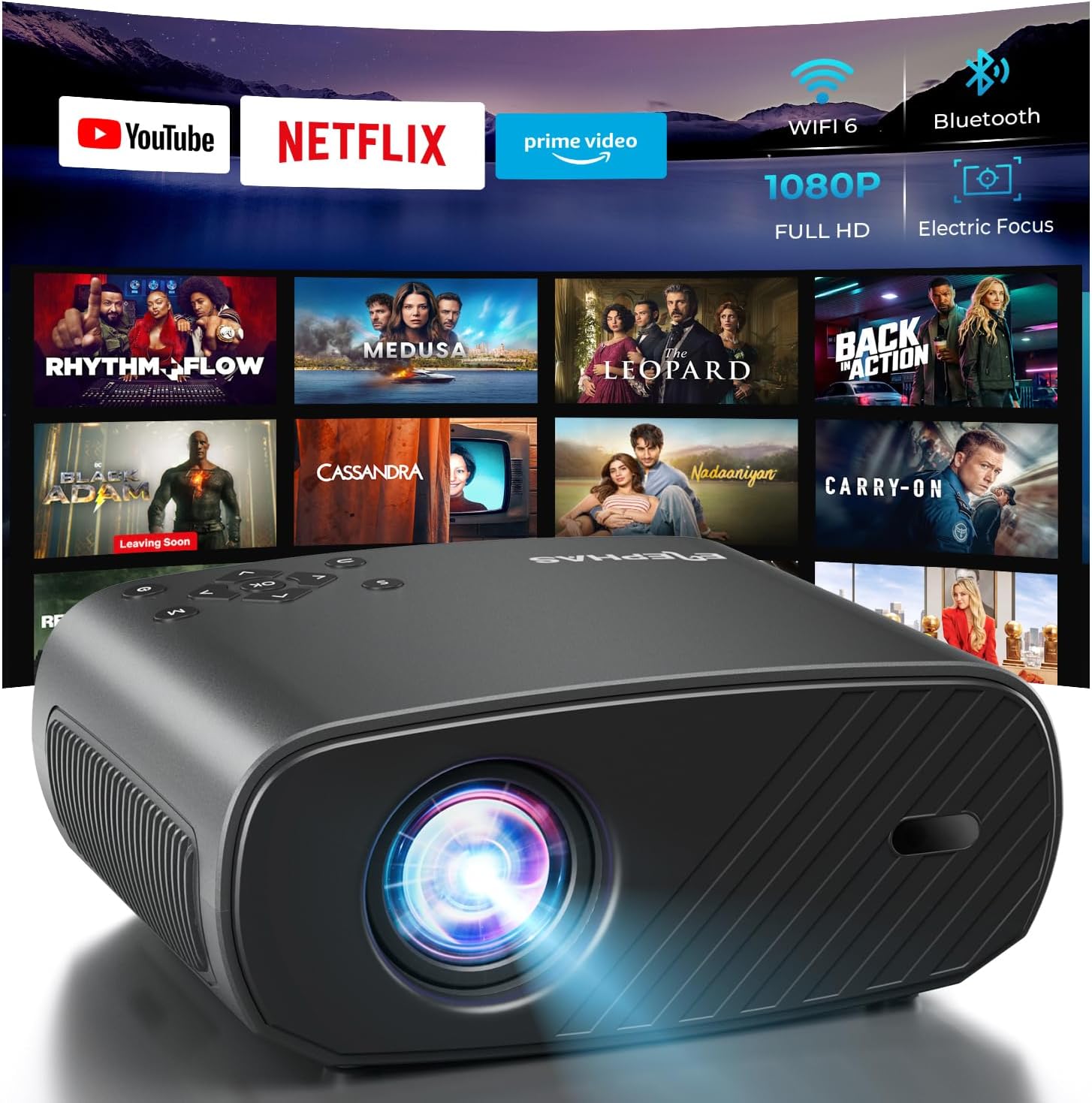
The ELEPHAS Projector offers a comprehensive entertainment solution with integrated streaming services and advanced display technology.
2. Sigurnosne informacije
- Ne blokirajte ventilacijske otvore. Osigurajte dovoljan protok zraka oko projektora kako biste spriječili pregrijavanje.
- Ne gledajte direktno u sočivo projektora kada je lamp je uključen, jer jarko svjetlo može uzrokovati oštećenje oka.
- Keep the projector away from water or any liquids. Do not expose it to rain or moisture.
- Koristite samo adapter za napajanje koji dolazi s projektorom.
- Avoid placing the projector on unstable surfaces where it could fall.
- Isključite projektor iz struje tokom oluje sa grmljavinom ili kada ga ne koristite duži period.
3. Sadržaj paketa
Molimo označite kućicu za sljedeće stavke:
- ELEPHAS Projector (BL128-PLUS)
- Power Cable
- HDMI kabl
- Daljinski upravljač
- Uputstvo za upotrebu
4. Proizvod je gotovview
Familiarize yourself with the various components and ports of your ELEPHAS Projector.

The projector features multiple connectivity options for diverse media sources.
Prednja ploča:
- Objektiv: Projektuje sliku na ekran.
Zadnji panel:
- HDMI Ports (HDMI1, HDMI2): Connect to devices like laptops, gaming consoles, or streaming sticks.
- USB Ports (USB1, USB2): Connect USB drives for media playback or power external devices.
- AV priključak: Povežite se sa starijim uređajima pomoću AV kabla.
- priključak za slušalice: Connect external headphones or speakers via a 3.5mm audio jack.
- Ulazna snaga: Povežite kabl za napajanje.
5. Podešavanje
5.1 Postavljanje
Postavite projektor na stabilnu, ravnu površinu. Za optimalno viewing, ensure the projector is aligned with your projection surface (wall or screen). The projector can project images up to 150 inches. The ideal projection distance will vary based on desired screen size.

The ELEPHAS Projector delivers stunning brightness and clarity for an immersive viewing iskustvo.
5.2 Priključak za napajanje
- Spojite kabel za napajanje na ulazni priključak za napajanje projektora.
- Uključite drugi kraj kabla za napajanje u utičnicu.
- Pritisnite dugme za napajanje na projektoru ili daljinskom upravljaču da biste ga uključili.
5.3 Početno podešavanje slike
The ELEPHAS Projector features cutting-edge electric focus and auto keystone correction for instant image perfection.
- Auto Keystone Correction: The projector will automatically adjust the image to correct trapezoidal distortion, ensuring a rectangular picture even if the projector is not perfectly aligned.
- električni fokus: The projector will automatically adjust the focus for a sharp image. Manual adjustments can typically be made via the remote control if needed.
6. Uputstvo za upotrebu
6.1 Povezivanje uređaja
Your projector supports various input sources:
- HDMI: Connect your laptop, gaming console, Blu-ray player, or streaming devices (e.g., Firestick) to the HDMI ports. Select the corresponding HDMI input from the projector's source menu.
- USB: Insert a USB flash drive into a USB port to play media files (videos, photos, music). Navigate to the media player application on the projector's interface.
- Wireless Connectivity (Wi-Fi): The projector supports dual-band WiFi (2.4G and 5G) for seamless screen mirroring from iOS and Android devices. Access the screen mirroring function from the main menu and follow the on-screen instructions to connect your device.

Effortlessly connect your mobile devices wirelessly for screen mirroring.
6.2 Aplikacije za streaming
The ELEPHAS Projector comes with officially licensed Netflix, Prime Video, and YouTube apps pre-installed, allowing direct access to a vast library of content.

Enjoy seamless access to popular streaming platforms directly from the projector.
- Navigate to the desired app from the home screen using the remote control.
- Log in with your account credentials to start streaming.
6.3 Bluetooth audio
Enhance your audio experience by connecting external Bluetooth speakers or headphones.

Connect wirelessly to your favorite audio devices via Bluetooth 5.0.
- Idite na meni postavki projektora.
- Select 'Bluetooth' and turn it on.
- Stavite svoj Bluetooth audio uređaj u način uparivanja.
- Izaberite svoj uređaj sa liste dostupnih uređaja na ekranu projektora da biste ga povezali.
7. Održavanje
7.1 Čišćenje objektiva
Use a soft, lint-free cloth specifically designed for optical lenses. Do not use abrasive cleaners or cloths, as they can scratch the lens.
7.2 Čišćenje tijela projektora i ventilacijskih otvora
Wipe the projector's exterior with a soft, dry cloth. Use a small brush or vacuum cleaner with a soft brush attachment to gently clean the ventilation openings to prevent dust buildup, which can affect performance and lifespan.
8. Otkrivanje problema
| Problem | Mogući uzrok | Rješenje |
|---|---|---|
| Nema slike na ekranu | Power cable disconnected; Incorrect input source selected; Device not powered on. | Check power connection; Select correct input source (HDMI1/2, USB); Ensure connected device is on. |
| Slika je mutna | Van fokusa; Projektor nije okomit u odnosu na platno. | Allow auto-focus to adjust or manually adjust focus via remote; Auto keystone correction should fix image shape. |
| Nema zvuka | Volume too low/muted; External audio device not connected properly; Incorrect audio output selected. | Increase volume; Check Bluetooth connection or 3.5mm cable; Ensure projector's audio output is set correctly. |
| Problemi s Wi-Fi/Bluetooth vezom | Out of range; Interference; Incorrect password. | Move closer to router/device; Reduce interference; Re-enter password. |
| Fan noise is noticeable | Normal operation; Blocked vents. | A slight fan noise is normal for projectors. Ensure vents are not blocked and are clean. |
9. Specifikacije
| Feature | Detalj |
|---|---|
| Brand | ELEPHAS |
| Broj modela | BL128-PLUS |
| Rezolucija ekrana | 1920 x 1080 (Full HD) |
| Osvetljenost | 800 ANSI lumeni |
| Kontrast Ratio | 10,000:1 |
| Tehnologija povezivanja | Bluetooth, HDMI, USB, Wi-Fi |
| Posebne karakteristike | Auto Focus, Built-In Speaker, Netflix Official License, Prime Video, YouTube Support |
| Preporučena upotreba | Kućno kino |
| Težina artikla | 4.64 funte |
| Dimenzije paketa | 13.98 x 10.87 x 5.28 inča |
10. Garancija i podrška
The ELEPHAS Projector is backed by a 1 godine garancije od datuma kupovine. Ova garancija pokriva proizvodne nedostatke i osigurava pouzdan rad vašeg uređaja.
For any questions, setup assistance, troubleshooting, or warranty claims, please contact ELEPHAS customer support. Our dedicated team is available 24/7 to provide prompt and helpful service.
Please refer to the contact information provided on the ELEPHAS official website or your purchase documentation for the most up-to-date support channels.
Ask a question about this manual
Ask about setup, troubleshooting, compatibility, parts, safety, or missing instructions. Manuals+ will review the question and use this page’s manual context to help answer it.