
1. Uvod
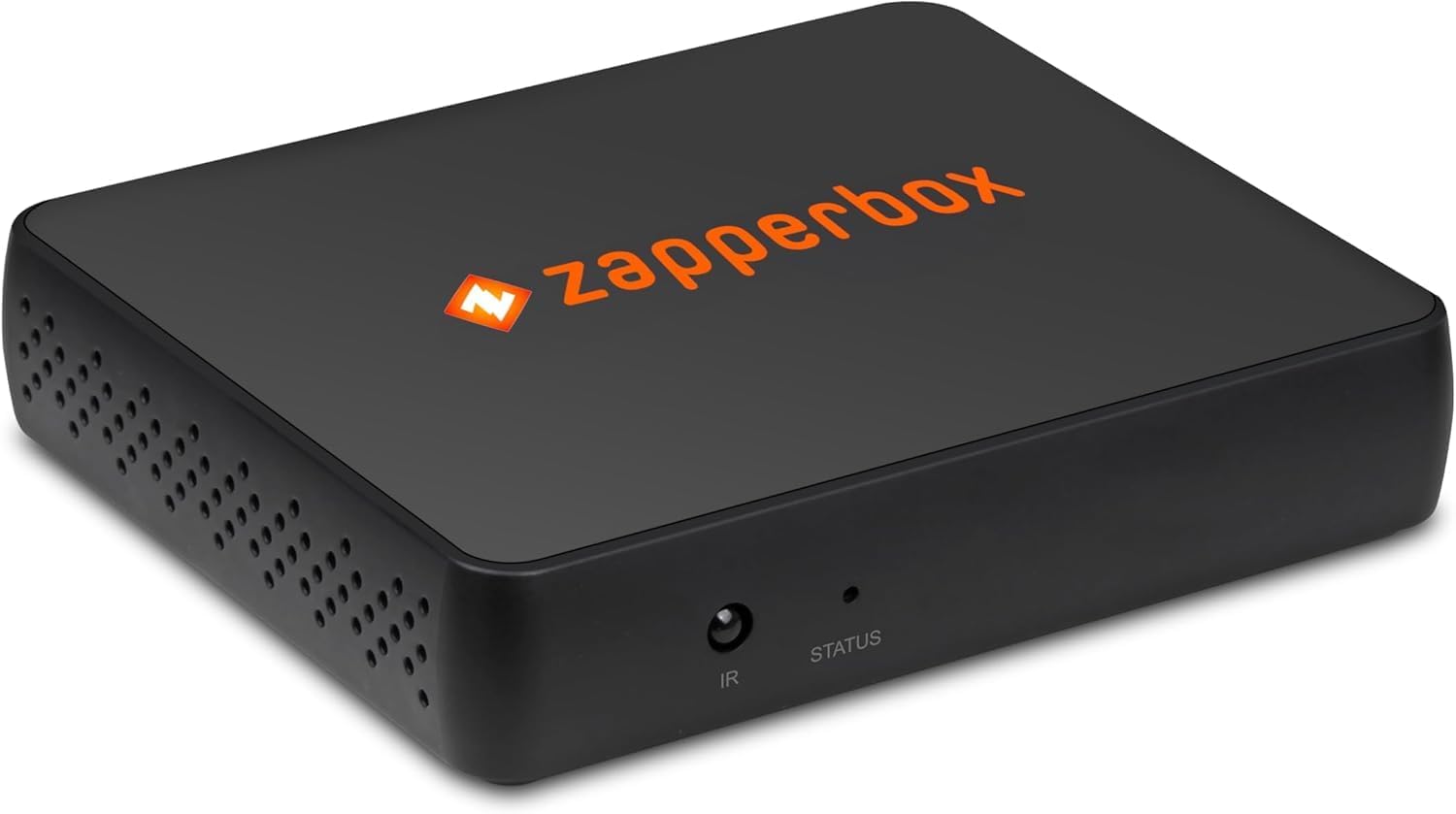
The ZapperBox M2 Single Tuner is a 4K over-the-air tuner, DVR, and gateway designed to provide high-resolution standard TV programming without a monthly subscription. It allows users to watch and record broadcasts from standard channels like ABC, NBC, FOX, CBS, The WB, and PBS. This manual provides essential information for setting up, operating, and maintaining your ZapperBox M2 device.
2. Šta se nalazi u kutiji
Upon unboxing your ZapperBox M2, please ensure all the following items are present:
- IR daljinski upravljač
- Napajanje 5V / 2A
- 4K HDMI kabl
- Ethernet kabl
- Vodič za brzi početak
3. Ključne karakteristike
The ZapperBox M2 offers a robust set of features to enhance your TV viewiskustvo:
- DVR Functionality: Record, pause, fast-forward, and rewind live TV.
- Whole Home Gateway: Distribute TV signals wirelessly throughout your home.
- Video visoke rezolucije: Supports 4K video and HDR formats (HDR10, HLG).
- Dual ATSC Support: Compatible with both ATSC 1.0 and the newer ATSC 3.0 signals.
- Povezivanje: Built-in Wi-Fi (802.11 b/g/n AC 2.4G 5.8G) and Ethernet (10/100 Mbps) for network access.
- Interactive Guide: Features a grid guide for easy program browsing.
- Automatska ažuriranja: Ensures your device always has the latest software.
- napredni audio: Supports Dolby AC-4 Audio, Dolby Atmos, and Dolby AC-3 Pass-through up to 7.1.4 channels AAC.
- Proširivost: Includes USB 2.0 (one port) and a microSD slot for additional storage.
4. Vodič za postavljanje
Follow these steps to set up your ZapperBox M2:
- Povežite antenu: Screw your TV antenna's coaxial cable into the "ANT IN" port on the back of the ZapperBox M2.
- Povežite se s TV-om: Use the provided 4K HDMI cable to connect the "HDMI" port on the ZapperBox M2 to an available HDMI input on your television.
- Povežite se na napajanje: Plug the power adapter into the "DC 5V/2A" port on the ZapperBox M2 and then into a wall outlet. The device will power on automatically.
- Network Connection (Optional Ethernet): If you prefer a wired connection, plug one end of the Ethernet cable into the "LAN" port on the ZapperBox M2 and the other end into your router or network switch. For Wi-Fi setup, proceed to the next step.
- Initial Setup via Mobile App:
- Download the ZapperBox app on your smartphone or tablet.
- Follow the on-screen instructions in the app to connect your ZapperBox M2 to your home Wi-Fi network (if not using Ethernet).
- The app will guide you through a firmware update and a channel scan to find available over-the-air channels.
- Once the channel scan is complete, the app will download the program guide data.
Slika 1: Pozadi view of ZapperBox M2 showing antenna, HDMI, LAN, USB, and power ports.

Slika 2: Bočna strana view of ZapperBox M2 showing the MicroSD card slot.
5. Uputstvo za upotrebu
Once set up, you can control your ZapperBox M2 using the provided IR remote control or the mobile app.
5.1 Live TV and Channel Guide
- Navigate the interactive grid guide to browse available channels and upcoming programs.
- Select a program to watch live.
- The ZapperBox M2 delivers raw, uncompressed MPEG-2 video from the off-air signal directly to your TV for optimal picture quality.
5.2 Funkcionalnost DVR-a
- Snimanje programa: Select a program from the guide and choose to record a single episode or schedule a series recording (all episodes or new episodes only).
- Pause/Rewind Live TV: Use the remote control to pause, fast-forward, or rewind live broadcasts.
- Pristup snimcima: View your recorded content through the dedicated DVR or Library section in the app or on your connected TV.
5.3 Whole Home Gateway
The ZapperBox M2 acts as a gateway, allowing you to stream live and recorded TV wirelessly to multiple devices in your home, such as smart TVs, streaming sticks (Roku, Fire TV), smartphones, and tablets.
5.4 Daljinski pristup
Currently, the ZapperBox M2 does not support remote access to recordings and live TV outside of your home network. The manufacturer is exploring options to reintroduce this feature in the future, but there is no estimated time of arrival.
6. DVR Storage
The ZapperBox M2 requires external storage for DVR functionality. It supports various storage options:
- microSD Cards: Minimum 128GB capacity required.
- SSDs (Solid State Drives): Supported via the USB 2.0 port.
- HDDs (Hard Disk Drives): Supported via the USB 2.0 port. Note that HDDs may require a separate powered hub or a powered HDD for sufficient power.
There is no maximum drive size restriction for external storage.
7. Specifikacije
| Feature | Detalj |
|---|---|
| Broj modela | M2 |
| Tip tjunera | ATSC 1.0 & ATSC 3.0 Single Tuner |
| Video izlaz | HDMI 2.1/HDMI 1.4/HDMI 1.3a (HDCP 2.2/1.4/1.3) |
| Video Rezolucija | 4K @ 60/30/24 fps, 1080p @ 60/30/24 fps, 720p @ 60 fps |
| HDR formati | HDR10, HLG |
| Audio izlaz | Dolby Atmos, Dolby AC-4, Dolby AC-3 Pass-through (up to 7.1.4 channels AAC) |
| Umrežavanje | Ethernet: 10/100 Mbps, Wi-Fi: 802.11 b/g/n AC 2.4G 5.8G |
| Proširivost | Bluetooth 4.2, USB 2.0 (one port), microSD slot |
| Dimenzije | 4.0 in x 3.2 in x 7/8 in (111mm x 85mm x 21cm) |
| Težina artikla | 3.5 unce |
| Posebne karakteristike | Povećavanje 4K |
8. Otkrivanje problema
If you encounter issues with your ZapperBox M2, consider the following:
- Weak Signal/Pixelation: Use the Antenna Setup and Diagnostics features in the ZapperBox app to check signal strength and quality. Adjust your antenna's position for optimal reception. Environmental factors like wind can affect signal stability.
- Buffering/Disconnections: Ensure your Wi-Fi signal is strong and stable, especially if streaming to devices far from your router. A wired Ethernet connection can provide more reliable performance.
- Daljinski pristup: As noted, remote access to live TV and recordings outside your home network is not currently supported.
- Problemi sa snimanjem na DVR-u: Verify that your external storage (microSD, SSD, or HDD) meets the minimum 128GB requirement and is properly formatted. Ensure powered HDDs have an adequate power supply.
- Ažuriranja softvera: Ensure your ZapperBox M2 is running the latest software version. Automatic updates are typically handled by the device.
9. Garancija
ZapperBox offers a 1 godine ograničene garancije to repair or replace any defective material or component. This warranty does ne cover issues due to:
- Udar munje
- Prenaponi
- Customer-caused damage
- Loss/theft