
1. Proizvod je gotovview
The KOORUI G2722P is a 27-inch QHD (2560x1440) gaming monitor designed for an immersive visual experience. It features a Fast IPS panel with a 200Hz refresh rate and a 1ms response time, ensuring smooth and responsive gameplay. The monitor supports HDR 400 for enhanced contrast and color depth, and Adaptive Sync technology to minimize screen tearing and stuttering. Its ergonomic stand allows for height, tilt, and pivot adjustments, and it is VESA 75x75mm compatible for flexible mounting options.

The KOORUI G2722P monitor integrated into a typical gaming environment.
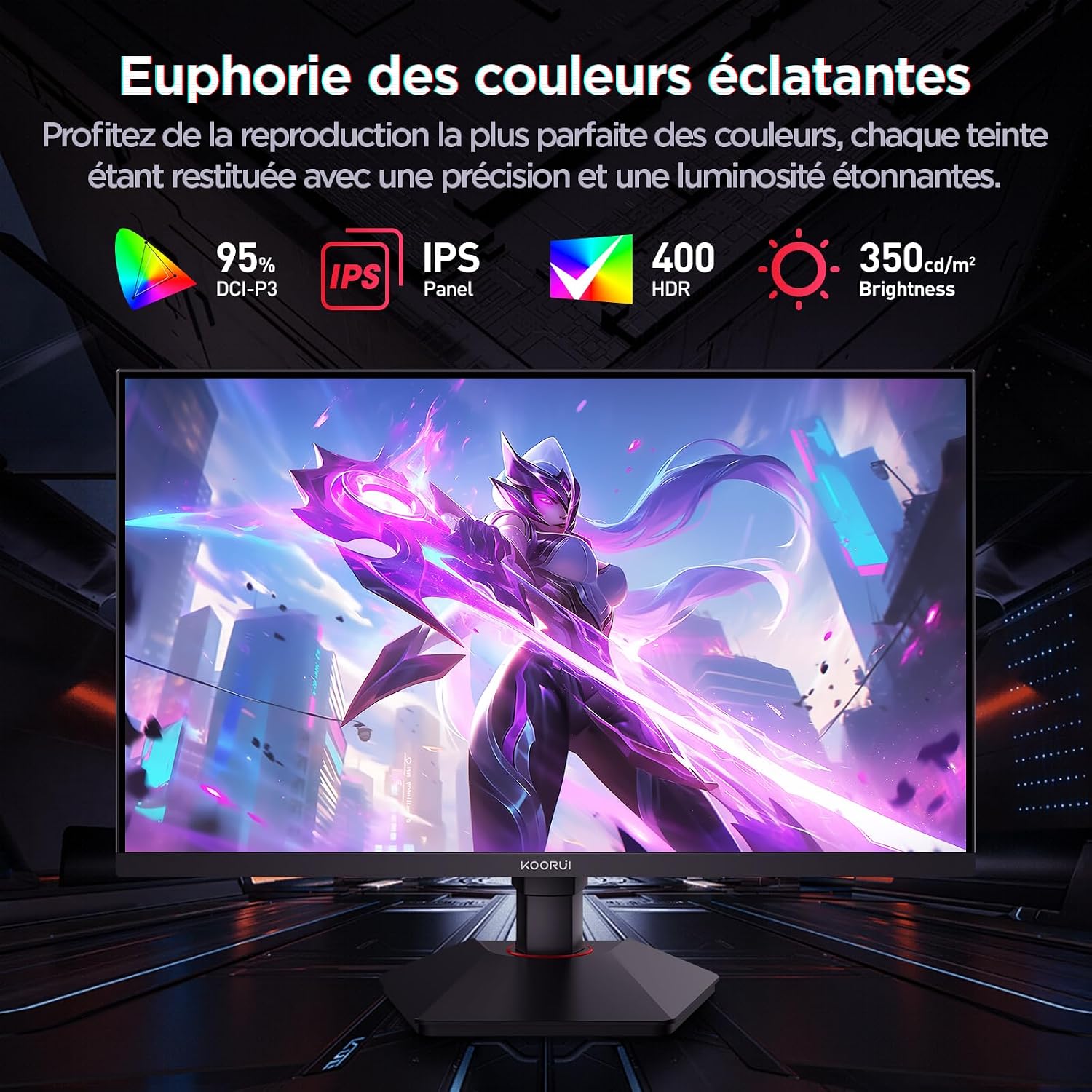
This image highlights the monitor's color capabilities, including 95% DCI-P3 color gamut, IPS panel technology, HDR 400 support, and 350 cd/m² brightness.
2. Sigurnosne informacije
- Prije upotrebe monitora pažljivo pročitajte sva uputstva.
- Ne izlažite monitor kiši ili vlazi kako biste spriječili opasnost od požara ili strujnog udara.
- Ne otvarajte monitor casing. Unutra nema dijelova koje korisnik može sam servisirati. Za sve servisne radove obratite se kvalifikovanom osoblju.
- Postavite monitor na stabilnu, ravnu površinu kako biste spriječili njegov pad.
- Držite monitor dalje od direktne sunčeve svjetlosti, izvora toplote i ekstremnih temperatura.
- Osigurajte odgovarajuću ventilaciju oko monitora. Ne blokirajte ventilacijske otvore.
- Koristite samo adapter za napajanje i kablove koje je isporučio ili preporučio proizvođač.
- Isključite monitor iz strujne utičnice tokom oluja sa grmljavinom ili kada ga ne koristite duži period.
3. Sadržaj paketa
Provjerite da li su sve stavke prisutne u paketu:
- KOORUI G2722P Monitor
- Stalak za monitor (baza i vrat)
- Adapter za napajanje i kabel za napajanje
- DisplayPort (DP) kabel
- Korisnički priručnik (ovaj dokument)
- Vijci za montažu postolja
4. Sklapanje monitora
4.1 Pričvršćivanje postolja
- Pažljivo postavite monitor licem prema dolje na meku, čistu krpu kako biste spriječili ogrebotine.
- Attach the stand neck to the back of the monitor until it clicks into place or is secured with screws (refer to specific instructions in the included quick start guide).
- Pričvrstite bazu postolja na vrat postolja i pričvrstite je priloženim vijkom.
- Carefully lift the monitor and place it on a stable desk.
4.2 VESA montaža
The monitor supports VESA 75x75mm mounting. To use a VESA mount:
- Remove the stand if it is already attached.
- Attach your VESA-compatible mount (sold separately) to the 75x75mm screw holes on the back of the monitor using appropriate screws.
- Ensure the mount is securely fastened before releasinmonitor.

This image demonstrates the monitor's ergonomic adjustments (height, tilt, pivot) and provides a visual reference for stand attachment points.
5. Povezivanje monitora
Connect the monitor to your computer or other devices using the available ports.
- Priključak za napajanje: Connect the power cable to the power adapter, then connect the adapter to the monitor's power input and a wall outlet.
- Video veza:
- For optimal performance (QHD @ 200Hz), use the provided DisplayPort (DP 1.4) cable to connect the monitor to your graphics card.
- Alternatively, use an HDMI 2.0 cable to connect to an HDMI port on your device.
- Audio izlaz: Connect external speakers or headphones to the 3.5mm audio output jack on the monitor if you wish to use the monitor's audio passthrough.

This image displays the rear of the monitor, highlighting the available connectivity options: two HDMI 2.0 ports, one DisplayPort 1.4, an audio output jack, and the VESA 75x75mm mounting pattern.
6. Rukovanje monitorom
6.1 Uključivanje/isključivanje napajanja
- Pritisnite dugme za napajanje koje se nalazi na monitoru da biste ga uključili ili isključili.
- Indikator napajanja će svijetliti kada je monitor uključen.
6.2 On-Screen Display (OSD) meni
The OSD menu allows you to adjust various monitor settings. Typically, buttons are located on the back or bottom right of the monitor.
- Pritisnite jedno od OSD dugmeta da biste aktivirali meni.
- Use the navigation buttons (usually directional or a joystick) to browse through menu options.
- Press the select button to enter a sub-menu or confirm a setting.
- Press the exit button to close the OSD menu.
7. Postavke ekrana
7.1 Rezolucija i brzina osvježavanja
The monitor supports a native resolution of 2560x1440 (QHD) and a maximum refresh rate of 200Hz. Ensure your graphics card and operating system are configured to use these settings for the best experience.

This image illustrates the difference in motion clarity between a 75Hz and a 200Hz refresh rate, emphasizing the 1ms response time for reduced blur and ghosting.
7.2 Adaptivna sinhronizacija (FreeSync)
This monitor supports Adaptive Sync technology (compatible with AMD FreeSync) to synchronize the monitor's refresh rate with your graphics card's frame rate, eliminating screen tearing and reducing stuttering.
- Enable Adaptive Sync in the monitor's OSD menu.
- Ensure Adaptive Sync (or FreeSync) is enabled in your graphics card control panel.

This image visually compares the display with Adaptive Sync enabled versus disabled, demonstrating how Adaptive Sync eliminates screen tearing for a smoother visual experience.
7.3 HDR 400
The monitor supports HDR 400, providing a wider dynamic range for brighter whites and deeper blacks, resulting in more vibrant and realistic images.
- Enable HDR in your operating system's display settings and in the monitor's OSD menu if available.
7.4 Postavke boje
The Fast IPS panel offers excellent color reproduction and wide viewing angles.
- Adjust color temperature, gamma, and saturation through the OSD menu to suit your preferences.
- The monitor features a 178-degree wide viewing angle, ensuring consistent color and image quality from various perspectives.
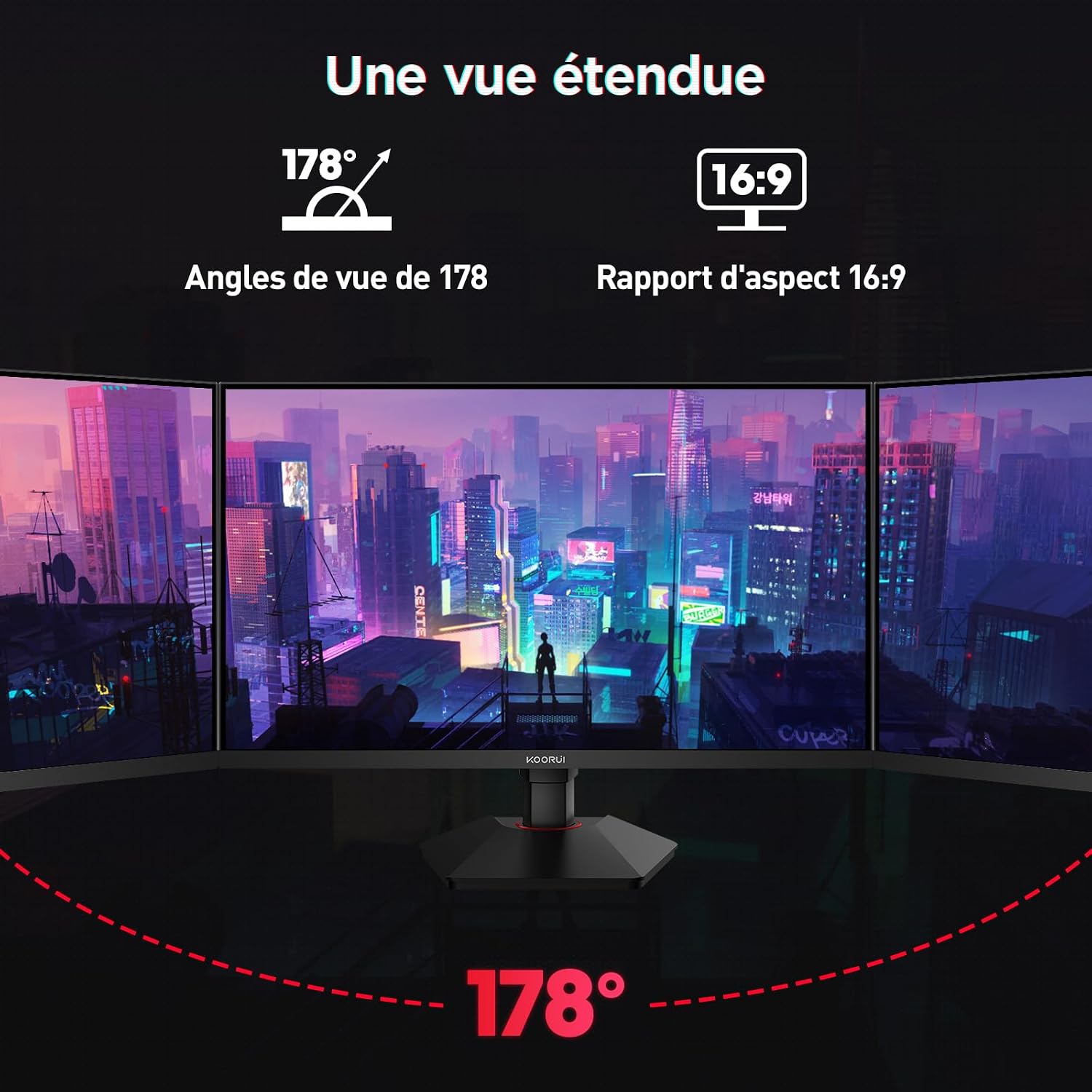
This image demonstrates the monitor's wide 178-degree viewing angle, illustrating how the display maintains clarity and color consistency even when viewed from extreme angles, ideal for multi-monitor setups.
8. Ergonomska podešavanja
Stalak za monitor omogućava razna podešavanja za optimizaciju vašeg viewudobnost:
- Podešavanje visine: Adjust the monitor height by up to 100mm by gently pushing or pulling the monitor up or down.
- Podešavanje nagiba: Tilt the screen from -5° (forward) to +20° (backward) to find your preferred viewing kut.
- Pivot (Rotacija): Rotate the screen 90° to switch between landscape and portrait orientations.
This image illustrates the full range of ergonomic adjustments available: 100mm height adjustment, -5° to +20° tilt, and 90° pivot rotation for optimal viewudobnost.
9. Karakteristike za njegu očiju
The KOORUI G2722P monitor incorporates features designed to reduce eye strain during prolonged use:
- Tehnologija bez treperenja: Smanjuje treperenje ekrana, koje može uzrokovati umor očiju.
- Filter niske plave svjetlosti: Minimizes harmful blue light emissions to protect your eyes. This feature can usually be adjusted or enabled/disabled in the OSD menu.
10. Održavanje
Pravilno održavanje osigurava dugotrajnost i optimalne performanse vašeg monitora.
- Čišćenje ekrana: Nježno obrišite ekran mekom krpom koja ne ostavlja dlačice. Za tvrdokorne mrlje koristite sredstvo za čišćenje specifično za monitore naneseno na krpu, a ne direktno na ekran.
- Čišćenje C-aasing: Koristite meku, suhu krpu za čišćenje monitora casing. Izbjegavajte upotrebu abrazivnih sredstava za čišćenje ili rastvarača.
- Rukovanje: Avoid touching the screen directly with your fingers or sharp objects. Do not place heavy objects on the monitor.
11. Otkrivanje problema
Ako imate problema s monitorom, pogledajte sljedeće uobičajene probleme i rješenja:
| Problem | Moguće rješenje |
|---|---|
| Nema slike na ekranu |
|
| Treperenje ili kidanje slike |
|
| No sound from audio output |
|
| Monitor not reaching 200Hz |
|
12. Specifikacije
Key technical specifications for the KOORUI G2722P monitor:
| Feature | Specifikacija |
|---|---|
| Veličina ekrana | 27 inča |
| Tip panela | Skoro IPS |
| Rezolucija | QHD (2560 x 1440) |
| Refresh Rate | 200Hz |
| Vrijeme odgovora | 1ms |
| HDR podrška | HDR 400 |
| Adaptive Sync | FreeSync |
| Kontrast Ratio | 1000:1 (statično) |
| Osvetljenost | 350 cd/m² |
| Viewing Angle | 178° (H/V) |
| Gamut boja | 95% DCI-P3 |
| Video ulazi | 2x HDMI 2.0, 1x DisplayPort 1.4 |
| Audio izlaz | 1x 3.5mm Audio Out |
| VESA kompatibilnost | 75x75mm |
| Potrošnja energije | 19 W (tipično) |
| Ergonomija | Height, Tilt, Pivot Adjustment |

This diagram provides the physical dimensions of the monitor, including width, height, and depth.
Za detaljne informacije o energiji, molimo pogledajte EPREL bazu podataka: https://eprel.ec.europa.eu/qr/2216313
13. Garancija i podrška
The KOORUI G2722P monitor comes with a 2-godišnja garancija proizvođača. Ova garancija pokriva nedostatke u materijalu i izradi pod normalnom upotrebom.
For technical support, warranty claims, or further assistance, please contact KOORUI customer service through their official webweb-mjestu ili prodavaču gdje je proizvod kupljen.