
1. Uvod
Thank you for choosing the KOORUI N07 27-inch 4K UHD Monitor. This monitor is designed to provide a superior visual experience with its 3840x2160 resolution, IPS panel, 60Hz refresh rate, HDR10 support, and Adaptive Sync technology. This manual provides essential information for setting up, operating, and maintaining your monitor to ensure optimal performance and longevity. Please read this manual thoroughly before using the product.
2. Sigurnosne informacije
- Monitor uvijek postavljajte na stabilnu, ravnu površinu.
- Ne blokirajte otvore za ventilaciju.
- Koristite samo adapter za napajanje koji je isporučio proizvođač.
- Držite monitor dalje od vode i prekomjerne vlage.
- Avoid exposing the monitor to direct sunlight or high temperatures.
- Isključite kabl za napajanje tokom oluje sa grmljavinom ili kada se uređaj ne koristi duži period.
3. Sadržaj paketa
Molimo Vas da provjerite sadržaj paketa nakon otvaranja. Ako bilo koji artikl nedostaje ili je oštećen, obratite se prodavaču.
- KOORUI N07 27-inch 4K UHD Monitor
- Stalak za monitor (baza i vrat)
- Adapter za napajanje i kabel za napajanje
- HDMI kabl
- DisplayPort kabel
- Uputstvo za upotrebu
4. Monitor Assembly and Setup
4.1 Pričvršćivanje postolja
- Pažljivo postavite monitor licem prema dolje na meku, čistu krpu kako biste spriječili ogrebotine.
- Pričvrstite vrat postolja na stražnju stranu monitora, poravnavajući tačke za montažu.
- Pričvrstite vrat stalka priloženim vijcima.
- Pričvrstite bazu postolja na vrat postolja i zategnite vijak s palcem.

Slika 4.1: Pozadi view of the monitor showing VESA mount and tilt adjustment.
4.2 Kablovi za povezivanje
The KOORUI N07 monitor offers versatile connectivity options. Ensure your computer is turned off before making any connections.
- Priključak za napajanje: Spojite adapter za napajanje na DC ulazni priključak monitora, a zatim uključite kabel za napajanje u utičnicu.
- Video veza: Connect one end of the HDMI or DisplayPort cable to the corresponding port on your computer's graphics card and the other end to an HDMI (HDMI1 or HDMI2) or DisplayPort (DP) input on the monitor.
- Audio izlaz: If desired, connect external speakers or headphones to the 3.5mm audio output port on the monitor.

Figure 4.2: Connectivity options for the KOORUI N07 monitor.
4.3 Uključivanje
After connecting all necessary cables, press the power button on the monitor to turn it on. The monitor will automatically detect the active input source.
5. Uputstvo za upotrebu
5.1 On-Screen Display (OSD) meni
The OSD menu allows you to adjust various monitor settings. Use the buttons located on the bottom right of the monitor to navigate and select options.
- Dugme za napajanje: Uključuje/isključuje monitor.
- Dugme menija: Otvara OSD meni.
- Navigacijski gumbi: Koristi se za kretanje kroz opcije menija i podešavanje vrijednosti.
- Dugme za izlaz: Izlaz iz OSD menija.
5.2 Key OSD Settings
- Postavke slike: Podesite svjetlinu, kontrast, oštrinu i temperaturu boje.
- Načini boja: Select from various preset modes like Standard, Movie, Game, and Eye Care.
- Izvor ulaza: Manually select between HDMI1, HDMI2, or DisplayPort inputs.
- Adaptivna sinhronizacija: Enable or disable Adaptive Sync for smoother gameplay.
- HDR10: Activate HDR10 for enhanced dynamic range with compatible content.
6. Features Overview
6.1 4K UHD Resolution (3840x2160)
Experience incredible detail and clarity with a resolution four times higher than Full HD. This monitor provides 8.3 million pixels for a sharper and more colorful image.

Figure 6.1: 4K UHD resolution detail comparison.
6.2 IPS Panel Technology
The IPS panel offers a wide 178° viewing angle and vibrant color reproduction (90% DCI-P3, 99% sRGB), ensuring consistent image quality from almost any perspective. This is ideal for graphic designers, gamers, and movie enthusiasts.

Figure 6.2: IPS panel with 99% sRGB color accuracy.
6.3 Podrška za HDR10
Enjoy content with enhanced dynamic range. HDR10 provides brighter whites, deeper blacks, and more vivid colors, bringing your favorite movies and games to life with greater realism.

Figure 6.3: HDR10 technology for improved image quality.
6.4 Tehnologija adaptivne sinhronizacije
Adaptive Sync eliminates screen tearing and stuttering, providing a smoother and more fluid visual experience, especially during fast-paced gaming or video playback.

Figure 6.4: Adaptive Sync in action, preventing screen tearing.
6.5 Tehnologija za njegu očiju
The monitor features a Blue Light Filter and Flicker-Free technology to reduce eye strain during prolonged use. The Eye Care mode optimizes settings to minimize blue light emission, promoting visual comfort.
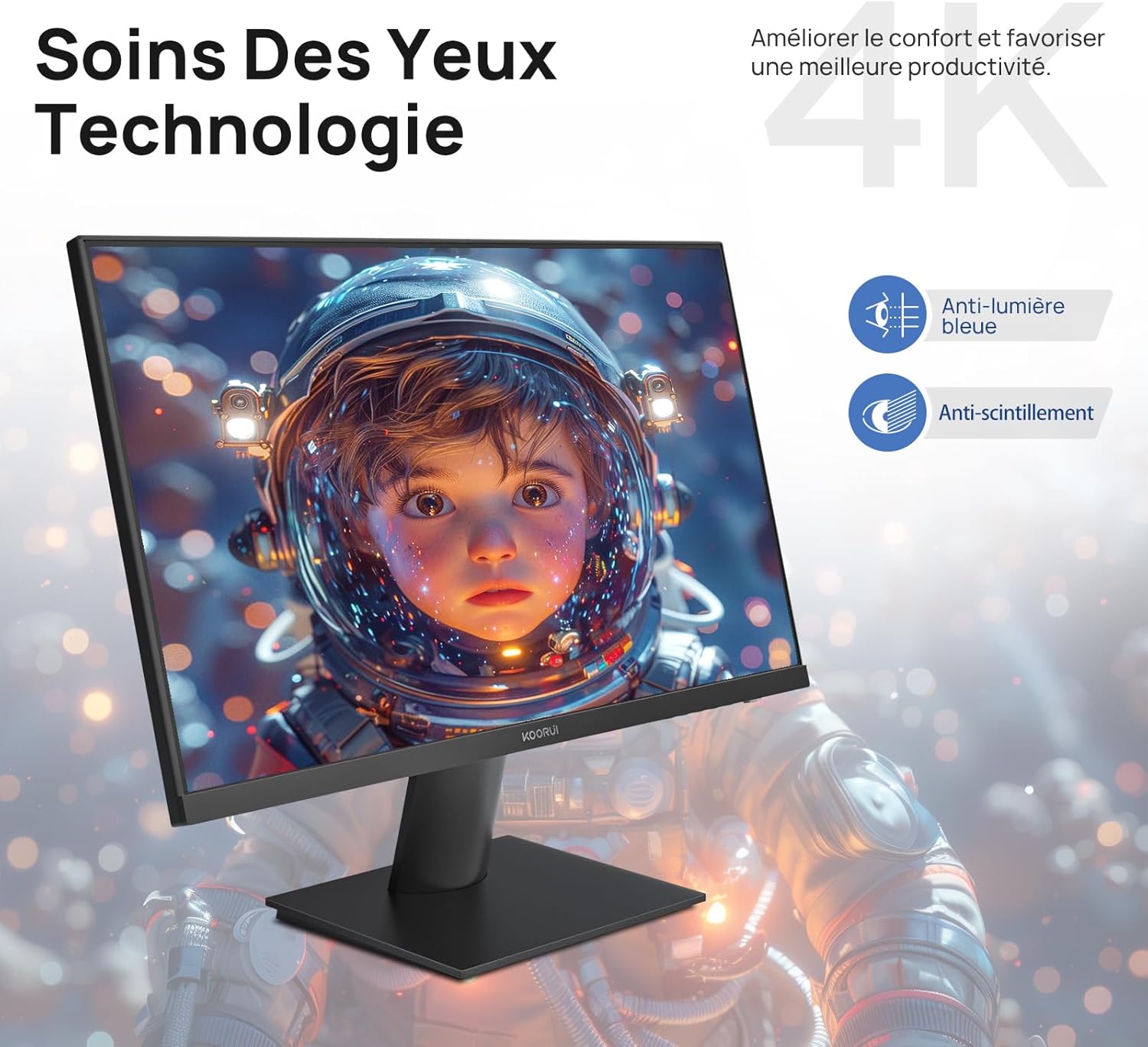
Figure 6.5: Eye Care technology for reduced eye strain.
6.6 Ergonomski dizajn
The monitor stand allows for tilt adjustment from -5° to 20°, enabling you to find the most comfortable viewing angle for your posture.
6.7 Kompatibilnost s VESA nosačem
The KOORUI N07 supports 100x100mm VESA mounting, allowing you to easily attach it to a wall mount or an articulated monitor arm for a flexible and clutter-free workspace.

Figure 6.6: VESA mount compatibility for flexible setup.
7. Video o proizvodu iznadview
Video 7.1: Overview of the KOORUI N07 27-inch 4K UHD monitor, highlighting its key features such as 4K resolution, DCI-P3 color gamut, HDR10 support, versatile usage for creation, viewing, and gaming, adjustable tilt, and VESA mounting capabilities.
8. Otkrivanje problema
Ako imate problema s monitorom, pogledajte sljedeće uobičajene probleme i rješenja:
| Problem | Moguće rješenje |
|---|---|
| Nema slike na ekranu | Ensure power cable is securely connected. Check video cable connection (HDMI/DP) to both monitor and computer. Verify correct input source is selected in OSD. |
| Slika je mutna ili iskrivljena | Check display resolution settings on your computer. Ensure it is set to 3840x2160. Adjust sharpness in the OSD menu. |
| Boje izgledaju netačno | Adjust color temperature and color settings in the OSD menu. Try resetting picture settings to factory defaults. |
| Ekran treperi | Ensure the video cable is securely connected. Disable Adaptive Sync if enabled, or update your graphics card drivers. |
9. Specifikacije
| Feature | Detalj |
|---|---|
| Brand | KOORUI |
| Broj modela | N07 |
| Veličina ekrana | 27 inča |
| Rezolucija | 4K UHD (3840 x 2160 piksela) |
| Tip panela | IPS |
| Refresh Rate | 60 Hz |
| Vrijeme odgovora | 4 milisekundi |
| Aspect Ratio | 16:9 |
| Kontrast Ratio | 1000:1 |
| Osvetljenost | 300 cd/m² |
| Viewing Angle | 178 stepeni |
| Povezivanje | 2x HDMI 2.0, 1x DisplayPort 1.4, 1x audio izlaz |
| VESA kompatibilnost | 100x100mm |
| Posebne karakteristike | Blue Light Filter, Tilt Adjustment, Frameless, Flicker-Free, Adaptive Sync, HDR10 |
| Dimenzije (D x Š x V) | 20.5P x 61lx 45V centimetara |
| Težina | 3 kilograma |
10. Održavanje
To ensure the longevity and optimal performance of your KOORUI N07 monitor, follow these maintenance guidelines:
- Čišćenje ekrana: Pažljivo obrišite ekran mekom krpom koja ne ostavlja dlačice. Za tvrdokorne mrlje, dampen the cloth slightly with water or a specialized screen cleaner. Never spray liquid directly onto the screen.
- Čišćenje C-aasing: Koristite meku, suhu krpu za čišćenje monitora casing. Izbjegavajte abrazivna sredstva za čišćenje ili rastvarače.
- ventilacija: Provjerite da ventilacijski otvori na monitoru nisu blokirani kako biste spriječili pregrijavanje.
- Iskljuciti: Turn off the monitor when not in use for extended periods.
11. Garancija i podrška
The KOORUI N07 monitor comes with a 2-godišnja garancija proizvođača. This warranty covers defects in materials and workmanship under normal use. For warranty claims or technical support, please contact KOORUI customer service or your retailer with your proof of purchase.
For additional support, troubleshooting guides, and driver downloads, please visit the official KOORUI website.