
Uvod
This manual provides detailed instructions for the JZK Voice Remote Control, designed as a replacement or secondary remote for NVIDIA Shield TV Pro models from 2015, 2017, and 2019. This remote features voice search capabilities and an ergonomic design for comfortable use. Please read this manual thoroughly before operating your device.
Sadržaj paketa
Provjerite da li se sve stavke nalaze u vašem paketu:
- 1 x JZK Voice Remote Control
- 1 x Korisnički priručnik (Ovaj dokument)
Note: 2x AAA batteries are required and are not included in the package.

Image: Contents of the JZK remote control package, including the remote and a small user guide.
Setup
1. Instalacija baterije
- Pronađite odeljak za baterije na poleđini daljinskog upravljača.
- Pomaknite poklopac baterije prema dolje da biste ga otvorili.
- Umetnite dvije (2) AAA baterije, pazeći na ispravan polaritet (+ i -) kao što je naznačeno unutar odjeljka.
- Gurnite poklopac baterije na svoje mjesto dok ne škljocne sigurno.

Image: The remote control with its battery cover removed, illustrating where to insert two AAA batteries.
2. Uparivanje daljinskog upravljača
The remote control uses an infrared connection. For initial setup or re-pairing, follow these steps:
- Ensure your NVIDIA Shield TV is powered on and within 1 foot (approx. 30 cm) of the remote control.
- On your NVIDIA Shield TV, navigate to Settings > Device Preferences > Remotes & Accessories.
- Pritisnite i držite Nazad dugme i Dom button simultaneously on the JZK remote control until the remote's indicator light begins to flash.
- The NVIDIA Shield TV should detect the new remote. Select it from the list of available devices to complete the pairing process.
- Once paired, the remote's light will stop flashing, and you can begin using it.
If pairing fails, ensure the batteries are correctly installed and charged, and try the process again. You may also need to restart your NVIDIA Shield TV.
Uputstvo za upotrebu
Upoznajte se s dugmadima i njihovim funkcijama:

Image: Detailed button layout of the JZK remote control with labels for each function.
| br. | Dugme | Funkcija |
|---|---|---|
| 1 | Ugrađen mikrofon | Used for Voice Search commands. |
| 2 | Snaga | Turns the NVIDIA Shield TV on or off. |
| 3 | Postavke | Accesses the NVIDIA Shield TV settings menu. (Customizable in Settings > Devices & Accessories > Customize Settings button) |
| 4 | Navigacijski prsten | Navigates menus: Up, Down, Right, Left. |
| 5 | Select (OK) | Confirms selections or opens items. |
| 6 | Nazad | Vraća se na prethodni ekran ili meni. |
| 7 | Dom | Vraća se na glavni početni ekran. |
| 8 | Fast-Forward | Skips forward in media playback. |
| 9 | Pusti/Pauza | Reprodukuje ili pauzira reprodukciju medija. |
| 10 | Premotaj unazad | Skips backward in media playback. |
| 11 | Glasovna pretraga | Activates voice command input. Press and hold, then speak your command. |
| 12 | Povećajte jačinu zvuka | Povećava jačinu zvuka. |
| 13 | Smanjite jačinu zvuka | Smanjuje jačinu zvuka. |
| 14 | Otvorite Netflix | Direktno pokreće Netflix aplikaciju. |
Using Voice Search
The voice search feature allows for quick navigation and content discovery. To use it:
- Pritisnite i držite Glasovna pretraga dugme (11).
- Speak your command clearly into the built-in microphone (1). For example, say "Open YouTube," "Find action movies," or "Adjust volume."
- Otpustite Glasovna pretraga dugme kada završite s govorom.
Održavanje
Čišćenje daljinskog upravljača
Za čišćenje daljinskog upravljača koristite meku, suhu krpu. Za tvrdokornu prljavštinu, laganoampen the cloth with water or a mild, non-abrasive cleaner. Avoid using harsh chemicals or solvents, as these can damage the remote's surface or internal components.
Zamjena baterije
When the remote's performance degrades or it becomes unresponsive, it's time to replace the batteries. Follow the battery installation steps outlined in the Setup section. Always replace both AAA batteries at the same time with new ones.
Rješavanje problema
If you encounter issues with your JZK Voice Remote Control, refer to the following common problems and solutions:
| Problem | Mogući uzrok | Rješenje |
|---|---|---|
| Remote is unresponsive. | Low or dead batteries. Incorrect battery installation. Remote not paired. Obstruction between remote and Shield TV. | Replace batteries. Check battery polarity. Re-pair the remote (see Setup section). Ensure clear line of sight to Shield TV. |
| Voice Search not working. | Microphone blocked. Remote not properly paired for voice functions. Software glitch. | Ensure microphone is clear. Re-pair the remote. Restart NVIDIA Shield TV. |
| Buttons are sticky or not registering presses. | Prljavština ili ostaci ispod dugmadi. | Clean the remote (see Maintenance section). |
| Remote disconnects frequently. | Interference. Low batteries. | Ensure no strong interference sources nearby. Replace batteries. Re-pair the remote. |
Specifikacije
| Feature | Detalj |
|---|---|
| Brand | JZK |
| Kompatibilnost modela | NVIDIA Shield TV Pro (2015, 2017, 2019 models), NVIDIA Shield TV Cube (2019) |
| Vrsta veze | infracrveni (IR) |
| Izvor napajanja | 2 x AAA alkalne baterije (nisu uključene) |
| Posebne karakteristike | Voice Search, Ergonomic Design, Dedicated Netflix Button |
| Materijal | Durable ABS |
| Boja | Crno/bijelo |
| Dimenzije (D x Š x V) | Približno 16.8 x 6 x 2.6 cm (6.6 x 2.4 x 1.0 inča) |
| Težina | Približno 60 grama (2.1 unci) |

Image: Dimensions of the JZK remote control, indicating its length, width, and thickness.
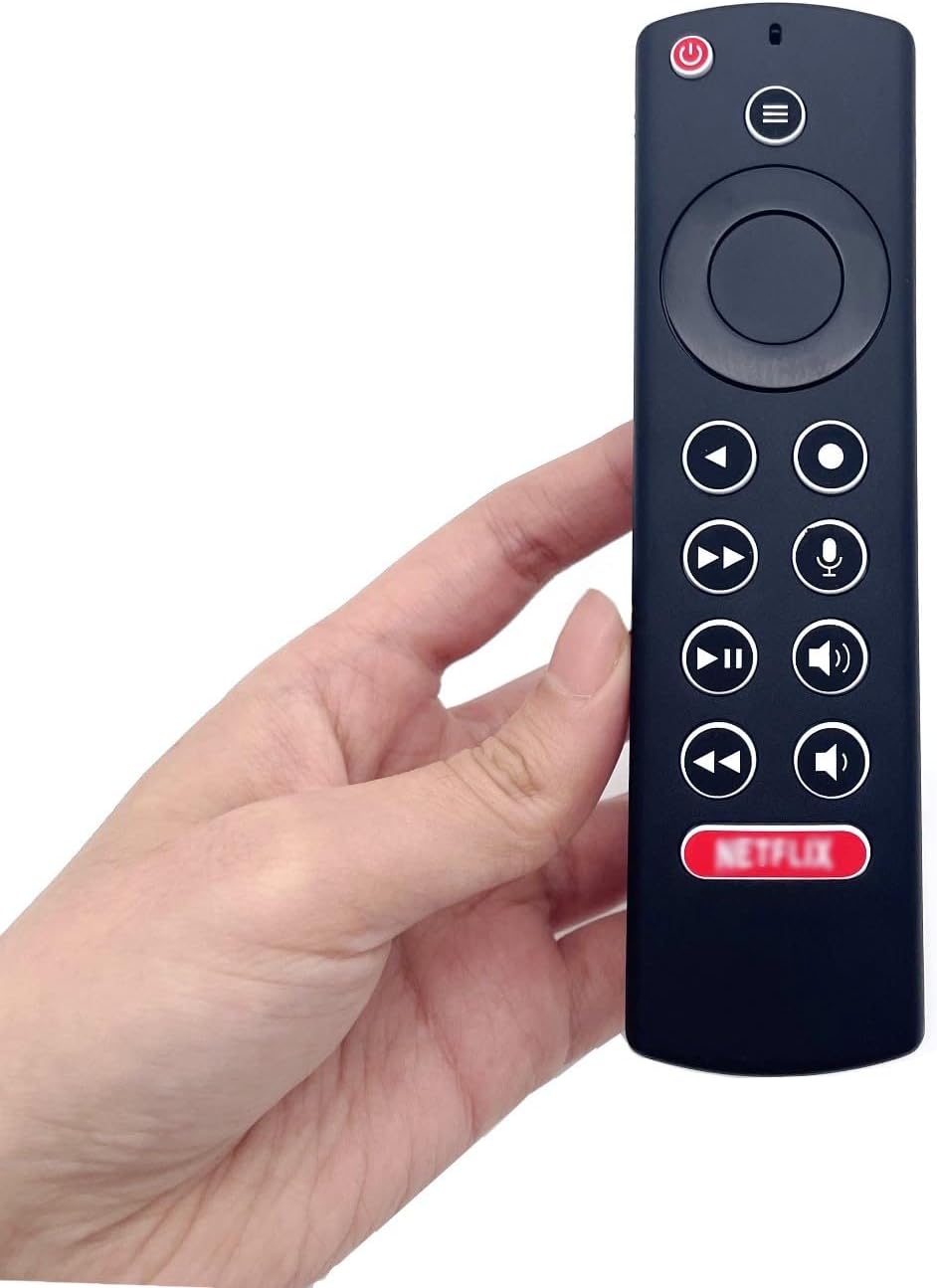
Image: The JZK remote control held in a hand, highlighting its comfortable and ergonomic design.
Informacije o garanciji
Specific warranty details for this JZK product are not provided in the product description. Please refer to the retailer's return policy or contact JZK customer support for information regarding warranty coverage and terms.
Podrška
For further assistance, troubleshooting, or inquiries about your JZK Voice Remote Control, please contact the retailer where you purchased the product or refer to the official JZK website for customer support options.