
Ninkear N16 PRO
Ninkear N16 Pro Gaming Laptop User Manual
Model: N16 PRO | Marka: Ninkear
1. Uvod
Welcome to the comprehensive user manual for your Ninkear N16 Pro Gaming Laptop. This guide provides essential information to help you set up, operate, maintain, and troubleshoot your device. Please read this manual thoroughly to ensure optimal performance and longevity of your laptop.
The Ninkear N16 Pro is designed for high-performance computing, featuring a 13th Gen Intel Core i7-13620H processor, a vibrant 16-inch 2.5K 120Hz IPS display, 32GB DDR4 RAM, and a 1TB PCIe SSD. It also includes advanced features like WiFi 6 and face recognition for enhanced connectivity and security.
2. Vodič za postavljanje
2.1 Raspakivanje laptopa
Carefully remove all components from the packaging. Ensure you have the laptop, power adapter, wired mouse, mouse pad, and quick start guide. The packaging is designed to protect your device during transit.
Official Ninkear N16 Pro Unboxing View. This video demonstrates the unboxing process and contents of the laptop package.
Paket uključuje:
- Ninkear N16 Pro Laptop
- Adapter za napajanje (USB-C)
- Wired Mouse
- Podloga za miš
- Vodič za brzi početak
2.2 Početno uključivanje i punjenje
Before first use, ensure the laptop is fully charged. Connect the provided USB-C power adapter to the laptop's Type-C charging port and a power outlet. The charging indicator light will illuminate. Once charged, press the power button located on the keyboard to turn on the laptop.

The Ninkear N16 Pro laptop, showcasing its sleek design and high-resolution display.

Gotovoview of the Ninkear N16 Pro's core features, including its display, processor, memory, storage, and connectivity options.
3. Uputstvo za upotrebu
3.1 Prikaz i vizualno iskustvo
The N16 Pro features a 16-inch 2.5K (2560x1600) IPS display with a 120Hz refresh rate. This provides a sharp, vibrant, and smooth visual experience, ideal for gaming, graphic design, and video editing. You can adjust display settings through Windows Postavke ekrana.

The laptop's 2.5K display offers exceptional clarity and detail for an immersive visual experience.
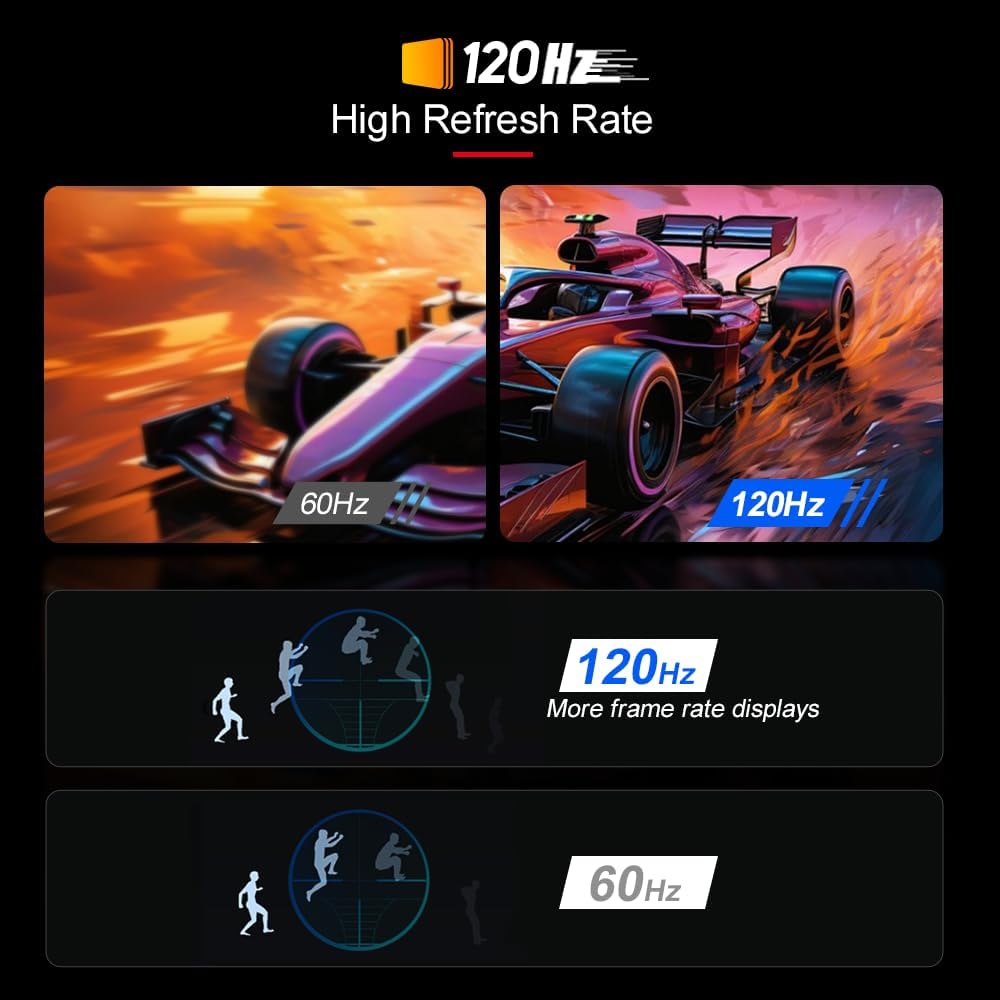
Experience ultra-smooth visuals with the 120Hz high refresh rate, reducing motion blur and enhancing responsiveness.
3.2 Tastatura i unos
The N16 Pro features a backlit keyboard for comfortable typing in various lighting conditions. It also includes a numeric keypad for efficient data entry. The large touchpad supports multi-touch gestures for intuitive navigation.

The backlit keyboard provides visibility in low-light environments, enhancing usability.
3.3 Face Recognition Login
Utilize the integrated face recognition feature for quick and secure login. Set up Windows Hello in your system settings to enable this convenient biometric authentication.

Secure and fast login using the integrated face recognition technology.
3.4 Connectivity (Wi-Fi 6 and Ports)
The N16 Pro supports Wi-Fi 6 (802.11ax) for faster and more stable wireless connections. It also offers a variety of ports for connecting external devices:
- HDMI: Za vanjske displeje.
- USB 3.0 (x2): Za brzi prijenos podataka.
- USB 2.0 (x1): Za standardne periferne uređaje.
- Type-C (Full-Featured): Supports charging, data transfer, and video output.
- RJ45: Za žičanu Ethernet vezu.
- Port za slušalice: Za audio izlaz.

Detaljno view of the N16 Pro's versatile port selection for all your connectivity needs.
3.5 Proširenje memorije i pohrane
The N16 Pro features a dual-channel design, allowing for DIY expansion of RAM up to 64GB and SSD storage up to 4TB. This flexibility ensures the laptop can meet demanding performance and storage requirements for various applications.

Interni view highlighting the dual-channel DDR4 memory and expandable PCIe SSD slots.
4. Održavanje
4.1 Čišćenje i njega
To maintain your laptop's appearance and functionality, regularly clean the screen and keyboard with a soft, lint-free cloth. For stubborn marks, use a specialized electronic cleaning solution. Avoid harsh chemicals or abrasive materials.
4.2 Njega baterija
The N16 Pro is equipped with a 5500mAh (62.70Wh) lithium-ion battery, providing up to 8 hours of usage. To prolong battery life, avoid fully discharging the battery frequently and store the laptop in a cool, dry place when not in use for extended periods.

The N16 Pro's high-capacity battery supports extended usage throughout the day.
4.3 Sistem hlađenja
The laptop features a dual cooling solution with copper tubes and silent fans to efficiently dissipate heat. Ensure the vents are clear of obstructions to maintain optimal airflow and prevent overheating, especially during intensive tasks.

The efficient dual cooling system ensures stable performance by effectively managing heat.
5. Otkrivanje problema
If you encounter issues with your Ninkear N16 Pro, please refer to the following common solutions:
- Nema napajanja: Provjerite je li adapter za napajanje sigurno priključen i je li utičnica funkcionalna. Pokušajte s drugom utičnicom.
- Problemi s prikazom: If the screen is blank or flickering, try connecting an external monitor to check if the issue is with the laptop's display or graphics. Update display drivers.
- Wi-Fi povezivanje: Provjerite je li Wi-Fi omogućen u postavkama Windowsa. Ponovo pokrenite ruter i laptop. Provjerite jesu li upravljački programi ažurirani.
- Spore performanse: Close unnecessary applications. Check for background processes consuming high resources. Consider upgrading RAM or SSD if performance remains consistently slow.
- pregrijavanje: Ensure vents are clear. Use the laptop on a hard, flat surface. Consider a cooling pad if necessary.
For more complex issues, please contact Ninkear customer support.
6. Specifikacije
| Feature | Specifikacija |
|---|---|
| Brand | Ninkear |
| Naziv modela | N16 PRO |
| Veličina ekrana | 15.98 inča |
| Rezolucija ekrana | 2560 x 1600 piksela (2.5K) |
| Refresh Rate | 120Hz |
| Procesor | 13. generacija Intel Core i7-13620H (do 4.9 GHz) |
| RAM | 32 GB DDR4 (Expandable to 64GB) |
| Hard Drive | 1 TB PCIe SSD (Expandable to 4TB) |
| Grafički koprocesor | Intel UHD grafika za Intel procesore 13. generacije |
| Bežični tip | 802.11ax (WiFi 6), Bluetooth |
| Operativni sistem | Windows 11 Pro |
| Trajanje baterije | Up to 8 Hours (5500mAh) |
| Luke | 1x USB 2.0, 2x USB 3.0, 1x HDMI, 1x Full-Featured Type-C, 1x RJ45, 1x Earphone Port |
| Težina artikla | 7.7 funte |
| Boja | Srebro |
7. Jamstvo i podrška
Ninkear provides customer support for your N16 Pro laptop. If you have any questions, require technical assistance, or need to inquire about warranty services, please contact us via email:
Email: Ninkear.Service@gmail.com
Please include your order number when contacting support for faster service.
Ask a question about this manual
Ask about setup, troubleshooting, compatibility, parts, safety, or missing instructions. Manuals+ will review the question and use this page’s manual context to help answer it.