
Važna sigurnosna uputstva
Before using this elliptical trainer, please read all instructions carefully. Keep this manual for future reference.
- Konsultujte se sa lekarom pre nego što započnete bilo koji program vežbanja.
- Držite djecu i kućne ljubimce podalje od opreme tokom upotrebe.
- Postavite eliptični trenažer na ravnu površinu s dovoljno prostora oko njega.
- Nosite odgovarajuću odjeću za vježbanje i sportske cipele.
- Ne prekoračujte maksimalnu težinu korisnika od 113 kg (250 lbs).
- Prije svake upotrebe provjerite opremu na istrošene ili labave dijelove. Ne koristite ako je oštećena.
- Uvjerite se da su svi vijci i matice dobro zategnuti.
- Odmah prestanite s vježbanjem ako osjetite nesvjesticu, vrtoglavicu ili bol.
- Use the elliptical only for its intended purpose as described in this manual.
Sadržaj paketa
Prije početka montaže provjerite da li su sve komponente prisutne:
- Konzola
- Korisnički priručnik (ovaj dokument)
- Komplet alata
- Montaža zamašnjaka
- Komponente glavnog okvira
- Pedals and Arms
- Stabilizatori
Ako neki dijelovi nedostaju ili su oštećeni, odmah kontaktirajte korisničku podršku.
Postavljanje i montaža
Assembly typically requires two people. Follow the detailed instructions provided in the included assembly guide. The tool kit contains necessary wrenches and an Allen key. A Phillips head screwdriver (not included) may also be required.
- Raspakivanje: Carefully remove all components from the packaging. Place them on a clear, level surface. Retain packaging materials until assembly is complete.
- Ugradnja stabilizatora: Pričvrstite prednji i zadnji stabilizator na glavni okvir pomoću priloženih vijaka i podloški.
- Uspravna montaža: Secure the upright post to the main frame. Ensure all wiring connections are properly routed and connected as per the assembly guide.
- Pedal Arms and Pedals: Attach the pedal arms to the flywheel mechanism and then secure the foot pedals to the pedal arms. Pay attention to left and right markings.
- Prilog za konzolu: Connect the console wiring to the upright post's wiring. Mount the console securely to the upright post.
- Konačna provjera: Before first use, ensure all bolts, nuts, and connections are tight and secure. Test the movement of the pedals and handlebars for smooth operation.

Image: The ProForm Sport Elliptical fully assembled, illustrating its compact design and key structural components. Dimensions are approximately 150 cm (length) x 65 cm (width) x 156 cm (height).

Image: A user tilting the elliptical to engage the front transport wheels, demonstrating how to easily move the machine for storage or repositioning.
Uputstvo za upotrebu
Console Overview
The console features a 5-inch LCD display, resistance control buttons, and a device holder. It provides real-time workout data and allows for iFIT integration.

Slika: Detaljna view of the console, highlighting the 5-inch (12.7 cm) LCD display, resistance buttons (1-20), tablet holder, and integrated 2-inch (5 cm) Bluetooth enabled speakers.
Podešavanje otpora
The ProForm Sport Elliptical features 20 levels of digital magnetic resistance. This Silent Magnetic Resistance (SMR) system provides a smooth and quiet workout.
- Ručno podešavanje: Use the '+' and '-' buttons on the console to increase or decrease the resistance level during your workout.
- Dugmad za brzi otpor: The console also features quick-select buttons (1-20) to jump directly to a desired resistance level.
Using iFIT
The elliptical is designed for seamless integration with the iFIT platform, offering a personalized training experience.
- Povežite svoj uređaj: Place your smartphone or tablet on the integrated device holder. Connect your device to the elliptical via Bluetooth.
- iFIT App: Download and open the iFIT app on your device. An iFIT membership is required to access the full library of workouts.
- Personalizirani treninzi: iFIT offers over 10,000 on-demand workouts led by expert trainers. The SmartAdjust™ technology automatically adjusts the elliptical's resistance to match the workout intensity and your fitness level.
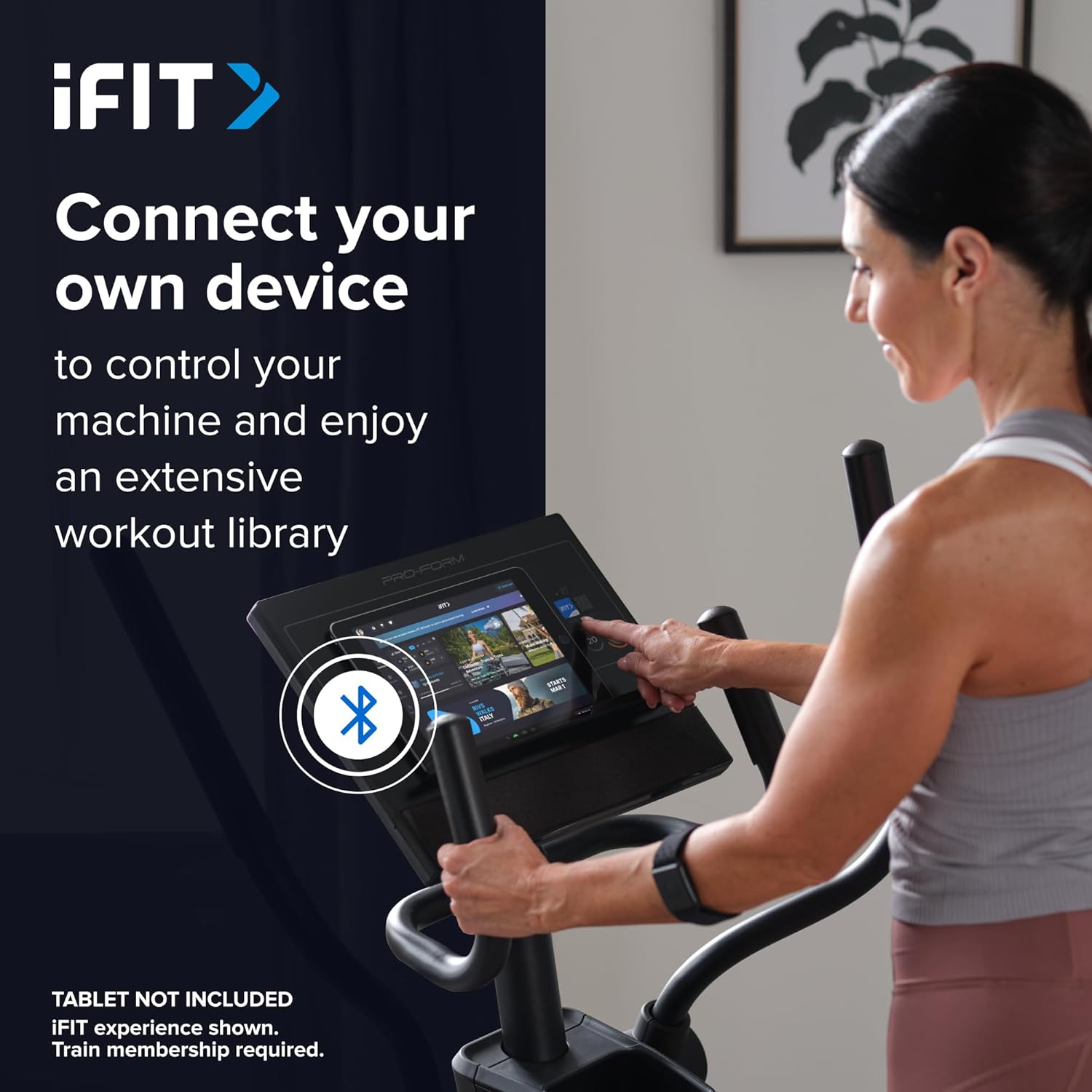
Image: A user connecting a tablet to the elliptical's console, demonstrating how to use a personal device to control the machine and access the iFIT workout library.
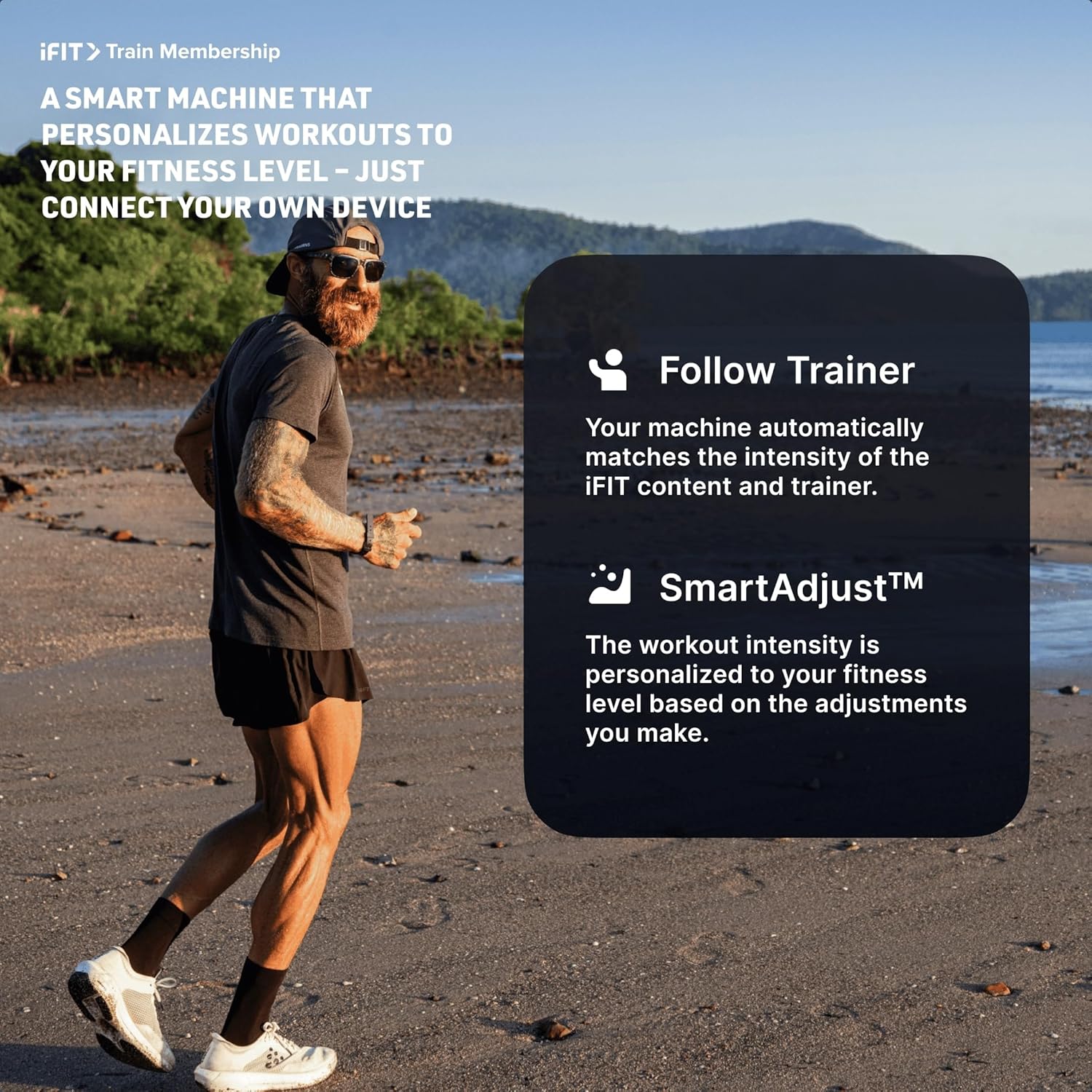
Image: An illustration detailing iFIT Train Membership benefits, including the 'Follow Trainer' feature where the machine adjusts to match trainer intensity, and 'SmartAdjust™' for personalized workout intensity based on fitness level.
Bluetooth povezivanje
The elliptical's console includes Bluetooth-enabled speakers. You can connect your personal device to play audio directly through the elliptical's speakers.
- Uparivanje: Omogućite Bluetooth na svom uređaju. Traži the elliptical's Bluetooth name (usually "ProForm Elliptical" or similar) and pair.
- Audio reprodukcija: Once paired, audio from your device will play through the elliptical's 2-inch (5 cm) speakers.
Održavanje
Regular maintenance ensures the longevity and optimal performance of your ProForm Sport Elliptical.
- čišćenje: Wipe down the elliptical after each use with a damp krpom za uklanjanje znoja i prašine. Izbjegavajte abrazivna sredstva za čišćenje ili rastvarače.
- inspekcija: Periodically check all bolts, nuts, and moving parts for tightness and wear. Tighten any loose fasteners. Replace worn parts immediately.
- podmazivanje: Refer to the detailed assembly guide for specific lubrication points and recommended lubricants, if any.
- Skladištenje: Store the elliptical in a dry, clean environment away from extreme temperatures and direct sunlight.
Rješavanje problema
| Problem | Mogući uzrok | Rješenje |
|---|---|---|
| Konzola se ne uključuje. | Power adapter not connected; power outlet issue; console wiring loose. | Ensure power adapter is fully plugged into the elliptical and a working outlet. Check console wiring connections. |
| Elliptical makes noise during use. | Loose bolts or components; parts requiring lubrication; worn bearings. | Inspect and tighten all visible bolts and nuts. Refer to the assembly guide for lubrication points. If noise persists, contact customer support. |
| Otpor se ne mijenja. | Console malfunction; internal resistance mechanism issue. | Ensure console is properly connected. If using iFIT, check app connection. If problem persists, contact customer support. |
| Bluetooth audio se ne povezuje. | Device Bluetooth off; elliptical not in pairing mode; interference. | Ensure Bluetooth is enabled on your device. Restart both device and elliptical. Try pairing again. Move closer to the elliptical. |
Specifikacije
| Naziv modela: | ProForm Sport Elliptical |
| Broj modela: | PFEL54925-INT |
| Brand: | ProForm |
| Dimenzije (D x Š x V): | 150 cm x 65 cm x 156 cm (59.1 in x 25.6 in x 61.4 in) |
| Težina artikla: | 52.7 kg (116.2 lbs) |
| Maksimalna težina korisnika: | 113 kg (250 lbs) |
| Mehanizam otpora: | Magnetic (Silent Magnetic Resistance - SMR) |
| Nivoi otpornosti: | 20 digitalnih libela |
| Dužina koraka: | 40.6 cm (16 inča) |
| Prikaz: | 5-inčni LCD |
| Povezivanje: | Bluetooth (for iFIT and audio) |
| Uključene komponente: | Console, User Manual, Tool Kit, Flywheel |
Informacije o garanciji
Your ProForm Sport Elliptical is covered by the following warranty:
- okvir: 8 years contractual warranty (total 10 years).
- Dijelovi i rad: 2 years legal warranty.
*The extended frame warranty is valid only if the product registration is completed on https://ifitsupport.eu/it/product-registration u roku od 28 dana od isporuke proizvoda.
Molimo sačuvajte svoj dokaz o kupovini za zahtjeve u vezi s garancijom.
Korisnička podrška
For technical assistance, warranty claims, or to order replacement parts, please contact ProForm customer support.
Refer to the contact information provided with your purchase or visit the official ProForm website for support details in your region.
When contacting support, please have your model number (PFEL54925-INT) and serial number ready.