
Netzu 6210TB
Netzu Digital Alarm Clock Model 6210TB User Manual
Comprehensive Instructions for Setup and Operation
1. Uvod
This manual provides detailed instructions for the setup, operation, and maintenance of your Netzu Digital Alarm Clock, Model 6210TB. Please read this manual thoroughly before using the device to ensure proper function and longevity.
2. Sigurnosne informacije
- Ne izlažite uređaj ekstremnim temperaturama, direktnoj sunčevoj svjetlosti ili visokoj vlažnosti.
- Izbjegavajte ispuštanje ili izlaganje uređaja jakim udarima.
- Use only the provided power adapter or a compatible USB power source.
- Držite uređaj dalje od vode i drugih tečnosti.
- Ne pokušavajte sami rastaviti ili popraviti uređaj. Obratite se korisničkoj podršci za pomoć.
- Osigurajte odgovarajuću ventilaciju oko uređaja.
3. Sadržaj paketa
- Netzu Digital Alarm Clock (Model 6210TB)
- USB kabel za napajanje
- Adapter za napajanje
- Korisnički priručnik (ovaj dokument)
4. Proizvod je gotovview
Upoznajte se s glavnim komponentama i kontrolama vašeg budilnika.

Slika 4.1: Front view of the Netzu Digital Alarm Clock showing the display and a connected phone.
This image displays the Netzu Digital Alarm Clock from a slight angle, highlighting its large digital time display (red), smaller temperature (green), and date (orange) readouts. A smartphone is shown connected via a cable, indicating a charging function or power source connection. The clock features buttons on top for various functions.
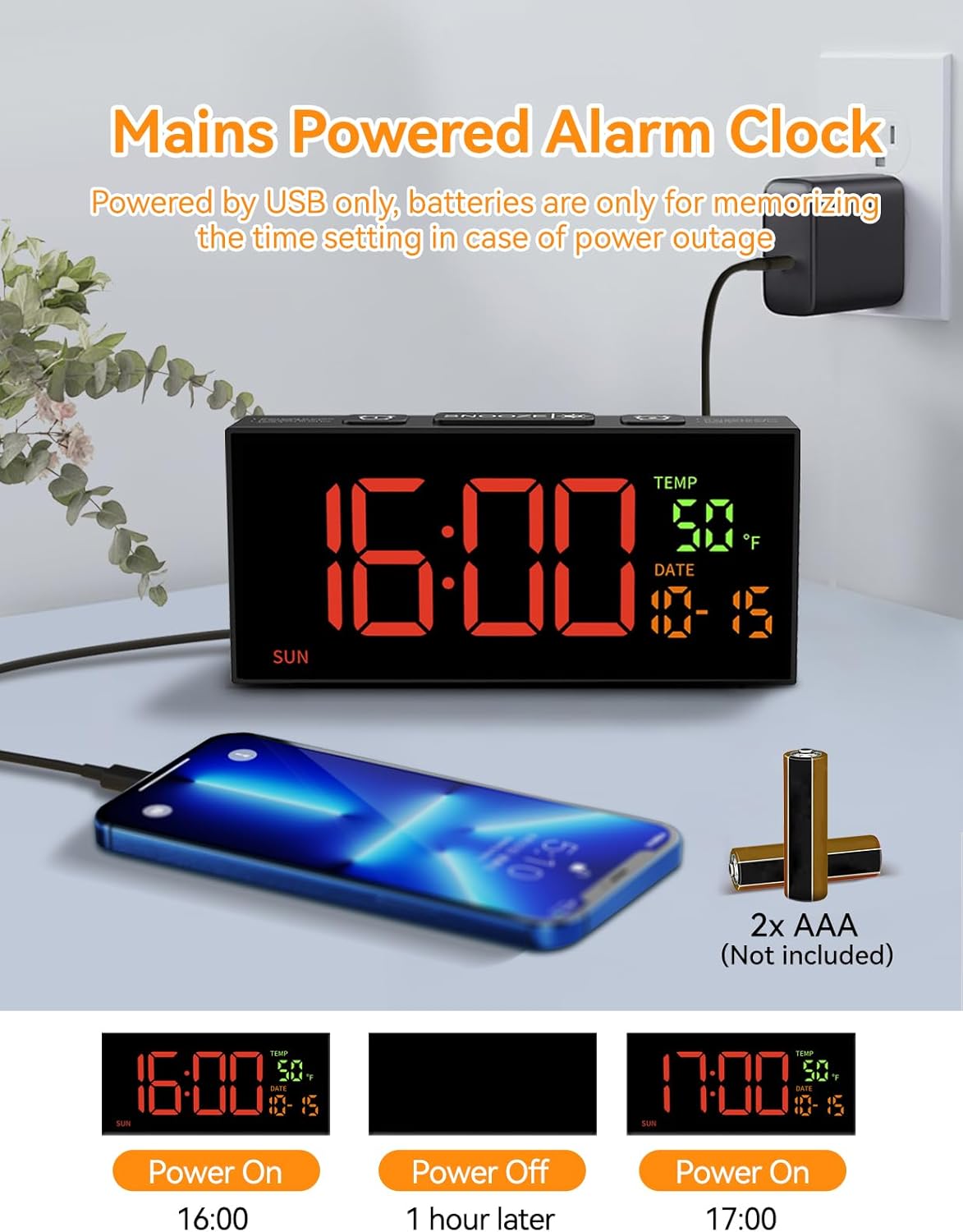
Slika 4.2: Power connection and battery backup illustration.
This image illustrates the power connection of the alarm clock, showing it plugged into a wall adapter. It also highlights the requirement for two AAA batteries (not included) for the memory backup function, ensuring settings are retained during power outages.
5. Podešavanje
5.1 Priključak za napajanje
- Connect the provided USB power cable to the clock's power input port.
- Uključite drugi kraj USB kabla u adapter za napajanje.
- Insert the power adapter into a standard electrical outlet. The clock display will illuminate.
5.2 Instalacija rezervne baterije
The clock requires 2 AAA batteries (not included) for memory backup. These batteries preserve your time and alarm settings during a power outage or if the clock is unplugged.
- Pronađite odeljak za baterije na poleđini sata.
- Otvorite poklopac odeljka za baterije.
- Umetnite 2 AAA baterije, pazeći na ispravan polaritet (+ i -).
- Čvrsto zatvorite poklopac odeljka za baterije.
6. Osnovne postavke
6.1 Podešavanje vremena i datuma

Slika 6.1: Step-by-step guide to setting the clock's time and date.
This image provides a visual guide for setting the time and date. It shows pressing the 'SET' button to enter settings, then using '+' and '-' buttons to adjust hours, minutes, year, month, and day. Blinking digits indicate the adjustable field.
- Set Clock Time:
- Pritisnite i držite SET button for 2 seconds to enter time setting mode. The hour digits will blink.
- Koristite + or - dugmad za podešavanje sata.
- Pritisnite SET again. The minute digits will blink.
- Koristite + or - dugmad za podešavanje minuta.
- Postavi godinu:
- Pritisnite SET again. The year digits will blink.
- Koristite + or - dugmad za podešavanje godine.
- Set Month & Day:
- Pritisnite SET again. The month digits will blink.
- Koristite + or - dugmad za podešavanje mjeseca.
- Pritisnite SET again. The day digits will blink.
- Koristite + or - dugmad za podešavanje dana.
- Pritisnite SET one last time to confirm all settings and exit the setting mode.
Napomena: The system default year is 2024. Please update it to the current year. If the year, month, and day are set correctly, the day of the week will be displayed automatically.
6.2 Format 12/24 sata
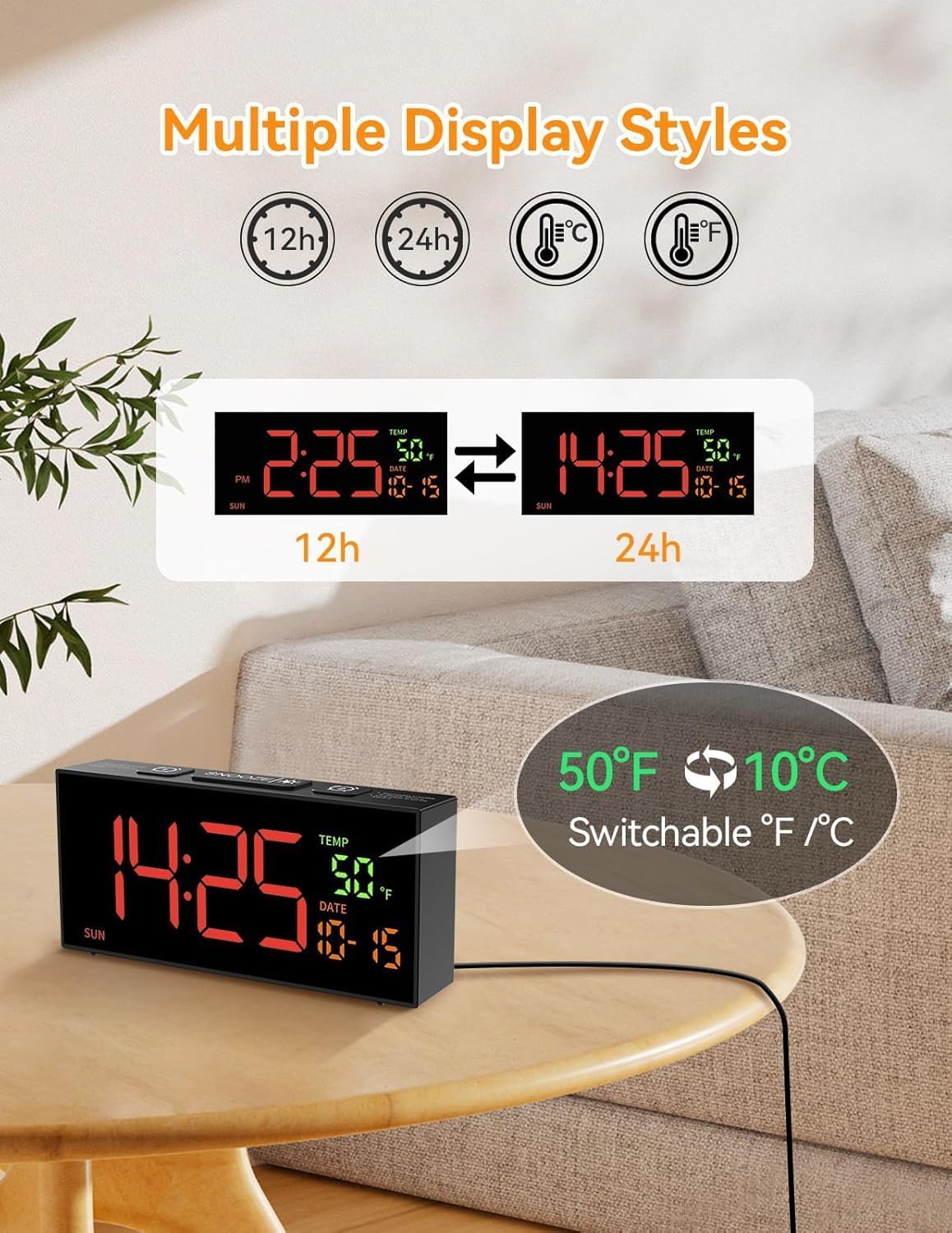
Slika 6.2: Switching between 12-hour and 24-hour time formats.
This image demonstrates the clock's ability to display time in either 12-hour (with AM/PM indicator) or 24-hour format. Two clock displays are shown side-by-side, illustrating the change from "2:25 PM" to "14:25".
Za prebacivanje između 12-satnog i 24-satnog formata vremena, pritisnite 12/24Hr button (often combined with the '+' button during setting). The display will change accordingly.
6.3 Temperature Unit (°C/°F)
To switch between Celsius (°C) and Fahrenheit (°F) temperature units, press the ° C / ° F button (often combined with the '-' button during setting). The temperature display will update.
6.4 Daylight Saving Time (DST) Adjustment

Slika 6.3: Manual adjustment for Daylight Saving Time.
This image illustrates the manual DST feature. It shows the clock display changing from 11:30 to 10:30 (or vice versa) with a long press of the 'DST' button, indicating the time shift for Daylight Saving Time.
Za ručno podešavanje ljetnog računanja vremena:
- Pritisnite i držite DST dugme.
- The time will move forward by one hour when DST starts, and backward by one hour when it ends.
- Release the button to set the new time.
7. Postavke alarma
7.1 Podešavanje alarma (Alarm 1 i Alarm 2)

Slika 7.1: Illustration of dual alarms and their operational modes.
This image highlights the clock's dual alarm capability, showing two different alarm times (6:00 and 15:00) set for different scenarios. It also visually represents the three alarm modes: Daily, Weekday (Mon-Fri), and Weekend (Sat-Sun).
Sat ima dva nezavisna alarma (Alarm 1 i Alarm 2).
- Pritisnite ALARM 1 or ALARM 2 button to select the desired alarm. The alarm time will appear and blink.
- Koristite + or - dugmad za podešavanje sata.
- Pritisnite ALARM button again. The minute digits will blink.
- Koristite + or - dugmad za podešavanje minuta.
- Pritisnite ALARM button one last time to confirm and activate the alarm. An alarm icon will appear on the display.
7.2 Režimi alarma
After setting the alarm time, you can select one of three alarm modes:
- Daily Mode (MON-SUN): The alarm will sound every day.
- Weekday Mode (MON-FRI): The alarm will sound only on weekdays.
- Weekend Mode (SAT-SUN): The alarm will sound only on weekends.
To cycle through alarm modes, press the ALARM button repeatedly after setting the alarm time, until the desired mode is displayed.
7.3 Alarm Tone Selection

Slika 7.2: Options for alarm tones and volume levels.
This image illustrates the variety of alarm tones (Chime, 7 Soft Music, Ring, Beep) and the four adjustable volume levels (90dB, 100dB, 105dB, 110dB) available on the Netzu alarm clock.
The clock offers 10 different alarm tones. To select an alarm tone:
- While in alarm setting mode (after setting time), press the + or - dugmad za ciklično prebacivanje između dostupnih tonova.
- The selected tone will play briefly for preview.
- Pritisnite ALARM dugme da potvrdite svoj izbor.
7.4 Podešavanje jačine zvuka
There are 4 adjustable volume levels for the alarm. To adjust the volume:
- While in alarm setting mode (after selecting tone), press the + or - buttons to cycle through the volume levels.
- The volume will adjust, allowing you to hear the difference.
- Pritisnite ALARM dugme da potvrdite svoj izbor.
7.5 Funkcija odgode
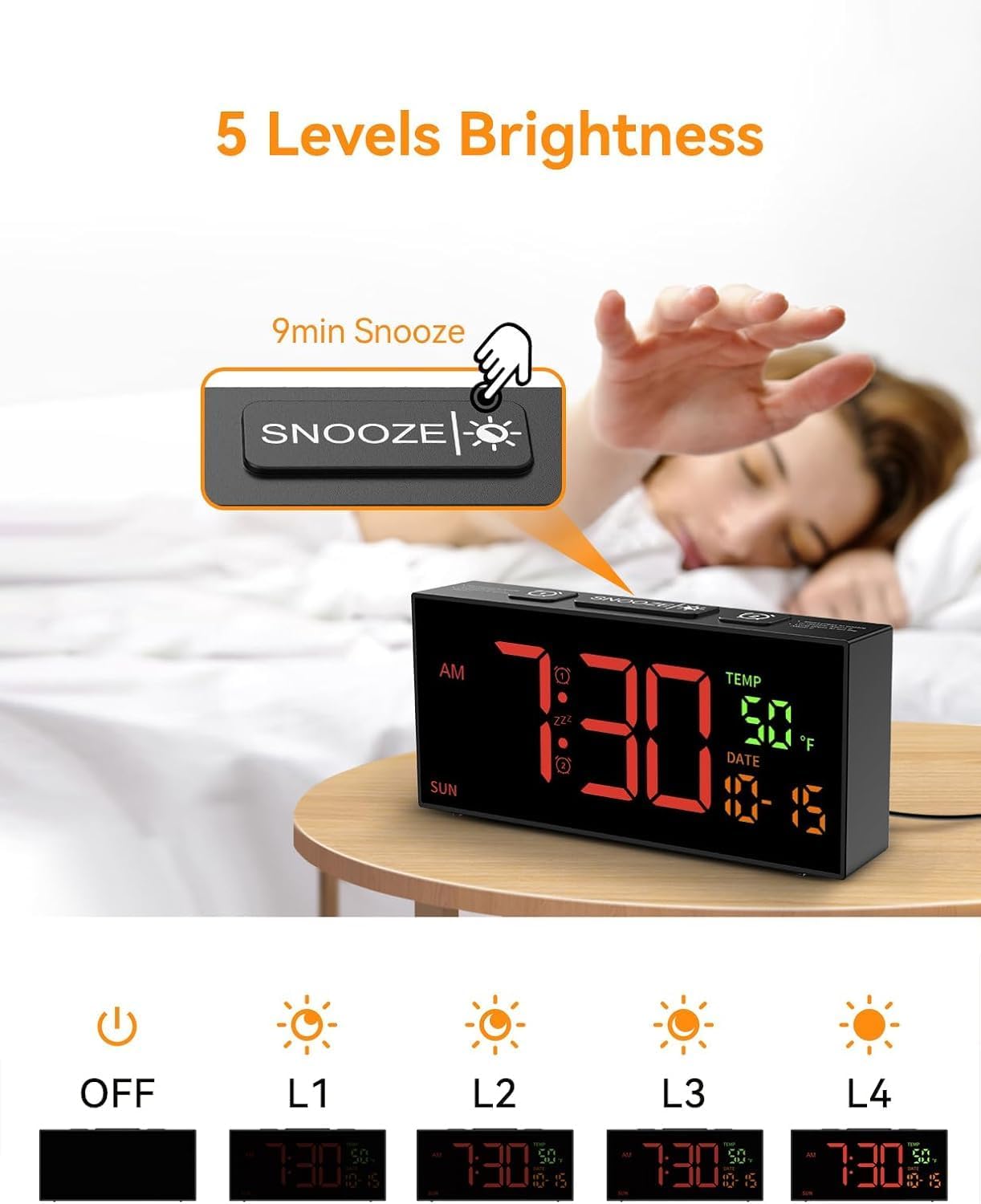
Slika 7.3: Snooze button and brightness adjustment options.
This image illustrates the large 'SNOOZE' button on top of the clock, which also functions as a brightness control. It shows a hand pressing the button and depicts the five levels of display brightness, from off to maximum illumination.
Kada se oglasi alarm, pritisnite veliko dugme SNOOZE button on top of the clock. The alarm will pause for 9 minutes and then sound again.
To turn off the alarm completely, press any other button on the clock (e.g., ALARM 1, ALARM 2, SET, +, -).
8. Postavke ekrana
8.1 Podešavanje svjetline
The clock offers 5 levels of display brightness, including an "OFF" setting.
- To adjust the brightness, press the SNOOZE/SVJETLOST button (the large button on top) repeatedly.
- Each press will cycle through the brightness levels (L4, L3, L2, L1, OFF).
- Select the level that is most comfortable for your environment.
9. Održavanje
- čišćenje: Use a soft, dry cloth to clean the clock's surface. Do not use abrasive cleaners or solvents.
- Skladištenje: If storing the clock for an extended period, remove the AAA backup batteries to prevent leakage. Store in a cool, dry place.
10. Otkrivanje problema
| Problem | Mogući uzrok | Rješenje |
|---|---|---|
| Prikaz sata je isključen. | Nema napajanja. | Ensure the power adapter is securely plugged into the clock and a working electrical outlet. Check if the brightness is set to "OFF". |
| Alarm se ne oglašava. | Alarm nije postavljen, jačina zvuka je preniska ili je mod alarma pogrešan. | Verify alarm time and mode are correctly set. Increase alarm volume. Ensure the alarm icon is visible on the display. |
| Postavke su izgubljene nakon nestanka strujetage. | Rezervne baterije nisu instalirane ili su ispražnjene. | Umetnite 2 nove AAA baterije u odjeljak za baterije. |
| Time is incorrect after DST. | DST not adjusted. | Manually adjust DST by pressing and holding the DST dugme. |
11. Specifikacije
- Model: 6210TB
- Vrsta prikaza: Digitalna LED
- Izvor napajanja: Corded Electric (USB cable and adapter included)
- Rezervna kopija baterije: 2 x AAA baterije (nisu uključene)
- Dimenzije proizvoda: 6.89 cm Š x 3.1 cm V
- Težina: 10.6 unci (približno 0.3 kg)
- Karakteristike alarma: Dual alarms, 3 alarm modes (Daily, Weekday, Weekend), 10 alarm tones, 4 volume levels, 9-minute snooze.
- Karakteristike ekrana: 5 brightness levels, 12/24 hour format, °C/°F temperature display, date, day of week.
- Posebne karakteristike: Manual DST adjustment.
12. Garancija i podrška
For warranty information or technical support, please refer to the contact details provided with your purchase documentation or visit the official Netzu webMolimo sačuvajte dokaz o kupovini za potrebe reklamacije.
Kontakt informacije:
- Proizvođač: Netzu
- Email: netzuserservice@outlook.com
Ask a question about this manual
Ask about setup, troubleshooting, compatibility, parts, safety, or missing instructions. Manuals+ will review the question and use this page’s manual context to help answer it.