
SONRU J48
SONRU Bluetooth 5.3 Receiver User Manual
Model: J48
Brand: SONRU
1. Uvod
This user manual provides detailed instructions for the SONRU Bluetooth 5.3 Receiver. This wireless audio adapter is designed to bring Bluetooth connectivity to various audio systems, including car stereos, home stereos, wired headphones, and speakers. Featuring advanced Bluetooth 5.3 technology, it ensures a faster, more stable, and smarter connection with minimal sound quality loss. The device also supports hands-free calling and dual device connection, enhancing your audio experience and convenience.
2. Sigurnosne informacije
Keep away from water and extreme temperatures. Do not expose to high heat or fire. Do not short-circuit. Avoid contact with liquids. Do not dispose of in fire. May interfere with other wireless devices. Follow local regulations for battery disposal.
3. Sadržaj paketa
Molimo Vas da provjerite da li su svi artikli uključeni u Vaš paket:
- 1 x SONRU Bluetooth Wireless Receiver (Model J48)
- 1 x 3.5 mm audio adapter
- 1 x 3.5 mm audio kabel
- 1 x RCA audio kabel
- 1 x Type-C kabel za punjenje
- 1 x uputstvo za upotrebu i garancijski list

Image: All components included in the SONRU Bluetooth Receiver package.
4. Podešavanje
4.1 Početno punjenje
Before first use, fully charge the Bluetooth receiver. Connect the provided Type-C charging cable to the receiver's charging port and a USB power source. A full charge typically takes approximately 1.5 hours. The device supports charging while in use.
4.2 Povezivanje s audio izvorom
The SONRU Bluetooth Receiver offers versatile connectivity options:
- For 3.5mm AUX Input: Use the included 3.5mm audio adapter or 3.5mm audio cable to connect the receiver to your car's AUX port, home stereo, wired headphones, or speaker.
- Za RCA ulaz: Use the included RCA audio cable to connect the receiver to older home stereo systems or other audio equipment with RCA inputs.

Image: The receiver's wide compatibility with various audio devices.
4.3 Bluetooth uparivanje
- Uključeno: Press and hold the multifunction button on the receiver to power it on. The LED display will light up.
- Omogući Bluetooth: On your mobile device (smartphone, tablet, etc.), go to the Bluetooth settings and ensure Bluetooth is enabled.
- Odaberite uređaj: Look for "J48" in the list of available Bluetooth devices and select it to pair. Once connected, the receiver will indicate successful pairing.
- Pusti audio: Begin playing audio on your mobile device. The sound will now be transmitted wirelessly to the connected audio system.
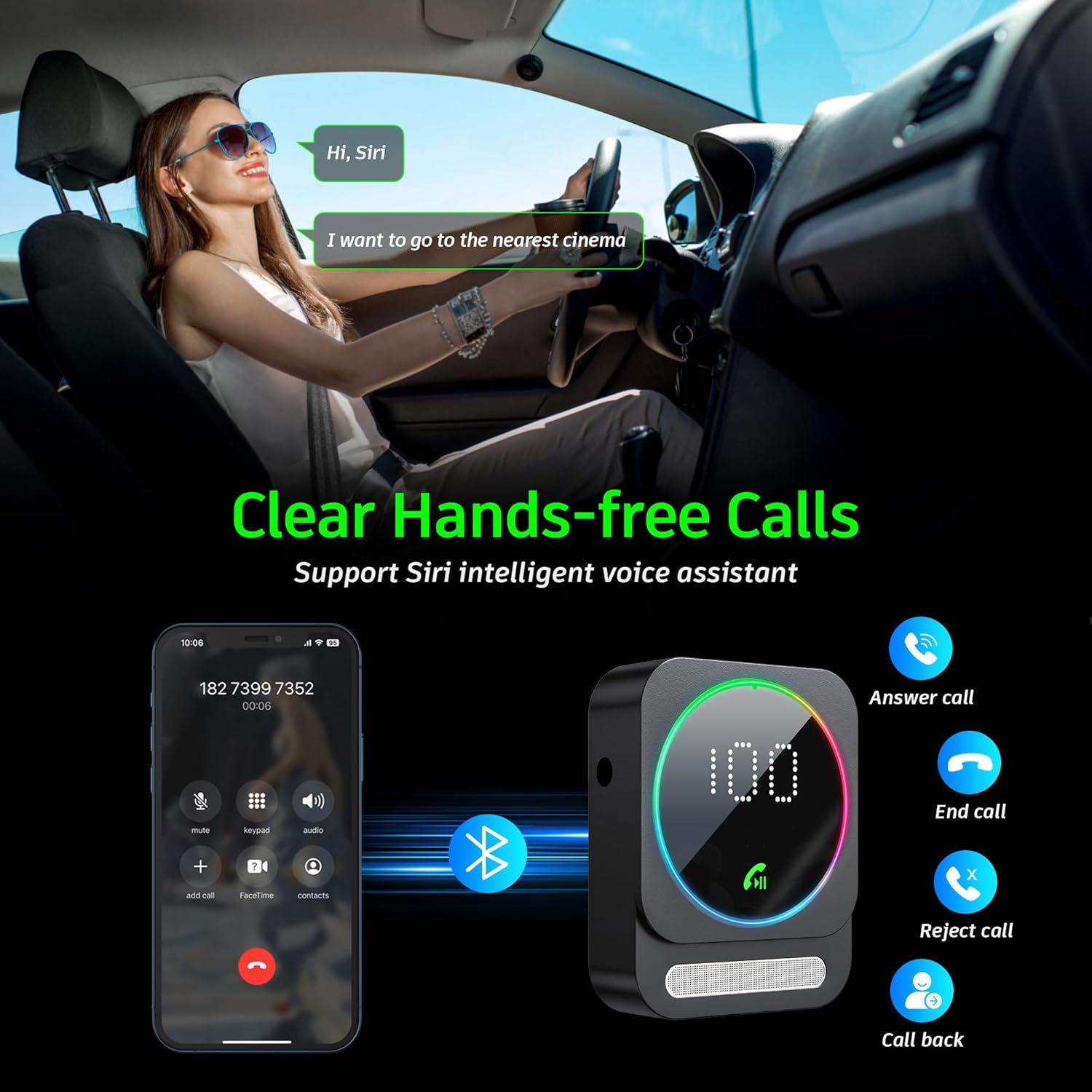
Image: Bluetooth pairing process in a car environment.
5. Uputstvo za upotrebu
5.1 Pozivi bez upotrebe ruku
The receiver is equipped with a high-quality microphone and CVC8.0 technology for clear hands-free calls.
- Odgovori na poziv: Jednom pritisnite višenamensko dugme.
- Završi poziv: Pritisnite multifunkcionalni taster jednom tokom poziva.
- odbiti poziv: Pritisnite i držite višenamjensko dugme dvije sekunde.
- Ponovno biranje zadnjeg broja: Dvaput pritisnite višenamensko dugme.
- Aktivirajte glasovnog asistenta (Siri/Google Assistant): Triple-press the multifunction button.

Image: Multifunction and volume buttons on the receiver.
5.2 Reprodukcija muzike
- Pusti/pauza: Jednom pritisnite višenamensko dugme.
- Sljedeća pjesma: Kratko pritisnite dugme "+".
- Prethodni zapis: Kratko pritisnite dugme "-".
- Povećavanje glasnoće: Dugo pritisnite dugme "+".
- Smanjivanje jačine zvuka: Dugo pritisnite dugme "-".
5.3 Povezivanje dva uređaja
The SONRU Bluetooth Receiver can connect to two Bluetooth devices simultaneously. This allows for convenient switching between devices for music or calls. Note that audio from both devices cannot be played simultaneously; you must switch between them.
Image: The receiver's ability to connect to two devices simultaneously.
5.4 Trajanje baterije i punjenje
The built-in 250mAh battery provides up to 16 hours of continuous use on a single charge. The device can be fully charged in approximately 1.5 hours using the provided Type-C cable. It supports charging while in use, making it ideal for long journeys.

Image: Visual representation of the receiver's battery life and charging features.
6. Održavanje
To ensure the longevity and optimal performance of your SONRU Bluetooth Receiver, follow these maintenance guidelines:
- čišćenje: Za čišćenje uređaja koristite meku, suhu krpu. Ne koristite tekuća sredstva za čišćenje ili aerosole.
- Skladištenje: Uređaj čuvajte na hladnom i suhom mjestu, dalje od direktne sunčeve svjetlosti i ekstremnih temperatura.
- Izbjegnite udar: Ne ispuštajte uređaj niti ga izlažite jakim udarcima, jer to može oštetiti unutrašnje komponente.
- Održavanje kablova: Handle cables gently. Avoid bending or pulling them excessively to prevent damage.
7. Otkrivanje problema
If you encounter issues with your SONRU Bluetooth Receiver, please refer to the following common solutions:
| Problem | Rješenje |
|---|---|
| Uređaj se ne uključuje. | Provjerite je li uređaj potpuno napunjen. Povežite ga s izvorom napajanja pomoću Type-C kabela i pokušajte ponovo. |
| Cannot pair with mobile device. |
|
| Nema zvuka ili je kvalitet zvuka loš. |
|
| Kvalitet poziva je loš. | Ensure the microphone is not obstructed. Reduce background noise if possible. The CVC8.0 technology helps filter out echoes and background noise. |
8. Specifikacije
| Feature | Detalj |
|---|---|
| Bluetooth verzija | 5.3 |
| Tehnologija povezivanja | AUX, RCA |
| Kapacitet baterije | 250mAh |
| Vrijeme punjenja | Pribl. 1.5 sati |
| Vrijeme upotrebe | Do 16 sati |
| Posebne karakteristike | Hands-Free Calls, Dual AUX Outputs, Digital Display, Ambient Light |
| Working Range | Up to 33ft (10m) without obstacles |
| Dimenzije | 6.65 x 2.76 x 0.94 inča |
| Težina artikla | 2.89 unce |
Video: Prekorview of the SONRU Bluetooth 5.3 Receiver's features and usage scenarios.
9. Garancija i podrška
SONRU provides a warranty for this product. For detailed warranty information, please refer to the included Warranty Card in your package. If you encounter any problems or are not satisfied with your product, please contact SONRU customer support for assistance. We are committed to providing a satisfactory solution.
Informacije za kontakt podršku obično možete pronaći na proizvođačevoj webweb-mjestu ili putem prodavača gdje ste kupili proizvod.
Ask a question about this manual
Ask about setup, troubleshooting, compatibility, parts, safety, or missing instructions. Manuals+ will review the question and use this page’s manual context to help answer it.