
Uvod
Thank you for choosing the SUNITEC BH880 Wireless Headset. This manual provides detailed instructions for setting up, operating, and maintaining your headset to ensure optimal performance and longevity. The BH880 headset is designed for clear communication and comfortable use in various environments, featuring advanced noise-cancelling technology and multiple connectivity options.

Image: SUNITEC BH880 Wireless Headset, showcasing its design with an adjustable microphone boom.
Šta je u kutiji
Provjerite da li su sve stavke prisutne u paketu:
- 1 x SUNITEC BH880 Bluetooth Computer Headset with Microphone
- 1 x Type-C kabel za punjenje
- 1 x Bluetooth Audio USB-A Dongle Adapter
- 1 x 3.5 mm audio kabel
- 1 x Korisnički priručnik (ovaj dokument)

Image: The SUNITEC BH880 headset, USB-C charging cable, USB-A dongle, and 3.5mm audio cable, illustrating the package contents.
Product Overview
Familiarize yourself with the components and controls of your SUNITEC BH880 headset.
Ključne karakteristike:
- Mikrofon sa AI poništavanjem buke: Blocks 99% of ambient noise for clear voice transmission.
- Qualcomm QCC3034 Chipset: Provides stable and fast Bluetooth transmission with aptX HD and aptX LL support.
- Udoban dizajn: Soft dual ear pads and an adjustable headband for extended wear.
- 270° Rotatable Boom Microphone: Can be positioned on either the left or right side.
- Dug vijek trajanja baterije: Do 45 sati razgovora s jednim punjenjem.
- Višestruko povezivanje: Bluetooth, USB Dongle, and 3.5mm wired connection.

Image: Close-up of the memory foam earpads, highlighting the comfort feature of the headset.

Image: Detail of the individual mute button located on the microphone boom.

Slika: Interni view highlighting the Qualcomm QCC3034 chipset, responsible for stable and fast connections.
Setup
1. Punjenje slušalica
Before first use, fully charge the headset. Connect the Type-C charging cable to the headset's charging port and the other end to a USB power source (e.g., computer USB port, wall adapter). The LED indicator will show charging status. A full charge takes approximately 2 hours and provides up to 45 hours of talk time or 400 hours of standby time.
2. Uključivanje/isključivanje
- Uključeno: Press and hold the Power button for a few seconds until the LED indicator lights up.
- Iskljuciti: Press and hold the Power button for a few seconds until the LED indicator turns off.
3. Opcije povezivanja
The SUNITEC BH880 offers three ways to connect to your devices:
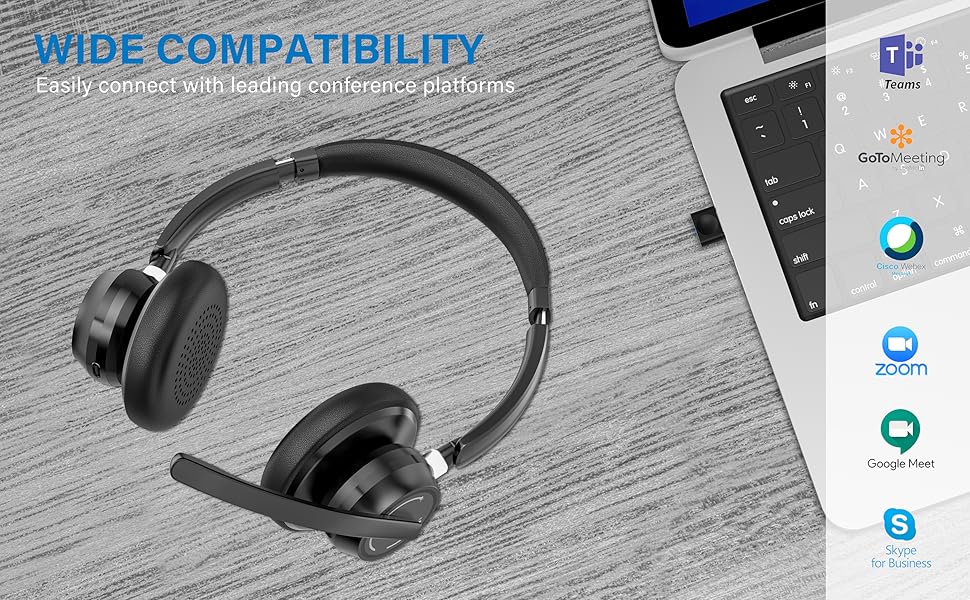
Image: Visual representation of Bluetooth, USB Dongle, and Wired connection methods for the headset.
Bluetooth veza:
- Provjerite jesu li slušalice isključene.
- Pritisnite i držite dugme za napajanje dok LED indikator ne počne naizmjenično treperiti plavo i crveno, što označava režim uparivanja.
- Na svom uređaju (pametnom telefonu, tabletu, računaru) omogućite Bluetooth i potražite nove uređaje.
- Select "SUNITEC BH880" from the list of available devices.
- Kada se poveže, LED indikator će polako treptati plavo.
USB dongle veza:
This method is ideal for computers without built-in Bluetooth or for a more stable connection.
- Plug the USB-A Dongle Adapter into an available USB port on your computer.
- Power on the SUNITEC BH880 headset. It will automatically attempt to connect to the dongle.
- The LED indicator on the dongle and headset will show a solid blue light once connected.
- You may need to select the "SUNITEC BH880" as the audio input/output device in your computer's sound settings.

Image: A USB dongle being inserted into a laptop's USB port, demonstrating the dongle connection method.
Žična veza:
Use the included 3.5mm audio cable to connect the headset directly to devices with a 3.5mm audio jack. Note that the microphone function is not available when using the 3.5mm wired connection; the headset will function as headphones only.

Image: The headset shown with logos of popular communication platforms like Teams, Zoom, Google Meet, and Skype, indicating wide compatibility.
Uputstvo za upotrebu
Osnovne funkcije:
- Pojačavanje/stišavanje glasnoće: Use the dedicated volume buttons on the earcup.
- Pusti/pauza: Pritisnite višenamjenski taster jednom.
- Sljedeća pjesma: Pritisnite i držite dugme za pojačavanje jačine zvuka.
- Prethodni zapis: Pritisnite i držite tipku za smanjivanje jačine zvuka.
Funkcije poziva:
- Odgovori/Završi poziv: Pritisnite višenamjenski taster jednom.
- odbiti poziv: Pritisnite i držite višenamensko dugme 2 sekunde.
- Ponovno biranje zadnjeg broja: Dvaput pritisnite višenamensko dugme.
Funkcija utišavanja mikrofona:
The headset features an individual mute button on the microphone boom for quick privacy control.
- Isključi/Uključi zvuk: Press the mute button on the microphone boom. The LED indicator on the microphone will show red when muted.
- Napomena: For PC platforms, microphone mute functionality may also be controlled via the software application (e.g., Zoom, Teams).
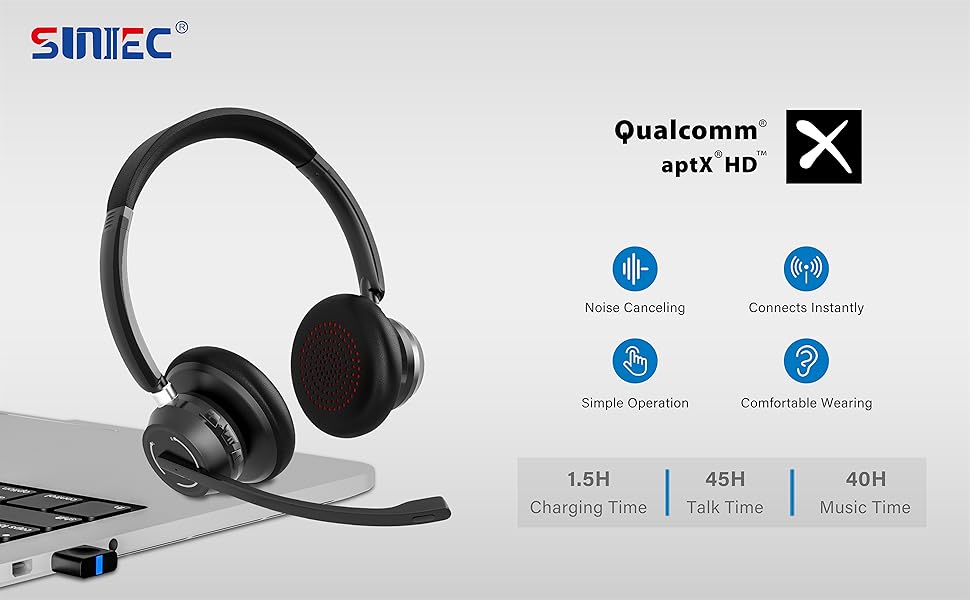
Image: A graphic demonstrating how the noise-cancelling microphone filters out background noise for clearer audio output.
Održavanje
Proper care ensures the longevity of your SUNITEC BH880 headset.
- čišćenje: Za čišćenje slušalica koristite meku, suhu krpu. Nemojte koristiti abrazivna sredstva za čišćenje ili rastvarače.
- Skladištenje: Slušalice čuvajte na hladnom i suhom mjestu, dalje od direktne sunčeve svjetlosti i ekstremnih temperatura.
- Održavanje baterije: Da biste produžili vijek trajanja baterije, izbjegavajte često potpuno pražnjenje slušalica. Redovno ih punite, čak i ako ih ne koristite duži period.
- Izbjegavajte vlagu: Slušalice nisu vodootporne. Držite ih dalje od tekućina i visoke vlažnosti.
Rješavanje problema
If you encounter issues with your SUNITEC BH880 headset, refer to the following common solutions:
| Problem | Rješenje |
|---|---|
| Slušalice se ne uključuju. | Ensure the headset is charged. Connect it to a power source using the Type-C cable. |
| Nije moguće uparivanje putem Bluetootha. |
|
| Nema zvuka ili je kvalitet zvuka loš. |
|
| Mikrofon ne radi. |
|
| USB Dongle not connecting. |
|
Specifikacije
| Feature | Detalj |
|---|---|
| Naziv modela | BH880 |
| Tehnologija povezivanja | Wireless (Bluetooth), Wired (3.5mm), USB Dongle |
| Bežična komunikacijska tehnologija | Bluetooth 5.1 |
| Bluetooth domet | Do 15 metara (49 stope) |
| Kontrola buke | Adaptive Noise Cancellation (Microphone) |
| Veličina audio drajvera | 40 milimetara |
| Vrsta audio drajvera | Dynamic Driver |
| Impedansa | 32 Ohma |
| Oblik slušalice | Preko uha |
| Trajanje baterije (vrijeme razgovora) | Do 45 sati |
| Vrijeme punjenja | Approximately 2 Hours (Type-C) |
| Težina artikla | 280 grama (9.9 unci) |
| Dimenzije proizvoda | 5.91 x 3.94 x 1.96 inča |
| Materijal | Plastika |
| Kompatibilni uređaji | Computers, Communication Software (Skype, Zoom, MS Teams, Google Meet) |
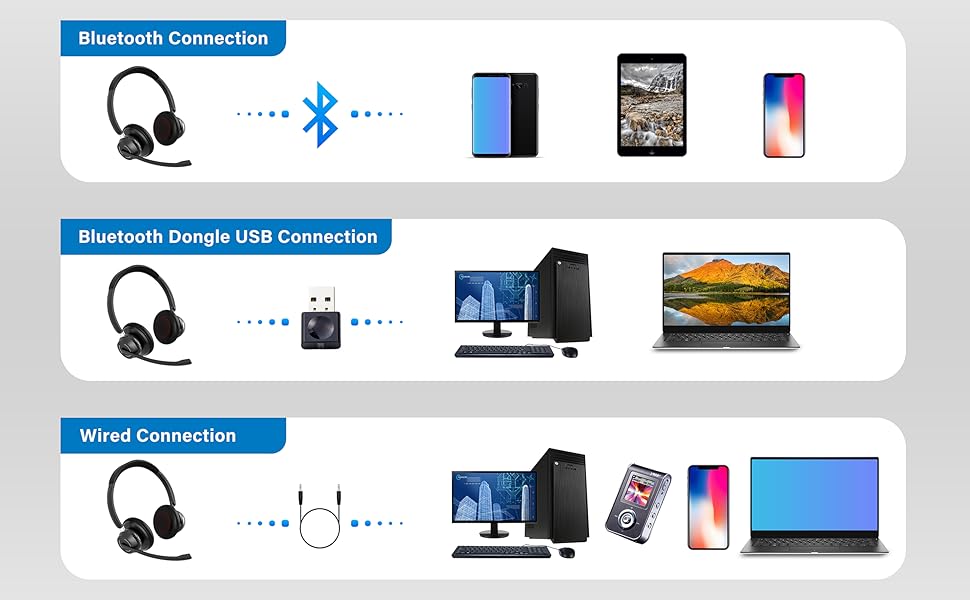
Image: An illustration highlighting the headset's battery performance, indicating up to 45 hours of wireless talk time.
Garancija i podrška
SUNITEC products are designed for reliability and performance. For warranty information or technical support, please refer to the contact details provided with your purchase or visit the official SUNITEC webSačuvajte račun kao dokaz o kupovini za reklamacije u slučaju reklamacije.
For further assistance, you may contact SUNITEC customer service through their official channels.