
Product Overview
The Mesqool CR1025 is a versatile alarm clock radio designed to provide multiple functionalities in a compact form factor. It integrates an alarm clock, Bluetooth speaker, FM radio, LED night light, and dual USB charging ports for convenience.
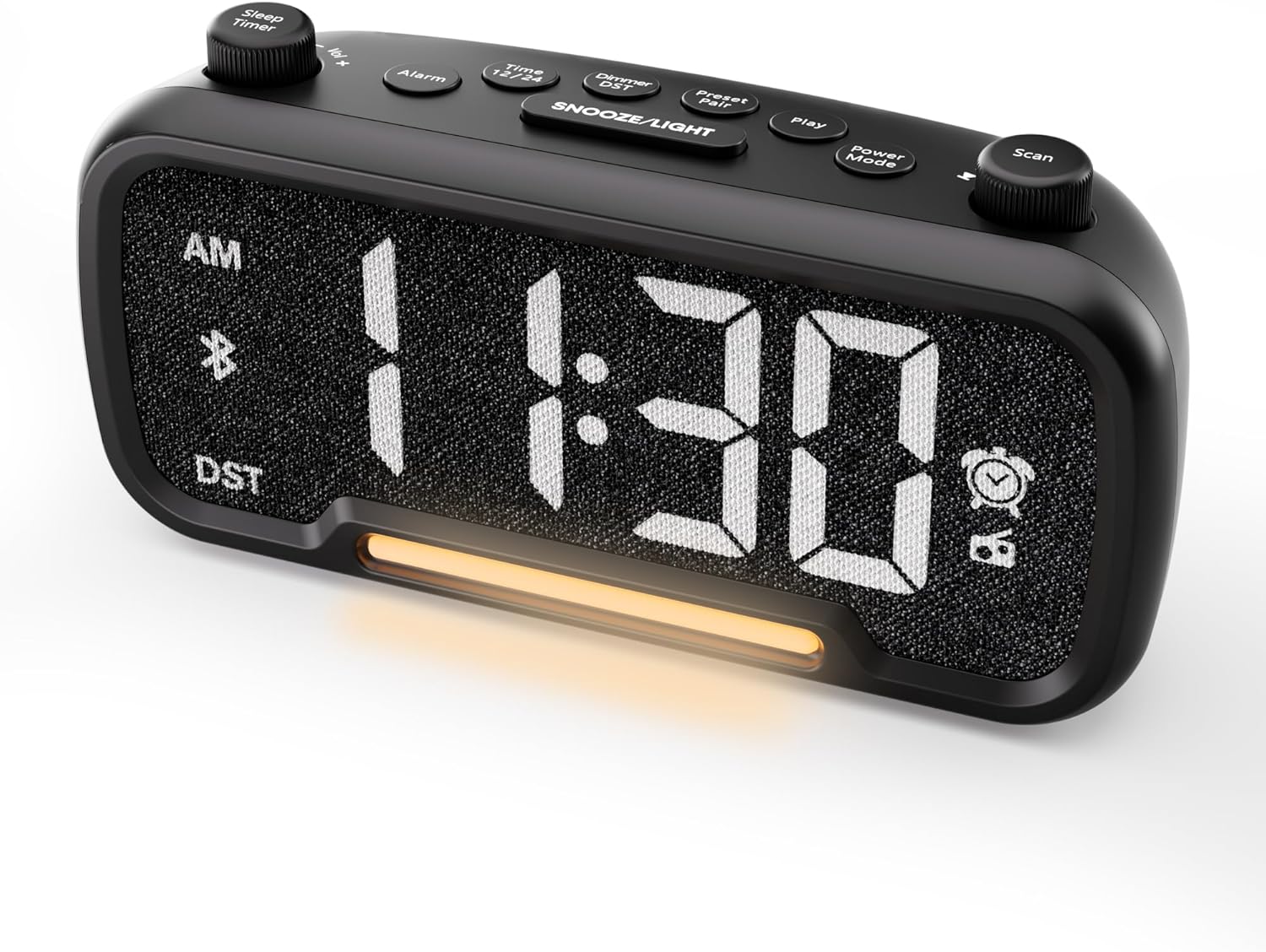
Slika 1: Prednja strana view of the Mesqool CR1025 Alarm Clock Radio, displaying the digital time and control layout.

Figure 2: Key features of the Mesqool CR1025, highlighting its multi-functional design.
Vodič za postavljanje
1. Priključak za napajanje
- Spojite priloženi adapter za napajanje na DC IN priključak na stražnjoj strani budilnika.
- Plug the adapter into a standard electrical outlet. The clock will power on and the display will illuminate.

Figure 3: The alarm clock radio connected to power, ready for use.
2. Instalacija rezervne baterije
- The unit includes a CR2032 lithium battery for backup. This battery retains alarm settings and time during a power outage, but the display will not show the time and the alarm will not sound until power is restored.
- Pronađite odjeljak za baterije na dnu uređaja.
- Insert the CR2032 battery with the correct polarity (+ side up).
- Čvrsto zatvorite odeljak za baterije.
3. Početno podešavanje vremena
- Pritisnite Vrijeme 12 dugme. Cifre sata će treptati.
- Rotirajte Skeniraj knob (right knob) to adjust the hour.
- Pritisnite Vrijeme 12 ponovo pritisnite dugme. Cifre minuta će treptati.
- Rotirajte Skeniraj dugme za podešavanje minuta.
- Pritisnite Vrijeme 12 button once more to confirm and exit time setting.
4. Format vremena 12/24 sata
- To switch between 12-hour and 24-hour time formats, press and hold the Vrijeme 12 dugme na 2 sekunde.
- In 12-hour format, 'AM' or 'PM' indicators will appear on the display.

Figure 4: Display options for 12-hour and 24-hour time formats.
5. Daylight Saving Time (DST) Mode
- Da biste aktivirali ili deaktivirali ljetno računanje vremena, pritisnite i držite Dimmer DST dugme na 2 sekunde.
- The time will adjust by one hour forward or backward, and the 'DST' indicator will appear or disappear.
Uputstvo za upotrebu
1. Podešavanje alarma
- Pritisnite i držite Alarm button for 2 seconds. The hour digits will flash.
- Rotirajte Vol -/+ knob (left knob) to adjust the alarm hour.
- Pritisnite Alarm ponovo pritisnite dugme. Cifre minuta će treptati.
- Rotirajte Vol -/+ knob to adjust the alarm minute.
- Pritisnite Alarm button again. The alarm source icon will flash. Rotate the Vol -/+ knob to select between buzzer or FM radio as the alarm sound.
- Pritisnite Alarm button again. The volume level will flash. Rotate the Vol -/+ knob to adjust the alarm volume (L01-L16).
- Pritisnite Alarm button once more to confirm and activate the alarm. The alarm icon will appear on the display.
Otkazivanje alarma
- To cancel the alarm, press the Alarm button. The alarm icon will turn off, indicating the alarm has been deactivated.
Funkcija odgode
- Kada se oglasi alarm, pritisnite SNOOZE / LIGHT button to activate the snooze function. The alarm will pause for 9 minutes and then sound again.
- This can be repeated up to 9 times. To stop the alarm for the day, press the Alarm dugme.

Figure 5: The alarm clock radio offers two alarm sound options: radio or buzzer.
2. Rad Bluetooth zvučnika
- Pritisnite Power Mode button repeatedly until 'bt' appears on the display and the Bluetooth icon starts flashing. This indicates the clock is in Bluetooth pairing mode.
- On your mobile device, enable Bluetooth and search for available devices. Select 'CR1025' from the list.
- Once connected, the Bluetooth icon on the clock's display will stop flashing and remain solid. You can now play audio from your device through the clock's speaker.

Figure 6: Bluetooth 5.0 connectivity for wireless audio streaming.
3. Rad FM radija
- Pritisnite Power Mode button repeatedly until the radio icon lights up on the display, indicating FM radio mode.
- Automatsko skeniranje: Pritisnite Skeniraj button to automatically search for and store up to 20 FM radio stations. The clock will cycle through frequencies and save strong signals as presets (P01, P02, etc.).
- Ručna pretraga: Rotirajte Skeniraj knob to manually browse FM frequencies.
- Spremi unaprijed postavljeno: To save a manually found station, press and hold the Preset Pair button for 2 seconds. The preset number will flash. Rotate the Skeniraj dugme za odabir unaprijed postavljenog mjesta, a zatim pritisnite Preset Pair opet za uštedu.
- Podsjetite unaprijed postavljeno: U FM režimu, kratko pritisnite Preset Pair dugme za kretanje kroz sačuvane stanice.
- Podesite glasnoću: Rotirajte Vol -/+ knob to adjust the radio volume (16 levels).

Figure 7: Enjoying FM radio with a wide frequency range and 20 presets.
4. Night Light and Brightness Dimmer
- The clock features a built-in LED night light.
- Pritisnite SNOOZE / LIGHT button to cycle through 5 adjustable brightness levels for the main display and the night light.
- The lowest setting is suitable for sleeping, while the brightest is for daytime visibility.

Figure 8: The 5-level brightness dimmer allows customization for various lighting conditions.
5. Phone Charging Ports
- The Mesqool CR1025 is equipped with two USB charging ports: one USB-C and one USB-A.
- Connect your devices (e.g., smartphone, smartwatch) to these ports using appropriate charging cables.
- The clock must be powered via its AC adapter for the charging ports to function.
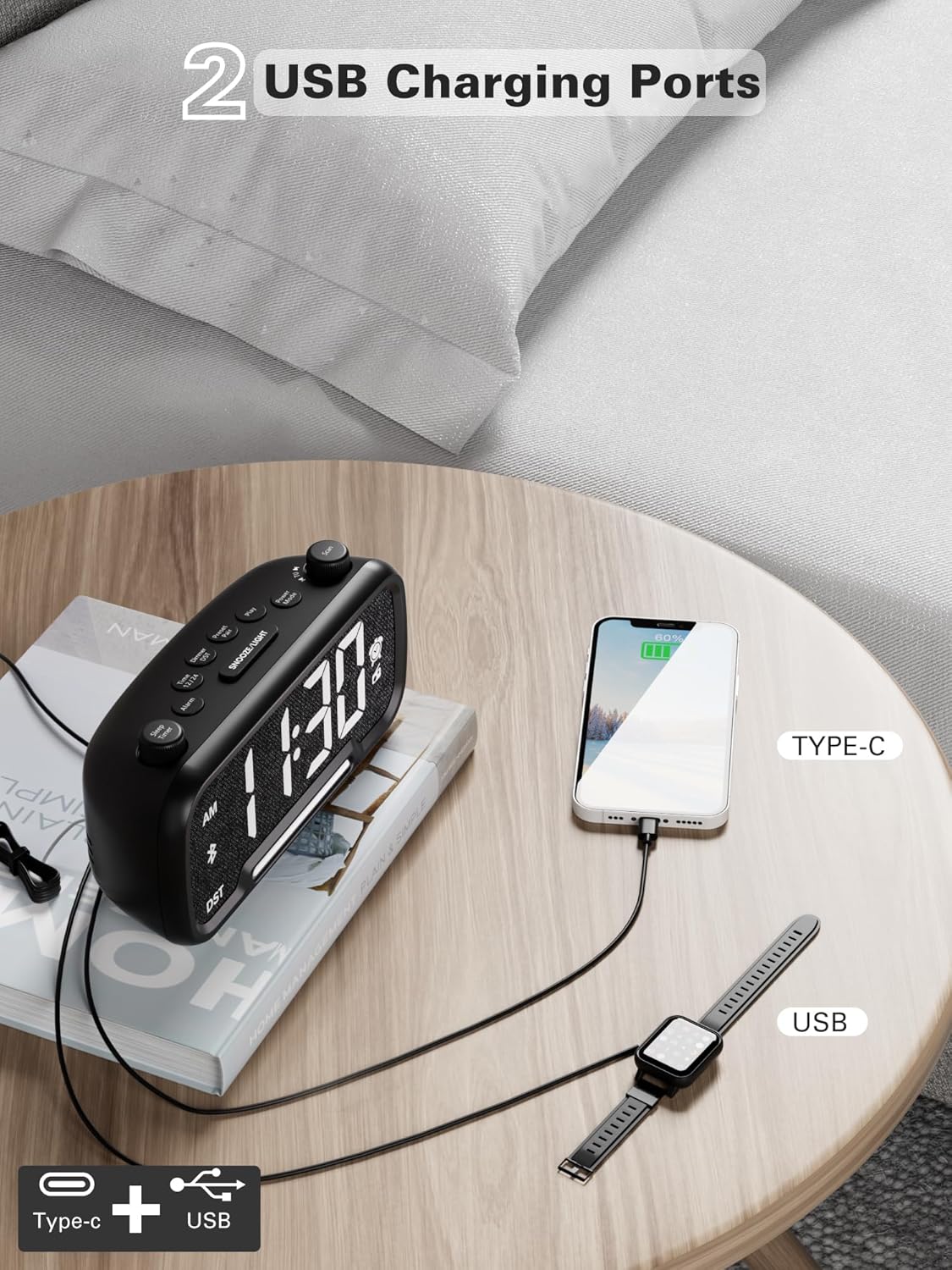
Figure 9: Dual USB charging ports for convenient device power.
6. Sleep Timer Setting
- When using the FM radio or Bluetooth speaker, you can set a sleep timer to automatically turn off playback after a set duration.
- Pritisnite Sleep Timer button (left knob) to access the settings.
- Rotirajte Sleep Timer knob to select the desired duration: 15, 30, 60, 90, or 120 minutes, or OFF.
- The display will show the selected duration, and then return to the current time. The music/radio will play for the set time and then automatically turn off.
Video s uputama
Video 1: This instructional video demonstrates various settings for the Mesqool CR1025, including alarm setting, time setting, 12/24H format, DST mode, dimmer setting, Bluetooth pairing, FM radio operation, and sleep timer. Refer to the specific sections above for detailed steps.
Održavanje
- čišćenje: Za čišćenje površine budilnika koristite meku, suhu krpu. Nemojte koristiti tekuća sredstva za čišćenje ili abrazivne materijale.
- Zamjena baterije: If the battery backup is no longer retaining settings during power outages, replace the CR2032 battery in the compartment on the bottom of the unit. Ensure correct polarity.
- Skladištenje: Ako uređaj skladištite duži period, isključite ga iz struje i izvadite rezervnu bateriju.
Rješavanje problema
- Nema napajanja/isključen ekran: Ensure the power adapter is securely connected to both the clock and a working electrical outlet. Check if the outlet has power.
- Alarm se ne oglašava: Verify that the alarm is set correctly (time, source, volume) and that the alarm icon is visible on the display. Ensure the alarm volume is not set to L00.
- Loš FM radio prijem: Extend the FM antenna fully. Try repositioning the clock to improve signal reception. Perform an auto-scan to find stronger stations.
- Bluetooth se ne povezuje: Ensure the clock is in Bluetooth pairing mode (flashing 'bt' icon). Make sure your device's Bluetooth is enabled and within range. Forget the device on your phone and try pairing again.
- USB punjenje ne radi: Confirm the clock is connected to AC power. Check if the charging cable is functional and properly connected to both the clock and your device.
- Previše svijetao/tamn ekran: Pritisnite SNOOZE / LIGHT dugme za podešavanje nivoa svjetline.
Specifikacije
| Feature | Specifikacija |
|---|---|
| Brand | Mesqool |
| Broj modela | CR1025 |
| Dimenzije proizvoda | 5.9 x 3.81 x 8.4 cm |
| Težina artikla | 216 g |
| Materijal | Fabric |
| Display Type | Digitalna LED |
| Posebne karakteristike | Radio Clock, LED Display, Bluetooth Speaker, Night Light, Phone Charger |
| FM radio frekvencija | 87.5 MHz - 108.0 MHz |
| Nivoi jačine zvuka alarma | 16 (L01-L16) |
| Nivoi svjetline ekrana | 5 |
| USB izlaz za punjenje | USB-C i USB-A portovi |
| Battery Backup | CR2032 (for settings retention) |
Garancija i podrška
For warranty information, technical support, or further assistance, please refer to the contact details provided with your product packaging or visit the official Mesqool website.