
1. Uvod
Thank you for choosing the Mesqool CR1025 Clock Radio. This device combines an alarm clock, Bluetooth speaker, FM radio, night light, and phone charger into one compact unit. This manual provides detailed instructions for setup, operation, and maintenance to ensure optimal performance and user experience.

Figure 1: Mesqool CR1025 Clock Radio
2. Proizvod je gotovview
2.1 Ključne karakteristike
- Multifunkcionalni dizajn: Alarm Clock, Bluetooth Speaker, FM Radio, Night Light, and Phone Charger.
- Bluetooth 5.0: For stable and quick wireless audio streaming.
- FM radio: 87.5MHz-108.0MHz frequency range with 20 preset stations.
- Podesiva svjetlina: 5 levels for the LED display.
- Podesiva jačina zvuka: 16 levels (45dB to 116dB).
- Tajmer za isključivanje: Allows automatic shutdown of audio playback.
- Funkcija odgode: 9-minute delay for alarms.
- Rezervna kopija baterije: Retains time and alarm settings during power outages.
- Dvostruki USB portovi za punjenje: Type-C and USB-A for device charging.
- Format vremena: 12-hour and 24-hour display options.
- Ljetno računanje vremena (DST): Quick adjustment feature.

Slika 2: Funkcionalnost 5 u 1
2.2 Sadržaj paketa
- Mesqool CR1025 Clock Radio
- Adapter za napajanje
- USB kabel
- CR2032 Lithium Battery (pre-installed or separate for backup)
- Korisnički priručnik (ovaj dokument)

Slika 3: Sadržaj paketa
3. Kontrole i prikaz
Familiarize yourself with the buttons and ports on your Mesqool CR1025 Clock Radio.
3.1 Kontrole na gornjoj ploči
- Sleep Timer Knob: Rotate to set sleep timer duration. Press to confirm.
- Dugme alarma: Pritisnite za postavljanje ili aktiviranje/deaktiviranje alarma.
- Time/12/24 Button: Press to set time. Hold to switch between 12/24-hour format.
- Dimmer/DST Button: Press to adjust display brightness. Hold to activate/deactivate Daylight Saving Time.
- Dugme ODGOĐAJ/SVJETLO: Press to snooze alarm or turn night light on/off.
- Preset/Pair Button: Press to cycle through FM presets. Hold to enter Bluetooth pairing mode.
- Play/Mode Button: Press to play/pause in Bluetooth mode. Hold to switch between FM/Bluetooth modes.
- Power/Scan Knob: Rotate to adjust volume. Press to power on/off. Hold to auto-scan FM stations.
3.2 Priključci na zadnjoj ploči
- DC IN: Ulaz za napajanje.
- USB-A izlaz: Za punjenje eksternih uređaja.
- Izlaz tipa C: Za punjenje eksternih uređaja.
4. Podešavanje
4.1 Priključak za napajanje
- Spojite adapter za napajanje na DC IN priključak na stražnjoj strani radio sata.
- Uključite adapter za napajanje u standardnu zidnu utičnicu. Ekran će se upaliti.

Slika 4: Priključak za napajanje
4.2 Rezervna baterija
The CR2032 battery provides backup for time and alarm settings during a power outage. The display will not show time, and alarms will not sound until power is restored.
- Ensure the battery insulator tab is removed if the battery was pre-installed.
- If replacing, open the battery compartment on the bottom and insert a new CR2032 battery with the correct polarity.
4.3 Postavljanje vremena
- Pritisnite i držite Time/12/24 dugme dok cifre sati ne počnu treptati.
- Rotirajte Power/Scan dugme za podešavanje sata.
- Pritisnite Time/12/24 ponovo pritisnite dugme da biste potvrdili sat, a cifre minuta će treptati.
- Rotirajte Power/Scan dugme za podešavanje minuta.
- Pritisnite Time/12/24 button to save the time setting.
4.4 12/24-satni format
Za prebacivanje između 12-satnog i 24-satnog formata vremena, pritisnite Time/12/24 button briefly while the time is displayed.

Figure 5: 12H/24H and DST Display
4.5 Ljetno računanje vremena (DST)
To activate or deactivate DST, press and hold the Dimmer/DST button. The 'DST' indicator will appear or disappear on the display.
5. Uputstvo za upotrebu
5.1 Postavljanje alarma
- Pritisnite i držite Alarm dugme dok cifre sati alarma ne zatrepću.
- Rotirajte Power/Scan dugme za podešavanje sata alarma.
- Pritisnite Alarm ponovo pritisnite dugme da biste potvrdili sat, a cifre minuta će treptati.
- Rotirajte Power/Scan dugme za podešavanje minuta alarma.
- Pritisnite Alarm dugme da biste sačuvali vrijeme alarma.
- Da biste aktivirali/deaktivirali alarm, pritisnite dugme Alarm kratko pritisnite dugme. Ikona alarma će se pojaviti/nestati na ekranu.
5.2 Funkcija odgode
Kada se oglasi alarm, pritisnite SNOOZE / LIGHT button to activate the 9-minute snooze function. The alarm will sound again after 9 minutes. This can be repeated up to 9 times. To stop the alarm completely, press the Alarm dugme.

Slika 6: Funkcija odgode
5.3 Rad FM radija
- Pritisnite Play/Mode dugme za prelazak u FM radio režim.
- Automatsko skeniranje: Pritisnite i držite Power/Scan knob to automatically scan and save available FM stations (up to 20 presets).
- Ručno podešavanje: Briefly rotate the Power/Scan knob to fine-tune the frequency.
- Odaberite unaprijed postavljene postavke: Pritisnite Preset/Pair dugme za kretanje kroz sačuvane stanice.
- Podešavanje jačine zvuka: Rotirajte Power/Scan knob to adjust the volume (16 levels).

Slika 7: Funkcije FM radija
5.4 Rad Bluetooth zvučnika
- Pritisnite Play/Mode button to switch to Bluetooth mode. The 'BT' icon will flash on the display.
- On your mobile device, enable Bluetooth and search for 'CR1025'.
- Select 'CR1025' to pair. Once connected, the 'BT' icon will stop flashing.
- Play audio from your device. Use the Play/Mode tipka za reprodukciju / pauzu.
- Podešavanje jačine zvuka: Rotirajte Power/Scan dugme za podešavanje jačine zvuka.

Slika 8: Bluetooth 5.0 povezivost
5.5 Rad noćnog svjetla
Pritisnite SNOOZE / LIGHT button to turn the night light on or off. The night light provides a soft, warm glow.

Figure 9: Warm Night Light
5.6 Podešavanje svjetline ekrana
Pritisnite Dimmer/DST button repeatedly to cycle through 5 levels of display brightness, from off to brightest.
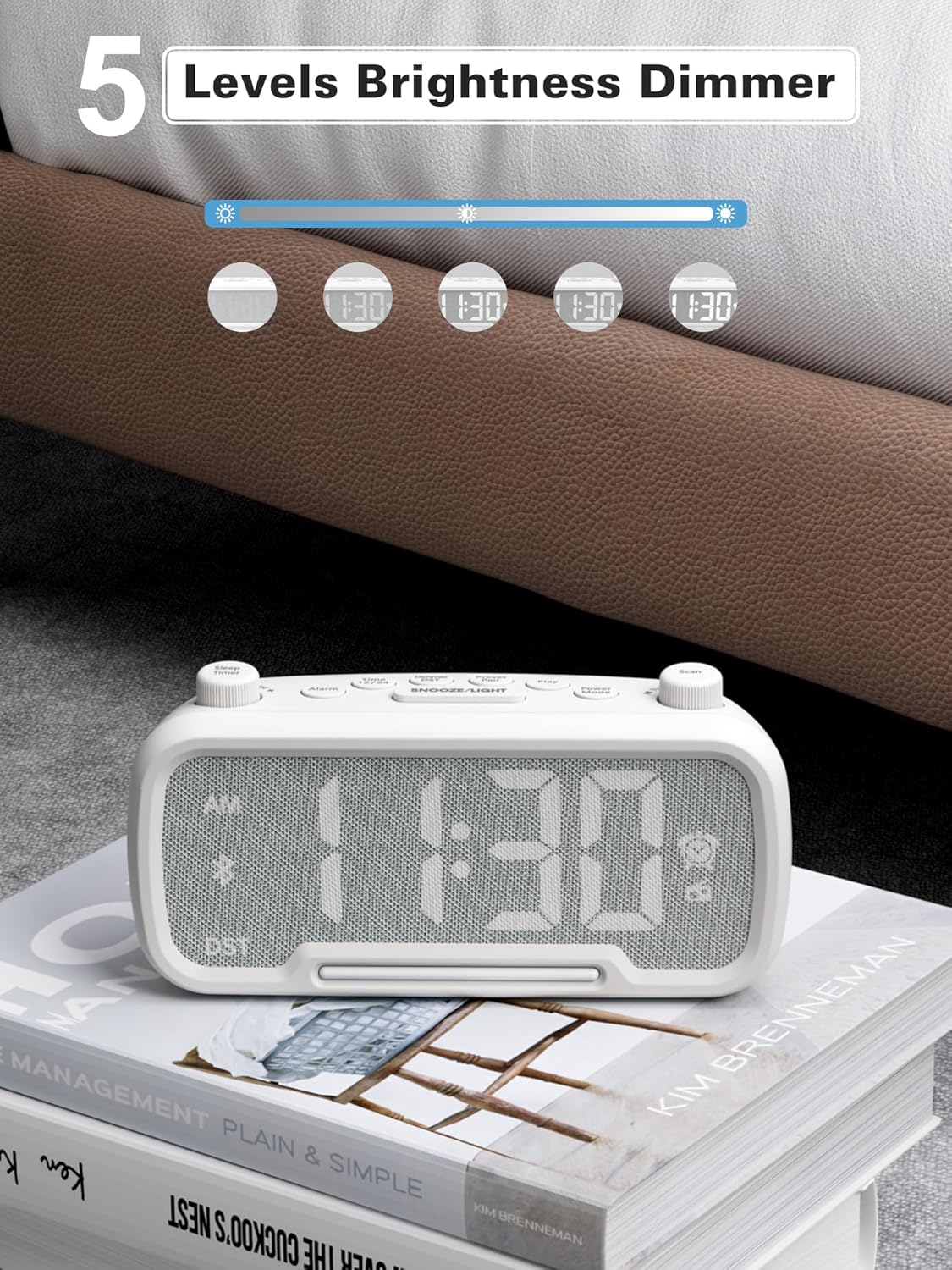
Figure 10: 5 Levels Brightness Dimmer
5.7 Tajmer za spavanje
The sleep timer allows you to set a duration after which the radio or Bluetooth audio will automatically turn off.
- While playing FM radio or Bluetooth audio, rotate the Sleep Timer knob to select the desired sleep duration (e.g., 15, 30, 60, 90 minutes).
- The display will show the remaining sleep time. The audio will turn off automatically when the timer expires.
5.8 Punjenje telefona
The clock radio features two USB charging ports (Type-C and USB-A) for convenient charging of your mobile devices.
- Connect your device's charging cable to either the USB-A or Type-C port on the back of the clock radio.
- Connect the other end of the cable to your mobile device. Charging will begin automatically.

Slika 11: Dva USB porta za punjenje
6. Održavanje
- Čistite uređaj mekom, suhom krpom. Ne koristite abrazivna sredstva za čišćenje ili rastvarače.
- Držite uređaj dalje od direktne sunčeve svjetlosti, izvora toplote i vlage.
- Osigurajte odgovarajuću ventilaciju oko jedinice.
- Ako se uređaj neće koristiti duži period, isključite ga iz električne utičnice.
7. Otkrivanje problema
| Problem | Mogući uzrok | Rješenje |
|---|---|---|
| Nema napajanja/Ekran isključen | Adapter za napajanje nije priključen ili je neispravan. | Ensure power adapter is securely plugged into the unit and wall outlet. Check outlet functionality. |
| Alarm se ne oglašava | Alarm nije aktiviran ili je pogrešno podešen. | Verify alarm time is set and the alarm icon is visible on the display. Check alarm volume. |
| Loš FM radio prijem | Slab signal ili smetnje. | Adjust the unit's position. Try auto-scanning again. |
| Bluetooth se ne uparuje | Uređaj nije u načinu uparivanja ili je previše udaljen. | Ensure the clock radio is in Bluetooth mode (BT icon flashing). Move device closer. Forget device on phone and re-pair. |
| USB punjenje ne radi | Cable faulty or device incompatible. | Try a different USB cable. Ensure the clock radio is powered on. |
8. Specifikacije
- Model: CR1025
- Ulazna snaga: AC 100-240V, 50/60Hz
- Rezervna kopija baterije: 1 x CR2032 (uključen)
- FM frekvencija: 87.5 - 108.0 MHz
- Bluetooth verzija: 5.0
- USB izlaz: USB-A, Type-C (Charging only)
- Osvetljenost ekrana: 5 nivoa
- Nivoi glasnoće: 16 nivoa (45dB - 116dB)
- Dimenzije: 5.9 x 3.81 x 8.4 cm (2.32 x 1.5 x 3.31 inča)
- Težina: 216 g (0.48 lbs)
Slika 12: Dimenzije proizvoda
9. Garancija i podrška
Mesqool products are designed and manufactured to the highest quality standards. For warranty information, technical support, or customer service inquiries, please refer to the contact information provided on the product packaging or visit the official Mesqool website.
Webstranica: Mesqool Official Store