
Uvod
Thank you for choosing the Defender ARGA GM-049 Gaming Mouse. This manual provides detailed instructions for setting up, operating, maintaining, and troubleshooting your new gaming mouse. Please read this manual carefully before use to ensure optimal performance and longevity of your device.
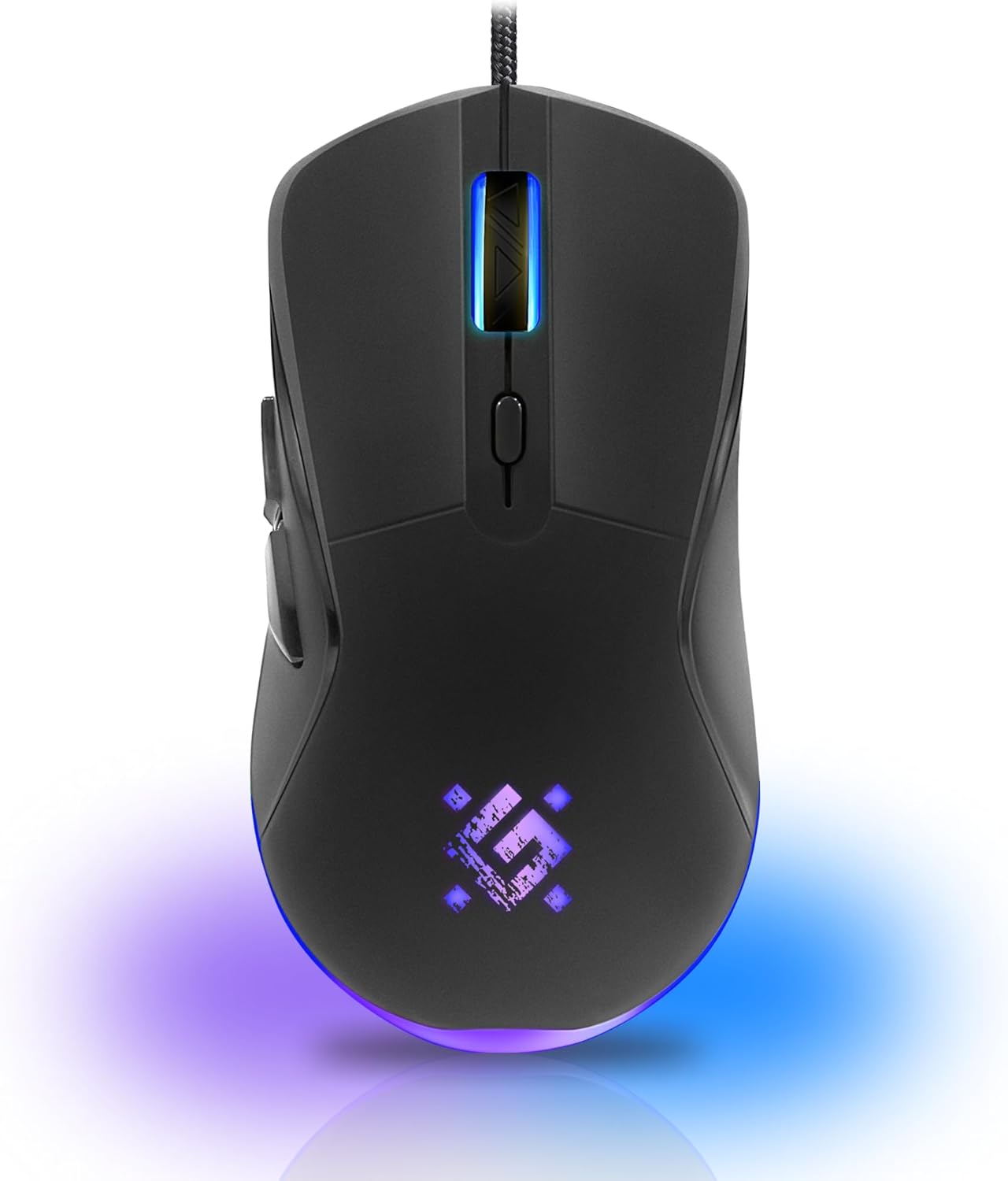
Slika: Front view of the Defender ARGA GM-049 Gaming Mouse, showcasing its ergonomic design and customizable RGB lighting.
Setup
1. Povezivanje miša
- Pronađite slobodan USB port na vašem računaru.
- Plug the gold-plated USB connector of the Defender ARGA GM-049 mouse into the USB port.
- Operativni sistem će automatski prepoznati i instalirati potrebne upravljačke programe. Ovaj proces može potrajati nekoliko trenutaka.
2. Instalacija softvera (opcionalno)
For advanced customization, including macro programming and button remapping, install the Defender Game Center Software.
- Visit the official Defender website to download the latest version of the Defender Game Center Software.
- Pratite uputstva na ekranu da biste dovršili instalaciju.
- Once installed, launch the software to configure your mouse settings.

Image: Diagram illustrating the Defender Game Center Software, macro editor, optical sensor, and compatibility with Windows 2000/XP/Vista/7/8/10+ and macOS X10+.
Uputstvo za upotrebu
1. Osnovne funkcije
- Lijevi klik: Primarna akcija.
- Desni klik: Sekundarna radnja, obično otvara kontekstne menije.
- Točak za pomicanje: Scroll up/down documents or web stranice. Pritiskanje kotačića za pomicanje često djeluje kao klik srednjim tasterom miša.
2. DPI podešavanje
The Defender ARGA GM-049 features adjustable DPI (Dots Per Inch) settings, allowing you to change mouse sensitivity on the fly. The available DPI levels are 1200, 1800, 2400, and 3600.
- Press the dedicated DPI button (usually located behind the scroll wheel) to cycle through the preset DPI levels.
- Each DPI level may correspond to a different LED lighting color for easy identification (refer to software for customization).
3. Programabilni tasteri
The mouse is equipped with 6 buttons, 5 of which are programmable using the Defender Game Center Software. These include the two main clicks, the scroll wheel click, and two side buttons.
- Launch the Defender Game Center Software.
- Navigate to the button assignment section.
- Select a button and assign a desired function, macro, or key combination.
4. RGB osvjetljenje
The ARGA GM-049 features customizable RGB lighting. The lighting effects and colors can be configured through the Defender Game Center Software to match your preferences or current DPI setting.

Image: Visual representation of the mouse's features including 10 million clicks lifespan, 5 programmable buttons, RGB lighting, and DPI settings (1200/1800/2400/3600).
Održavanje
Pravilno održavanje osigurava dugotrajnost i optimalne performanse vašeg miša za igranje.
1. Čišćenje
- Prije čišćenja isključite miš iz računara.
- Koristite meku, suhu krpu koja ne ostavlja dlačice za brisanje površine miša.
- Za tvrdokornu prljavštinu, lagano dampOperite krpu vodom ili blagim, neabrazivnim sredstvom za čišćenje. Izbjegavajte jake hemikalije.
- Use a cotton swab or compressed air to clean around the buttons and scroll wheel.
- Do not allow liquids to enter the mouse casing.
2. Opća njega
- Izbjegavajte ispuštanje miša ili izlaganje jakim udarcima.
- Keep the mouse away from extreme temperatures and direct sunlight.
- Do not attempt to disassemble the mouse, as this may void your warranty.
Rješavanje problema
If you encounter issues with your Defender ARGA GM-049 mouse, refer to the following common solutions:
| Problem | Moguće rješenje |
|---|---|
| Miš ne reaguje |
|
| Nepravilno kretanje kursora |
|
| Dugmad ili kotačić za skrolovanje ne rade |
|
| LED rasvjeta ne radi |
|
Specifikacije
| Feature | Detalj |
|---|---|
| Brand | Defender |
| Model | ARGA GM-049 |
| Tehnologija povezivanja | Wired USB (Gold-plated connector) |
| Tehnologija detekcije pokreta | Optički |
| DPI nivoi | 1200 / 1800 / 2400 / 3600 |
| Broj dugmadi | 6 (5 programabilnih) |
| Posebne karakteristike | RGB LED lighting, Programmable buttons, Macro editor, Durable rubberized surface, Teflon feet, Ferrite noise filter |
| Dužina kabla | 1.5 meters (Braided cable structure) |
| Button Lifespan | Do 10 miliona klikova |
| Kompatibilnost | Windows 2000/XP/Vista/7/8/10+, macOS X10+ |
| Uključen pribor | Mouse Pad (220 x 180 mm) |

Image: Product packaging highlighting key features such as rainbow backlight, 2 thumb buttons, 4 resolution modes up to 3600 DPI, wide rubberized backlit scroll wheel, 5 customizable buttons, durable Teflon feet, ferrite noise filter, gold-plated USB connector, and bonus mouse pad.

Image: The Defender ARGA GM-049 Gaming Mouse shown alongside its included mouse pad, indicating dimensions of 220mm by 180mm.
Garancija i podrška
Informacije o garanciji
For detailed warranty information regarding your Defender ARGA GM-049 Gaming Mouse, please refer to the warranty card included with your product or consult the retailer from whom you purchased the device. Warranty terms and conditions may vary by region and retailer.
Tehnička podrška
If you require further assistance or encounter issues not covered in this manual, please visit the official Defender website for support resources, FAQs, and contact information for technical support.