
1. Uvod
This manual provides essential instructions for the safe and efficient use of your DALI IO-8 Wireless/Wired Hi-Fi Headphones. Please read this manual thoroughly before using the product and retain it for future reference. The DALI IO-8 headphones are designed to deliver a high-fidelity audio experience with advanced features such as Active Noise Cancellation (ANC), Bluetooth AptX Adaptive connectivity, and a long-lasting battery.
2. Proizvod je gotovview
Familiarize yourself with the components and controls of your DALI IO-8 headphones.

Slika 2.1: Front view of the DALI IO-8 headphones, showcasing the caramel and white color scheme and overall design.

Slika 2.2: Odozgo view of the DALI IO-8 headphones, highlighting the earcups and visible control buttons on the side.
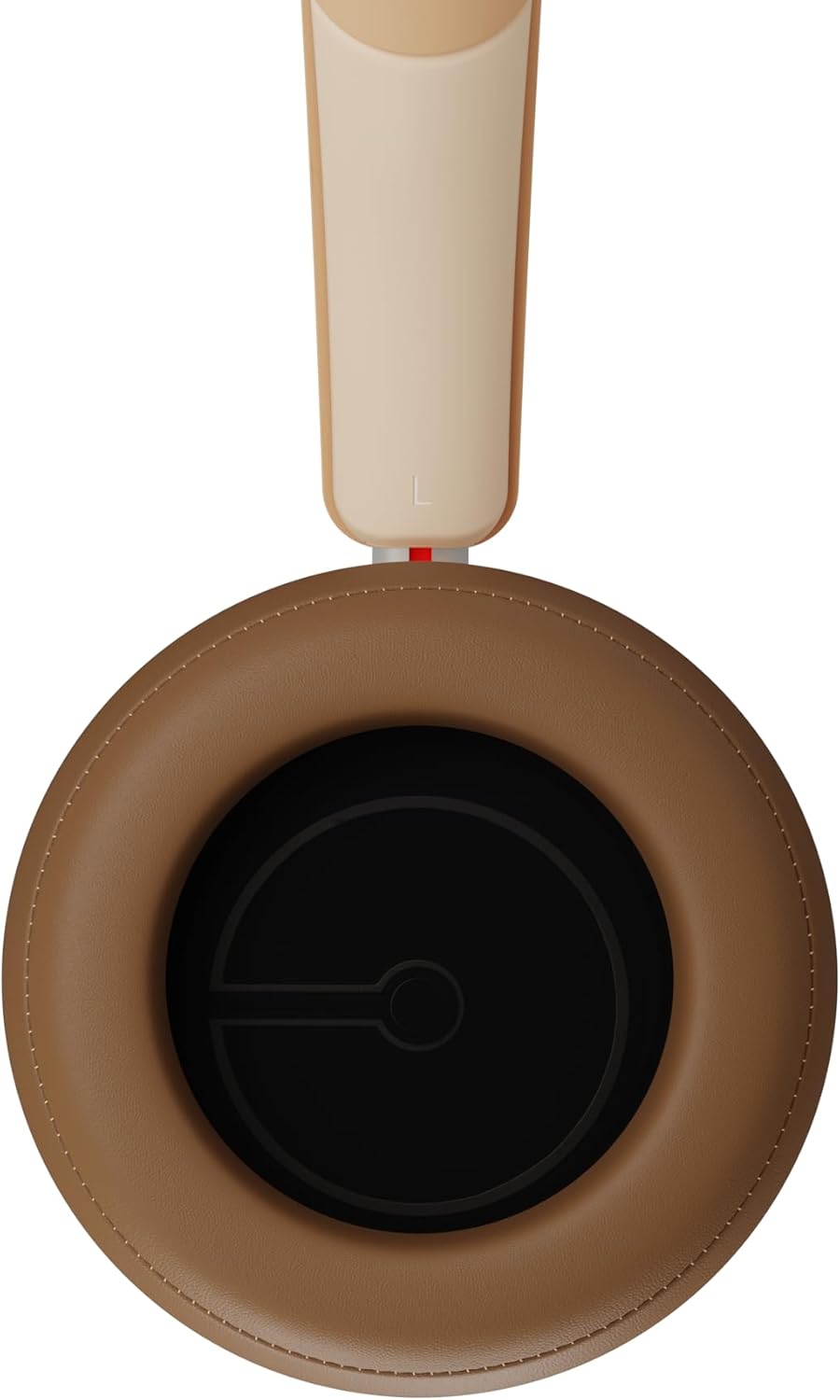
Slika 2.3: Enterijer view of a DALI IO-8 earcup, showing the soft padding and driver grille, designed for comfort and sound delivery.

Slika 2.4: Close-up view of the DALI IO-8 earcup, showing the USB-C charging port and other control buttons.
2.1 Sadržaj paketa
- DALI IO-8 Slušalice
- USB-C kabl za punjenje
- 3.5 mm audio kabl
- Travel Case (if included)
- Korisnički priručnik (ovaj dokument)
2.2 Komponente slušalica

Slika 2.5: Eksplodirao view illustrating the internal components of the DALI IO-8 headphones, including the 50mm driver, circuitry, and earcup structure.
- Headband (Adjustable)
- Earcups (Over-ear design with genuine leather)
- 50mm Driver (SMC Driver Technology)
- Control Buttons (Power, Volume, ANC, Multifunction)
- USB-C Port (Charging and Wired Audio)
- 3.5mm Audio Jack (Wired Audio)
- Microphones (for ANC and calls)
3. Podešavanje
3.1 Punjenje slušalica
Before initial use, fully charge your DALI IO-8 headphones.
- Connect the supplied USB-C cable to the USB-C port on the headphone earcup.
- Drugi kraj USB-C kabla priključite na kompatibilni USB izvor napajanja (npr. USB priključak računara, USB adapter za zid).
- The LED indicator will show charging status. A full charge provides up to 35 hours of playback with ANC enabled.
- Kada se potpuno napuni, odspojite kabl.
3.2 Uključivanje/isključivanje napajanja
- Za uključivanje: Press and hold the Power button for approximately 2 seconds until the LED indicator illuminates.
- Za isključivanje: Pritisnite i držite dugme za napajanje otprilike 3 sekundi dok se LED indikator ne ugasi.
3.3 Bluetooth uparivanje
The DALI IO-8 supports Bluetooth AptX Adaptive for high-quality wireless audio.
- Uvjerite se da su slušalice isključene.
- Pritisnite i držite dugme za napajanje otprilike 5 sekundi dok LED indikator ne počne brzo treptati plavo. Ovo označava režim uparivanja.
- Na vašem audio uređaju (pametnom telefonu, tabletu, računaru) omogućite Bluetooth i potražite dostupne uređaje.
- Select "DALI IO-8" from the list of found devices.
- Once paired, the LED indicator will glow solid blue or flash slowly.
- Slušalice će se automatski pokušati ponovo povezati s posljednjim uparenim uređajem kada se uključe.
3.4 Žičano povezivanje
The DALI IO-8 can be used with a wired connection via the 3.5mm audio jack or USB-C.
- 3.5 mm audio kabl: Connect one end of the supplied 3.5mm audio cable to the headphone's 3.5mm jack and the other end to your audio source's headphone output. The headphones can be used passively in this mode, or actively with ANC and amplification if powered on.
- USB-C Audio: Connect the supplied USB-C cable to the headphone's USB-C port and the other end to a compatible USB audio output on your computer or device. This mode allows for digital audio transmission and charging simultaneously.
4. Upravljanje slušalicama
4.1 Aktivno poništavanje buke (ANC)
The DALI IO-8 features three distinct ANC modes and wind noise suppression.
- Press the dedicated ANC button to cycle through the available modes:
- ANC uključen: Maximum noise cancellation.
- Transparentni način rada: Omogućava prolaz ambijentalnih zvukova radi boljeg razumijevanja situacije.
- ANC isključen: Active noise cancellation is disabled.
- Wind noise suppression is automatically engaged in ANC modes to reduce interference from wind.
4.2 režima zvuka
Customize your listening experience with two sound profiles.
- Press the Sound Mode button (if available, or refer to specific button on device) to switch between:
- Hi-Fi način rada: Delivers a balanced and neutral sound signature.
- Bas način rada: Enhances low-frequency response for a more impactful bass.
4.3 Playback and Volume Control
Use the control buttons on the earcup for media playback and volume adjustments.
- Povećavanje glasnoće: Pritisnite dugme '+'.
- Smanjivanje jačine zvuka: Pritisnite dugme '-'.
- Pusti/pauza: Pritisnite jednom višenamjensko dugme.
- Sljedeća pjesma: Double-press the Multifunction button.
- Prethodni zapis: Triple-press the Multifunction button.
4.4 Upravljanje pozivima
Manage phone calls when connected via Bluetooth.
- Odgovori/Završi poziv: Pritisnite jednom višenamjensko dugme.
- odbiti poziv: Pritisnite i držite višenamensko dugme 2 sekunde.
- Aktivirajte glasovnog asistenta: Press and hold the Multifunction button for 2 seconds (when not on a call).
5. Održavanje
5.1 Čišćenje
- Obrišite slušalice mekom, suhom krpom koja ne ostavlja dlačice.
- Ne koristite abrazivna sredstva za čišćenje, rastvarače ili hemijske sprejeve.
- Za slušalice, nježno obrišite blago krpom.amp krpom ako je potrebno, a zatim odmah osušite.
- Pazite da vlaga ne uđe u otvore ili portove.
5.2 Skladištenje
- When not in use, store the headphones in their protective travel case to prevent damage.
- Izbjegavajte izlaganje slušalica ekstremnim temperaturama, vlazi ili direktnoj sunčevoj svjetlosti.
6. Otkrivanje problema
| Problem | Mogući uzrok | Rješenje |
|---|---|---|
| Nema struje | Baterija je prazna. | Punite slušalice pomoću priloženog USB-C kabla. |
| Nije moguće uparivanje putem Bluetootha | Slušalice nisu u načinu rada za uparivanje; Bluetooth uređaja isključen; previše udaljeno od uređaja. | Ensure headphones are in pairing mode (rapid blue LED flash). Turn on Bluetooth on your device. Move headphones closer to the device. Forget "DALI IO-8" on your device and re-pair. |
| Nema zvuka | Volume too low; incorrect input source; headphones not connected. | Increase volume on headphones and source device. Check Bluetooth connection or wired cable. Ensure the correct audio output is selected on your device. |
| ANC ne funkcioniše efikasno | ANC mode off; poor earcup seal. | Ensure ANC is enabled. Adjust headphones for a proper seal around your ears. |
7. Specifikacije
| Feature | Detalj |
|---|---|
| Naziv modela | DALI IO-8 |
| Brand | DALI |
| Tehnologija povezivanja | Žičano, bežično (Bluetooth) |
| Bežična komunikacijska tehnologija | Bluetooth (AptX Adaptive) |
| Poništavanje buke | Active Noise Suppression (ANC) with Wind Noise Suppression |
| Postavljanje uha | Preko uha |
| Driver Size | 50mm (SMC Driver Technology) |
| Impedansa | 25 oma |
| Priključak za slušalice | 3.5 mm |
| Trajanje baterije | Up to 35 hours (with ANC) |
| Materijali | Genuine Leather (earcups) |
8. Sigurnosne informacije
Please observe the following safety guidelines to ensure safe operation and prevent damage to your headphones or injury to yourself.
- Do not expose the headphones to water, rain, or moisture.
- Izbjegavajte ekstremne temperature.
- Do not disassemble, repair, or modify the headphones. This voids the warranty.
- Slušajte na umjerenim nivoima jačine zvuka kako biste spriječili oštećenje sluha.
- Čuvati van domašaja djece.
- Odložite proizvod odgovorno u skladu sa lokalnim propisima.
9. Garancija i podrška
DALI products are manufactured to high standards and are covered by a limited warranty. For specific warranty terms and conditions, please refer to the warranty card included with your product or visit the official DALI website. For technical support, troubleshooting assistance, or service inquiries, please contact your authorized DALI dealer or DALI customer support.

Slika 9.1: A person wearing the DALI IO-8 headphones, demonstrating their comfortable fit and use in a real-world environment.