
1. Uvod
The Ulefone Armor PAD 4 Ultra is a rugged 5G tablet PC designed for durability and high performance in challenging environments. It features a 10.36-inch 2K FHD+ display, a powerful MediaTek Dimensity 6300 processor, and a large 11800mAh battery. This manual provides essential information for setting up, operating, maintaining, and troubleshooting your device.

Image: The Ulefone Armor PAD 4 Ultra tablet showcasing its rugged design in an outdoor environment.
Key features include IP68/IP69K and MIL-STD-810H certifications for water, dust, and drop resistance, a 50MP rear camera, a 32MP front camera, and a versatile 1100 lumens LED light. The tablet runs on Android 14 and offers up to 16GB RAM and 256GB internal storage, expandable up to 2TB.
2. Vodič za postavljanje
2.1 Sadržaj paketa
Prije početka, provjerite da li su sve stavke prisutne u paketu:
- Ulefone Armor PAD 4 Ultra Tablet PC
- Adapter za napajanje
- USB-C kabl
- Alat za izbacivanje SIM kartice
- Korisnički priručnik (ovaj dokument)
2.2 Umetanje SIM/SD kartice
- Pronađite ladicu za SIM/SD karticu sa strane tableta.
- Koristite priloženi alat za izbacivanje SIM kartice da biste otvorili ladicu.
- Carefully place your Nano SIM card(s) and/or SD card into the designated slots. The tablet supports dual Nano SIM cards or one Nano SIM card and one SD card.
- Lagano gurnite ladicu nazad u tablet dok ne klikne na svoje mjesto.

Slika: Front view of the Ulefone Armor PAD 4 Ultra tablet, showing its display and rugged frame.
2.3 Početno punjenje i uključivanje
- Spojite USB-C kabel na priključak za punjenje tableta i adapter za napajanje.
- Plug the power adapter into a wall outlet. Allow the tablet to charge for at least 30 minutes before initial use, or until the battery indicator shows sufficient charge. The 11800mAh battery supports 33W fast charging.
- Press and hold the Power button (usually located on the side) until the Ulefone logo appears on the screen.
- Slijedite upute na ekranu da biste dovršili početno podešavanje, uključujući odabir jezika, Wi-Fi vezu i postavljanje Google računa.
2.4 Mrežna povezivost
The tablet supports 5G LTE dual SIM connectivity. Ensure your SIM card is active and your mobile data plan is configured. For Wi-Fi, navigate to Postavke > Mreža i internet > Wi-Fi to connect to an available network.
3. Uputstvo za upotrebu
3.1 Osnovna navigacija (Android 14)
The Ulefone Armor PAD 4 Ultra runs on Android 14. Navigate using gestures or the traditional three-button navigation bar (Back, Home, Recents). Swipe up from the bottom for the app drawer, swipe down from the top for notifications and quick settings.

Image: The tablet displaying the Android 14 interface, with an HDMI connection to an external display for presentations.
3.2 Korištenje kamere
The tablet is equipped with a 50MP rear camera and a 32MP front camera. Open the Camera app to capture photos and videos. Tap to focus, pinch to zoom, and use the on-screen controls for various modes and settings.

Slika: Detaljna view of the tablet's rear camera module, highlighting the 50MP sensor and the powerful LED light.
3.3 Svestrano LED svjetlo
The tablet features a powerful 1100 lumens LED light. This can be activated via a dedicated custom key or through the exclusive app. It functions as a flashlight, headlight, or portable camping light.
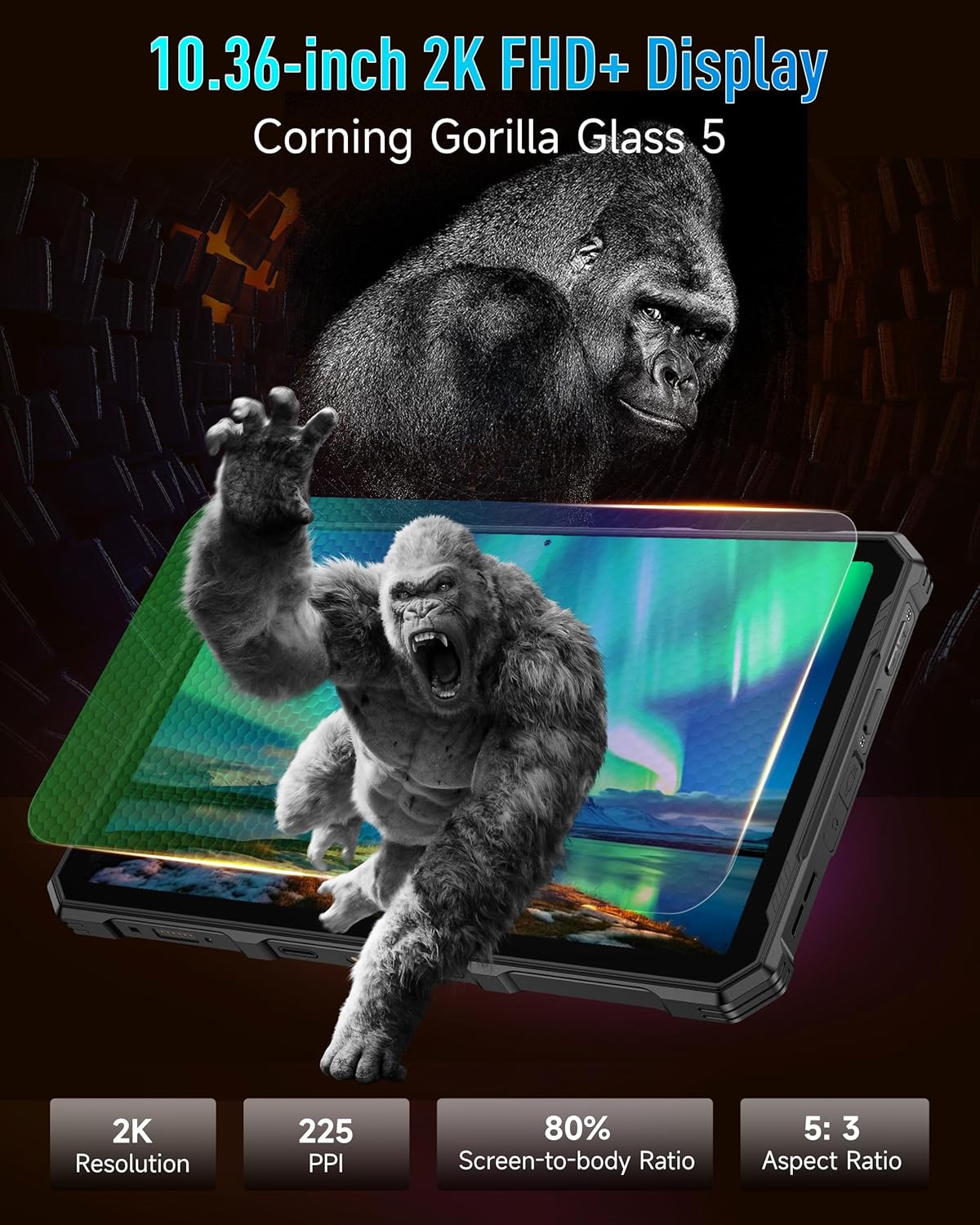
Image: The Ulefone Armor PAD 4 Ultra tablet illuminating a camping tent with its powerful LED light.
3.4 Custom Key Functionality
The tablet includes a customizable physical key. This key can be configured for single click, double click, or long press actions to quickly access specific functions or applications, such as activating the LED light or launching the camera.
3.5 Gloves Mode
For use in cold weather or industrial environments, activate Gloves Mode in Settings > Smart Assistant > Gloves Mode. This enhances touch sensitivity, allowing the screen to respond to gloved hands.
3.6 Face Unlock and Fingerprint ID
Enhance security and convenience by setting up Face Unlock or Fingerprint ID. Go to Postavke > Sigurnost i privatnost > Otključavanje uređaja to configure these options.
3.7 Multi-use Digital Toolbox
The tablet comes with a suite of pre-installed tools in the Digital Toolbox, including a compass, sound meter, protractor, and more. These tools are designed to assist in various outdoor and professional tasks.

Image: A construction worker utilizing the Ulefone Armor PAD 4 Ultra tablet's digital toolbox for various measurements and utilities.
3.8 Headset-free FM Radio
Enjoy FM radio without needing to connect headphones. Simply open the FM Radio app and tune into your favorite stations.
3.9 HDMI port
The tablet features an HDMI port for connecting to external displays, such as monitors or projectors. This allows for screen mirroring or extended display functionality, useful for presentations or media consumption.
4. Održavanje
4.1 Čišćenje uređaja
Due to its rugged design, the Armor PAD 4 Ultra can be cleaned with water and mild soap. Ensure all port covers are securely closed before exposing the device to water. Wipe with a soft, lint-free cloth. Avoid using harsh chemicals or abrasive materials.
4.2 Njega baterija
Da produžite vijek trajanja baterije:
- Izbjegavajte ekstremne temperature.
- Za optimalno punjenje koristite originalni punjač i kabel.
- Nemojte često potpuno prazniti bateriju.
- Ako uređaj skladištite duži period, napunite ga do oko 50% i isključite ga.
4.3 Ažuriranja softvera
Redovno provjeravajte i instalirajte ažuriranja softvera kako biste osigurali optimalne performanse, sigurnost i pristup novim funkcijama. Idite na Postavke > Sistem > Ažuriranje sistema.
4.4 Karakteristike robusnosti
The tablet is IP68/IP69K and MIL-STD-810H certified, meaning it is resistant to water, dust, and drops. While designed to be durable, avoid intentionally subjecting it to extreme conditions beyond its specifications. Ensure all port covers are sealed to maintain water and dust resistance.

Image: The Ulefone Armor PAD 4 Ultra tablet submerged in water, covered in dust, and dropped, demonstrating its IP68/IP69K and MIL-STD-810H certifications.
5. Otkrivanje problema
5.1 Uređaj se ne uključuje
- Provjerite je li baterija napunjena. Spojite tablet na punjač i pričekajte nekoliko minuta prije nego što ga pokušate uključiti.
- Pritisnite i držite dugme za napajanje najmanje 10-15 sekundi da biste izvršili prisilno ponovno pokretanje.
5.2 Problemi s mrežnom vezom
- Wi-Fi: Check if Wi-Fi is enabled in Settings. Restart your router. Forget the network and reconnect.
- Mobilni podaci: Ensure your SIM card is correctly inserted and activated. Check your data plan status with your carrier. Restart the tablet.
5.3 Ekran ne reaguje
- Restart the device by holding the Power button.
- If the screen is frozen, perform a forced restart.
5.4 Rušenje ili zamrzavanje aplikacija
- Obrišite keš memoriju i podatke problematične aplikacije (Postavke > Aplikacije > [Naziv aplikacije] > Pohrana i keš memorija).
- Deinstalirajte i ponovo instalirajte aplikaciju.
- Provjerite da li je softver vašeg tableta ažuriran.
5.5 Vraćanje na tvorničke postavke
If issues persist, a factory reset may be necessary. This will erase all data on your tablet, so back up important information first. Go to Postavke > Sistem > Opcije resetovanja > Izbriši sve podatke (vrat na tvorničke postavke).
6. Specifikacije
| Feature | Detalj |
|---|---|
| Brand | Ulefone |
| Broj modela | Ulefone Armor Pad 4 Ultra |
| Veličina ekrana | 10.36 inča |
| Native Resolution | 2000x1200 pixels (2K FHD+) |
| Aspect Ratio | 5:3 |
| Procesor | MediaTek Dimensity 6300 (2400 MHz) |
| RAM | Do 16 GB (8 GB fizičke + 8 GB virtuelne memorije) |
| Interna pohrana | 256GB (2TB Expandable) |
| Operativni sistem | Android 14 |
| Zadnja kamera | 50MP |
| Prednja kamera | 32MP |
| Kapacitet baterije | 11800mAh |
| Punjenje | 33W brzo punjenje |
| Ruggedness | IP68/IP69K, certificirano od strane MIL-STD-810H |
| Povezivanje | 5G LTE, Wi-Fi (2.4G/5G), Bluetooth 5.2, NFC, GPS |
| Posebne karakteristike | 1100 Lumens LED Light, Custom Key, Gloves Mode, HDMI Port, Multi-use Digital Toolbox |
| Težina artikla | 16 unce |
7. Garancija i podrška
7.1 Informacije o garanciji
The Ulefone Armor PAD 4 Ultra comes with a 2-godišnja globalna garancija. This warranty covers manufacturing defects and malfunctions under normal use. Please retain your proof of purchase for warranty claims. The warranty does not cover damage caused by misuse, accidents, unauthorized repairs, or normal wear and tear.
7.2 Korisnička podrška
For technical assistance, warranty claims, or any other inquiries, please contact Ulefone customer support. Refer to the official Ulefone webnajnovije kontakt informacije potražite na web stranici ili u dokumentaciji o kupovini.
Your satisfaction is a priority. Should you encounter any technical issues, the dedicated support team is available to assist you.