
bojioderf Bmax Maxpad I11 Power 11-Inch Tablet Case
User Manual: Bmax Maxpad I11 Power 11-Inch Tablet Case
Model: Bmax Maxpad I11 Power 11-Inch Tablet Case | Brand: bojioderf
Uvod
This manual provides comprehensive instructions for the proper use and care of your bojioderf Tablet Case, designed specifically for the Bmax Maxpad I11 Power 11-Inch Tablet. This folio cover offers 360-degree rotation, multi-viewing angles, and robust protection for your device.
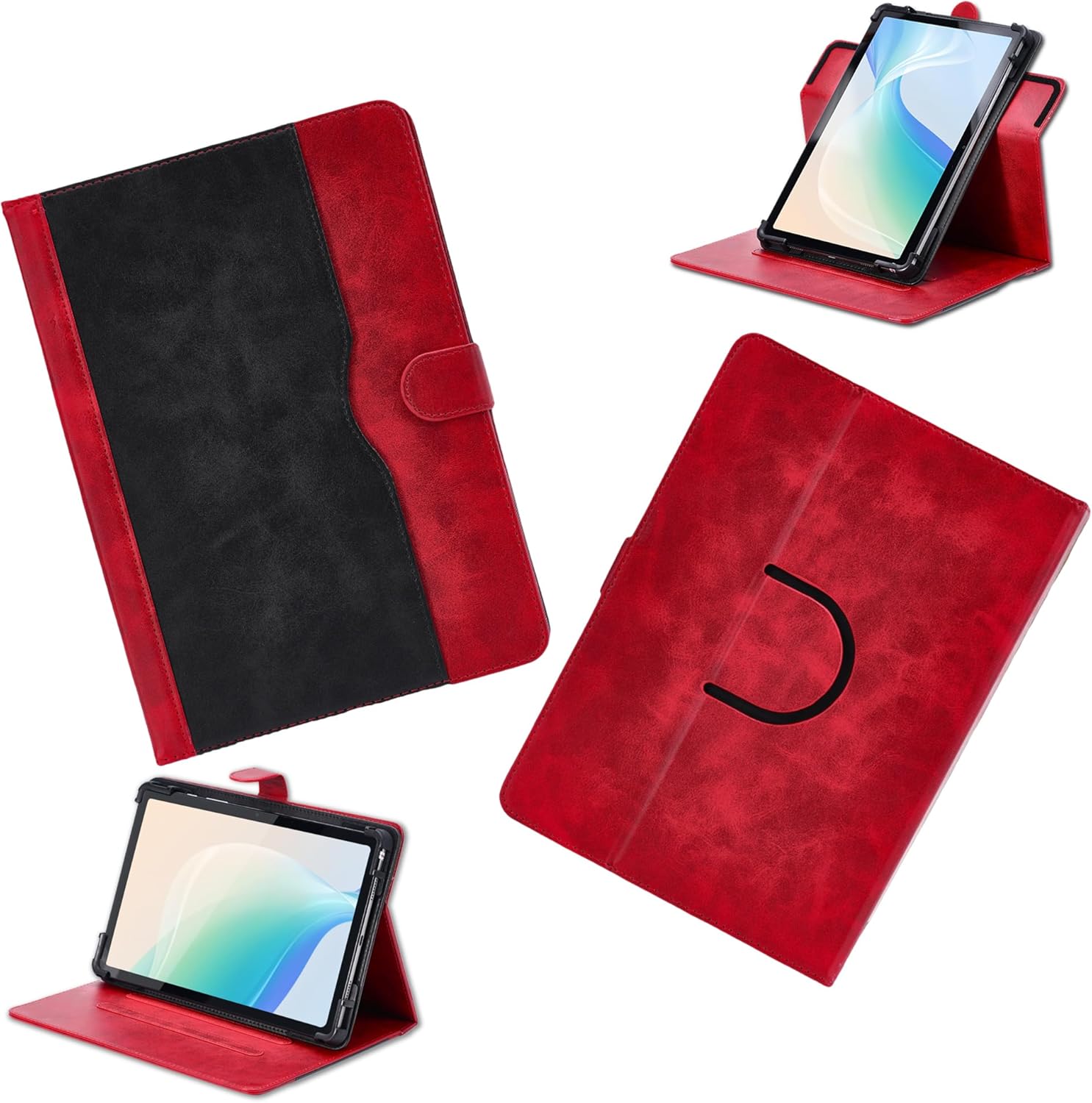
The bojioderf tablet case in red and black, showcasing its design and how a tablet fits within it, including its ability to stand upright.
Setup
Follow these steps to correctly install your Bmax Maxpad I11 Power 11-Inch Tablet into the case:
- Otvorite kutiju: Lay the tablet case flat on a clean, stable surface.
- Ubaci tablet: Gently align your Bmax Maxpad I11 Power 11-Inch Tablet with the internal frame of the case. Ensure all corners and edges of the tablet fit securely into the protective shell.
- Secure the Tablet: Press firmly but gently around the edges of the tablet until it is fully seated within the case. The case is designed to provide a snug fit for maximum protection.
- Verify Camera Alignment: Confirm that the tablet's camera aligns with the reserved camera opening on the back of the case. This case features multiple pre-cutouts to accommodate various camera positions.

Visual guide for inserting the tablet into the case, emphasizing the importance of checking tablet dimensions for compatibility.

Detail of the case's back, illustrating the multiple camera cutouts designed to fit different tablet camera placements.
Uputstvo za upotrebu
Using the 360-Degree Rotation and Multi-Viewing Angles
The case is designed with a 360-degree rotating mechanism and anti-slip strips to provide versatile viewing iskustva.
- Podešavanje Viewugao ugla: Open the folio cover. The tablet, secured within its frame, can be rotated 360 degrees.
- Utilizing the Stand: Fold the front cover back to form a triangular stand. Position the tablet's edge into one of the anti-slip grooves on the inside of the cover to achieve your desired viewugao snimanja. Ovo omogućava i portretnu i pejzažnu orijentaciju.

The tablet case configured as a stand, highlighting the anti-slip stripe that ensures stability for various viewing angles.

Illustration of the case's 360-degree rotation capability and how it supports multiple adjustable viewing angles for user convenience.
Korištenje džepa za odlaganje
The case includes a convenient storage pocket for small items.
- Accessing the Pocket: Locate the large welt pocket on the inside of the front cover.
- Skladištenje predmeta: Use this pocket to store cards, documents, or small amounts of cash.

The tablet case opened to reveal its storage pocket, demonstrating its capacity for carrying cards and cash.
All-Over Protection
This case provides comprehensive protection for your tablet.
- Corner and Edge Protection: The thickened anti-drop corner protectors safeguard your tablet from impacts and drops.
- Pokrivenost cijelog tijela: The durable synthetic leather and soft anti-slip interior protect against scratches, shocks, fingerprints, and dust.
- Port and Button Access: Precision cutouts ensure full access to all device ports, speakers, and buttons without removing the case.

Visual representation of the case's protective qualities, highlighting its ability to safeguard corners, maintain a slim profile, and allow full access to device features.
Održavanje
To ensure the longevity and appearance of your PU leather tablet case, follow these maintenance guidelines:
- čišćenje: Obrišite spoljašnjost mekom krpom, damp cloth. For tougher stains, use a mild soap solution and then wipe clean with a dry cloth. Avoid harsh chemicals or abrasive cleaners.
- Izbjegavajte ekstremne uslove: Do not expose the case to direct sunlight for prolonged periods or to extreme temperatures, as this may cause the material to degrade or fade.
- Skladištenje: When not in use, store the case in a cool, dry place away from direct heat or moisture.
Rješavanje problema
- Problem: Tablet does not fit securely in the case.
- Rješenje: Ensure your tablet is the Bmax Maxpad I11 Power 11-Inch model. This case is specifically designed for this tablet size. Refer to the "Compatible with a lot of tablet" image in the Setup section to verify your tablet's dimensions against the case's design.
- Problem: Camera opening does not align perfectly.
- Rješenje: The case has multiple pre-cutouts to support various camera positions. While it supports 99% camera usage, some specific tablet camera placements might not align perfectly. Ensure the tablet is fully seated and try adjusting its position slightly within the frame if possible. The case is designed to allow camera use even if not perfectly centered in one cutout.
- Problem: Case stand is not stable.
- Rješenje: Ensure the tablet's edge is firmly seated in one of the anti-slip grooves on the inside of the cover. Make sure the surface you are placing the case on is flat and stable.
Specifikacije
| Feature | Detalj |
|---|---|
| Dimenzije proizvoda | 0.39 x 0.39 x 0.39 inča |
| Težina artikla | 2.46 unce |
| ASIN | B0DGL3RGR6 |
| Posebne karakteristike | Card insertion, Stash the change, Thickened anti-drop corner protector + folding stand |
| Form Factor | Flip Case |
| Boja | Crveni |
| Šta je u kutiji | 1*Tablet Case |
| Proizvođač | SSPB-BT1 |
| Datum prve dostupnosti | 10. septembra 2024 |
| Brand | bojioderf |
| Kompatibilni uređaji | Bmax Maxpad I11 Power 11 |
| Shell Type | Hibrid |
Garancija i podrška
This product is manufactured with high-quality materials and undergoes strict quality control. For any questions, concerns, or support needs regarding your bojioderf Tablet Case, please refer to the seller's contact information on the platform where the purchase was made.
Please retain your proof of purchase for any warranty claims. Specific warranty terms and conditions may vary by retailer.