
Uvod
Thank you for choosing the KLIM K7 Cassette Tape Player and MP3 Converter. This device allows you to enjoy your classic cassette tapes and convert them into digital MP3 files for modern playback. It features a built-in microphone for recording, an integrated speaker, and a rechargeable battery for portability. This manual provides detailed instructions for setup, operation, and maintenance of your KLIM K7.
Product Overview
Ključne karakteristike
- Cassette to MP3 Converter: Effortlessly convert cassette tapes to digital MP3 files directly onto an SD card.
- Prijenosni dizajn: Lightweight and compact for on-the-go listening.
- Ugrađeni mikrofon: Record audio directly to the SD card.
- Ugrađeni zvučnik: Share your audio without external devices.
- Punjiva baterija: Integrated 1000mAh battery provides extended playback.
- SD Card Player: Pusti MP3 files pohranjene na SD kartici.
- 3.5 mm priključak za slušalice: For private listening with included earphones.
Komponente i kontrole uređaja
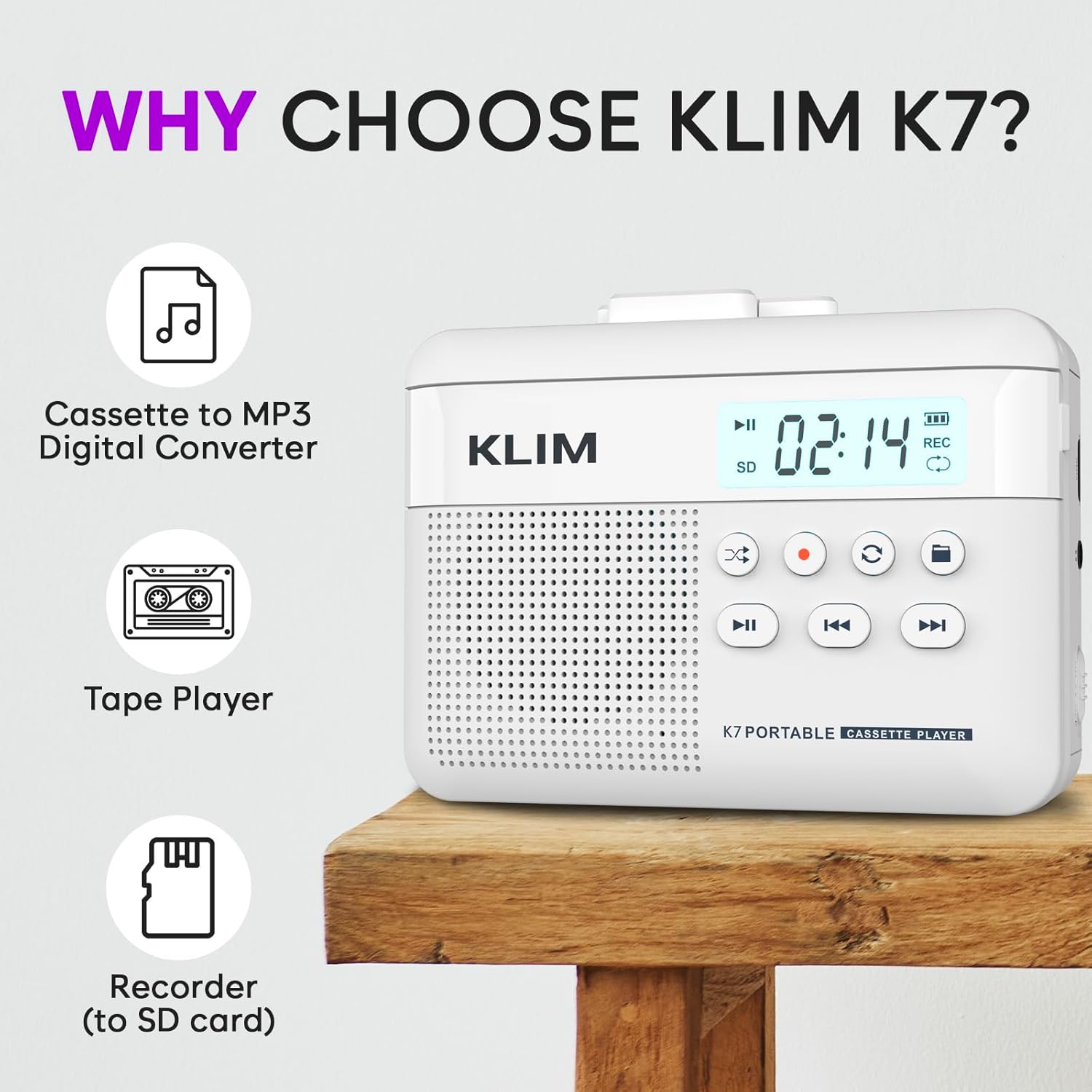
Slika 1: Front view of the KLIM K7 Cassette Player, showing the speaker grille, LCD display, and control buttons (Play/Pause, Rewind, Fast Forward, Stop, Record, Mode, Folder, Loop).
- LCD ekran: Shows track number, recording status, and battery level.
- govornik: Integrisani zvučnik za audio reprodukciju.
- Dugme za reprodukciju/pauzu (►▮): Pokreće ili pauzira reprodukciju.
- Rewind Button (◀◀): Rewinds the cassette tape or navigates backward through MP3 tracks.
- Fast Forward Button (►►): Fast forwards the cassette tape or navigates forward through MP3 tracks.
- Dugme za zaustavljanje (■): Zaustavlja reprodukciju ili snimanje.
- Record Button (●): Initiates or stops recording.
- Dugme za režim rada (↻): Switches between cassette playback and SD card MP3 playback.
- Folder Button (🖿): Navigates through folders on the SD card.
- Loop Button (⟳): Repeats the current track or all tracks.

Slika 2: Side view of the KLIM K7 Cassette Player, highlighting the SD card slot, 3.5mm headphone jack, and On/Off switch.
- Utor za SD karticu: Insert your Micro SD card here for recording and MP3 playback.
- 3.5 mm priključak za slušalice: Connect the included earphones or other standard headphones.
- Prekidač za uključivanje/isključivanje: Uključuje ili isključuje uređaj.
- Kontrola jačine zvuka: Podešava nivo audio izlaza.

Slika 3: Top view of the KLIM K7 Cassette Player with the cassette compartment open, showing the tape mechanism.
- Odjeljak za kasetu: Insert your cassette tapes here.
- Cassette Door Release: Otvara pretinac za kasetu.
Setup
1. Punjenje baterije
Before first use, fully charge the KLIM K7. The device comes with a 1000mAh rechargeable battery.
- Locate the Type-C USB charging port on the side of the device.
- Connect the included Type-C USB cable to the charging port and the other end to a USB power adapter (not included) or a computer's USB port.
- The charging indicator on the LCD display will show charging status. A full charge typically takes approximately 2 hours.

Slika 4: The KLIM K7 connected to a Type-C USB cable for charging.
2. Umetanje SD kartice
An SD card (16GB included) is required for converting tapes to MP3 and for recording with the built-in microphone.
- Pronađite utor za SD karticu sa strane uređaja (pogledajte sliku 2).
- Pažljivo umetnite Micro SD karticu u utor sa zlatnim kontaktima okrenutim prema dolje dok ne klikne na svoje mjesto.
- To remove, push the SD card inward until it clicks, then release, and it will eject.

Slika 5: Inserting the Micro SD card into the KLIM K7.
3. Inserting a Cassette Tape
- Press the Cassette Door Release button to open the cassette compartment.
- Insert your cassette tape with the open side facing upwards and the tape reels aligned with the player's mechanism.
- Čvrsto zatvorite vrata pretinca za kasetu dok ne kliknu.
Uputstvo za upotrebu
1. Playing Cassette Tapes
- Ensure the device is powered on using the On/Off switch.
- Insert a cassette tape as described in the Setup section.
- Pritisnite Play/Pause (►▮) dugme za početak reprodukcije.
- Podesite jačinu zvuka pomoću kontrole jačine zvuka.
- Koristite Rewind (◀◀) i Fast Forward (►►) dugmad za navigaciju kroz traku.
- Pritisnite Zaustavi (■) dugme za završetak reprodukcije.
2. Converting Cassette Tapes to MP3
The KLIM K7 allows direct conversion of cassette audio to MP3 files on the inserted SD card, without needing a computer or additional software.
- Ensure an SD card is inserted and the device is powered on.
- Umetnite kasetu koju želite konvertovati.
- Pritisnite Play/Pause (►▮) button to start playing the tape.
- Dugi pritisak the Record (●) button. The 'REC' indicator on the LCD display will illuminate, indicating that recording has started.
- Za zaustavljanje snimanja pritisnite Record (●) button again. The 'REC' indicator will turn off. The recorded audio will be saved as an MP3 file na SD kartici.
- You can then remove the SD card and use the included SD card reader to transfer the MP3 filena računar ili neki drugi uređaj.

Slika 6: Visual guide for converting cassette audio to MP3 files.
3. Using the Built-in Microphone for Recording
The KLIM K7 can also record audio directly from its built-in microphone to the SD card.
- Ensure an SD card is inserted and the device is powered on.
- Pritisnite Mode (↻) button until the device is in SD card mode (no cassette playing).
- Dugi pritisak the Record (●) button. The 'REC' indicator will light up, and the device will start recording audio from its microphone.
- Za zaustavljanje snimanja pritisnite Record (●) button again. The 'REC' indicator will turn off, and the recording will be saved as an MP3 file.

Slika 7: Using the KLIM K7's built-in microphone for recording.
4. Playing MP3 Filesa SD kartice
- Ensure an SD card with MP3 files is inserted and the device is powered on.
- Pritisnite Mode (↻) button to switch to SD card playback mode. The LCD display will show track information.
- Pritisnite Play/Pause (►▮) dugme za početak reprodukcije.
- Koristite Rewind (◀◀) i Fast Forward (►►) dugmad za preskakanje numera.
- The Folder (🖿) button allows navigation through different folders on the SD card.
- The Loop (⟳) button can be used to repeat the current track or all tracks.
- Podesite jačinu zvuka pomoću kontrole jačine zvuka.
- Pritisnite Zaustavi (■) dugme za završetak reprodukcije.

Slika 8: Enjoying audio with the KLIM K7 and included earphones.
Održavanje
Proper maintenance ensures the longevity and optimal performance of your KLIM K7.
- čišćenje: Za čišćenje vanjske strane uređaja koristite meku, suhu krpu. Ne koristite tekuća sredstva za čišćenje ili otapala.
- Odjeljak za kasetu: Povremeno čistite glave trake i valjke za stiskanje pamučnim štapićem laganoampened with isopropyl alcohol to prevent audio quality degradation. Ensure the device is off and dry before use.
- Skladištenje: Uređaj čuvajte na hladnom i suhom mjestu, dalje od direktne sunčeve svjetlosti i ekstremnih temperatura.
- Održavanje baterije: For long-term storage, charge the battery to about 50% every few months to maintain battery health.
Rješavanje problema
If you encounter any issues with your KLIM K7, please refer to the following common solutions:
| Problem | Mogući uzrok | Rješenje |
|---|---|---|
| Uređaj se ne uključuje. | Baterija je prazna. | Charge the device using the provided Type-C USB cable. |
| Nema zvuka tokom reprodukcije kasete. | Jačina zvuka je preniska ili slušalice nisu pravilno povezane. | Increase the volume. Ensure headphones are fully plugged into the 3.5mm jack. |
| Recording to MP3 fails or produces no file. | SD card is full, not inserted correctly, or corrupted. | Check SD card insertion. Ensure sufficient space on the SD card. Try reformatting the SD card (this will erase all data). |
| Poor audio quality from cassette. | Dirty tape heads or worn-out cassette tape. | Clean the tape heads and pinch rollers. Try a different cassette tape to determine if the issue is with the tape itself. |
| Uređaj se zamrzava ili prestaje reagirati. | Privremeni softverski kvar. | Turn the device off and then on again. If the issue persists, allow the battery to fully discharge and then recharge. |
Specifikacije
- Dimenzije proizvoda: 4.76 x 3.61 x 1.56 inča
- Težina artikla: 9.9 unce
- baterija: 1 litijum-jonska baterija (uključena), 1000 mAh
- Vrijeme punjenja: Približno 2 sata
- Skladištenje: Podržava Micro SD karticu (16GB uključena)
- Audio izlaz: Built-in speaker, 3.5mm headphone jack
- Format snimanja: MP3

Slika 9: Dimensions of the KLIM K7 Cassette Player.
Garancija i podrška
KLIM is committed to producing quality electronics. The KLIM K7 Cassette Tape Player comes with a 5-godišnja garancija. If you encounter any problems with your device, please contact KLIM customer support for assistance.
Dodatni planovi zaštite mogu biti dostupni za kupovinu:
- Dvogodišnji plan zaštite: $3.99 (one-time)
- Dvogodišnji plan zaštite: $5.99 (one-time)
- NEW Complete Protect: $16.99 (monthly)
Za dodatnu podršku posjetite KLIM trgovina na Amazonu.