
1. Uvod
This manual provides detailed instructions for the installation, operation, and maintenance of your VBESTLIFE Z490 GAMING PLUS ATX Motherboard. Designed for DIY computer enthusiasts, this motherboard supports 10th and 11th generation Intel Core, Pentium Gold, and Celeron processors with an LGA 1200 socket. Please read this manual thoroughly before proceeding with installation to ensure proper setup and optimal performance.

Slika 1.1: Gotovoview of the VBESTLIFE Z490 GAMING PLUS Motherboard.
2. Ključne karakteristike
- Podrška za procesor: Compatible with 10th and 11th Generation Intel Core, Pentium Gold, and Celeron processors for LGA 1200 sockets.
- Memorija: Features two DDR4 memory slots, supporting up to 64GB of dual-channel DDR4 RAM.
- Skladištenje: Includes a full-speed M.2 interface supporting 32GB/s data transfer for NVMe SSDs, and four Serial ATA 3.0 ports for traditional storage devices.
- Grafički izlaz: Integrated DP, HDMI, and VGA video ports for versatile display connectivity.
- Slotovi za proširenje: One PCIe Gen 3.0 x16 slot for graphics cards and one PCIe X1 slot for other expansion cards.
- umrežavanje: Integrated 1000Mbps Gigabit LAN for high-speed network connectivity.
- audio: Utilizes an independent Realtek HiFi Sound card for enhanced audio experience.
- USB povezivanje: Multiple USB 3.2 Gen1 and USB 2.0 interfaces, including front panel headers.
- Izdržljiv dizajn: Features pre-installed I/O shielding and stable solid-state components for extended motherboard lifespan and protection against electrostatic discharge.
3. Postavljanje i instalacija
Before beginning installation, ensure your system is powered off and disconnected from the power source. Handle the motherboard by its edges to avoid static discharge. It is recommended to wear an anti-static wrist strap.
3.1. Instalacija procesora (CPU)
- Pronađite LGA 1200 CPU socket na matičnoj ploči.
- Gently push down the load lever and pull it away from the socket to open the CPU socket cover.
- Poravnajte trouglastu oznaku na procesoru (CPU) s odgovarajućom oznakom na utičnici. Pažljivo postavite CPU u utičnicu bez upotrebe sile.
- Zatvorite poklopac utičnice i vratite polugu za punjenje na mjesto dok ne klikne.

Slika 3.1: Krupni plan view of the LGA 1200 CPU socket, ready for processor installation.
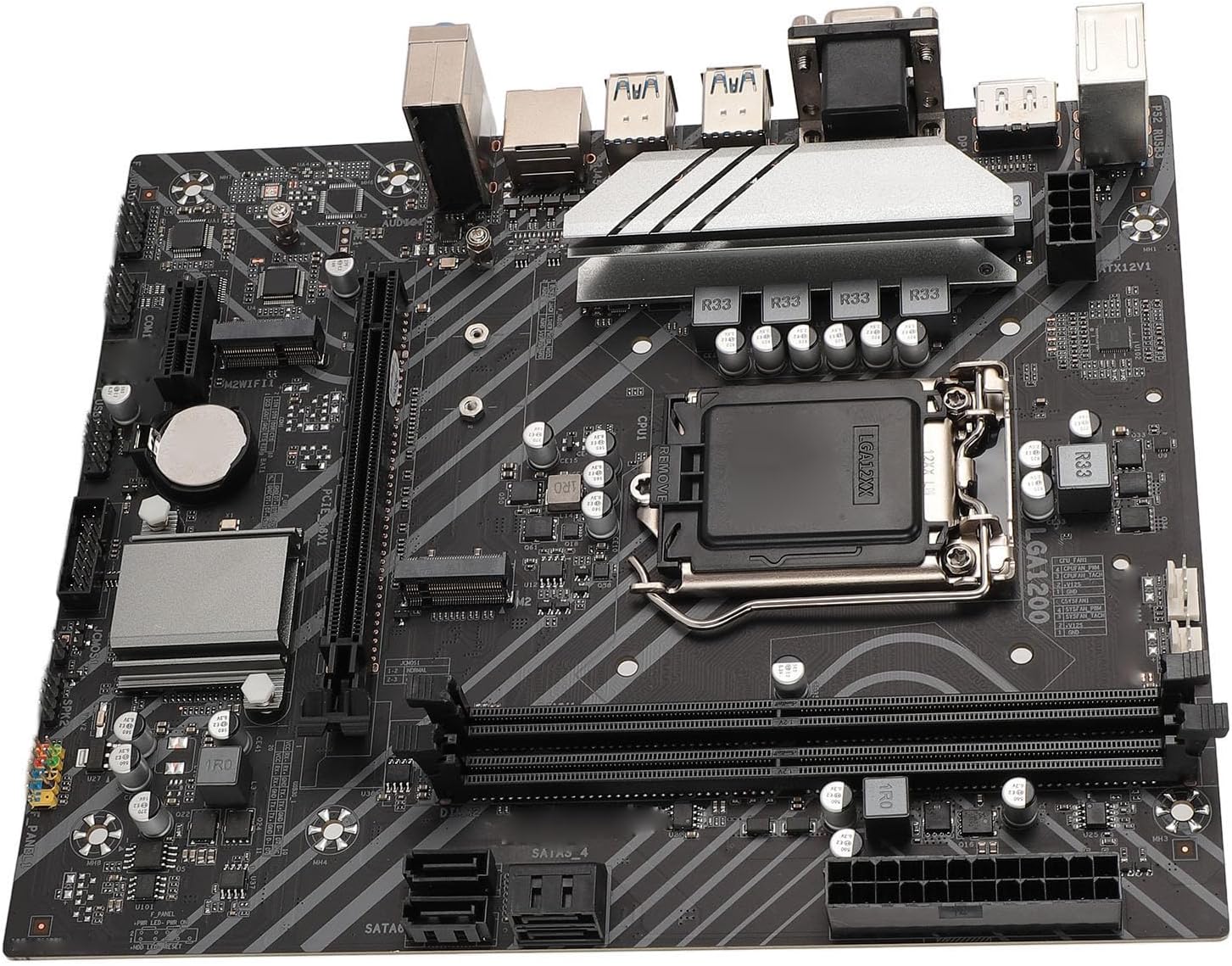
Slika 3.2: Detaljno view of the CPU socket area, showing power delivery components.
3.2. Instalacija memorije (RAM)
- Open the clips at both ends of the DDR4 memory slots.
- Poravnajte zarez na DDR4 memorijskom modulu s ključem u memorijskom utoru.
- Čvrsto umetnite memorijski modul u utor dok se kopče ne uklope na svoje mjesto. Provjerite da li su obje kopče potpuno zatvorene.
3.3. Instalacija uređaja za pohranu podataka
3.3.1. Instalacija M.2 SSD-a
- Pronađite M.2 slot na matičnoj ploči.
- Uklonite vijak za odstojnik M.2.
- Umetnite M.2 SSD u utor pod uglom od 30 stepeni.
- Lagano pritisnite M.2 SSD prema dolje i pričvrstite ga odstojnim vijkom.

Image 3.3: The M.2 interface, designed for high-speed NVMe SSDs.

Image 3.4: Close-up of the M.2 slot and surrounding expansion slots and headers.
3.3.2. Instalacija SATA uređaja
- Connect one end of the SATA data cable to a SATA 3.0 port on the motherboard.
- Drugi kraj SATA podatkovnog kabela spojite na vaš SATA tvrdi disk ili SSD.
- Spojite SATA kabel za napajanje iz jedinice za napajanje (PSU) na uređaj za pohranu podataka.

Image 3.5: The Serial ATA 3.0 ports for connecting traditional hard drives and SSDs.
3.4. Instalacija kartice za proširenje (PCIe)
- Locate the PCIe x16 slot for your graphics card or PCIe x1 slot for other expansion cards.
- Uklonite odgovarajući poklopac utora za proširenje s kućišta računara.
- Align the card with the slot and press down firmly until it is seated correctly.
- Pričvrstite karticu vijkom na kućište računara.
3.5. Priključci za napajanje
- Connect the 24-pin ATX power connector from your PSU to the 24-pin ATXPWR socket on the motherboard.
- Connect the 8-pin ATX 12V power connector from your PSU to the 8-pin ATX12V socket on the motherboard.
3.6. Priključci I/O panela
Connect your peripherals to the appropriate ports on the motherboard's rear I/O panel.
- Prikaz: Connect your monitor to the DP, HDMI, or VGA ports.
- USB uređaji: Povežite tastature, miševe i druge USB uređaje na USB 3.2 Gen1 ili USB 2.0 portove.
- mreža: Connect an Ethernet cable to the LAN port for internet access.
- audio: Spojite zvučnike ili slušalice na audio priključke.

Image 3.6: The rear I/O panel featuring DP, HDMI, VGA, USB, LAN, and audio ports.
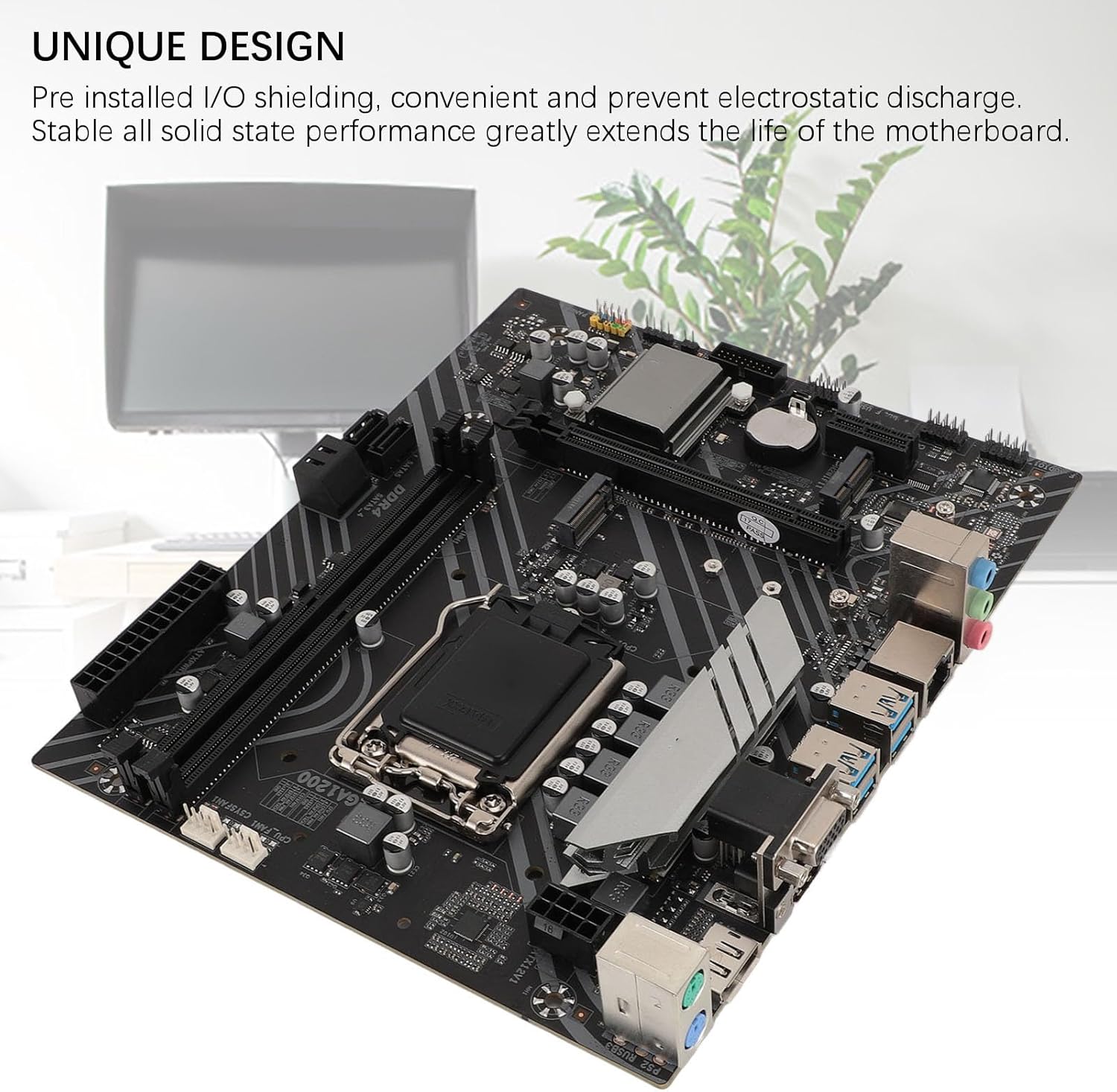
Image 3.7: The motherboard's unique design with pre-installed I/O shielding for convenience and protection.

Slika 3.8: Detaljno view of the I/O ports and the CPU socket area.
4. Uputstvo za upotrebu
4.1. Početno pokretanje
After completing all hardware installations, connect your monitor, keyboard, and mouse. Power on your system. The motherboard will perform a Power-On Self-Test (POST). If all components are detected correctly, the system will proceed to boot from your installed operating system or prompt for OS installation.
4.2. Podešavanje BIOS-a/UEFI-ja
Da biste pristupili uslužnom programu za podešavanje BIOS-a/UEFI-ja, pritisnite određeni taster (obično DEL or F2) repeatedly during the initial boot-up sequence. Within the BIOS/UEFI, you can configure system settings such as boot order, date/time, fan speeds, and other advanced options.
5. Tehničke specifikacije
| Feature | Specifikacija |
|---|---|
| Model | Z490 GAMING PLUS |
| Motherboard Architecture | ATX |
| Veličina matične ploče | Approx. 225x190mm / 8.9x7.5in |
| Tip CPU socketa | LGA 1200 (Supports 10th/11th Gen Intel Core, Pentium Gold, Celeron Processors) |
| Čipset | Intel Z490 |
| Mrežna kartica | 1000Mbps LAN |
| Integrated Sound Card | Realtek HiFi Sound |
| Graphics Card Slot | PCIE X16 Gen 3.0 |
| Podržana vrsta memorije | 2 x DDR4 DIMM slota |
| Maksimalni kapacitet memorije | 64 GB (32 GB x 2) |
| Serial ATA Interface | Serial ATA3.0 x 4 |
| USB interfejs | USB3.2 Gen1 x 4, Front USB2.0 pin x 1, Front USB3.0 pin x 1 |
| Interfejsi za proširenje | DP x 1, HDMI x 1, VGA x 1, M.2 Interface x 1 (Supports NGFF, NVME protocol), M.2 Wireless Fidelity Interface x 1, PCIE X1 x 1 |
| Interfejs napajanja | 1 x 24PIN ATXPWR, 1 x 8PIN ATX12V |
| Vrsta baterije | CR2032 button cell battery (240 mAh, integrated) |
| Proizvođač | VBESTLIFE |
| Broj modela | VBESTLIFE60hydko52q |
| Zemlja porijekla | Kina |
6. Održavanje
- čišćenje: Redovno čistite prašinu sa matične ploče i komponenti komprimiranim zrakom. Prije čišćenja provjerite je li sistem isključen iz struje.
- Rukovanje: Always handle the motherboard by its edges. Avoid touching components directly to prevent electrostatic discharge.
- Okruženje: Operate the motherboard in a well-ventilated area to prevent overheating. Avoid extreme temperatures and humidity.
- Ažuriranja BIOS-a: Povremeno provjeravajte proizvođačeve website for BIOS/UEFI updates. Follow update instructions carefully to avoid system instability.
7. Otkrivanje problema
7.1. Nema napajanja / Nema pokretanja
- Ensure all power cables (24-pin ATX, 8-pin ATX12V) are securely connected to the motherboard and PSU.
- Provjerite je li jedinica za napajanje (PSU) uključena i ispravno funkcionira.
- Check front panel connections (power button, reset button) to ensure they are correctly plugged into the motherboard headers.
- Pokušajte pokrenuti sistem s minimalnim brojem komponenti (CPU, jedna RAM memorija, grafička kartica ako nema integrirane grafike) kako biste izolirali problem.
7.2. Nema izlaza za prikaz
- Ensure your monitor is connected to the correct display output port (DP, HDMI, or VGA) on the motherboard or dedicated graphics card.
- Verify that the graphics card (if installed) is properly seated in its PCIe slot and has adequate power connected.
- Ako je moguće, testirajte s drugim kabelom za prikaz ili monitorom.
7.3. Nestabilnost sistema / Ruševi sistema
- Check that all memory modules are correctly seated in their slots.
- Ensure CPU cooler is properly installed and making good contact with the CPU. Monitor CPU temperatures.
- Verify that your power supply unit (PSU) provides sufficient wattage for all installed components.
- Pokrenite alate za dijagnostiku memorije da biste provjerili da li postoji neispravan RAM.
8. Garancija i podrška
This VBESTLIFE Z490 GAMING PLUS Motherboard comes with a 2-godišnja garancija proizvođača. This warranty covers defects in materials and workmanship under normal use. For warranty claims or technical support, please contact your retailer or the VBESTLIFE customer service directly. Please retain your proof of purchase for warranty validation.
For further assistance, please refer to the official VBESTLIFE webstranicu ili kontaktirajte njihove kanale za podršku.